

AI Video Model Comparison: Choosing the Right Tool by Job
Oct 1, 2026

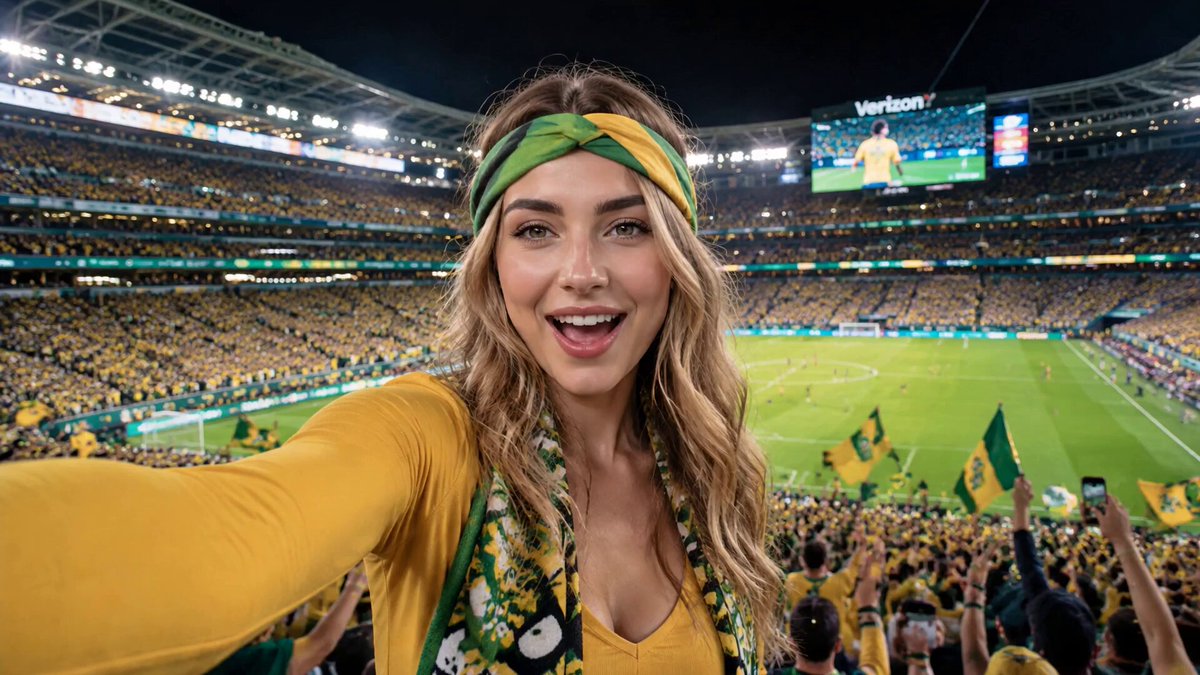
AI video generation stopped being a novelty the moment teams started shipping real deliverables with it. A few years ago, a coherent five-second clip felt like a magic trick. Today, studios produce multi-shot sequences, product demos, and episodic shorts where nearly every frame is model-generated. The interesting question is no longer whether AI can make video. It is which model to use at which step, with which controls, and how to stitch the results into something that holds together.
This guide breaks down how modern generative video systems work, where they diverge, and how to choose between PixVerse, Sora, Runway, Kling, Luma, Pika, Veo and the rest — not as a leaderboard, but as instruments with different strengths and different failure modes. The goal is a repeatable pipeline you can defend to a client, not a list of impressive demos.
Why Model Choice Is Now a Production Decision
When text-to-video was immature, the model was the whole story. You wrote a prompt, waited, and accepted whatever came back. Every project looked like a lottery. That era is over. Modern pipelines split the work across several specialized stages: concept development, shot design, base generation, motion refinement, upscaling, audio, and editing. Each stage rewards different capabilities.
A model that produces beautiful wide landscapes may collapse the moment you ask for two people talking in the same frame. A model with superb character consistency may render camera moves with the finesse of a security cam. A model tuned for stylized animation may be useless for photoreal product shots. Choosing one model for an entire project — the way you might choose one camera body for a shoot — is usually the wrong instinct.
The practical shift is this: treat generative models as a crew rather than a single hire. One model handles hero shots, another handles B-roll, a third handles inserts and transitions. What matters is that they share a coherent look, a consistent character, and compatible output formats. That is a workflow problem, and it is solvable.
What Modern Generative Video Models Actually Do
Under the hood, most current systems share a common architecture: a diffusion or transformer-based backbone trained on massive video corpora, conditioned on text, images, or both. The differences that matter in practice come down to four things.
Prompt interpretation and intent mapping
Strong models do more than match keywords. They infer intent — lighting, mood, lens behavior, pacing. Ask for "a slow dolly-in on a rain-soaked alley at night, neon reflections, shallow depth of field" and a mature model will translate that into camera motion, bokeh, and reflective highlights. A weaker model will give you a dark alley and call it a day. The gap shows up in how much post-hoc fixing you have to do.
Temporal coherence and motion realism
Temporal coherence is the ability to keep objects stable frame to frame. It is where early models failed hardest: hands melting, faces morphing, backgrounds breathing. Current leaders handle short durations well, but coherence degrades with length and complexity. Any scene with fast motion, multiple characters, or complex occlusion is still a stress test. If your shot involves a person walking through a crowd, plan for more iterations than a static portrait.
Camera and lens control
This is where the field has differentiated fastest. Instead of describing camera moves in prose and hoping, many models now accept explicit parameters: focal length, aperture, dolly, crane, orbit, pan-tilt, and motion strength. Explicit control converts guesswork into direction. It also makes shot-to-shot continuity possible, because you can repeat the same lens language across a sequence.
Reference conditioning
Reference inputs — character sheets, product photos, style frames, previous frames — let you anchor identity and look. Good reference handling means a character stays recognizably the same across five shots. Poor handling means every cut introduces a new stranger. For anything episodic, branded, or character-driven, reference quality is the single most important capability to evaluate.
Camera Control Is the Sharpest Differentiator
If you only test one capability before committing to a tool, test camera control. It is the difference between generating clips and directing shots.
PixVerse has pushed hard in this area, exposing lens-level controls and motion parameters that let you specify how the virtual camera behaves rather than describing it in a sentence and hoping. Sora leans on strong narrative comprehension and long-form coherence, producing shots that feel deliberately composed even with minimal technical input. Runway offers granular motion brushes and a mature editing ecosystem around its generator. Kling and Luma sit at various points along the spectrum, with strengths in motion fluidity and natural lighting respectively.
The workflow implication is practical. When a model supports explicit camera parameters, you can build a shot list the way a director would: establishing wide, medium two-shot, close-up on hands, insert of the product. You then reproduce that grammar consistently across scenes. When a model only supports prose prompting, you end up prompting by trial and error, and continuity becomes fragile.
There is a tradeoff worth naming. Highly parameterized tools have a learning curve and can feel rigid. Prose-driven tools feel creative but unpredictable. Most professional teams end up using both: parameterized generation for anything that needs to match, prose generation for exploratory and atmospheric material.
Consistency Across Shots: References and Style Locking
Consistency is the hardest unsolved problem in AI video, and it fractures into three separate challenges.
Character consistency means the same person appears across shots with the same face, hair, wardrobe, and proportions. The reliable technique is multi-image referencing: supply several angles of the character, then generate each shot with the same reference set. Models that accept multiple references simultaneously perform noticeably better here.
Style consistency means lighting, color grade, grain, and rendering style stay stable. Style transfer from a keyframe or style image works well, but only if the model respects it across different scenes. A common failure is a dramatic shift in color temperature between shots that were generated from similar prompts.
Object and set consistency covers props, locations, and vehicles. This is where product work lives. If you are generating a campaign around a specific device, the device must look identical in every clip. Reference-driven generation plus a locked camera angle per shot is the most reliable path.
A useful habit: build a small "identity kit" before generating anything. One hero reference image per character, one style frame, one product reference, and a written style note describing lens, lighting, and palette. Feed the same kit into every generation. It costs a little setup time and saves enormous cleanup time.
Matching Models to Use Cases
Different deliverables reward different model characteristics. Here is how the landscape maps to common jobs.
Cinematic short films
You need camera grammar, mood, and shots that hold for several seconds. Prioritize models with explicit lens control, strong lighting comprehension, and stable temporal coherence. Expect to generate three to five variations per shot and to use an upscaler for final delivery.
Product and e-commerce video
Consistency beats artistry. You need the product to look right, the background to be controllable, and the motion to be restrained. Reference-conditioned generation plus locked-off or slow-orbit camera moves works best. Avoid aggressive stylistic filters that distort logos or label text.
Vertical social content
Speed and hook density matter more than polish. Fast iteration, cheap reruns, and native 9:16 framing are the priorities. Models with quick turnaround and simple prompting let you test ten hooks in the time a cinematic model takes for two.
Narrative and dialogue-driven scenes
This is the hardest category. Lip sync, eye contact, and emotional micro-expression are still uneven. Combine a video model with a dedicated lip-sync or performance-transfer tool rather than expecting a single model to do everything. Keep shots short and cut on motion to hide imperfections.
Stylized animation
Anime, claymation, and painterly looks are often easier than photorealism because audiences forgive abstraction. Models with strong style transfer and stable line work shine here. Reference frames from existing artwork dramatically improve results.
A Practical End-to-End Workflow
Here is a pipeline that works for most short-form projects, from brief to export.
Stage one: script and shot list. Write the piece as a sequence of shots with intent, not as paragraphs. Each shot gets a subject, action, camera behavior, lighting, and duration target. This document becomes your generation checklist.
Stage two: identity kit. Generate or select reference images for characters, products, and style. Lock them in a folder. Do not change them mid-project.
Stage three: base generation. Generate each shot three to five times at low or medium settings. Judge on composition and motion, not on detail. You are looking for the shot that reads correctly.
Stage four: selection and refinement. Pick the best take, then iterate on the closest version rather than starting fresh. Small parameter changes — motion strength, camera speed, seed variation — usually fix more than full rewrites.
Stage five: upscale and repair. Run selected clips through an upscaler or detail-enhancement pass. Fix small artifacts with inpainting or a short frame-level retouch.
Stage six: audio. Generate or record voiceover, then add ambience and music. Sound is what makes generated footage feel intentional rather than synthetic. Footsteps, room tone, and cloth movement do more work than most people expect.
Stage seven: edit. Cut on motion. Keep shots shorter than feels natural — two to four seconds is often plenty. Use match cuts between AI shots to mask continuity gaps, and insert real footage or graphics where they help.
Stage eight: grade and deliver. Unify color across shots, add grain or subtle texture to blend sources, and export at platform-appropriate settings.
Common Mistakes That Ruin AI Video Projects
Overloading the prompt. Long prompts with ten competing ideas produce mush. One clear action, one camera behavior, one lighting condition per shot.
Chasing perfection on a bad take. If a shot does not read after three iterations, the problem is usually the shot design, not the settings. Rewrite the shot.
Ignoring continuity until the edit. Continuity problems are cheapest to fix at generation time. Fixing them in post is expensive and often impossible.
Mixing models without matching output. Different models produce different grain, color science, and motion feel. Normalize before cutting, or you will spend hours grading.
Neglecting audio. Silent generated footage reads as a demo. Sound design converts it into a film.
Forgetting aspect ratio. Generate in your delivery ratio when possible. Cropping widescreen footage to vertical destroys composition.
Treating one model as a religion. Tool loyalty costs time. Match the tool to the shot.
Assembling a Tool Stack That Scales
A workable stack has five layers. First, generation: two or three video models covering different strengths — one for controlled cinematic shots, one for fast iteration, one for stylized work. Second, reference and identity tools: image generators and asset libraries that keep characters and products stable. Third, enhancement: upscalers and artifact repair. Fourth, audio: voice synthesis, sound effects, and music. Fifth, editing and delivery: a capable NLE plus a consistent export pipeline.
The reason to keep two or three generators in rotation is resilience. Models change, availability shifts, and a shot that one system refuses to produce may come out perfectly from another. Teams that depend on a single tool are one outage away from a stalled project.
Document your settings. When a shot works, save the prompt, parameters, seed, and references. A personal library of proven recipes is worth more than any feature comparison chart, because it encodes your specific style.
Decision Framework: Choosing a Model for the Job
Work through these questions in order.
- Does the shot require a specific camera behavior? If yes, prioritize models with explicit lens and motion controls.
- Does the shot require a recurring character or product? If yes, prioritize multi-reference conditioning above all else.
- How long does the shot need to hold? Longer shots demand stronger temporal coherence; short cuts forgive a lot.
- How many variations can you afford to review? High-variation workflows need fast, inexpensive generation; low-variation workflows can afford slower, higher-fidelity models.
- What is the delivery format? Vertical, square, and widescreen each change which model behaves best.
- Does the output need to match existing footage? If yes, test blending early rather than at the end.
Answer these before you open any tool, and the choice usually makes itself.
FAQ
How long should an AI-generated shot be?
Two to four seconds is the sweet spot for most projects. Shorter cuts hide continuity flaws and keep pacing tight. Longer shots are possible but require more iterations.
Can one model handle an entire project?
Sometimes, if the project is stylistically uniform and short. For anything with recurring characters, varied camera work, or mixed formats, a multi-model pipeline is more reliable.
What is the biggest quality limiter?
Usually continuity, not resolution. A slightly soft shot that matches its neighbors looks better than a razor-sharp shot that breaks the world.
Do I need references for every project?
For narrative or branded work, yes. For abstract or atmospheric pieces, a written style note is often enough.
How do I make generated footage feel less synthetic?
Add sound design, vary shot length, cut on motion, and grade consistently. Perceived realism comes from rhythm and audio as much as from pixels.
Should I generate at final resolution?
Generate at a workable resolution for speed, then upscale the selects. Iterating at maximum resolution wastes time on takes you will discard.
What about lip sync and dialogue?
Treat it as a separate specialist step. Generate the performance, then apply a dedicated lip-sync pass, and keep shots short.
How do I keep costs predictable?
Standardize on a small number of models, keep a shot list, and limit iterations per shot. Unstructured exploration is where budgets disappear.
Is it worth learning multiple tools?
Yes, but gradually. Master one generator deeply, then add a second when you hit a repeated limitation. Two strong tools cover most work.
How do I present AI video work to clients?
Show final deliverables and be transparent about process. Clients care about outcome, deadlines, and consistency far more than which model rendered a frame.
Generative video is now a craft with its own grammar. The teams producing the strongest work are not the ones with access to a secret model. They are the ones who plan shots, build identity kits, iterate deliberately, and treat audio and editing as first-class parts of the process. Pick your tools by capability rather than hype, and keep a second option ready for the shots that refuse to cooperate. That combination — structure plus flexibility — is what turns a pile of generated clips into something an audience will actually watch.

Alexander
More Blogs
Read MoreAI Video Production From Concept to Final Render: A Workflow
A practical guide to AI-assisted video production, from brief and shot list to prompt design, audio, editing, and final quality control.
Free Video Transcription and Editing Workflow: A Practical Guide
Build a reliable free video transcription and editing workflow with practical tool choices, caption tips, quality checks, and AI handoff points.
Automated Video Transcription: A Practical AI Workflow
Learn a reliable automated video transcription workflow with AI, from audio prep and speaker labels to quality checks, captions, and searchable transcripts.