

AI Video Production Trends: Motion Graphics and Sound Design
Oct 1, 2026

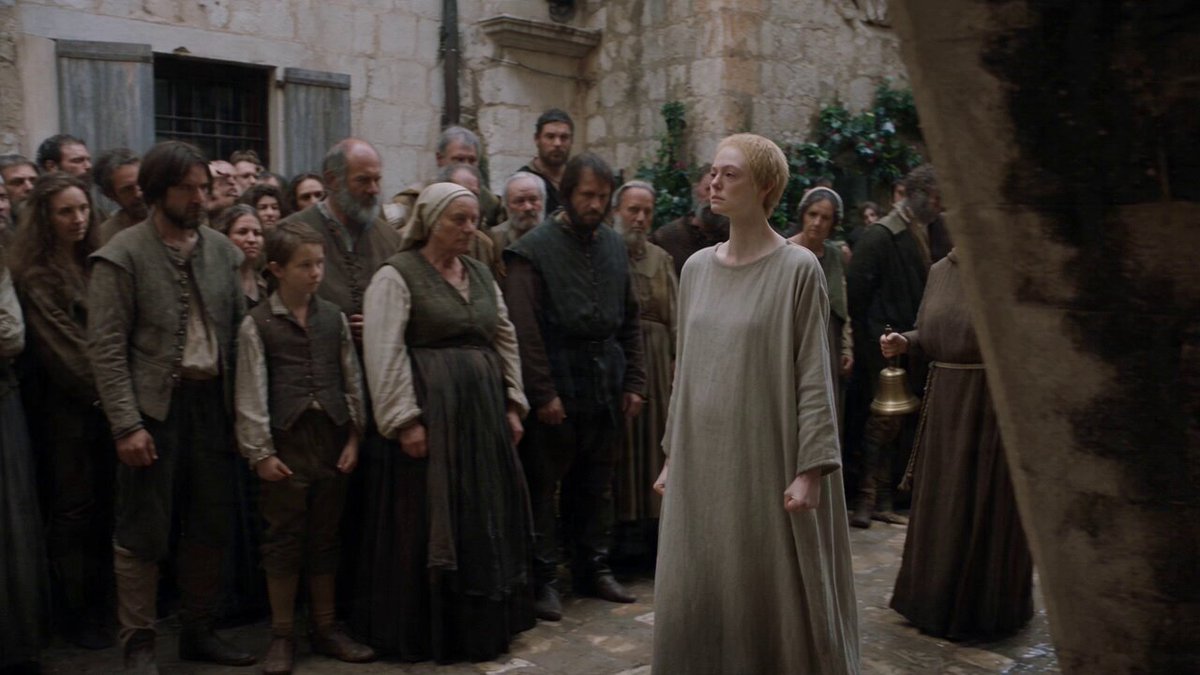
Video production has always been a craft of accumulation: more lights, more takes, more people, more time. That equation held for decades. It no longer does. Teams producing visually ambitious work today are often smaller than the crews that made a single regional commercial a generation ago, and cameras alone do not explain the gap.
Three shifts are doing the heavy lifting. Generative AI models can now produce, extend, and refine footage. Motion graphics systems scale a single visual language across hundreds of deliverables. Sound design pipelines treat audio as a first-class part of the edit rather than a final-week panic. Understanding how those three forces interact is the difference between using AI as a novelty and using it as infrastructure.
The Three Forces Reshaping Video Production
Before diving into tactics, it helps to separate what is genuinely new from what is simply faster. Most of the noise around AI video conflates the two.
The first force is generation and transformation. Text-to-video, image-to-video, video-to-video, inpainting, relighting, upscaling, and frame interpolation have moved from research demos to production tools. The practical consequence is that a shot no longer has to be physically captured to exist. It can be described, sketched, or generated from a single reference frame, then refined in passes.
The second force is visual systematization. Motion graphics stopped being a post-production garnish. Brands now ship dozens of aspect ratios, languages, and platform cuts from a single master. That demands a design system — grids, type scales, color tokens, animation curves — that a template engine can render reliably.
The third force is audio maturity. Viewers forgive imperfect visuals far more readily than bad sound. AI voice synthesis, generative foley, stem separation, and automatic dialogue replacement have made it possible to rebuild an entire soundtrack without booking a studio, but they have also raised the bar for what "finished" sounds like.
What ties the three together is a single workflow question: how do you keep everything consistent when production volume multiplies?
How AI Fits Into Every Stage of the Pipeline
AI is not one step in the process. It threads through all of them, and the value changes depending on where you apply it.
Pre-production and concepting
This is where AI currently delivers the highest return per minute spent. Mood boards that used to take a day of image searching now take twenty minutes of prompting and curating. Storyboards can be generated as rough animatics, which exposes pacing problems before anyone books a location. Script breakdowns can be automated so that a producer sees shot counts, location needs, and cast requirements while the script is still fluid.
The trap here is over-generating. Twenty mediocre concept images are worse than three deliberate ones, because they invite indecision. Treat AI concepting as a divergence tool, then converge hard with human judgment.
Production and shot creation
Generative video works best when it is treated as a shot factory, not a film factory. You do not prompt your way to a finished five-minute narrative in one pass. You build shots: a hero frame, a camera move, a duration, a lens character, then iterate until the clip holds up.
Hybrid approaches dominate real productions. Practical footage is shot for anything involving hands, products, or performance nuance, then extended or augmented with generated elements. Backgrounds get replaced, crowds get filled in, weather gets changed, and pickups that would have required a reshoot are synthesized from existing coverage.
Post-production and finishing
This is where AI has become quietly indispensable. Dialogue cleanup, noise removal, color matching between shots, rotoscoping, object removal, and subtitle generation are all mature enough to rely on. The time savings compound: a task that took a junior artist a full day might take fifteen minutes, which changes what you can afford to attempt.
The important discipline is verification. Every automated fix needs a human pass at full resolution and at normal speed, on the actual delivery device. AI artifacts hide in motion and reveal themselves on phones.
Consistency: The Real Bottleneck in AI Video
Ask any team that has shipped something with generative video what went wrong, and the answer is almost never "the model wasn't good enough." It is "the shots didn't match."
Character and product consistency
Keeping a face, a jacket, or a product label stable across shots is the core technical challenge. There are four practical strategies, and most projects use at least two:
- Reference locking. Build a small, high-quality reference set — front, three-quarter, profile, and a couple of expressions — and reuse it in every generation rather than describing the subject from scratch.
- Identity conditioning. Use tools that accept a face or object embedding so the model has a persistent anchor instead of a text description.
- Plate-based compositing. Generate the environment, shoot the human, and composite. This sacrifices some of the "generated" aesthetic but removes an entire class of failure.
- Segment discipline. Keep shots short. The longer a generated shot runs, the more likely identity drift appears. Three two-second shots frequently beat one six-second shot.
Style bibles and reference sets
A style bible is not a mood board. It is a specification: a defined color palette with hex values, a contrast curve, a grain treatment, a lens set, a motion signature, and a list of forbidden looks. When the same bible is attached to every generation request, output variance drops dramatically — not because the model is smarter, but because your instructions stopped being vague.
Shot-to-shot continuity
Continuity in AI video is a data problem. Track five attributes for every shot: subject identity, wardrobe, environment, lighting direction, and camera energy. If two adjacent shots disagree on more than one of those, the cut will feel wrong even if the viewer cannot articulate why. A simple continuity sheet, updated as shots are approved, prevents most of this.
Also: continuity checks require watching a sequence in motion, not reviewing stills. Stills hide temporal drift, and temporal drift is the artifact viewers notice.
Motion Graphics: From Decoration to Narrative
Motion graphics used to mean lower thirds and a logo sting. Now it carries argument. Explainer sequences, data visualizations, UI walkthroughs, and kinetic typography do the work that narration used to do alone.
Data-driven and template systems
If a graphic will appear more than three times with different values, it should be built as a driven template, not animated by hand. Connect spreadsheets, JSON, or CMS fields to composition variables so the animation logic stays fixed while the content changes. This is how you produce forty regional variants without forty artists.
The design discipline that makes this work is rigid naming and versioning. Every layer, color, and font gets a token name. When a brand refresh arrives, you change the token, not the forty compositions.
3D integration and style transfer
Two techniques have become practical for small teams. The first is 3D-aware compositing: render simple geometry for camera tracking and occlusion, then let generated or photographed elements live inside that space. The second is style transfer, where a reference frame defines the look — cel shading, halftone, risograph, painterly — and consistent application across a sequence produces a coherent animated world.
The pitfall is applying style transfer per shot with slightly different references. Nail one "style key frame," then use it everywhere, the same way you would use a LUT.
Asset libraries and modular creation
Build a reusable library of motion primitives: transitions, particle systems, lower thirds, chart reveals, text builds. Then compose sequences from those blocks. Modularity is what makes motion design survive a deadline instead of collapsing into a rescue operation.
Sound Design: The Half of the Experience Most Teams Rush
Audio is where AI-assisted production most often looks unfinished, because sound is treated as the last task instead of a parallel track.
Dialogue and voice
Synthetic voice has crossed the uncanny threshold for narration, internal monologue, and secondary characters, but performance nuance still matters. Direct the voice the way you would direct an actor: pace, pauses, emphasis, breath. Flat pacing is the tell, not timbre. For localization, generate a performance-matched version in the target language rather than a literal read, and always have a native speaker review idioms and emphasis.
Foley and ambient layers
Every environment needs a bed: room tone, distant traffic, HVAC hum, weather. Then spot effects for anything a character touches. Generated foley is fast enough that you can build three layers where you used to build one, and that layering is what makes a scene feel inhabited rather than assembled.
Music and adaptive scoring
AI composition is best used for textures, stingers, and beds under dialogue, then layered with licensed or custom-composed themes for emotional peaks. Watch the rights carefully: understand what a generated track permits, and keep documentation for anything client-facing.
Loudness and delivery specs
Streaming platforms normalize audio, which means a mix that is too hot gets turned down and loses dynamics, while a mix that is too quiet loses impact. Target roughly -14 LUFS integrated for online delivery with true peaks below -1 dBTP, and always check the mix on phone speakers, laptop speakers, and headphones. Three listening contexts in ten minutes will catch more problems than an hour of studio tweaking.
A Practical End-to-End Workflow
Here is a repeatable sequence that works for a one-minute brand piece up to a five-minute narrative short.
- Define the deliverable before the tool. Aspect ratios, durations, platforms, caption requirements, and the number of language versions. This determines almost every downstream decision.
- Write a shot list with intent, not just description. For each shot, note purpose, subject, environment, camera energy, and whether it will be generated, filmed, or composited.
- Lock references early. Assemble the style bible and identity references before generating anything. Changing references halfway through a project means regenerating everything.
- Generate to a "look key." Produce one shot that fully embodies the intended look. Approve it internally before producing volume. This single frame becomes the anchor for every subsequent request.
- Batch production in small groups. Generate five to eight shots, review as a sequence, adjust, then continue. Long uninterrupted generation runs produce libraries of unusable, inconsistent material.
- Edit for rhythm before polish. Assemble with temp audio and rough cuts. Pacing problems cannot be fixed with color grading.
- Build audio in parallel. Dialogue pass, then ambience, then spot effects, then music. Mix at the end.
- Finish, then verify. Color match, upscale, de-noise, and check on three devices including one phone at arm's length.
Budget the first twenty percent of the project to reference and look development. It feels slow and it is the single biggest predictor of whether the rest of the schedule holds.
Choosing Tools: Decision Criteria That Actually Matter
Tool lists age badly. Criteria do not. When evaluating any AI video, motion graphics, or audio tool, score it against these:
- Controllability. Can you specify camera motion, duration, and composition, or are you rolling dice? The best tools feel like camera rigs, not slot machines.
- Output resolution and licensing. What can you actually deliver, and what are you permitted to do commercially with the result?
- Integration. Does it fit into your editing, design, and asset management stack, or does it create an island?
- Determinism. If you run the same job twice, do you get something you can work with? Non-determinism is fine for ideation and dangerous for series work.
- Pricing model fit. Subscription, usage-based, or seat-based pricing each favor different production rhythms. High-volume, bursty work usually punishes seat-based pricing; steady work often punishes usage-based pricing.
- Data handling. Where do your assets go, who can see them, and what happens when you cancel? This matters more than most teams assume.
Rank criteria by relevance to your actual projects, weight them, and stop shopping. Tool churn is a productivity tax.
Common Mistakes and How to Avoid Them
The same five failures appear in almost every underperforming AI-assisted production.
Chasing maximum realism. The most convincing AI work usually hides its origin behind strong art direction — stylization, graphic framing, deliberate imperfection. If your concept depends on fooling the eye at close range, you have chosen the hardest possible brief.
Generating without a target. Producing hours of footage without an edit plan means the edit is dictated by what exists rather than what the story needs.
Treating audio as a final step. Sound decisions influence pacing and shot length. Build at least a temp track during assembly.
Skipping full-resolution review. Artifacts are invisible in the preview window and obvious on a television or a phone.
Ignoring continuity metadata. If you are not tracking identity, wardrobe, environment, lighting, and camera energy per shot, you will discover mismatches in the final review — the most expensive possible moment.
Frequently Asked Questions
Can AI replace a full production crew?
For certain formats — explainers, social cuts, stylized animation, product loops — a very small team can now deliver work that once required a crew. For anything with human performance at its center, AI is an accelerator, not a substitute.
How do I keep characters consistent across many shots?
Lock a reference set, use identity conditioning where available, keep shots short, and maintain a continuity sheet. Also accept up to a small amount of variation and design your edit around it; a cutaway or a reaction shot can cover a difference that would fail in a long take.
Is AI-generated audio good enough for client work?
For ambience, spot effects, and many narration use cases, yes — with review. For a lead actor's emotional performance, human voice talent still wins, and it is often cheaper than the iteration required to reach parity.
What about rights and disclosure?
Treat rights as a project requirement, not a legal detail discovered at delivery. Document what generated assets you used, what the terms allow, and follow any platform or client disclosure requirements. When in doubt, disclose.
How long should a typical AI-assisted project take?
A one-minute brand piece with a defined style and a small team can move from references to delivery in a few days. The variable is not the generation time, it is the number of revision loops — which is why look development and locked references matter so much.
Do I need expensive hardware?
Less than you might think. Most heavy lifting happens on hosted services or a single capable workstation. The real budget line has shifted from hardware to time spent on iteration and review.
What to Do in the Next Thirty Days
Pick one small project you can finish — thirty seconds, a single message, one platform. Build a style bible with actual values. Create a reference set with four to six images. Produce one "look key" shot and get it approved. Then batch-generate in small groups, edit for rhythm with temp audio, and finish the sound properly. Ship it.
That single loop teaches more than a month of reading about trends. The teams winning with AI video are not the ones with the longest tool list. They are the ones with a repeatable process, locked references, and the discipline to treat sound as half the project instead of the last ten percent.

Alexander
More Blogs
Read MoreAutomate Video Transcripts with AI: A Practical Workflow Guide
Learn how to turn video into accurate transcripts with AI automation, timecodes, speaker labels, SEO-friendly formatting, QA checks, and reusable workflows.
Change an iPhone Video Thumbnail: Mobile Workflow Guide
Learn how to change an iPhone video thumbnail with a reliable mobile editing workflow, from frame selection and cover design to export checks.
Boise Video Agencies: AI Workflow Guide for Local Teams
Discover how Boise video agencies can use AI video workflows to plan, produce, and deliver local campaigns with consistent brand voice and audio.