
Zeitlich begrenztes Angebot: 50% RABATT auf deinen ersten Monat mit Pro & Ultra 🎉

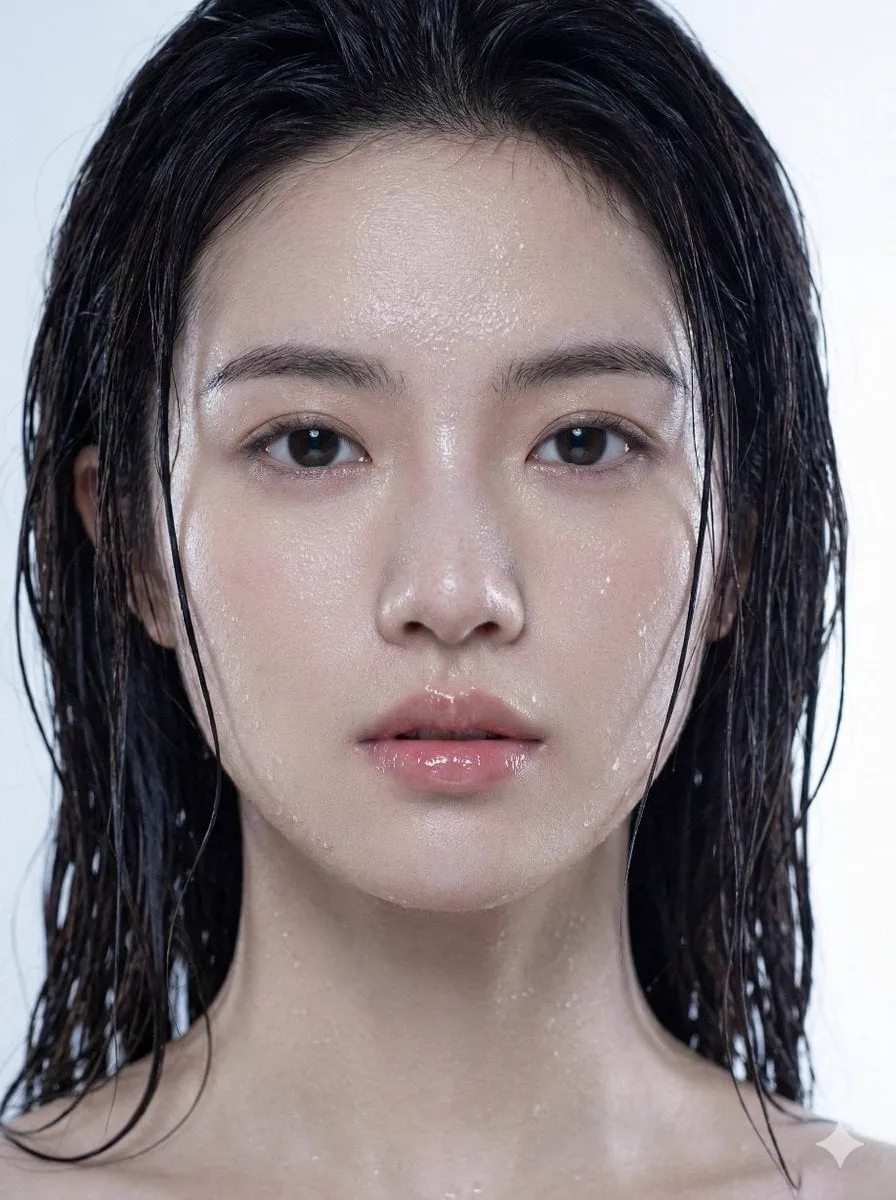
{ "request_metadata": { "version": "2
A
Adam也叫吉米@Adam38363368936
284 18,885 1/14/2026
Modell Nano Banana 2
Nano Banana 2Kategorien
Teilen:
Prompt
{
  "request_metadata": {
    "version": "2.0",
    "priority_focus": "Hyper-realistic skin textures and identity fidelity",
    "aspect_ratio": "3:4"
  },
  "subject_configuration": {
    "identity": {
      "name": "the person I uploaded",
      "reference_mode": "strict_identity_matching",
      "source_reference": "uploaded_files",
      "preservation_weight": 1.0,
      "angle": "Extreme profile view"
    },
    "facial_attributes": {
      "eyes": {
        "reflection_type": "Realistic catchlights",
        "aesthetic_constraint": "Avoid synthetic gloss or excessive shine"
      },
      "lips": {
        "state": "Parted / Moist",
        "surface_texture": "Soft natural ridges",
        "finish": "Glossy sheen without distortion"
      },
      "hair": {
        "color": "Dark Brunette",
        "state": "Saturated / Wet",
        "styling": "Clumping in natural strands, adhered to temples and neck"
      }
    }
  },
  "environmental_rendering": {
    "moisture_fx": {
      "sweat_layer": "Fine glistening mist across the bridge of nose and forehead",
      "water_droplets": "Micro-droplets scattered on cheekbones and jawline",
      "surface_tension": "Realistic liquid adhesion to skin"
    },
    "lighting_and_color": {
      "lighting_style": "Soft-box diffusion",
      "temperature": "Cool tones",
      "color_palette": ["Steel Blue", "Soft Cyan", "Natural Skin Tones"],
      "background": {
        "description": "Minimalist bokeh",
        "colors": ["Light Grey", "Pure White"],
        "depth_of_field": "Shallow"
      }
    }
  },
  "technical_execution": {
    "rendering_engine": "CGI Photorealistic",
    "focal_length": "85mm macro",
    "texture_detail": "Pore-level resolution",
    "post_processing": "Raw photography style, no airbrushing"
  }
}
So verwenden Sie diesen Prompt
In drei einfachen Schritten loslegen.
1
Kopieren oder Verwenden
Kopieren Sie den Prompt-Text oder klicken Sie auf Diesen Prompt verwenden, um den Generator mit ausgefülltem Prompt zu öffnen.
2
Einstellungen anpassen
Passen Sie Seitenverhältnis, Auflösung oder andere Einstellungen an Ihr Projekt an.
3
Generieren & Teilen
Klicken Sie auf Generieren und teilen Sie Ihre Kreation, sobald sie fertig ist.
Verwandte Prompts





Nach Medientyp
Nach Modell


Beeindruckende Bilder mit diesem Prompt erstellen
Öffnen Sie den Generator und erstellen Sie in Sekunden