

Unlock Cinematic AI: Advanced Storytelling and Shot Design Techniques
Aug 3, 2026
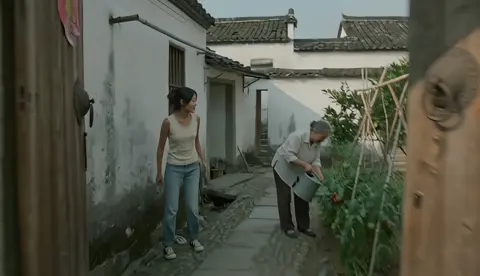
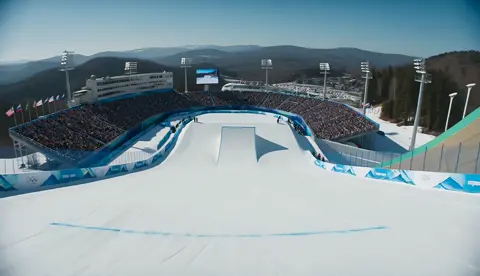
The New Era of AI-Powered Storytelling
Digital filmmaking is experiencing its most significant transformation since the introduction of computer graphics. AI video generation has matured beyond creating impressive single clips—it now enables coherent, narratively driven short films with professional-grade cinematography.
The market for AI video generation is projected to surpass $25 billion by 2027, but raw generation power alone isn't enough. The real breakthrough is in translating creative intent into cinematic sequences that maintain visual consistency, emotional pacing, and directorial control across entire narratives.
AI video generators provide the engine, but the art lies in how you direct them.
From Text Prompts to Cinematic Blueprints
Translating Narrative Into Visual Language
The gap between "generate a video of a conversation" and creating a truly cinematic dialogue scene is enormous. Professional results require thinking like a director:
- Define the emotional arc before the visual details
- Choose shot types that support the story beat (close-up for tension, wide shot for context)
- Specify camera movement that guides viewer attention naturally
- Maintain consistent lighting and color grading across scenes
When you combine these elements in your prompts, AI tools can produce remarkably coherent sequences. The key is treating each prompt not as a standalone request but as part of a larger directorial vision.
Shot Design Parameters That Matter
Professional cinematographers think in terms of specific parameters. You should too:
- Focal length: 24mm for wide establishing shots, 85mm for intimate portraits
- Camera movement: Dolly for smooth approach, handheld for tension, crane for epic reveals
- Depth of field: Shallow for subject isolation, deep for environmental storytelling
- Lighting setup: Three-point lighting for standard scenes, chiaroscuro for dramatic contrast
Modern AI models respond well to these technical terms. Saying "85mm lens, shallow depth of field, slow push-in" produces dramatically better results than "close-up of face."
Maintaining Visual Consistency Across Scenes
The Character Consistency Challenge
The biggest technical hurdle in AI filmmaking is keeping characters looking the same across different shots and scenes. A character's face, clothing, and proportions must remain stable throughout the narrative—otherwise the audience loses immersion.
The solution is creating a canonical character descriptor: a detailed, unchanging set of visual attributes (age, build, hair color, distinctive features, clothing) that you include at the start of every prompt involving that character. Think of it as the character's visual passport.
Environment and Prop Consistency
The same principle applies to locations and key objects. Define a location's architectural style, color palette, lighting conditions, and time of day once, then reference those parameters in every scene set there.
Seedance 2.0 and similar advanced models are specifically designed to handle this kind of multi-scene consistency, making them ideal for narrative projects.
Workflow for AI-Powered Short Films
Phase 1: Storyboarding with AI
Start by generating key frame images for each story beat. AI image generators can quickly produce visual references that define the look and feel of each scene. This gives you a concrete foundation before committing to full video generation.
Phase 2: Scene-by-Scene Generation
Work sequentially. Generate Scene 1, review it, then use the last frame as reference for Scene 2's starting point. This creates natural continuity and reduces jarring transitions.
Phase 3: Post-Production Polish
AI handles the heavy lifting, but human judgment makes the difference. Adjust timing, add sound design, fine-tune color grading, and most importantly—cut anything that doesn't serve the story.
The Business Case for AI Filmmaking
For independent creators and small studios, AI slashes production costs by 40-60% while dramatically reducing time-to-market. A project that once required weeks of pre-production can now be storyboarded and prototyped in days.
For agencies and brands, the ability to generate personalized video variants at scale opens entirely new campaign possibilities. Imagine a single product launch video that automatically adapts its visual style, pacing, and even the presenter based on the viewer's demographics and preferences.
Getting Started
Begin with short-form content—30 to 60-second narratives—to develop your workflow. Focus on one genre or visual style initially to build consistency. Use the AI tools available on Domer to experiment with different models and find the ones that work best for your creative vision.
The barrier to cinematic storytelling has never been lower. The only limit now is your imagination and your willingness to learn the language of AI direction.

Alexander
More Blogs
Read MoreVidu Q4 Alternatives: 4K AI Video Models Compared (2026)
Vidu Q4 alternatives compared: Kling 4.0, Seedance 2.5, Wan 3.0, and Runway Gen-4 — 4K support, input modes, durations, audio, and what each costs in credits on Domer.
Top 4K AI Image Generators in 2026: 5 Models Compared on Real Costs
The top 4K AI image generators on Domer compared: Flux 3 Klein, Nano Banana 2.1, GPT Image 2.5, GPT Image 2, and Nano Banana Pro — 4K credit costs, reference limits, and speed.
Nano Banana 2.1 vs GPT Image 2.5: Which Image Model Should You Use? (2026)
Nano Banana 2.1 vs GPT Image 2.5 Flare compared: credit costs per resolution, aspect ratios, reference images, text rendering, and which tasks fit each model.