

Seamless AI Video Transitions: Concept-to-Cut Workflow
Oct 16, 2026
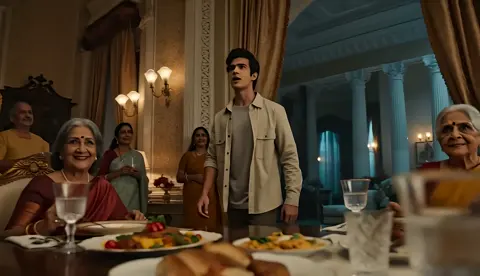
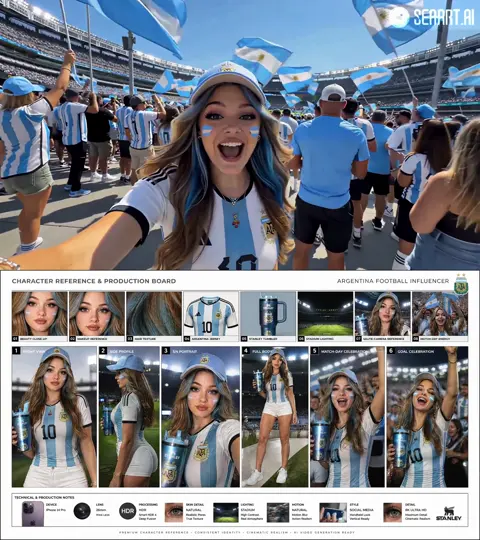
Most AI-generated clips look convincing in isolation. Play two back to back and the illusion collapses: skin tone drifts, grain changes, the camera flips direction, a jacket that was charcoal becomes navy. Transitions are the seam where that mismatch either gets hidden or gets exposed.
Why transitions decide whether an AI video feels professional
The instinct is to treat transitions as an effects problem — pick a wipe, add a whoosh, move on. In practice they are a continuity problem wearing an effects costume. Every transition is a patch over a difference between two shots. Small differences can be hidden with an invisible cut. Large differences need a visible device: a whip pan, a light flash, a match cut on a gesture, a hard cut to black.
That reframing changes where you spend your time. Instead of hunting for the perfect preset, you spend it on reference frames, camera direction, color matching, and shot planning. The transition becomes the last five percent of the work rather than a rescue attempt.
It also changes how you judge a finished cut. Watch your own sequence muted, at full speed, on a phone screen. If your eye snags on a seam, the problem is almost never the transition effect itself. It is a mismatch the effect failed to cover. Fix the mismatch and the seam disappears without any effect at all.
This guide walks the full path: planning a transition map before you generate anything, keeping continuity across different models, controlling camera motion so two clips can merge, running a production queue that survives re-renders, and doing pixel-level cleanup that does not leave that unmistakable AI smear behind.
The concept-to-cut pipeline at a glance
Three stages. Almost every failure traces back to skipping one.
Stage 1: The transition map
Before generating anything, write the sequence as text. Not a script — a map. For each shot: subject, action, camera move, setting, emotional beat, and how it connects to the next shot.
A short example from a product teaser:
- Shot 1 — hands opening a box, slow push in, warm window light.
- Connector: match cut on the lid lifting.
- Shot 2 — product rising out of frame, macro, same light direction.
- Connector: whip pan right.
- Shot 3 — wide of the desk, subject walking away.
The connector column is the important one. If you cannot name how shot 2 begins from shot 1, the model will decide for you, and it will decide badly.
Stage 2: Generation with continuity constraints
Once the map exists, generation becomes constrained rather than exploratory. You know which frames must match, which direction the camera travels, and which shots share a lighting setup. That lets you batch prompts by look rather than by scene order, which saves render time and makes drift far easier to catch.
Stage 3: Assembly and polish
Assembly is where transition design is finalized. Pull in every usable take, lay them on a timeline with eight to twelve frames of overlap, then decide per seam: invisible cut, motion match, or visible device. Grade last, and grade the whole sequence at once rather than clip by clip — global grade is what makes separate renders feel like one film.
Continuity fundamentals: making two clips read as one
Reference frames and multi-image fusion
The single most effective habit: generate a still first, approve it, then use it as the reference for every clip in that scene. When a model accepts multiple reference images, feed it a character sheet, an environment plate, and a lighting reference together. The model then has to solve for look as well as motion, and look is where most seams come from.
Keep references consistent in aspect ratio and color space. A reference graded warm while your target is cool will drag the whole render warm. Export references at the same resolution as your target output; mismatched resolutions introduce softness that no amount of sharpening recovers.
Character consistency across model handoffs
Different models handle faces differently. Generate shot 1 in one model and shot 7 in another and you will get two versions of the same person. Options, best to worst:
- Keep everything in the same model, with the same seed family and reference set.
- Hand off with a locked keyframe: export the final frame of shot 1 and use it as the first frame of shot 7.
- Accept the drift but stage it where it reads as an intentional change of angle.
Rule of thumb: handoffs are cheap at hard cuts and expensive at blends. If two clips must dissolve into each other, generate them in the same model, in the same batch, with the same references.
Grade, grain, and lens matching
Even a perfect motion match fails if the grade differs. Build a simple match kit: exposure, white balance, contrast curve, saturation, grain, and sharpness. Compare the last frame of clip A and the first frame of clip B side by side at 100 percent, and adjust both until they meet in the middle. Never grade one clip to match an ungraded one — you will push it twice as far as you need to and clip the highlights.
Lens character matters too. A clip with shallow depth of field cutting into one where everything is sharp reads as a jump even if color matches. Keep depth of field, focal length feel, and grain structure in the same family across a scene.
Camera motion control for fluid scene merges
Build a motion vocabulary
Limit yourself to five or six moves and reuse them: slow push in, pull out, lateral truck, orbit, handheld follow, static. A consistent vocabulary means clips naturally cut together, and it means a transition can be built from motion instead of dropped in as a preset that fights the footage.
Write the motion into the prompt explicitly, including speed. "Slow push in, roughly one meter over four seconds" produces far more usable results than "cinematic camera movement."
Matching motion across clips
For a seamless merge, exit motion must match entry motion in direction, speed, and frame position. If shot A ends on a fast pan right, shot B should begin mid-pan right at a similar velocity. Practical method: overlay the last twelve frames of A and the first twelve of B in your editor, drop opacity to 50 percent, and nudge B's timing until the motion trails align. When they line up, the cut becomes invisible.
If alignment is impossible, insert a bridging shot: a fast blur, a close-up of an object passing the lens, a light flash. One to four frames is usually enough. Longer bridges read as an edit rather than a camera move.
Using motion to hide a mismatch
Motion is a distraction device. A six-frame whip pan covers more continuity error than twenty minutes of color work. The same goes for an object wipe — a person crossing frame, a door closing, a vehicle passing. Plan these as deliberate coverage, generated on purpose with the right direction and speed, rather than scavenged from unrelated footage later.
Building a task queue for multi-model production
Naming, versioning, and shot IDs
Set a convention before the project gets messy: project_shot_take_model. Something like teaser_s03_t02_base. Keep prompts in a plain text file next to the queue, one block per shot, with the reference image filenames listed. When a shot fails, you re-run one block instead of an afternoon of guesswork about which prompt produced which file.
Batching by similarity
Group generation jobs by look, not by timeline order. All warm-window-light shots in one batch, all macro shots in another. This reduces the number of times you re-establish a style and makes drift easier to spot, because you are comparing ten versions of the same lighting setup rather than ten random ones.
The handoff checklist
Before a shot moves into assembly, confirm:
- Reference set attached and logged
- Final frame exported at full resolution as the handoff keyframe
- Grade reference frame saved
- Duration, frame rate, and resolution matched across clips
- Scratch audio cue noted so the cut lands on a beat
Ten minutes on this checklist saves an hour of micro-fixing at the end of the edit, when your patience is thinnest and mistakes are most likely.
Micro-adjustments: pixel-level fixes that do not break the shot
Stabilize, warp, retime
Small corrections are where polished work separates from raw work. Warp tools can shift a subject a few pixels to preserve a line of action across a cut. Retiming at 90 or 110 percent can make two clips feel like they share a tempo. Stabilization should be applied lightly — heavy stabilization creates a floating, soupy quality that reads as artificial even to viewers who cannot name what is wrong.
Masks and rotoscoping
Roto remains the most reliable fix for a scene-level mismatch. Mask the subject, isolate the background, and match the background grade independently. If a background element changes between shots, a slight blur on one side of the cut is often enough to hide it. Feather mask edges generously; hard edges draw the eye straight to the correction.
Avoiding the AI smear
The smear comes from stacking too many corrections. A typical chain: a badly matched transition, fixed with aggressive warp, fixed with heavy optical flow, fixed with a blur pass and grain. Each pass softens the image. Two corrections are usually fine. Four turns skin into plastic and fabric into watercolor.
If you need more than two corrections on a single seam, regenerate instead. It is faster, and the result is clean rather than merely acceptable.
Choosing the right model for transition fidelity
Evaluation criteria
Judge models on what matters for seams, not on what looks good in a highlight reel:
| Criterion | Why it matters for transitions |
|---|---|
| First/last frame adherence | Whether you can lock a handoff keyframe |
| Motion coherence | Whether a camera move stays consistent across the clip |
| Identity retention | Whether faces survive a handoff |
| Temporal stability | Whether texture crawls between frames |
| Format consistency | Whether output drops cleanly into your timeline |
A twenty-minute test protocol
Run one test shot per candidate model with identical references and identical prompts. Then cut all of them together and watch at full speed, muted. Full speed is what reveals instability — frame stepping hides it. Score each model on the five criteria and keep a short notes file. Models change often, so re-test when your workflow changes, not on a fixed schedule.
Also test the model's behavior when you hand it a motion that ends in a specific direction. Some models will honor an exit pan; others will drift back to center. That single behavior determines whether a clip is usable as a connector.
Troubleshooting: the six failure modes you will actually hit
| Symptom | Likely cause | Fix |
|---|---|---|
| Visible jump in skin tone | Grade drift between renders | Match exposure and white balance on the seam frames |
| Camera flips direction mid-cut | Unspecified motion in one prompt | Regenerate with explicit direction and speed |
| Subject looks slightly different | Cross-model handoff | Use a locked keyframe or regenerate in one model |
| Texture crawls or boils | Low temporal stability | Shorten the clip, reduce motion complexity |
| Transition feels forced | Mismatch too large for the effect | Add a bridging shot or a hard cut to black |
| Image looks soft and plasticky | Too many correction passes | Roll back to the raw render and re-match once |
Keep this table open while editing. Most sessions end with two or three of these, and naming the failure usually points straight at the fix.
A worked example: thirty-second product teaser
Suppose you are building a thirty-second teaser with six shots, generated across two models because one handles hands well and the other handles wide interiors well.
Start with the map. Write all six shots with subject, action, camera move, and connector. Identify the two seams that fall on a model handoff and plan them as hard cuts, not blends, so identity drift stays invisible.
Generate a look frame for each of the two environments. Approve them. Batch all shots in environment A together in model one, all shots in environment B together in model two. Log every prompt and reference in your notes file.
Assemble with twelve-frame overlaps. For seams inside the same model, use motion matching and check alignment at 50 percent opacity. For the two handoff seams, cut on an action: a hand reaching, a lid closing, a head turn. Actions give the eye something to track, which covers identity drift almost completely.
Grade the full sequence once. Add grain globally so both models' textures sit in the same filmic layer. Add sound design with a consistent ambience bed under every shot, and place a short transient on each cut. Audio continuity does more for perceived visual continuity than most editors expect.
Finally, watch it muted at full speed, then with sound on a phone. Fix only what snags. If nothing snags, stop — the temptation to keep polishing is how good cuts turn into over-processed ones.
FAQ
Do I need visible transition effects at all?
Usually fewer than you think. A well-planned sequence with matched motion and grade can run on hard cuts alone. Reserve visible devices for the two or three places where a mismatch genuinely cannot be hidden, and they will land harder because they are rare.
How long should a transition be?
For motion matches, eight to twelve frames of overlap is a good starting range. Object wipes and whip pans often work at four to six frames. Anything past twenty frames reads as a dissolve and signals a passage of time rather than a continuous moment.
Can I mix footage from several models in one video?
Yes, and most productions do, because different models are strong at different subjects. The trick is to place handoffs on hard cuts rather than blends and to grade the whole sequence in one pass so the texture feels unified.
What is the fastest way to fix a bad seam?
Regenerate one side of the seam with the other side's final frame as the first frame. It takes a few minutes and produces a clean result. Editing your way out of a mismatch with warp and blur takes longer and looks worse.
How do I keep a character consistent across many shots?
Build a character reference sheet from approved stills, use it in every prompt, and keep the same model and seed family for shots that must blend. When you must switch models, do it at a cut and keep the character's action continuous across the cut.
Should I color grade before or after specifying transitions?
Specify transition types during planning, execute them during assembly, and grade after assembly. Grading first tempts you to match individual clips to each other in isolation, which produces a sequence that drifts as a whole.
How many takes should I generate per shot?
Three to five is a practical default for simple shots; six to ten for anything with hands, complex motion, or a difficult handoff. Generate in batches by look so comparison is fast and the strongest take is obvious rather than a matter of taste.
What is the most common mistake in AI transition work?
Treating the transition as the fix. Transitions cover small mismatches beautifully and large ones not at all. The professionals who get consistently seamless results spend their effort upstream — references, motion specification, and batching — and their timeline work is almost boring as a result.

Alexander
More Blogs
Read MoreVidu Q4 Alternatives: 4K AI Video Models Compared (2026)
Vidu Q4 alternatives compared: Kling 4.0, Seedance 2.5, Wan 3.0, and Runway Gen-4 — 4K support, input modes, durations, audio, and what each costs in credits on Domer.
Top 4K AI Image Generators in 2026: 5 Models Compared on Real Costs
The top 4K AI image generators on Domer compared: Flux 3 Klein, Nano Banana 2.1, GPT Image 2.5, GPT Image 2, and Nano Banana Pro — 4K credit costs, reference limits, and speed.
Nano Banana 2.1 vs GPT Image 2.5: Which Image Model Should You Use? (2026)
Nano Banana 2.1 vs GPT Image 2.5 Flare compared: credit costs per resolution, aspect ratios, reference images, text rendering, and which tasks fit each model.