

Text-to-Video Magic: Creating Consistent Characters with AI
Aug 3, 2026
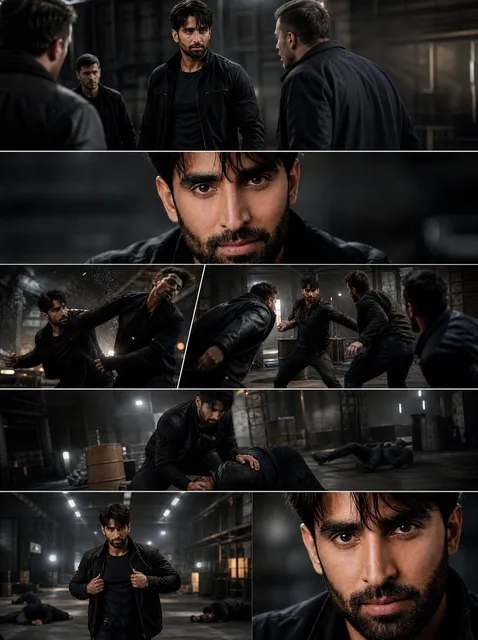

The Holy Grail of AI Video: Character Consistency
The synthetic media market is projected to surpass $150 billion by the end of 2025. Yet the #1 complaint from creators remains the same: "My character looks different in every scene."
If you've spent any time generating AI video, you know the frustration. You nail a perfect character in Scene 1 — the right look, the right vibe, the right details. Then Scene 2 comes along and suddenly your protagonist has different hair, different eyes, and a completely different face shape. Your narrative collapses because the audience can't follow who they're watching.
This article is about solving that problem once and for all. Character consistency isn't magic — it's technique. And with the right approach, you can create AI videos where your characters remain rock-solid across dozens of scenes.
The Multi-Image Fusion Breakthrough
Text-to-video has traditionally been a roll of the dice. You describe what you want, and the AI interprets it probabilistically. Every generation is slightly different because every generation is a fresh roll.
Multi-image fusion changes the game. Instead of describing your character with words alone, you provide visual references — images that lock in the character's appearance. The AI doesn't guess what your character looks like; it knows.
AI video generator platforms that support this technology let you build a visual anchor that persists across every scene.
Building Your Character Bible
Step 1: Create Canonical Reference Images
For every character, generate or create a set of reference images:
- Front view: neutral expression, full face visible
- Profile: side view for consistent facial structure
- Three-quarter view: the most commonly used angle
- Full body: proportions, posture, typical clothing
These become your unchangeable character anchors. Every scene you generate will reference one or more of these images.
AI image generator is the fastest way to create these reference images with consistent quality.
Step 2: Separate Fixed from Variable
Structure every prompt the same way:
[Character Reference: Use Ref Image 1]
[Action: walks across the room, pauses at window]
[Lighting: late afternoon golden hour]
[Camera: medium shot, slow dolly left]
Notice: the character reference is always first and always the same. Only the action, lighting, and camera change.
Step 3: Generate in Narrative Order
Scene 1 → Scene 2 → Scene 3. Don't jump around. Each scene builds visual continuity from the last. If something drifts, catch it immediately and regenerate that scene before moving on.
Models That Excel at Consistency
Not all AI models are equal when it comes to character consistency. Look for models that:
- Support image-to-video or multi-reference inputs
- Have strong prompt adherence for descriptive details
- Maintain temporal coherence across longer sequences
Seedance 2.0 is specifically engineered for multi-scene consistency projects, making it an ideal choice for narrative work.
Common Mistakes and How to Avoid Them
Mistake 1: Vague Character Descriptions
"Woman with brown hair" — useless. The model has infinite interpretations.
Fix: "Woman, late 20s, shoulder-length chestnut brown hair with subtle waves, green eyes, light freckles across nose, defined jawline, 5'6" height."
Mistake 2: Changing Descriptors Between Scenes
Even tiny wording changes produce different results. "She smiles" and "she grins" are different to an AI model.
Fix: Standardize your vocabulary. Create a style guide with approved terminology.
Mistake 3: Skipping Reference Images
Text alone cannot guarantee visual consistency across generations.
Fix: Always use reference images. They're your insurance policy.
The Business Case for Consistency
Why does this matter commercially? Because:
- Brand characters need to look the same in every piece of content
- Educational content loses credibility when the instructor "changes faces"
- Narrative content is unwatchable without character continuity
Consistency separates professional production from hobbyist experimentation. It's the difference between content people trust and content they scroll past.
Getting Started
Start small. Create one character, build a reference set, and produce a 3-scene short. Review every scene for consistency before moving on. Master the technique at small scale, then expand.
Explore Domer AI tools to access models optimized for character-consistent video generation. Your next project deserves characters that stay true to themselves.

Alexander
More Blogs
Read MoreVidu Q4 Alternatives: 4K AI Video Models Compared (2026)
Vidu Q4 alternatives compared: Kling 4.0, Seedance 2.5, Wan 3.0, and Runway Gen-4 — 4K support, input modes, durations, audio, and what each costs in credits on Domer.
Top 4K AI Image Generators in 2026: 5 Models Compared on Real Costs
The top 4K AI image generators on Domer compared: Flux 3 Klein, Nano Banana 2.1, GPT Image 2.5, GPT Image 2, and Nano Banana Pro — 4K credit costs, reference limits, and speed.
Nano Banana 2.1 vs GPT Image 2.5: Which Image Model Should You Use? (2026)
Nano Banana 2.1 vs GPT Image 2.5 Flare compared: credit costs per resolution, aspect ratios, reference images, text rendering, and which tasks fit each model.