

AI Video Production Workflows: Integrations and Asset Management
Nov 6, 2026

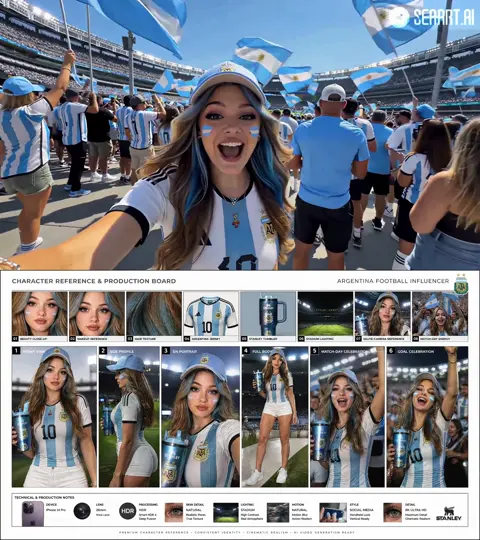

The real bottleneck in AI video is no longer generation
For a while, the main question about AI video was whether a model could produce a convincing shot. That question has shifted. Teams now have access to several capable image-to-video, text-to-video, and motion-control systems. The harder problem is turning many good clips into a coherent, reviewable, and repeatable production.
The symptoms are familiar. A creator generates a strong opening shot, loses the reference image three days later, and cannot reproduce the same character for scene two. An editor receives twelve versions named final, final-v2, and final-use-this-one. A client approves a frame that no one can trace back to a prompt, model, or source asset. Generation is no longer the bottleneck. Coordination is.
A reliable AI video workflow has four layers: the creative plan, the model layer, the asset layer, and the delivery layer. Weakness in any one layer shows up as wasted time. Strong AI output does not rescue a weak plan. A fast render does not fix a disorganized library. A polished edit does not hide missing usage rights. The rest of this guide shows how to connect those layers without building an unnecessarily complex stack.
Map the end-to-end workflow before choosing tools
Start with the journey of a single shot, not with a list of software. A practical workflow has six stages, and each stage should leave a clear output and a data trail.
- Intake: capture the brief, audience, runtime, aspect ratios, tone, and mandatory brand elements. Output: a locked brief and a list of unknowns.
- Shot design: break the script into shots with duration, action, camera movement, subject, location, and visual reference. Output: shot cards.
- Asset preparation: collect product photos, location plates, character references, logos, fonts, music, and consent records. Output: an approved asset set.
- Generation: route each shot to a suitable model, run variations, and select candidates. Output: numbered takes with generation metadata.
- Review: compare candidates against the brief, continuity, technical specs, and rights. Output: approvals and rejection reasons.
- Assembly and delivery: edit, sound, color, captions, versioning, and archive. Output: master files plus a searchable record.
The order is not always linear. A failed shot may send you back to shot design, and a new reference may reopen asset preparation. The point is to make those loops visible. For a thirty-second product film, for example, the shot plan might contain eight shots. Each shot needs at least one clean plate, one product reference, and one approved look frame. If the product label changes after generation begins, the asset layer should flag every shot that uses the old label. That kind of dependency tracking is what separates a hobby workflow from a production workflow.
Build a shot plan that models can execute
AI models respond better to constrained visual problems than to broad creative wishes. Replace instructions such as make it cinematic with a shot card that a human or an automated agent can execute.
A useful shot card includes:
- Shot ID and narrative purpose.
- Duration, aspect ratio, frame rate, and delivery codec.
- Subject description with identity details and wardrobe.
- Action in one sentence, including start and end state.
- Camera language: lens feel, height, movement, and speed.
- Lighting and color direction.
- Reference images with roles, such as identity, wardrobe, environment, or style.
- Model routing notes and fallback options.
- Acceptance criteria and known risks.
Example: Shot 04, hands opening a matte black box on a walnut desk, slow push-in, soft window light from camera left, five seconds, vertical and horizontal versions. References: product photo A for label, frame B for hand pose, frame C for light. Acceptance: label legible at mid-frame, no extra fingers, no logo warping, motion smooth at playback speed.
This level of detail reduces random retries. It also gives reviewers a shared standard. When a take fails, the team can say which criterion failed instead of arguing about taste.
Orchestrate specialized models instead of chasing one winner
No single engine is best at every shot. Some models excel at realistic human motion, others at stylized environments, camera moves, product turns, or fast iteration. Model orchestration means matching the engine to the job and keeping the handoffs clean.
Route by shot requirements
Use a routing sheet. For a dialogue close-up, prioritize facial stability and lip sync. For a product rotation, prioritize geometry and label accuracy. For a crowd scene, prioritize composition and repeatable extras. For a stylized transition, prioritize motion control over photorealism. Record why each model was chosen. If a model changes its output behavior, the team can compare new takes against the original routing note.
Keep consistency with reference control
Character and scene consistency comes from constrained references, not from longer prompts. Use a small set of images with clearly assigned roles: one for face, one for full wardrobe, one for environment, one for color and light. Avoid mixing conflicting references. If a model supports multiple image inputs, test whether extra images help or confuse the result. For recurring characters, maintain an approved identity sheet and a rejected-example sheet. The rejected sheet is often more useful than another paragraph of description.
Blend generated and captured footage
The strongest workflows are hybrid. Use generated footage for impossible camera moves, scene extensions, or concept frames, then combine it with real product shots, stock plates, or motion graphics. Match grain, lens distortion, motion blur, and color before the edit locks. A generated shot that looks impressive alone can fail beside real footage if the black levels or shutter character do not match.
Asset management and version control: the quiet engine of scale
Folders are not an asset management system. They break down when several people generate variants, reviewers leave comments in different tools, and final files need to be traced months later. A lightweight asset registry solves most of the problem.
Metadata that matters
At minimum, store a unique asset ID, shot ID, source type, model or tool used, prompt or instruction, reference assets, creation date, owner, usage rights, review status, and approved outputs. Add technical metadata such as resolution, frame rate, duration, codec, and color space. For people, add consent status and allowed contexts. For products, add label version and region.
Search that understands context
Good search is not only filename search. Editors need queries such as show approved vertical takes for shot 04 with the new label, or find every scene using the red jacket. Contextual search can combine tags, visual similarity, transcripts, and relationships between assets. Start with controlled tags and a consistent naming convention, then add visual search when the library grows.
Versioning and lineage
Treat every generation as a child of a parent reference. A take should inherit the shot card, prompt, model version, seed if available, and reference set. When a new label is approved, the system should show affected takes. When a reviewer approves a take, lock it and mark the version. Use clear states: draft, candidate, approved, superseded, rejected. Never overwrite an approved file. Storage is cheaper than a lost approval trail.
Queues, state, and automation guardrails
AI generation is bursty. Ten people may submit jobs at once, then wait for review. A simple task queue prevents duplicate work and makes progress visible. Each job should have a state, an owner, a priority, and a next action.
A practical state model is: submitted, validated, queued, generating, needs review, approved, rejected, and delivered. Transitions should require evidence. A take cannot move to approved without a reviewer and a rights check. A job cannot move to delivered without technical QC. Automated agents can move items between states, but they should not bypass human approval gates.
Failure handling matters as much as success handling. Log timeouts, failed generations, policy rejections, and empty outputs. Retry with a changed parameter, not the same request. Set retry limits to control cost and queue congestion. If a queue stalls, the team should see which stage is blocked and why.
Automation can also direct the work. A workflow agent can turn a script into shot cards, suggest camera language, group similar shots for batching, and flag missing references. Keep those suggestions reviewable. The agent should propose, not silently publish. A human director still owns tone, performance, and final judgment.
Integrations that matter: editor, review, and delivery
Integrations are valuable when they remove a manual copy step or preserve context. They are harmful when they add another place for feedback to disappear.
Prioritize four connections:
- Editing: bring approved takes into the non-linear editor with names that match the shot IDs. Adobe Premiere Pro, DaVinci Resolve, and Final Cut Pro workflows all benefit from consistent naming and proxy media.
- Review: use a review tool that supports frame-accurate comments, version comparison, and approval status. Keep one source of truth for decisions.
- Storage: connect the asset registry to cloud storage or a media asset management system. Back up originals and approved masters separately.
- Delivery: automate exports for aspect ratios, captions, loudness, and naming. Check the final files with the same QC checklist every time.
Do not integrate everything on day one. Map the handoff that causes the most rework, fix it, and measure the result. A simple shared intake form and a disciplined naming convention often deliver more value than a fragile chain of automations.
Quality control, rights, and audit trails
AI footage needs both technical and editorial QC. Technical checks cover resolution, frame rate, color space, audio sync, compression, and caption timing. Editorial checks cover continuity, screen direction, product accuracy, brand tone, and performance. Add an AI-specific check for artifacts: warped text, extra fingers, unstable eyes, melting edges, flickering backgrounds, and inconsistent shadows.
Rights and consent should be part of the same checklist:
- Confirm usage terms for every model, stock asset, font, music track, and voice.
- Record likeness consent for real people and avoid generating public figures without permission.
- Check product claims, regional labeling, and disclaimers.
- Keep a provenance record for each approved shot.
- Restrict access to sensitive source files and review links.
An audit trail is not bureaucracy. It lets a team answer basic questions: who approved this frame, which reference was used, and can we reuse it in another market? If the answer takes a week, the workflow is not ready to scale.
Common mistakes and a thirty-day rollout plan
Mistakes to avoid
- Starting with tools instead of a shot plan.
- Treating prompts as documentation and neglecting references.
- Storing finals in chat threads or personal downloads.
- Using too many models before the team can compare results.
- Skipping human review because the output looks polished.
- Ignoring rights until the delivery deadline.
A practical rollout
Week one: document the current workflow and pick one pilot project. Week two: define the shot card, naming convention, metadata schema, and review states. Week three: run the pilot with two models and a small asset registry. Week four: review time lost, rework causes, and approval clarity, then standardize what worked.
Measure cycle time, first-pass approval rate, duplicate generation rate, and time spent searching for assets. These metrics show whether the workflow is improving. They also keep the conversation focused on production outcomes rather than model novelty.
FAQ
Do I need many AI video models?
No. Start with one or two that fit your most common shots. Add another model only when a specific shot type fails repeatedly or a client requirement demands it. A small, well-documented toolkit beats a large, unpredictable one.
How do I keep a character consistent across shots?
Build an identity sheet with a neutral face, full wardrobe, and several expressions. Use the same approved references for every shot. Keep lighting and camera distance similar when possible. Review identity before reviewing style. If the face changes, reject the take early.
How many reference images should I use?
Use the fewest images that clearly define identity, wardrobe, environment, and style. More references can introduce conflicts. Test one new reference at a time and record whether it improves or harms consistency.
Can AI handle the whole production?
It can handle more of the pipeline, but not the accountability. Human direction is still needed for story, performance, brand judgment, rights, and final QC. The best results come from humans setting constraints and agents handling repetitive routing, tagging, and assembly tasks.
Where should approvals live?
In one review system with version history and frame-accurate comments. If approvals live in email, chat, and video calls, no one knows which note is final. Link every approval to an asset ID.
What should I measure first?
Cycle time from brief to approved first cut, first-pass approval rate, number of duplicate generations, and time spent finding assets. These four metrics expose most workflow problems.
How should a small team store assets?
Use cloud storage with a consistent folder hierarchy, a simple registry or database, and clear naming. Add a media asset management system when search, rights, and review volume justify it. Do not wait for perfect software to start tagging.
What is the first automation I should build?
Automate the handoff that causes the most manual work. Common first wins are renaming approved takes, generating proxy files, syncing review status, and creating delivery presets. Automate after the process is understood, not before.

Alexander
More Blogs
Read MoreSlack-Powered AI Video Workflows: A Practical Guide
Learn how to connect Slack to AI video production for faster reviews, cleaner approvals, and a repeatable studio workflow.
Video SEO Workflow: Transcripts, Thumbnails, and Trends
Learn a practical video SEO workflow for transcripts, captions, thumbnails, platform search intent, metadata, testing, and performance measurement.
Cinematic Transitions With AI Video Tools: A Practical Guide
Learn how to design, prompt, and edit cinematic transitions with AI video tools, from match cuts to morphs, with practical workflows and fixes.