

Video SEO Workflow: Transcripts, Thumbnails, and Trends
Nov 8, 2026

Video SEO is not keyword tagging. It is the practice of helping viewers and platforms understand what a video is about, who it is for, and why it deserves attention. A strong program connects three layers: the words people can read, the image people click, and the behavior platforms reward.
Start With Search Intent, Not Keywords
Video search includes explicit queries and recommendation behavior. Someone searching for a fix has a different need than someone scrolling a feed for entertainment. Before you choose a title or thumbnail, classify the intent behind the topic. Common clusters include learn a skill, compare options, solve a problem, follow a story, and buy a product.
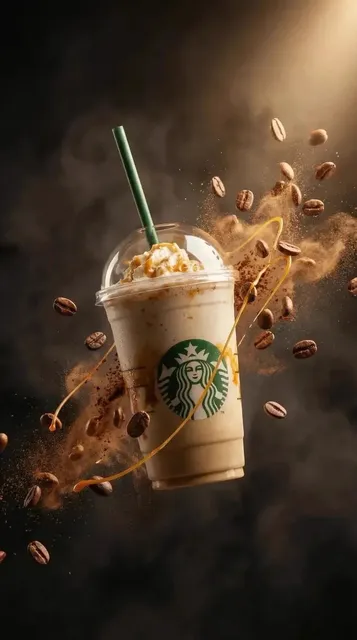
The format should follow the intent. A query such as how to light a product shot may need a focused tutorial with a clear demonstration. A query such as best softbox for product photography may need a comparison with samples, tradeoffs, and a recommendation. A mood-led product clip may work better as a short vertical video that builds desire rather than explains specifications.
Use four decision criteria when choosing topics. First, intent clarity: can you state the viewer problem in one sentence. Second, shelf life: will the video still be useful months from now. Third, production fit: can you show the answer convincingly with your available locations, products, and people. Fourth, platform fit: does the topic reward long-form explanation, short-form demonstration, or an embedded page on your website.
Avoid trend-first planning for evergreen content. A trend can create a spike, but it rarely builds durable search visibility unless it connects to a recurring viewer need. Keep a balance: most videos should answer stable questions, while a smaller share can chase timely topics. Record why each video exists in the brief, then use that reason to guide the transcript, thumbnail, and metadata.
Build a Transcript-First Production Workflow
A transcript is both an accessibility asset and a search asset. It gives crawlers readable text, helps viewers with sound off, supports translation, and forces clarity in the script. Treat it as part of production, not a cleanup task after publishing.
Record for clean transcription
Speak in complete phrases, name products clearly, and repeat unfamiliar terms once with context. If a person says the name of a tool, model, or place, make sure the pronunciation is consistent. Good audio is not only a comfort issue; it affects automatic transcription accuracy. Use a lavalier or directional microphone when possible, reduce background noise, and record a short test before the main take.
Edit before you publish
Automatic transcripts often mishear brand names, technical terms, and numbers. Correct those errors manually. Remove filler that harms readability, but do not rewrite the transcript into marketing copy. The transcript should resemble what a viewer actually hears. If the spoken video includes a key phrase that matters for search, keep it in the transcript and also use it naturally in the title, description, or on-page summary.
Caption, chapter, and translate
Upload a corrected caption file instead of relying only on platform-generated captions. Add chapters when the video has distinct questions or steps. For global audiences, translate captions only for videos with enough demand to justify the review work. Machine translation without correction can damage technical accuracy. A human-reviewed translation of a tutorial often performs better than a lightly edited automatic version.
A simple workflow works well: draft the spoken script, record, generate a transcript, correct names and jargon, create captions, mark chapter points, then reuse the transcript to write the description and page summary. This sequence prevents the common problem where metadata promises something the video never delivers.
Turn Transcripts Into Crawlable Video Assets
A full transcript alone is not a strategy. Use it to create readable assets that search engines and viewers can understand quickly. The transcript supports context; the title, description, chapters, and page copy do the ranking and filtering work.
Titles and descriptions
Write titles that state the outcome or question clearly. A title such as Three-Point Lighting for Product Shots is easier to evaluate than a clever phrase that hides the subject. Put the most important information early. Descriptions should open with a short summary of what the viewer will learn, then add chapters, links to related resources, and a concise transcript excerpt when useful. Do not paste a wall of unformatted transcript into the description.
Embedded pages and structured data
When you embed a video on your website, give the page its own useful text: a summary, key takeaways, a short FAQ, and related links. Mark up the video with VideoObject structured data so search engines can identify the name, description, thumbnail, upload date, and duration. Do not assume rich results are guaranteed; structured data improves clarity but does not replace relevance, quality, or page experience. Use Search Console video reports to catch indexing or markup problems.
Transcript excerpts
For long tutorials, publish a readable transcript with headings rather than a single block. For short clips, a summary and captions may be enough. Always keep the most important explanation near the top of the page. Viewers should not have to scan a transcript to understand whether the video answers their question.
Design Thumbnails That Earn the Click
A thumbnail is packaging, not decoration. Its job is to help the right viewer recognize relevance in a crowded feed. Strong thumbnails usually communicate one subject, one emotion or benefit, and one readable cue. Weak thumbnails try to say everything and end up saying nothing.
Build a clear visual hierarchy
Use a large subject, strong contrast, and a simple background. If a face appears, make the expression match the video rather than adding shock for its own sake. Limit text to three to five words, and avoid repeating the title exactly. The thumbnail and title should work together: the title names the promise, while the thumbnail shows the proof or tension.
Respect specs and safe zones
For widescreen platforms, use a 16:9 image at 1280 by 720 or larger, keep important elements away from the bottom-right duration overlay, and test at mobile size. For vertical short-form video, design for 9:16, keep text away from the top and bottom interface areas, and check how the first frame reads without motion. A thumbnail that looks sharp in an editing timeline may become unreadable in a feed.
Test one variable at a time
Change the subject, expression, background, or text, but not all of them at once. Use platform thumbnail testing tools where available, or rotate variants over a defined period. Judge performance by click-through rate, average view duration, and viewer satisfaction signals together. A higher click rate with a steep drop in retention often means the thumbnail overpromised. Keep a small library of winning visual patterns, then adapt them by topic instead of copying the same composition everywhere.
Align Video SEO With Platform Search Behavior
Every platform has its own discovery logic, but the universal rule is the same: match viewer intent and reward attention. Search results, suggested feeds, and short-form recommendation systems all use behavior signals. Your job is to create a clear promise and then satisfy it quickly.
Long-form and suggested feeds
For long-form video, the first thirty seconds should confirm that the viewer is in the right place. Show the outcome, state the problem, and preview the steps. Use chapters for structured tutorials and keep the opening free of long branded introductions. Metadata should describe the same content the viewer receives. If a video earns strong watch time from search, related videos and suggested traffic often follow.
Short-form vertical
Short-form discovery depends on immediate relevance. Put the hook in the first second, use captions, and make the visual change before attention drops. Search still matters, so speak the topic plainly and include on-screen words that match the subject. Do not rely on a clever caption alone; many viewers watch with sound off. For trends, score each idea by audience relevance, expected lifespan, production cost, and brand fit. Skip trends that require a promise your product cannot keep.
Websites and embedded players
On your own site, video SEO depends on page context. A video embedded in a relevant article with a clear summary can attract search traffic that a platform-only upload cannot. Use transcripts, captions, thumbnails, and structured data together. Make the player easy to find, avoid blocking crawlers unnecessarily, and keep the page fast. If the video is the main content, say so in the page title and introduction.
Publish With a Repeatable Video SEO Checklist
A checklist prevents small omissions from becoming permanent. Before recording, confirm the viewer question, target platform, title direction, thumbnail concept, and transcript terms. During production, capture clean audio and enough visual proof for the claim. After editing, correct the transcript, create captions, mark chapters, and export a thumbnail at the right size.
At publish time, check the following: title states the outcome; description opens with a useful summary; chapters match real sections; captions are corrected; thumbnail is readable on mobile; page summary exists if embedded; structured data is valid; related links are relevant; and the first thirty seconds deliver the promise. One week later, review impressions, click-through rate, retention, and comments. Update the title or thumbnail only when the diagnosis is clear.
For a tutorial, a ten-minute video may be supported by a page summary, three chapter markers, a corrected transcript, and one thumbnail test. For a short vertical clip, the equivalent may be a one-sentence hook, burned-in captions, a clear cover frame, and a pinned comment with the next step. The checklist changes with format, but the principle does not: make relevance obvious before asking for attention.
Measure Performance Without Fooling Yourself
Impressions tell you whether the platform understands the topic and audience. Click-through rate tells you whether the packaging earns attention. Average view duration and watch time tell you whether the content keeps its promise. Conversions, assisted conversions, and returning viewers tell you whether the video contributes to a larger goal.
Diagnose problems in order. Low impressions often point to weak topic demand, unclear metadata, or a narrow audience. High impressions with low click-through rate points to the title or thumbnail. Good click-through rate with low retention points to a mismatch between packaging and content. Strong retention with low impressions points to packaging that undersells the topic or a distribution issue. Use platform analytics for video behavior and site analytics for page-level outcomes. Do not compare a search-driven tutorial with a trend-driven short and expect the same benchmarks.
Common Mistakes and How to Fix Them
Uncorrected transcripts are the most common technical mistake. Fix names, numbers, and product terms before publishing. Keyword stuffing is another frequent problem; repeated phrases make descriptions unreadable and rarely improve relevance. Small thumbnail text, cluttered compositions, and clickbait that the video cannot support all raise clicks while lowering trust.
Ignoring the landing page is a quiet but costly error. A video embedded without context gives search engines little to work with and gives viewers little reason to stay. Chasing every platform trend without a relevance filter wastes production time. Finally, publishing without captions excludes viewers and reduces clarity for anyone watching without sound. Fix these basics before investing in advanced experiments.
FAQ
Should every video have a full transcript?
Not necessarily. Long tutorials, interviews, and explainers benefit most. Short clips may need only corrected captions and a brief summary. If the video is embedded on a website and the topic is competitive, a readable transcript section can add useful context.
Do captions improve video SEO?
Captions improve accessibility and comprehension, and corrected captions give platforms more accurate text context. They are not a magic ranking switch. Their strongest effect comes when they support clear spoken content, a relevant title, and a satisfying viewer experience.
Are thumbnails important for short-form video?
They matter differently. In a vertical feed, the first frame and motion often do more work than a traditional thumbnail. Still, a clear cover image helps profile grids, search results, and reposts. Design both the opening frame and the cover image with the same message.
How often should I update old videos?
Review evergreen videos when traffic drops, when product details change, or when the thumbnail feels dated. Update the title, description, chapters, and transcript if the content has changed. Do not change everything at once if you want to learn what caused the shift.
Does structured data guarantee video rich results?
No. Structured data helps search engines understand the video, but eligibility depends on quality, relevance, and platform rules. Use valid markup, keep it accurate, and treat it as one part of a broader page strategy.
How many thumbnail variants should I test?
Two or three focused variants are usually enough. Test one meaningful difference, such as the main subject or the text angle. Let the test run long enough to collect useful data, then apply the lesson to future videos instead of endlessly tweaking a single upload.

Alexander
More Blogs
Read MoreSlack-Powered AI Video Workflows: A Practical Guide
Learn how to connect Slack to AI video production for faster reviews, cleaner approvals, and a repeatable studio workflow.
Cinematic Transitions With AI Video Tools: A Practical Guide
Learn how to design, prompt, and edit cinematic transitions with AI video tools, from match cuts to morphs, with practical workflows and fixes.
Video Content Integration: A Practical Website Workflow Guide
Learn how to plan, optimize, and embed AI-generated video on your website with a reliable workflow covering hosting, performance, captions, and QA.