
Créer
Affiliation
Commencer Gratuitement
AI-Assisted Video Editing: Efficiency and Creativity in One Flow
Oct 16, 2026


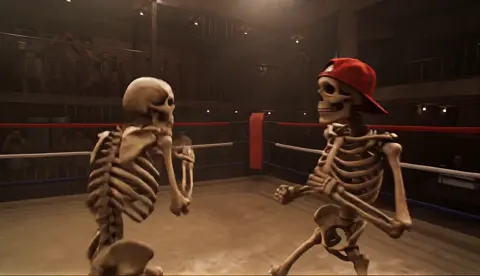
AI-assisted video editing stopped being a novelty the moment it started saving real production hours. What used to be a chain of handoffs — storyboard, shoot, ingest, rough cut, effects, sound, export — can now collapse into a single creative loop where generation, assembly, and refinement happen in the same session.
That collapse is the interesting part. It is not that AI makes one step faster. It is that the distance between an idea and a watchable cut shrinks enough that you can iterate on the idea itself. This guide walks through a practical workflow for getting there without losing control of quality, consistency, or your own creative judgment.
Why AI changes the shape of a project, not just the speed
In a traditional pipeline, decisions are front-loaded because changing them later is expensive. You lock the script, lock the location, lock the cast. AI generation flips that: changing a shot is cheap, so the pressure moves from planning to taste. Anyone can produce ten variations of a scene in an afternoon. Far fewer people can tell which one belongs in the film.
Three practical consequences follow.
First, the bottleneck becomes selection. When generation is abundant, your value is in choosing, sequencing, and cutting. Budget time for review, not just creation. A healthy ratio for many short-form projects is roughly one hour of evaluation and assembly for every hour of generation.
Second, consistency becomes the hardest technical problem. A single beautiful generated shot is easy. Twenty shots that feel like one continuous world is where projects succeed or fail. Characters drift, lighting shifts, camera language becomes inconsistent.
Third, audio still decides perceived quality. Viewers forgive a slightly soft render. They do not forgive muddy dialogue, mismatched room tone, or music that fights the voiceover. Treat AI as a visual accelerator and keep a rigorous audio pass.
The teams that do this well treat AI as a production layer inside an editing discipline — not as a replacement for editing.
Pick the right generation model for each shot type
No single model wins at everything. The pragmatic approach is to build a small, stable toolkit and assign each model a job, the way a photographer assigns lenses.
Talking characters and performance
For dialogue-driven shots, prioritize models with strong facial stability and lip-sync tooling. Look for temporal coherence over flair: a model that keeps the same face for eight seconds beats one that produces a spectacular three seconds and then melts.
Establishing shots and environments
Environment work rewards models with wide-shot detail retention and slow, confident camera moves. Prompt for a single movement — a slow push, a gentle pan — rather than stacking three motions. Complex camera instructions are where artifacts live.
Product and object inserts
Product shots need texture accuracy and clean edges. Here, consider a hybrid: generate the environment, then composite a photographed or 3D-rendered product. Generating the hero product itself is often the slowest path to something usable.
Stylized and abstract transitions
This is where you can be adventurous. Abstract generation hides small inconsistencies brilliantly, which makes it ideal for transitions, title beds, and dream sequences.
A quick selection rule
Ask three questions about a shot: does it need a recognizable face, does it need precise real-world accuracy, does it need to match a neighboring shot exactly? Two or more yes answers means a purpose-built model and a stability-first prompt. Zero yes answers means you can experiment cheaply.
Plan a shot list that survives generation
A shot list written for a live-action crew assumes you can control the world. A shot list written for AI assumes you cannot, and it looks different.
Each entry should carry five things: duration, subject, action, camera behavior, and continuity anchors. Continuity anchors are the details that must match the neighboring shot — costume color, time of day, lens character, a specific prop. If you cannot name the anchors, you will not notice drift until the edit.
Two habits make a large difference:
- Write in single beats. One shot, one idea, one camera move. A prompt that describes a character walking into a café, ordering, and sitting down is three shots pretending to be one.
- Generate in matched pairs. Whenever a sequence has adjacent shots of the same subject, generate them back-to-back using the same reference set and seed logic. Shoot them as a pair so drift is visible immediately, while the context is still in your head.
Keep the shot list in a spreadsheet or a plain structured document with one row per shot and a status column: prompted, generated, approved, replaced. This sounds bureaucratic until you are forty shots deep and cannot remember which version you liked.
Build consistency: characters, style, and keyframes
Consistency is a system, not a prompt keyword. Four techniques do most of the work.
Reference-based character lock
Feed the model a character sheet — front, three-quarter, and profile views under consistent lighting — and reuse it for every shot that features that person. Multi-image referencing is far more reliable than a long written description, because it removes ambiguity the model would otherwise resolve differently each run.
Keyframe control between shots
Start a new shot from the final frame of the previous one. This end-to-start chaining keeps lighting direction, wardrobe, and background geometry aligned. It works especially well for continuous action such as a walk or a chase.
Style bibles
Write one paragraph describing the visual language: palette, contrast, grain, lens preference, and what the piece should never look like. Reuse it verbatim. Consistency comes from repetition, not from clever phrasing.
Deliberate continuity breaks
Sometimes you want a visual shift — a time jump, a tone change, a different character's perspective. Mark those transitions explicitly in the shot list so they read as intentional rather than as errors.
A useful diagnostic: watch your rough assembly with the sound off. If the footage alone feels like one film, your consistency work is done.
Step-by-step: from brief to first assembly
Here is a workflow that scales from a single social clip to a multi-minute narrative piece.
Step 1 — Write the one-line intention
One sentence describing who the video is for and what they should feel or do. Pin it where you can see it. Every generation decision gets checked against it.
Step 2 — Break the script into beats
Ten to twenty beats for a short piece. Each beat becomes one shot or a small cluster.
Step 3 — Generate rough, low-commitment versions
Use fast, cheaper generation settings for the first pass. The goal is rhythm, not polish. Many projects waste their best hours perfecting shots that get cut.
Step 4 — Assemble a radio edit
Place the audio first — narration, dialogue, music bed — and cut the visuals to it. This inverts the usual order and is one of the biggest efficiency wins in AI production, because timing is much easier to judge with sound in place.
Step 5 — Identify the shots that must be excellent
In every edit, four or five shots carry the piece. Promote those to high-quality generation, more attempts, and manual finishing. Let the connective tissue stay simple.
Step 6 — Regenerate selectively, not globally
When a shot fails, change one variable at a time: camera move, lighting, or action. Changing everything at once teaches you nothing about what actually fixed it.
Step 7 — Finish in a real editor
Move into a conventional editor for trimming, transitions, color, text, and sound. AI generation is the front half; the edit is where the piece gains its authority.
The editing layer: pacing, sound, and captions
Once footage exists, the work is familiar — which is good news, because these skills transfer directly from traditional editing.
Pacing. AI shots tend to be slightly too long. Cut on motion, not on the end of the action. If a shot has no internal movement, keep it under two seconds unless it is deliberately holding tension.
Sound design. Add room tone under every scene. Layer one close sound and one ambient bed per shot. This single habit makes generated footage feel dramatically more real, because silence is the biggest giveaway of synthetic video.
Music. Pick the track before final color. Music changes how long a cut should be, and re-cutting after the score arrives doubles the work.
Voice. For narration, generate an audio pass, then edit the script to the performance rather than forcing a performance onto the script. Small rewrites for rhythm beat heavy audio processing.
Captions. Burn-in captions for social, sidecar files for anything else. Check line breaks manually — automated captioning gets names and technical terms wrong constantly.
Quality control: the artifacts to look for
Build a checklist and run it before every export. The usual suspects:
- Face drift across cuts of the same character — check eyes, hairline, and jaw shape.
- Hand and finger errors, especially in mid-shot gestures. If hands are the problem, reframe to a closer or wider shot where they matter less.
- Text and signage that mutates between frames. Remove it or replace it with a composited graphic.
- Lighting inconsistency between adjacent shots: shadow direction is the fastest tell.
- Micro-jitter in slow camera moves. A gentle stabilization pass or a 1–2% speed change often hides it.
- Compression banding in gradients after export — check the final file, not the source.
Watch each shot twice: once as a viewer, once as a technician. Those are different jobs and they catch different problems.
Review, versioning, and handoff
AI projects produce a lot of near-duplicate files, and that is a genuine operational risk. A lightweight system prevents most of it.
Name files with a fixed pattern: project, scene, shot number, version. Keep a single approved folder and a single archive folder. Never mix them. Delete failed generations weekly — you will not return to them, and they slow down every future search.
For review, share a numbered shot sheet alongside the cut so feedback can be precise: "shot 12, take 3" instead of "the one where she turns." When collecting notes, ask reviewers for the problem, not the solution. "This feels slow" is useful. "Make it faster" sends you in a random direction.
Handing off to a colorist or sound editor? Export an EDL or XML plus a reference cut with burned-in timecode. It saves more time than any single generation setting ever will.
Common mistakes that burn rendering time
Over-prompting. Long, contradictory prompts produce unstable results. Cut adjectives before adding them.
Generating final quality too early. The first pass exists to be thrown away. Treat it that way.
Ignoring aspect ratio until the end. Decide delivery formats before generating, or you will re-frame everything at the worst possible moment.
Chasing one perfect shot. If a shot has failed eight times, the concept is the problem, not the prompt. Rewrite the beat.
Skipping the audio pass. The fastest route from "looks AI" to "looks produced" is sound, not more rendering.
No backup of approved assets. Approved generations are irreplaceable. Back them up the moment they are locked.
FAQ
Do I still need traditional editing skills? More than ever. Generation supplies footage; editing supplies meaning. Pacing, sound, and structure are what make the result watchable.
How many attempts should a shot get? Three to five for connective shots, ten or more for hero shots. If you exceed that consistently, simplify the shot.
What is the fastest way to improve output quality? Better references and simpler prompts. Both cost nothing and beat any single model upgrade.
Can one person realistically produce a full video this way? Yes, for pieces under a few minutes, if you work in passes and resist perfecting shots before the assembly works.
How do I keep characters consistent across a long piece? Reference images, end-to-start keyframe chaining, and a written style bible used verbatim. Combine all three.
Where should AI stop and manual work begin? Wherever a viewer's eye will linger. Faces, hands, hero products, and final sound always deserve a human pass.
The real shift is not that machines make video. It is that the loop between imagining and seeing has become short enough to iterate on. Use that loop deliberately, and the result is not just faster production — it is better decisions, made earlier, with less fear of being wrong.

Alexander
More Blogs
Read MoreVidu Q4 Alternatives: 4K AI Video Models Compared (2026)
Vidu Q4 alternatives compared: Kling 4.0, Seedance 2.5, Wan 3.0, and Runway Gen-4 — 4K support, input modes, durations, audio, and what each costs in credits on Domer.
Top 4K AI Image Generators in 2026: 5 Models Compared on Real Costs
The top 4K AI image generators on Domer compared: Flux 3 Klein, Nano Banana 2.1, GPT Image 2.5, GPT Image 2, and Nano Banana Pro — 4K credit costs, reference limits, and speed.
Nano Banana 2.1 vs GPT Image 2.5: Which Image Model Should You Use? (2026)
Nano Banana 2.1 vs GPT Image 2.5 Flare compared: credit costs per resolution, aspect ratios, reference images, text rendering, and which tasks fit each model.