

Affiliation
Commencer Gratuitement
Cinematography Trends for AI Video: A Practical Workflow Guide
Oct 16, 2026

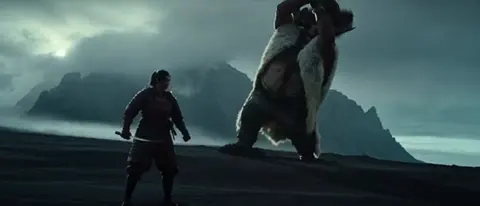
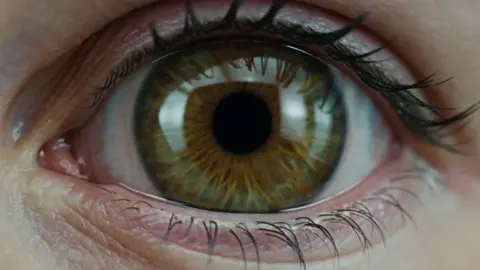
Why Cinematography Changed Faster Than Camera Bodies
Cinematography was once a discipline defined by scarcity. You had a fixed number of shooting days, a limited lighting package, a handful of lenses, and a crew large enough to move all of it. Those constraints shaped the visual grammar of film: the 180-degree rule, the wide-medium-close coverage pattern, the reason night scenes were deliberately underlit, the reason chase sequences cut fast. None of those conventions were arbitrary. They were elegant solutions to physical problems.
The interesting part of the current moment is that many of those physical problems have quietly dissolved, while the habits built around them have not. A solo creator can now produce a tracking shot along a rain-slicked street at dusk, an aerial move over a mountain ridge, and a slow push-in on a face, all in the same afternoon, without renting a gimbal, a drone, or a lighting truck. The bottleneck has moved. It is no longer can I capture this? but can I direct this, judge it, and deliver it consistently?
That is the real subject of today's cinematography conversation. Not a list of gadgets, but a shift in where craft is spent. When capture becomes inexpensive, taste, continuity, and delivery discipline become the scarce resources. The creators who look most "cinematic" are rarely the ones with the largest tool stacks. They are the ones with the clearest visual intent and the strictest quality control.
The New Visual Grammar of AI-Assisted Filmmaking
The traditional film grammar was written by optics and mechanics. Focal length determined compression. Aperture determined depth of field. Shutter angle determined motion blur. In a generative workflow, those relationships still matter conceptually, but they are now parameters you describe rather than physics you obey. That changes the job description: you become less of an operator and more of a translator, converting creative intent into descriptions precise enough to be reproduced.
The creators who struggle most are usually the ones who treat this as a slot machine. They type a mood, get something pretty, and move on. The creators who consistently produce strong work treat it as a pipeline with distinguishable stages: intent, blocking, lighting logic, motion, continuity, and delivery. Each stage has its own failure modes, and each one is much cheaper to fix before the next begins.
Model stacking and fusion in practice
One of the most useful developments in generative video is the move away from single-pass generation toward layered passes that are then combined. Instead of asking one system to invent a scene, a subject, a lighting condition, and a camera move simultaneously, you generate or source each element with the tool best suited to it — a reference image for the subject, a separate pass for environment, another for motion — and then fuse them into a unified frame.
In practice this looks like a compositing mindset. You keep a reference board of approved looks. You lock the subject's appearance early so later shots stay consistent. You generate variations at low cost, select ruthlessly, and only then commit to a final pass. Fusion isn't about complexity for its own sake; it's about isolating variables so that when something looks wrong you know which layer to fix.
Directing framing and movement like a director
Language matters more than most people expect. "Cinematic" is close to meaningless as an instruction. "Low-angle medium shot, subject centered, slow dolly-in at roughly half a meter per second, shallow depth of field, background bokeh from distant streetlights" gives you something you can evaluate and reproduce.
A useful habit is to write camera notes the way a first assistant director would call them: shot size, angle, height, movement, speed, and end frame. If you can't describe where the shot starts and where it ends, you don't yet know what you're making. This single discipline eliminates more rework than any model upgrade.
Aspect ratio and resolution are delivery decisions
Horizontal, vertical, and square are not stylistic flourishes you apply at the end. They change composition fundamentally. A wide establishing shot that sings in 16:9 can become an empty band of sky in 9:16. A tight vertical portrait can feel airless when letterboxed.
The practical solution is to design for a primary frame and protect a secondary one. Shoot or generate with a slightly wider composition than the primary needs, keep the subject away from the extreme edges, and avoid placing critical detail in the corners. If you plan for two frames from the start, reframing later is a crop rather than a rebuild.
Building a Repeatable Shot Workflow
Spontaneity is wonderful on set and terrible in a pipeline. The most reliable way to raise the perceived quality of your video is to standardize how a shot gets made, from idea to approved export. A consistent process also makes it far easier to bring in collaborators, because the handoff points are already defined.
Stage one: the shot bible
Before generating anything, write a short document. For each shot, include: purpose in the story, shot size, camera height and movement, lighting direction and quality, color intent, duration, and the audio or dialogue it must sync with. Two sentences per shot is enough. This document becomes your reference when you're judging output, which is the key benefit — it replaces vague preference with a checklist.
Stage two: generative passes and selects
Generate more variations than you think you need, but evaluate them against the shot bible rather than against each other. Group them into takes and mark one clear select. Keep the runner-up; it is often useful as an insert or a cutaway. Delete the rest without sentiment. A folder of two hundred near-identical clips is not an asset, it's a tax on your attention every time you open the project.
Stage three: temporal control and motion polish
Motion is where amateur-looking output reveals itself. Judder, warping, inconsistent speed, and limbs that drift between frames are the tell-tale signs. Slow down before you speed up: review each shot at reduced playback speed, check for flicker or texture breathing, and only then apply retiming. Stabilization should be subtle; over-stabilized footage looks like it was shot through glass and loses the organic imperfection that reads as real.
Lighting, Texture, and Color That Survive Compression
The final viewer often watches your work on a phone, over a cellular connection, at low brightness. That is the real screening room. Everything you do with light and color should be tested against that condition, not against a calibrated monitor in a dark room.
Light like a gaffer, not like a filter
A common mistake is to fix a flat shot with a color grade. Grading cannot create directionality that isn't there. Decide where the key light comes from, what fills the shadow side, and whether the background is brighter or darker than the subject. Motivated light — a window, a lamp, a screen, a streetlight — reads as intentional even when it's stylized. Unmotivated glow reads as a preset.
Three-point logic still applies, but the ratio is the creative lever. A 1:1 ratio feels corporate and safe. A 4:1 ratio feels dramatic. A 10:1 ratio, with almost no fill, feels noir or menacing. Naming your intended ratio forces you to be specific about mood.
Texture, grain, and the "too clean" problem
Perfectly smooth output often reads as artificial. Real footage has sensor noise, lens vignetting, subtle chromatic aberration at the edges, and micro-imperfections in skin. Adding a light, well-shaped grain pass and a touch of edge softness can make generated footage sit comfortably next to real footage in the same timeline.
Don't overdo it. Grain that's visible as a pattern rather than as texture is worse than no grain. Apply it at the end of the chain, after color, so it behaves like a capture artifact rather than a filter.
A color pipeline that holds up
Work in a consistent order: correct exposure and white balance first, then balance shots against each other, then apply a creative look, then adjust for delivery. Skipping straight to the look is the most common cause of shots that don't intercut cleanly.
Skin tones are the anchor. If faces look right, viewers will forgive almost anything else. If faces look wrong — green, orange, or waxy — no amount of beautiful scenery will save the shot. Use a skin tone reference and check it on a phone screen at half brightness before you commit.
Matching Quality Tiers to the Job
Not every shot deserves the same investment. Treating a five-second background plate with the same effort as your hero close-up is a fast route to missing deadlines. A simple tiering system keeps effort proportional to impact.
- Tier one — hero shots. These carry the story: the product reveal, the face, the final wide. Give them extra generation passes, manual cleanup, and a dedicated grade.
- Tier two — supporting shots. Establishing frames, inserts, and transitions. Standard pipeline, quick review, minimal retouching.
- Tier three — connective tissue. Backgrounds, texture plates, b-roll that passes by in under two seconds. Generate fast, check only for obvious errors, move on.
When a project is running long, the correct move is almost always to reduce the number of tier-one shots rather than to lower the standard of all of them. One exceptional shot surrounded by competent ones reads as a well-made film. Ten mediocre shots read as a compromise.
Platform Delivery: One Story, Many Frames
Delivery is where good work frequently loses its edge. A file that looks crisp in your editor can look mushy after a platform re-encodes it. Three settings do most of the damage: bitrate, resolution mismatch, and motion complexity.
First, export at or slightly above the resolution you intend to deliver, with a generous bitrate. Heavy motion — fast pans, drifting particles, complex crowds — consumes bitrate quickly and is the first thing to fall apart. If you know a shot is going to be compressed hard, consider slowing the motion or simplifying the background.
Second, mind your safe areas. Interface elements cover the bottom and edges of vertical video. Keep faces and text well inside the center, and never place critical information in the lower quarter of a vertical frame.
Third, consider audio-visual pacing rather than raw cut rate. Short-form platforms reward a hook in the first second and a clear visual change every few seconds. Long-form platforms reward patient pacing and consistent shot language. The same footage can serve both, but the edit has to be rebuilt, not just re-cropped.
Mistakes That Quietly Destroy Perceived Quality
Most bad-looking footage fails for boring reasons. Watch for these:
- Inconsistent subject appearance. Hair, clothing, and facial detail drift between shots. Lock a reference early and check every shot against it.
- Wandering camera. Movement with no motivation, or speed that varies within a single shot. Decide the move and commit to it.
- Flat lighting on hero shots. Even exposure everywhere with no shadow direction. Add contrast where it counts.
- Unmotivated cuts. Cutting on action is invisible; cutting on nothing draws attention to the edit.
- Over-processing. Sharpening, denoising, and stabilization stacked on top of each other produce a plastic look that no grade can rescue.
- Ignoring the phone test. Always watch your final export on a phone before delivery.
A Worked Example: A Sixty-Second Brand Film
Suppose you're building a one-minute product film with six shots. Here's how the pipeline plays out end to end.
The shot bible lists: a wide establishing frame of the environment, a medium of a person interacting with the product, a macro detail shot, a slow push-in on the product, a reaction close-up, and a final wide with a logo space reserved in the upper third.
Generation happens in two rounds. Round one produces rough blocking for all six shots so you can check pacing and continuity in a rough cut. This is critical: edit the rough cut before polishing anything. Half the shots you planned may not be needed, and the ones that survive will tell you what to invest in.
Round two polishes only the selected shots. The macro and the push-in get extra passes and manual cleanup. The establishing wide gets a grade that matches the rest but no retouching. The reaction close-up gets grain and a slight vignette to match the texture of the detail shots.
Delivery produces a widescreen master, a vertical reframe, and a square cut for feed placement. Because the compositions protected extra headroom and kept the subject centered, all three reframes work from the same source without a rebuild. Total elapsed effort is concentrated where the audience is actually looking.
Pre-Export Quality Checklist
Run through this before every delivery:
- Play the full timeline at normal speed without stopping. Note the first three moments where your attention drifts — those are the weak shots.
- Watch at half speed and check for motion artifacts, flicker, or texture popping.
- Check every shot for subject consistency against your reference.
- Verify skin tones on a phone at low brightness.
- Confirm safe areas for vertical delivery.
- Confirm the first second contains a clear visual hook.
- Confirm audio levels are consistent between shots; uneven loudness reads as amateur more reliably than imperfect color.
- Export a test clip and re-watch it after compression, not just the master.
FAQ
Do I need to know traditional cinematography to make good-looking video?
It helps enormously, but not because you'll be operating equipment. The vocabulary — focal length, key and fill, coverage, blocking — gives you a shared language for describing what you want and for diagnosing what's wrong. You can learn it in a weekend of reading and a month of deliberate practice.
How many variations should I generate per shot?
Enough to have a genuine choice, not enough to lose track. For most projects, three to five solid options per shot at the rough stage is plenty, followed by two or three refined variants for hero shots. Volume is not a substitute for a clear brief.
Why does my footage look artificial even when it's technically clean?
Usually because it's too smooth: no grain, no lens imperfection, no shadow depth, and no variation in texture between shots. Real footage is imperfect in consistent ways. Adding a light grain pass and a touch of edge softness, plus stronger light ratios, typically fixes the sensation within minutes.
Should I shoot vertical first or horizontal first?
Choose whichever platform carries the primary audience and design for that frame, then protect the other. If you're genuinely unsure, horizontal gives you more compositional room to work with, but a vertical-first native design often feels more confident when it's done well.
How do I keep a character consistent across many shots?
Lock a reference early and treat it as a contract. Save the approved version, use it in every subsequent generation, and check each new shot against it side by side rather than from memory. Drift is gradual, and it's much easier to catch when you're comparing rather than recalling.
What single change improves perceived quality the most?
Consistency. Uniform light direction, stable color, matching texture, and a coherent shot language will make modest footage feel intentional. Inconsistency will make spectacular footage feel cheap.
How long should a shot be?
As long as it holds attention and no longer. A static shot with no change will lose a viewer in a few seconds; a shot with movement, new information, or a slow reveal can hold much longer. Cut on the moment of interest, not on a fixed timer.
The craft hasn't disappeared. It has moved from operating equipment to directing intent, and from capturing frames to curating them. That's an easier job to start and a harder one to master, which is exactly why the creators who take it seriously stand out so clearly.

Alexander
More Blogs
Read MoreVidu Q4 Alternatives: 4K AI Video Models Compared (2026)
Vidu Q4 alternatives compared: Kling 4.0, Seedance 2.5, Wan 3.0, and Runway Gen-4 — 4K support, input modes, durations, audio, and what each costs in credits on Domer.
Top 4K AI Image Generators in 2026: 5 Models Compared on Real Costs
The top 4K AI image generators on Domer compared: Flux 3 Klein, Nano Banana 2.1, GPT Image 2.5, GPT Image 2, and Nano Banana Pro — 4K credit costs, reference limits, and speed.
Nano Banana 2.1 vs GPT Image 2.5: Which Image Model Should You Use? (2026)
Nano Banana 2.1 vs GPT Image 2.5 Flare compared: credit costs per resolution, aspect ratios, reference images, text rendering, and which tasks fit each model.