

Affiliation
Commencer Gratuitement
Multi-Model AI Video Workflow: Text-to-Video and Image-to-Video
Oct 16, 2026


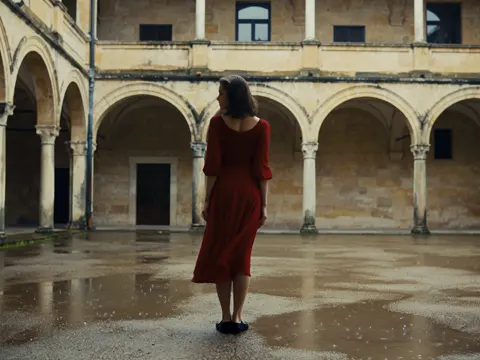
AI video generation stopped being a single-tool decision a while ago. Today a capable creator might draft a shot in one text-to-video model, refine a hero frame in an image model, animate it in a second video model, and finish in a third because the motion felt better. The interesting question is no longer "which generator is best" but "which generator is best for this shot, on this deadline, at this level of polish."
That shift is what this guide is about. It is a workflow-first look at how to route work across multiple text-to-video and image-to-video systems without losing consistency, time, or your mind. You will find decision criteria, a repeatable pipeline, prompt structures that survive model swaps, a quality-control checklist, and the mistakes that quietly burn hours of rendering.
Why Multi-Model Video Production Replaced Single-Tool Habits
Early diffusion video tools produced two-to-four-second loops with melted hands and drifting backgrounds. They were impressive as demos and useless as production assets. The current generation of models handles longer clips, more stable subjects, and far better prompt adherence, but no single system dominates every category. One model excels at realistic human motion, another at stylized animation, another at camera moves, another at generating fast drafts you can iterate on cheaply.
Professional teams responded the way they always do: they specialized. Instead of forcing every shot through one engine, they build a small internal roster of models and match each shot to the tool that handles it best. A boutique studio might keep four or five options available: one for photoreal dialogue shots, one for stylized montage, one for product inserts, one for quick storyboard-quality previews.
There are three practical reasons this routing approach wins.
- Risk distribution. If a model has an outage, a policy change, or a sudden quality regression, your project does not stop. You shift the shot elsewhere.
- Quality leverage. Motion fidelity, texture detail, and prompt adherence vary by scene type. Matching scene to strength raises the floor of your output.
- Speed. Cheap, fast models are excellent for blocking and timing. Expensive, slow models are for the shots that appear on screen the longest.
The tradeoff is overhead. Every model has its own prompt dialect, aspect ratio quirks, and billing structure. The rest of this article is about managing that overhead deliberately.
Text-to-Video vs Image-to-Video: Choosing Your Entry Point
Before you pick a model, decide what you are feeding it. The two primary entry points behave very differently, and choosing wrong is the most common source of wasted renders.
When a prompt is enough
Text-to-video is the right entry point when the shot is about motion, atmosphere, or a feeling rather than an exact composition. Think drone reveals, weather, abstract transitions, crowds, establishing shots, and anything where "close enough, but beautiful" is acceptable. You describe the scene, the model interprets it, and you keep the takes that feel right.
It is also the fastest way to explore. Ten text-to-video variations of a scene cost far less time than ten carefully composed reference frames.
When a still frame wins
Image-to-video is the right entry point when composition matters: a specific product angle, a character with a fixed costume, a location that must match previous shots, a UI mockup, or an architectural interior. Generating or selecting the frame first gives you full control over framing, lighting, and detail before motion enters the equation. The model then animates a composition you already approved.
This is also how you keep visual continuity across a series. Approve the stills, then animate them.
The hybrid approach most teams settle into
In practice, the strongest pipeline is keyframe-first: generate or design stills for every shot, then animate the ones that need motion, and reserve pure text-to-video for transitions, B-roll, and moments where the exact frame does not matter. This gives you the creative control of a storyboard with the speed of generation.
How to Pick the Right Model for a Shot
Once you know whether you are prompting or animating, evaluate candidate models against the specific demands of the shot. Four criteria cover most decisions.
| Criterion | What to test | Why it matters |
|---|---|---|
| Motion fidelity | Run the same prompt twice and compare limb, cloth, and camera behavior | Bad motion is the hardest defect to fix in post |
| Detail retention | Check faces, hands, text, and fine textures at 100% zoom | Detail loss forces re-renders or digital cleanup |
| Adherence | Does the output match the prompt's subject, action, and camera? | Low adherence means more takes per usable shot |
| Iteration speed | Time from submission to a viewable take | Fast drafts enable better creative decisions |
Motion-heavy versus detail-heavy shots
If a shot is defined by movement, weight motion fidelity highest, even if textures soften slightly. A running character with believable gait beats a razor-sharp character that glides. If a shot is defined by stillness, detail wins: product macros, portraits, architectural plates, and title backgrounds.
Style fidelity and the "look" question
Some models have a strong house style. That is an advantage when the style matches your project and a liability when it does not, because you will fight the model's aesthetic instincts on every take. Test with your own footage or reference frames before committing a whole sequence to one engine.
Clip length, resolution, and aspect ratio
Check the native clip length and aspect ratios. A model that outputs beautiful square clips is awkward for a widescreen project unless you plan to crop. Long takes are valuable for dialogue and continuous action; short takes are fine for montage work, where you will cut every two to three seconds anyway.
Planning the Shot List Before You Generate Anything
Generative video rewards planning more than almost any other creative discipline, because every unplanned render costs time. Before opening a single tool, write a shot list with enough detail that someone else could execute it.
Each line should include:
- Shot number and duration in seconds, even if approximate
- Subject and action, written as a verb phrase
- Camera behavior: static, push in, track left, handheld, crane
- Environment and time of day
- Lighting direction and quality
- Audio intent: dialogue, ambience, music beat
- Entry point: text-to-video or image-to-video
A single line might read: Shot 04, 3s — barista slides cup across counter, camera tracks right at waist height, warm morning window light from camera left, ambient café murmur, animate from approved still 04B.
That level of specificity is what turns a prompt into a controllable instruction. It also makes it obvious which shots can share a reference frame, which can be grouped in one batch, and which need special handling.
Prompt Structure That Travels Across Models
Different models weight prompt components differently, but a consistent structure still pays off, because it keeps your own thinking organized and makes outputs comparable.
A reusable six-part prompt
- Subject: who or what, with one or two defining attributes
- Action: what happens, in a single clear verb phrase
- Environment: location, background, weather, time of day
- Camera: framing, movement, lens feel
- Lighting: direction, quality, color temperature
- Style: realism level, film reference, render aesthetic
Example: A lone cyclist in a yellow rain jacket pedals uphill through a foggy coastal village at dawn, camera tracks alongside at handlebar height, soft diffused light with cool blue shadows, documentary realism, shallow depth of field.
Handling negative prompts and exclusions
If a model supports negative prompts, keep them short and concrete: text overlays, watermarks, extra limbs, distorted faces, jump cuts. Long negative lists tend to cancel useful content. If a model has no negative prompt field, fold the exclusions into the positive prompt as positive statements: "clean background, single subject, no text" becomes "a clean empty background behind a single subject."
Keeping prompts model-agnostic
Write the master prompt in plain language first, then adapt it to each model's preferred syntax. This gives you a canonical version to compare against when a model misbehaves, and it prevents your project from becoming dependent on one system's quirks.
Consistency: Keeping Characters and Locations Stable
Consistency is the hardest problem in AI video, and it is mostly solved with references, not prompts.
Build a character sheet
Create a small reference set for each recurring character: a front-facing portrait, a three-quarter view, a full-body shot, and one shot in the character's main costume. Store them with a naming convention like char_maya_ref_01.png. When a model accepts a reference image, use the same one every time. When it does not, copy the descriptive text word-for-word across prompts instead of paraphrasing it.
Lock the environment
Locations drift as much as faces. Generate three to five approved stills of each location from different angles, keep them together, and animate from them rather than re-describing the space. Note the light direction in the file name or a small shot bible: lab_interior_east_light_03.png.
Seeds, style tokens, and look-up tables
Where seeds are supported, keep one per shot setup and change only what you intend to change. Where style tokens or reference-style inputs exist, reuse the exact same token string across the sequence. Finally, apply a shared color grade in post so that mismatched generations land in the same visual world.
The Image-to-Video Pipeline Step by Step
Here is a practical sequence that scales from a single clip to a short film.
- Approve stills first. Generate or select keyframes until framing, costume, and lighting are right. Do not animate frames you are not happy with.
- Annotate motion. Write a one-line motion brief for each still: what moves, how fast, and in which direction. Ambiguous motion briefs produce drifting subjects.
- Set duration to the cut. Generate slightly longer than you need so you have handles for trimming and transitions.
- Do a low-cost pass. Prioritize timing and blocking over final quality. Confirm the shot works in the edit before polishing it.
- Re-render only what earns it. Shots that survive the rough cut get a final pass with higher quality settings.
- Fix locally, not globally. Use inpainting or masking tools for a bad hand or a flickering sign rather than re-rolling the whole clip.
- Archive prompts and references. Store the prompt, reference images, seed, and settings next to the final clip. Future revisions become trivial.
Audio, Timing, and the Limits of Generation
Most video models output silent clips, and that is usually a feature, not a bug. Audio is best handled in the edit, where you have real control over pacing and mix.
Generate video to the rhythm of your planned soundtrack. If you know a shot must land on a beat, cut the audio first and generate to its length. For dialogue, generate the visual performance with clear mouth movement and then either record real voice-over or use a separate text-to-speech or voice-cloning tool, aligning the lip movement in post. Be conservative: heavily articulated dialogue close-ups are still the weakest area of generative video, so favor over-the-shoulder framing, profile shots, and cutaways for spoken lines.
Ambience is the cheapest quality upgrade available. Room tone, traffic, wind, and cloth rustle make generated footage feel grounded, even when the motion is imperfect.
Post-Production and Quality Control Checklist
A short, disciplined finishing pass turns AI footage into a deliverable.
- Assemble on a timeline before polishing any individual shot. Rhythm exposes weak clips faster than a full-screen review.
- Stabilize and smooth where motion judders, using optical-flow tools or frame interpolation set conservatively to avoid artifacts.
- Upscale with a dedicated upscaler rather than re-rendering at higher resolution, which is slower and often not better.
- Fix defects with masking, plate replacement, or painting over a single frame.
- Grade for unity. One look-up table or a matching grade across all shots hides the seams between different generators.
- Check the small stuff: hands, eyes, teeth, text on clothing, reflections, shadows, and background drift.
- Export to spec and proof on a phone, a laptop, and a large screen. Generators produce artifacts that only appear at one of those sizes.
Keep a render log. When a client asks for a one-second change three weeks later, a log of prompts, seeds, and settings saves an entire day.
Common Mistakes and Workflow FAQ
Mistakes that waste the most time
- Polishing before the edit. Rendering five beautiful takes of a shot you cut entirely.
- Overloading a single prompt. Two actions in one prompt usually produce neither.
- Changing multiple variables between takes. Then you cannot tell what improved the shot.
- Ignoring aspect ratio and duration limits, then cropping and losing composition.
- No naming convention. Half the friction in a multi-model workflow is finding the right reference file.
- Trusting motion over meaning. A gorgeous camera move does not fix an unclear shot.
Frequently asked questions
Should I standardize on one model?
No, but standardize your process. Keep a primary model for speed and a specialist for hero shots, and document why each shot used what it did.
How many takes does a usable shot need?
With a clear prompt, a locked reference, and a sensible model choice, three to five takes is typical. If you need fifteen, the problem is usually upstream in the brief.
Is text-to-video or image-to-video better for beginners?
Start with text-to-video to learn how models interpret language, then move to image-to-video as soon as composition starts to matter. Most creators end up keyframe-first.
How do I keep a series visually consistent?
Lock references, lock prompt phrasing, and lock a grade. Consistency comes from repetition and documentation far more than from any single model setting.
What about longer narratives?
Build them from short, well-planned shots stitched with intention. Continuous long-form generation is improving steadily, but shot-based assembly still gives you more control over pacing, performance, and fixes.
The core principle is simple: treat generative models as a crew of specialists rather than a single magic button. Plan the shot, choose the right specialist, keep your references tight, and finish in the edit. That routine, more than any particular tool, is what separates work that looks generated from work that simply looks good.

Alexander
More Blogs
Read MoreVidu Q4 Alternatives: 4K AI Video Models Compared (2026)
Vidu Q4 alternatives compared: Kling 4.0, Seedance 2.5, Wan 3.0, and Runway Gen-4 — 4K support, input modes, durations, audio, and what each costs in credits on Domer.
Top 4K AI Image Generators in 2026: 5 Models Compared on Real Costs
The top 4K AI image generators on Domer compared: Flux 3 Klein, Nano Banana 2.1, GPT Image 2.5, GPT Image 2, and Nano Banana Pro — 4K credit costs, reference limits, and speed.
Nano Banana 2.1 vs GPT Image 2.5: Which Image Model Should You Use? (2026)
Nano Banana 2.1 vs GPT Image 2.5 Flare compared: credit costs per resolution, aspect ratios, reference images, text rendering, and which tasks fit each model.