
Créer
Affiliation
Commencer Gratuitement
Text-to-Video Synthesis: A Practical AI Video Workflow
Oct 16, 2026


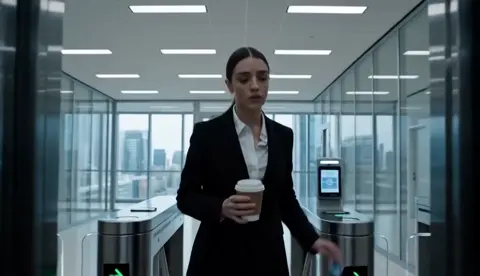
Why Text-to-Video Changes the Production Math
For most of the history of moving images, the expensive part was never the idea. It was the shooting. A two-minute brand film could consume a week of crew time, a lighting package, a location permit, and a colorist's afternoon. Text-to-video synthesis attacks that cost structure directly: you describe a shot in words, and a model returns a few seconds of plausible motion, lighting, and camera behavior.
That shift matters less because it removes the camera and more because it removes the iteration penalty. In traditional production, changing your mind about a shot angle means re-lighting, re-blocking, and re-shooting. In an AI video workflow, changing your mind costs a prompt rewrite and a render. Teams that internalize this stop treating the first version as precious. They treat video like a draft document that gets revised five times before anyone sees it.
The practical consequence is a new split of labor. Story, pacing, and continuity stay firmly human. Camera execution, background fill, texture, and atmosphere increasingly come from a model. The people who thrive in this environment are not the ones with the fanciest tool subscriptions — they are the ones who can decompose a scene into shots, describe those shots precisely, and judge which outputs are usable.
This guide walks through the whole pipeline: how the technology actually works under the hood, how to pre-produce properly, how to write prompts that hold up once things start moving, how to fight the consistency problem, and how to build a repeatable workflow your team can run every week.
How Text-to-Video Synthesis Actually Works
You do not need a research background to use these tools well, but a rough mental model of the machinery will make your prompts dramatically better. When you understand what the model is optimizing for, you stop asking it to do things it has no mechanism to do.
The three layers of a generation model
Nearly every modern system stacks three components:
- A language understanding layer. Your prompt is parsed into semantic chunks — subject, attributes, action, setting, style. This is usually a transformer-based encoder. It is the reason word order, specificity, and even punctuation change your output.
- A spatiotemporal generation layer. A diffusion process starts from noise and progressively denoises it into a latent representation that has both spatial dimensions (what the frame looks like) and a temporal dimension (how it changes across frames). Attention across time is what keeps a face from melting between second two and second three.
- A decoding and interpolation layer. Latents become pixels. Frame interpolation smooths motion, and post-filters handle sharpening, grain, and color. This stage is where a lot of the perceived "cinematic" quality is either won or lost.
Some systems add motion-conditioning modules — optical flow predictors, camera trajectory controls, or pose guidance. Those extras are what make the difference between a clip that looks like a slideshow and one that looks like it was shot by a person holding a camera.
What the model infers — and what it cannot
Models are surprisingly good at implied physics: a scarf trailing behind a runner, steam rising from a cup, rain bouncing off pavement. They are also good at implied style: "shot on 35mm, shallow depth of field, warm practicals" reliably pushes output toward a look.
Where they fail is intent and continuity. A model has no idea that your protagonist is supposed to be holding the same umbrella in shot four that she held in shot one. It has no idea that the brand's color is a specific hex value. It cannot know that the scene takes place at dawn unless you say so twice — once in the prompt and once in the reference image.
Treat the model as an extraordinarily fast, slightly literal cinematographer with no memory of yesterday's shoot. Your job is to be the department head who supplies memory.
Pre-Production: Build a Shot List Before You Prompt
The single biggest mistake in AI video work is prompting straight from an idea. Ideas are vague; prompts need to be specific. The translation layer between them is a shot list.
Turn a script into shot-sized beats
Generated clips typically run a few seconds — long enough for one coherent action. So cut your script into beats where each beat is a single verb:
- She unlocks the door.
- He opens the box.
- The camera pushes through the window.
- Water spills across the counter.
If a beat contains two verbs, split it. "She opens the laptop and dials a number" is two shots, not one. Splitting is not a limitation you are working around; it is the same discipline a live-action editor applies when they decide a scene needs coverage.
Write a story bible file
Before generating anything, create a plain text or spreadsheet document with fixed descriptions for every recurring element:
| Element | Locked description |
|---|---|
| Character A | Woman, late 30s, short black bob, olive coat, silver ring on right hand |
| Location 1 | Narrow kitchen, teal tile backsplash, single window, overcast daylight |
| Prop 1 | Scuffed leather notebook, brass clasp, no visible text |
Copy these strings verbatim into every prompt that includes the element. Consistency in AI video is largely a copy-paste discipline, not a creative one.
Define the visual grammar once
Lens, aspect ratio, film stock, color temperature, and movement style should be decided before shot one. If shot one is "handheld, 35mm, cool daylight" and shot nine is "tripod, 85mm, golden hour," you have made two different films. Write the grammar at the top of your shot list and enforce it.
Prompt Architecture That Survives Motion
A prompt that produces a beautiful still frame often produces a chaotic clip. Motion exposes every ambiguity. Use a consistent structure so nothing important gets dropped.
The five-slot formula
- Subject — who or what, with the locked description from your bible.
- Action — one verb, present tense, with a clear beginning and end state.
- Camera — shot size, angle, movement ("medium close-up, slow dolly in, slight handheld drift").
- Environment and light — location, time of day, sources, weather, atmosphere.
- Style and format — look, grain, aspect ratio, color treatment.
Example, weak: A detective looks at a clue in a dark room.
Example, strong: A detective in a rain-soaked trench coat crouches and lifts a brass key from wet asphalt. Medium shot, slow tilt down, shallow focus. Alley at night, single sodium streetlight, wet reflections, light fog. Gritty 35mm look, cool shadows, warm highlight, 16:9.
The second version is not longer for the sake of length. Every clause answers a question the model would otherwise answer randomly.
Negative prompts and failure modes
Most interfaces accept a negative field. Common entries worth keeping in a template:
- text, watermark, logo, subtitles, signature
- extra limbs, deformed hands, fused fingers
- morphing faces, identity drift, flickering background
- jump cuts, stuttering motion, duplicated subjects
- oversaturated colors, HDR halos, plastic skin
Keep negatives short. Long negative lists can suppress legitimate detail along with the artifacts.
Control the pace, not just the content
Words like "slow," "gradual," "steady," and "controlled" measurably reduce frantic motion. If a clip looks like it is being fast-forwarded, your prompt is probably asking for too much movement in too few seconds. Reduce to one action and add a pace descriptor.
Consistency: The Real Bottleneck
Ask ten AI video creators what limits them and nine will say the same thing: keeping things the same.
Character consistency
Three tactics, in order of reliability:
- Reference-image conditioning. Generate or photograph a clean character sheet — front, three-quarter, profile — then feed one image alongside every prompt featuring that character.
- Last-frame chaining. Extract the final frame of a clip and use it as the starting image for the next shot. This preserves wardrobe, lighting, and position across a cut.
- Seed and model pinning. Stick to one seed and one model version per project. Switching versions mid-project is the fastest way to lose a face.
Location and prop consistency
Locations drift less than faces, but they still drift. Fix the anchor elements — the window position, the color of the tile, the number of chairs — and repeat them in every prompt. If a location is central to the story, generate a wide establishing frame once and reuse it as an image reference for every subsequent shot in that space.
Accept planned imperfection
Perfect continuity is achievable but expensive in time. A pragmatic approach: keep continuity strict for anything the audience will consciously notice — faces, hero props, wardrobe — and loosen it for background extras, distant signage, and crowd fills. Audiences are forgiving of a blurred pedestrian. They are not forgiving of a protagonist whose hair changes length between cuts.
Choosing a Mode: Text, Image, or Video Input
"Text-to-video" is an umbrella term. In practice you will move between several modes within one project.
- Text-to-video is best for exploration, previz, and shots with no recurring characters. It is fast and surprises you, which is useful early and dangerous late.
- Image-to-video is the workhorse for consistency. Generate or select a strong still, then animate it. Because composition and identity are locked, only motion can go wrong — and motion is easier to correct than identity.
- Video-to-video and restyling let you take real footage and push it toward a look. Excellent for turning phone test footage into a coherent previz cut.
- Motion conditioning (pose, depth, or trajectory guidance) is the highest-control option and the slowest. Use it for hero shots where the blocking must be exact.
Decision criteria
Ask four questions before every shot:
- Does this shot contain a recurring character? If yes, start from an image.
- Does the camera move need to be specific? If yes, use motion conditioning or shoot a rough reference yourself.
- Is this shot for approval or for delivery? Previz tolerates artifacts; final delivery does not.
- What is the fallback? Every shot should have a simpler alternative in case three rounds of generation fail.
A Repeatable Eight-Step AI Video Workflow
This is the loop that holds up under deadline pressure.
- Lock the script and shot list. No prompting until the beats exist on paper.
- Build the story bible. Characters, locations, props, and visual grammar, all written down.
- Generate keyframes first. Create stills for each shot before animating. Stills are cheap to fix; animation is not.
- Animate the keyframes. One action per clip, three to six seconds, consistent seed and model.
- Review in a rough assembly. Drop every clip into an editor in order with no music. Watch it twice. Problems that are invisible clip-by-clip become obvious in sequence.
- Regenerate surgically. Fix only the shots that break the sequence. Do not re-roll everything out of frustration.
- Add motion polish. Stabilize, interpolate to your target frame rate, and check for flicker on a large screen.
- Finish audio and grade. Voice, music, effects, then a light grade to unify the look across all clips.
Step five is the one people skip, and it is the one that saves the most time.
Audio, Sound Design, and Final Polish
Silent AI video looks like a demo. Sound is what makes it feel finished.
Start with a scratch voice track — even a rough synthetic read — placed against the picture. Timing problems surface immediately: a line that does not fit its shot, a beat that needs another half second. Adjust the edit before you generate anything new.
Then layer sound in this order: dialogue, ambience, hard effects, music. Ambience does more heavy lifting than most people expect. A room tone bed under every scene eliminates the "floating clips" feeling that AI video often has. Hard effects — a door latch, a keyboard, footsteps — anchor motion to reality.
Finally, grade. AI clips generated across multiple sessions rarely match out of the box. A slight contrast curve, a shared color temperature, and a touch of unified grain can make eight clips from five prompts look like one shoot. If your footage is lower resolution than your delivery target, upscale before grading, not after.
Common Mistakes and a Quality-Control Checklist
Most failed AI video projects fail in predictable ways.
- Prompting without a shot list. Produces beautiful random footage that cannot be edited together.
- Cramming multiple actions into one clip. Motion becomes mush. Split it.
- Switching models mid-project. The look and the identity both drift.
- Skipping the rough assembly. You discover continuity errors after you have generated fifty clips.
- Over-relying on negative prompts. Excessively long negatives flatten detail.
- Ignoring pacing descriptors. Clips feel sped up and unwatchable.
- No aspect-ratio planning. Vertical social cuts reveal framing that worked only in widescreen.
Before you call a shot done, check: Is there exactly one readable action? Is the face stable for the full duration? Do the hands survive? Is the camera move motivated? Does the lighting match the adjacent shots? Would this be embarrassing on a large screen? If any answer is no, the shot goes back into the queue.
Scaling the Workflow Across a Team
The gap between a solo creator and a team is not talent — it is naming conventions and review gates.
Adopt a file naming pattern such as project_scene_shot_take, and keep a single shared shot list with status columns. Store locked reference images in a versioned folder; when a character's look changes, everyone must know which reference is current. Establish a review gate at the keyframe stage and another at rough assembly, so nobody animates a shot that will be cut.
Template your prompts. A reusable prompt with fill-in fields for subject and action keeps a team's output coherent and cuts onboarding time to minutes. And keep a short "do not use" list of settings, seeds, or styles that have produced unreliable motion in the past.
FAQ
Do I need video editing experience?
Basic editing literacy helps enormously. Knowing how to assemble a sequence, trim to a beat, and place sound will improve your AI output more than any model upgrade.
How long should each clip be?
Three to six seconds is the sweet spot for most systems. Longer clips accumulate drift, especially in faces and hands.
Why does my character change between shots?
Because the model has no persistent memory. Use reference images, last-frame chaining, and a fixed seed, and copy the character description verbatim every time.
Is text-to-video good enough for client delivery?
For previz, social, and internal content, yes. For high-end broadcast, expect to combine generated shots with real footage and a finishing pass.
How many attempts should a shot get?
Three or four focused variations, then change something structural — the prompt wording, the reference image, or the mode. Repeating the same prompt rarely breaks a dead end.
What is the fastest way to improve?
Do a one-minute sequence with a locked shot list and a story bible, then watch it end to end. The constraints teach more than isolated clip generation ever will.
The technology will keep improving, and the specific models you use today will look quaint in a year. The durable skill is the pipeline: decompose, describe, generate, assemble, and judge. Build that, and every new model becomes an upgrade instead of a restart.

Alexander
More Blogs
Read MoreVidu Q4 Alternatives: 4K AI Video Models Compared (2026)
Vidu Q4 alternatives compared: Kling 4.0, Seedance 2.5, Wan 3.0, and Runway Gen-4 — 4K support, input modes, durations, audio, and what each costs in credits on Domer.
Top 4K AI Image Generators in 2026: 5 Models Compared on Real Costs
The top 4K AI image generators on Domer compared: Flux 3 Klein, Nano Banana 2.1, GPT Image 2.5, GPT Image 2, and Nano Banana Pro — 4K credit costs, reference limits, and speed.
Nano Banana 2.1 vs GPT Image 2.5: Which Image Model Should You Use? (2026)
Nano Banana 2.1 vs GPT Image 2.5 Flare compared: credit costs per resolution, aspect ratios, reference images, text rendering, and which tasks fit each model.