
Crea
Affiliazione
Inizia Gratis Ora
AI Ad Video Generator Workflow for High-Converting Commercials
Oct 13, 2026
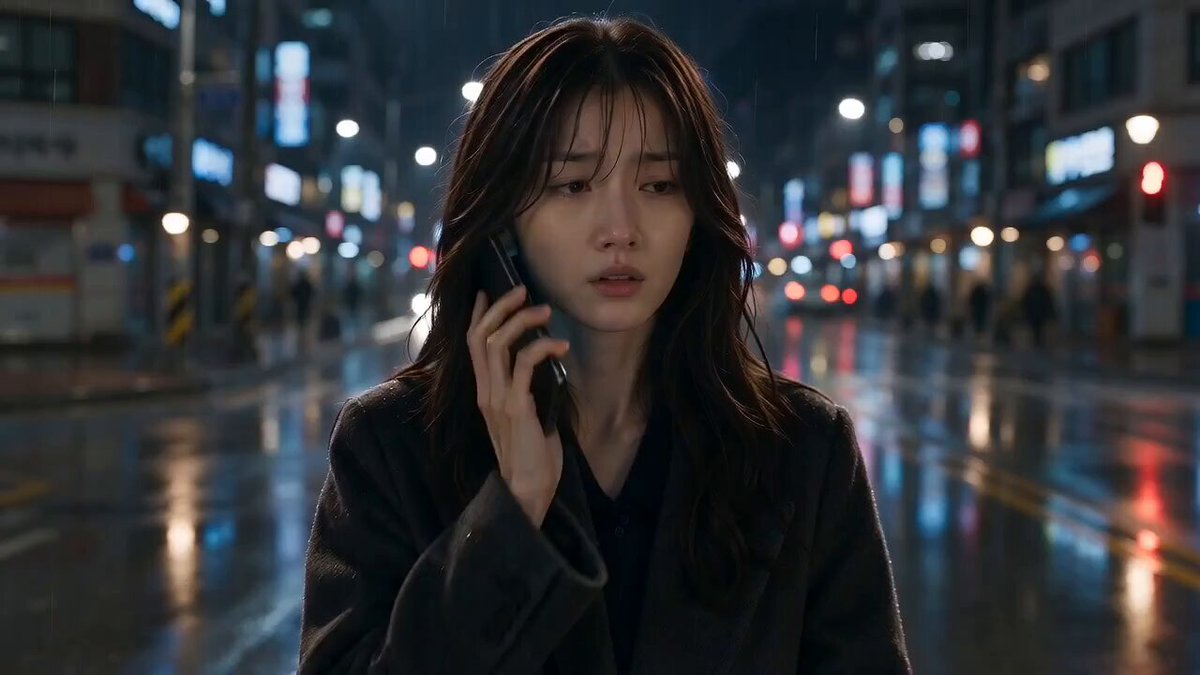

AI ad video generators have moved from novelty to practical production tool. The promise is simple: turn a campaign brief into a polished commercial in minutes, then iterate before the creative window closes. The reality is more nuanced. A generator can produce visuals, voice, and edits, but a high-converting ad still depends on strategy, structure, and testing discipline. This guide lays out a repeatable workflow for using AI video tools to create commercials that earn attention and drive action.
Why AI Ad Video Generators Change the Production Cycle
Traditional commercial production is linear and expensive. You write a script, book talent, scout locations, shoot, edit, color, mix, and only then test. Each revision can trigger another round of scheduling. AI video generation compresses that cycle by making the first draft cheap and fast. Instead of debating a concept in a document, you can watch a rough version and judge whether the hook lands.
The bigger shift is volume with control. A single brief can become multiple hooks, voices, visual metaphors, and endings. That matters because ad platforms reward fresh creative and punish fatigue. When production is slow, teams hesitate to test. When production is fast, testing becomes the default.
Speed does not remove the need for craft. AI tools are best at generating options; humans are best at choosing the right option. Separate generation from judgment. Let the tool create twenty variations, then apply a strict scorecard: clarity, relevance, emotion, proof, and call to action.
What a High-Converting AI Commercial Actually Needs
High-converting ads are not merely beautiful. They connect a specific audience with a specific problem and a specific next step. Before opening any AI video tool, define the conversion event: purchase, lead, app install, demo booking, or signup. The answer shapes length, pacing, and call to action.
A hook that survives three seconds
The first three seconds decide whether the rest of the ad exists. The hook can be a visual surprise, a blunt problem statement, a bold claim, or a question that mirrors the viewer's internal monologue. In AI-generated ads, the hook is often the weakest part because teams focus on visuals they can generate rather than tension they can create. Write ten hooks before you write the body.
One clear promise
Viewers should understand the offer without effort. Avoid stacking benefits. Pick the single most compelling promise and repeat it in spoken words, on-screen text, and visual demonstration. If the promise is saving time, show a clock, a before-and-after, or a calm person finishing early.
Proof that feels real
AI can fabricate scenes, but trust comes from specificity. Use numbers, customer language, product close-ups, or a demonstration. If you lack testimonials, show the mechanism: how the product works, what changes, and why it is different.
A call to action that removes friction
The call to action should tell viewers exactly what happens next and why it is low risk. 'Start your free trial' is weaker than 'Start your free trial and cancel anytime.' 'Shop now' is weaker than 'Shop the starter kit and get free shipping.' AI can generate a polished end card, but the words still need human judgment.
Core Workflow: From Brief to First Cut
A reliable AI ad workflow has five stages: brief, script, assets, assembly, and review. Each stage has a clear output. Skipping a stage usually creates extra revisions later.
Stage 1: Write a one-page creative brief
The brief should include audience, problem, promise, proof, tone, formats, and success metric. Add three competitor references and three references from outside your category. Outside references help you avoid category clichés. A fintech ad can borrow pacing from a fitness app launch; a skincare ad can borrow visual rhythm from a food commercial. Also define what the ad must not do. Constraints speed up AI generation because they narrow the option space. A generator with no constraints produces generic output.
Stage 2: Write a modular script
Write the script in modules: hook, problem, solution, proof, offer, and call to action. Each module can be 3 to 8 seconds. This makes it easy to swap one part without rebuilding the entire ad. Create three hook variations, two proof variations, and two call-to-action variations. You now have twelve combinations from one script. Use plain language. Read it aloud. If you stumble, the voiceover will stumble too. For AI voice generation, punctuation is direction: commas create pauses, periods create stops, and line breaks create beats.
Stage 3: Generate or assemble visuals
You have three visual sources: AI-generated footage, stock footage, and your own product or customer footage. The strongest AI ads combine all three. Use AI for concept scenes that would be expensive to shoot, stock for establishing shots, and your own footage for product proof. When generating AI visuals, describe the shot like a director. Include subject, action, setting, lighting, lens, camera movement, and mood. Instead of 'a happy customer,' write 'a woman in her thirties opens a delivery box at a kitchen table, morning light, handheld camera, genuine smile, shallow depth of field.' Keep a shot list. A 30-second ad usually needs 8 to 14 shots. Generate in batches that match script modules. Reject anything that does not serve the story, even if it looks impressive.
Stage 4: Add voice, music, and sound
Voiceover sets the emotional temperature. Test at least three voices: calm, energetic, and conversational. The right voice depends on the product and platform. A luxury brand may need a slower, lower voice. A mobile game ad may need fast, playful delivery. Listen on phone speakers, because that is where most viewers will hear it. Music should support the edit, not compete with it. Choose a track with a clear build and a moment that lands on your product reveal. Sound effects make AI visuals feel real: a whoosh for a transition, a click for a UI action, a soft chime for a positive result. If the voice is hard to understand, the ad fails.
Stage 5: Edit for rhythm and clarity
Edit for the platform. Vertical video needs faster cuts and larger text. Connected TV needs wider framing and slower pacing. Feed ads benefit from a hook in the first second. Story ads can take a few seconds longer if the narrative is compelling. Add subtitles because many viewers watch without sound. Use large, high-contrast text that appears in sync with the voiceover. Avoid covering the product or the face. Export multiple aspect ratios: 9:16, 1:1, 4:5, and 16:9. A single ad should become a small asset library.
Choosing the Right AI Video Tool for Ad Production
Not every AI video generator is built for advertising. Some excel at artistic clips, others at talking avatars, and others at editing workflows. Evaluate tools against the job you need done.
| Criteria | What to look for | Why it matters |
|---|---|---|
| Script-to-video workflow | Text input, scene breakdown, voice options | Reduces manual assembly |
| Visual consistency | Character and style preservation | Prevents distracting changes |
| Editing controls | Timeline, trimming, text, transitions, aspect ratios | Makes real campaign revisions possible |
| Asset integration | Upload product footage, logos, images, audio | Keeps ads grounded in your brand |
| Collaboration | Comments, versions, shared workspaces | Helps teams review without file chaos |
| Export quality | Resolution, frame rate, captions, presets | Ensures professional playback |
| Learning curve | Templates, presets, documentation | Determines how fast you ship |
Start with one campaign and one format. Test the tool on a 15-second vertical ad before committing to a complex multi-market project. The best tool is the one your team will actually use every week. A simpler editor with strong collaboration often beats a powerful generator with a confusing interface. For regulated industries, check whether outputs can be reviewed and approved before publishing. AI speed should not bypass compliance.
Prompting and Asset Strategy for Better AI Scenes
Prompting is a skill, but it is not magic. Think in layers: subject, action, environment, lighting, camera, and style. Write the prompt as a shot description, not a wish list. Add negative constraints: no text, no distorted hands, no watermark, no jump cuts. These reduce obvious failures.
Use reference images when the tool supports them. A product photo, brand color palette, or mood board can anchor the visual style. If the tool allows image-to-video, start with a still that already looks right. Animating a strong still is often more reliable than generating a complex scene from text alone.
Build a small asset library before you generate. Collect logos, product shots, UI screens, customer photos, and brand fonts. The AI tool can generate connective tissue, but your own assets provide credibility. Create templates for lower thirds, end cards, and subtitles so every ad feels part of the same brand system.
Testing and Iteration: How to Turn One Ad into Many
AI video generation makes testing practical. Start with a hypothesis: 'A problem-first hook will outperform a product-first hook for cold audiences.' Create variations that isolate one variable at a time. If you change the hook, voice, music, and call to action all at once, you will not know what caused the result.
Test in rounds. Round one tests hooks. Round two tests proof elements. Round three tests calls to action. Round four tests formats and lengths. Each round should have a clear winner and a clear learning. Use platform-native metrics. Watch time, thumb-stop rate, click-through rate, cost per action, and conversion rate tell different stories. A high click-through rate with low conversion may mean the ad overpromises. A low click-through rate with high conversion may mean the ad qualifies the right audience. Evaluate the full path, not just the first metric. Refresh creative before fatigue sets in. When frequency rises and performance drops, it is time for a new hook, not necessarily a new concept. Keep the winning body and swap the opening. Modular scripts let you produce ten new hooks in the time it used to take to schedule one reshoot.
Common Mistakes That Kill AI Ad Performance
The first mistake is leading with the tool. Viewers do not care that an ad was made with AI. They care about their problem. If the ad feels like a technology demo, it will not convert. Use AI to remove production friction, not to replace the message.
The second mistake is ignoring brand consistency. AI can generate beautiful scenes that have nothing to do with your product. Establish a visual system: colors, typography, pacing, and recurring motifs. Every ad should be recognizable even without the logo.
The third mistake is over-polishing. Some of the best-performing ads look native to the platform. They use simple text, real people, and direct language. AI can make everything cinematic, but cinematic is not always effective. Match production style to placement.
The fourth mistake is poor sound. Muffled voiceover, mismatched music, and missing captions destroy credibility. Listen on multiple devices. Check the mix on phone speakers, headphones, and a laptop. If the audio is weak, the ad feels amateur regardless of the visuals.
The fifth mistake is skipping the offer. A beautiful ad with a vague offer wastes attention. State the offer clearly, make it relevant, and repeat it at the end. If viewers have to guess what to do next, you have lost the conversion. Also review legal and platform rules. Check for misleading claims, fabricated endorsements, and unrealistic product results. Disclose AI avatars when required. Review music and voice licensing. If something looks too close to an existing brand, reject it. The cost of a takedown is higher than the cost of generating another clip.
FAQ
How long should an AI-generated ad be?
For paid social, 15 to 30 seconds is a strong starting point. Use 6 to 10 seconds for a single hook test, 15 seconds for a focused message, and 30 to 60 seconds for storytelling or connected TV. The right length depends on the platform and the complexity of the offer.
Can AI video generators replace a full production team?
They can replace some production tasks, especially for simple product ads, explainers, and social variations. They do not replace strategy, creative direction, legal review, or performance analysis. The best results come from a hybrid team that uses AI for speed and humans for judgment.
How many variations should I test?
Start with three to five variations per round. More than that can spread your budget too thin and make results hard to read. Focus on one variable at a time. Once you find a winner, create iterations of that winner rather than starting from scratch.
What makes an AI ad look fake?
Common giveaways include inconsistent faces, unnatural hand movements, mismatched lip sync, generic stock-like scenes, and audio that does not match the visuals. Fix these by using shorter clips, reference images, careful editing, and human review. Sometimes a simple real shot is more convincing than a complex generated scene.
Final Takeaway
An AI ad video generator is not a replacement for marketing thinking. It is a production accelerator. The teams that win combine fast generation with clear strategy, modular scripts, rigorous testing, and brand discipline. Start with one audience, one promise, and one format. Generate a small batch, test the hook, learn from the data, and iterate. Scale by building templates, prompt logs, and review checklists so quality stays consistent. When you treat AI as part of a repeatable workflow rather than a one-click miracle, you can produce high-converting commercials in minutes and improve them with every round.

Alexander
More Blogs
Read MoreVidu Q4 Alternatives: 4K AI Video Models Compared (2026)
Vidu Q4 alternatives compared: Kling 4.0, Seedance 2.5, Wan 3.0, and Runway Gen-4 — 4K support, input modes, durations, audio, and what each costs in credits on Domer.
Top 4K AI Image Generators in 2026: 5 Models Compared on Real Costs
The top 4K AI image generators on Domer compared: Flux 3 Klein, Nano Banana 2.1, GPT Image 2.5, GPT Image 2, and Nano Banana Pro — 4K credit costs, reference limits, and speed.
Nano Banana 2.1 vs GPT Image 2.5: Which Image Model Should You Use? (2026)
Nano Banana 2.1 vs GPT Image 2.5 Flare compared: credit costs per resolution, aspect ratios, reference images, text rendering, and which tasks fit each model.