

Affiliazione
Inizia Gratis Ora
AI Animated Avatar Generator: Create Unique Visuals
Oct 15, 2026
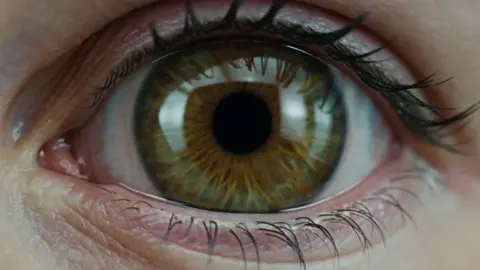
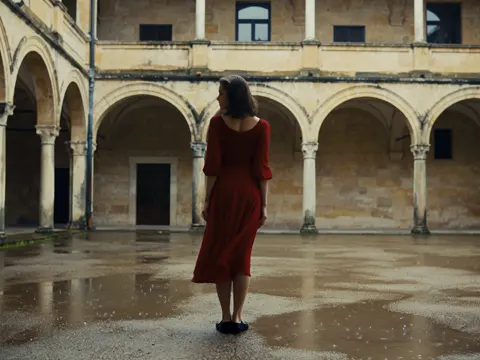
What an AI Animated Avatar Generator Actually Does
An AI animated avatar generator converts a description, a still image, or a short reference recording into a moving character that speaks, gestures, and keeps a recognizable identity across multiple clips. Instead of casting a person, booking a studio, and rescheduling when someone gets sick, you define the character, choose a motion style, and let the model handle animation, lip sync, and framing.
That sounds simple, but the tool is only one part of the job. The generator handles rendering; you handle intent. A convincing avatar comes from three decisions you make before you press generate:
- Who the avatar is. Age range, build, wardrobe, hair, and the small details that make a face memorable.
- What the avatar does. Talking to camera, demonstrating a product, walking through a scene, or reacting to a voice track.
- How it is shot. Framing, lens feel, lighting direction, and pacing.
Most disappointing avatar videos fail at one of those three decisions, not at the model. The generator faithfully animates a vague idea and produces something that looks technically fine and emotionally empty.
It also helps to be clear about what these tools are not. They are not a replacement for a script, and they are not a button that produces a finished edit. Treat the avatar generator as a specialized renderer inside a pipeline: script, storyboard, generate, review, edit, publish. Everything that makes video difficult in the rest of the pipeline still applies here.
The Three Layers Behind Every Animated Avatar
Understanding the machinery helps you debug bad output. Avatar generation stacks three layers, and problems usually show up in one specific layer.
Identity layer
This is the character itself: facial structure, skin tone, hair, age, and wardrobe. Identity can come from a text description, a single reference photo, or a small set of images that teach the system what the person looks like from multiple angles. The more reference material you provide, the more stable the face becomes across shots.
Motion layer
Motion covers lip sync, head movement, blinking, hand gestures, and body sway. Some systems drive motion from an audio track, some from a text description of the action, and some from a reference video of a real performer whose movement is transferred onto your avatar. Audio-driven motion tends to look best for talking-head content. Reference-driven motion wins for physical actions like walking, lifting objects, or dancing.
Render layer
Render includes lighting, camera angle, background, depth of field, and the overall look. This is where a clip either feels like a produced video or like a raw export. Backgrounds that match the light direction of the subject make a huge difference, and a shallow depth of field hides a lot of small imperfections in the animation.
When a clip looks wrong, ask which layer is responsible. A flickering face is identity. Stiff shoulders are motion. Flat, washed-out color is render. Fixing the right layer saves hours of random prompt tweaking.
Choosing the Right Avatar Approach for Your Project
Not every video needs the same kind of avatar. Match the approach to the outcome you want.
Presenter avatar
A presenter avatar speaks directly to camera, usually framed from the chest up. This is the workhorse format for explainers, tutorials, course modules, and product walkthroughs. It works best with a clean background, steady framing, and a script written for spoken delivery rather than reading.
Character avatar
Here the avatar is a persona: a mascot, a fictional host, a historical figure, or a stylized narrator. Character avatars let you build a recognizable brand face without depending on any single person's availability. They shine in series content where the same character appears week after week.
Faceless or partial avatar
Sometimes you only need hands, a silhouette, or a figure seen from behind. Partial avatars reduce the demands on face generation and work well for demonstrations, travel footage, or sensitive topics where showing a specific person would be a distraction.
Decision criteria that actually matter
- Runtime per clip. Short clips hide inconsistency. Long monologues expose it.
- Number of shots. One shot is easy. Twelve shots with the same character require strong identity handling.
- Audio source. A clean studio voice track produces better lip sync than a noisy phone recording.
- Delivery deadline. Highly controlled stylized looks take longer to tune than realistic presenter shots.
A Practical Workflow From Script to Finished Clip
A repeatable workflow beats improvisation. Here is a sequence that scales from a single social clip to a full course module.
Step 1: Write for the voice, not the page
Read your script out loud. Sentences that look elegant on screen often collapse in speech. Shorten them. Replace clauses with full stops. Mark places where a pause or a gesture should land.
Step 2: Lock the character description
Write one paragraph describing your avatar and reuse it word for word in every generation. Changing a single adjective between shots is the fastest way to end up with a character who looks like a different person in each scene.
Step 3: Record or generate the voice track first
Audio drives the animation. Fix the audio before you touch the visuals, because re-recording later means regenerating every shot. Keep the track between thirty seconds and two minutes per segment; longer segments are harder to review and harder to fix.
Step 4: Generate in short takes
Generate three to eight seconds at a time, then assemble. Short takes give you more control, more chances to swap a weak moment, and less wasted compute when something goes wrong at second twelve.
Step 5: Review against a checklist
Check lip sync on plosives, eye direction, hand shape near the frame edge, hair edges, and background continuity between takes. Flag anything that draws the eye away from the message.
Step 6: Assemble and add production polish
Cut the takes together, add music, captions, and simple graphics. Color match the shots so the grade does not shift between cuts. Most avatar footage becomes convincing at this stage, not at the generation stage.
Prompt Engineering for Distinctive Avatars
Generic prompts produce generic faces. Distinctive avatars come from specific, physical, observable detail.
Describe structure, not vibes
"Friendly woman" gives you nothing. "Woman in her early thirties, round face, strong dark eyebrows, short curly black hair, small silver hoop earrings, olive-green overshirt" gives the model something to build. Physical specifics translate into pixels; personality adjectives do not.
Separate what changes from what stays
Keep identity details in a locked block and vary only the scene, wardrobe accents, or camera angle in each new generation. This is the single most useful habit for series content.
Control the framing explicitly
State the shot: medium close-up, eye level, camera slightly to the left, soft window light from the right. Ambiguous framing produces inconsistent continuity, and continuity errors are more noticeable in avatar video than in live-action footage.
Use negative guidance sparingly
Listing everything you do not want can flatten the result. Instead of a long block of exclusions, fix the underlying cause: if hands look wrong, frame them out or reduce gesture intensity; if the background is distracting, simplify the set description.
Iterate in one dimension at a time
Change one variable per generation. If you change the wardrobe, the lighting, and the camera angle together, you will not know which change fixed the problem. Save the prompts that work and build a personal library of them.
Common Mistakes and How to Avoid Them
The same handful of errors shows up in almost every weak avatar video.
- Overloading a single generation. Long clips with complex actions rarely hold together. Split the action into beats.
- Ignoring audio quality. Bad room tone and clipped microphones produce bad lip sync, no matter how good the model is.
- Using the avatar as the whole concept. A talking head with no visual support gets boring in fifteen seconds. Add screen recordings, diagrams, b-roll, or text overlays.
- Skipping continuity review. Watch the assembled cut at normal speed, not shot by shot. That is how your audience will experience it.
- Fighting the uncanny valley instead of avoiding it. Stylized looks, animation-adjacent rendering, or partial framing often read as more intentional than a near-realistic face that is slightly off.
- Forgetting disclosure. If a synthetic presenter could plausibly be mistaken for a real person discussing real events, label it. Trust is a production asset.
Tool Categories Worth Knowing
The market splits into a few recognizable categories, and most teams end up combining two of them.
Specialized avatar and lip-sync tools
These focus narrowly on making a face talk convincingly from an audio track. They are fast, cheap to run, and excellent for presenter content, but they usually do not help with scene building or multi-shot storytelling.
Full video generation suites
These produce entire scenes from text or image prompts, including camera moves and environments. They offer more creative range but require more prompt skill and more patience, and character consistency takes deliberate effort.
Editing and post-production layers
A capable editor is not optional. Captions, music, pacing, and simple motion graphics do more for perceived production value than another round of generation.
What to evaluate before committing
- Identity stability. Generate the same character five times and compare.
- Audio handling. Test with a real, imperfect voice track, not a studio sample.
- Output resolution and aspect ratios. Vertical, square, and widescreen all matter depending on the platform.
- Iteration speed. Fast feedback loops matter more than perfect first results.
- Rights and consent. Know what you can do with uploaded faces and voices.
Quality Control: What to Check Before You Publish
Run this checklist on every finished piece, not just the ambitious ones.
Lip sync. Watch plosives and sibilants. Teeth and tongue contact are where errors hide. If a specific word looks wrong, re-record that sentence rather than regenerating the whole clip.
Eyes. Constant blinking looks robotic; no blinking looks dead. Aim for natural variation, and make sure gaze direction matches the scene logic.
Hands and edges. Hands entering or leaving frame are a common failure point. Keep gestures inside the safe area or frame them out.
Continuity. Compare the last frame of one shot with the first frame of the next. Wardrobe, hair, background props, and light direction should match.
Motion physics. Fabric, hair, and jewelry should move in a way that matches the body's motion. Slow-motion artifacts are a giveaway.
Audio mix. Speech should sit clear of music. Check on phone speakers, laptop speakers, and headphones.
Captions. Most viewers watch muted at least some of the time. Burned-in or platform captions should be accurate and readable at small sizes.
Building a Series, Not Just a Clip
The real value of avatar video appears when you produce consistently over time. A recognizable presenter turns a scattered set of videos into a channel.
To build that consistency, keep a written style guide: the locked character description, the standard wardrobe options, approved backgrounds, camera presets, and a caption style. When you onboard someone to help, the guide gets them to the same look in one afternoon.
Series production also benefits from batching. Record all the audio for a month of episodes in one session, then generate visuals in a second pass, then edit in a third. Batching keeps the character consistent because the identity block never changes between passes, and it exposes weak scripts before you have spent any generation time on them.
Finally, plan for localization early. If you intend to publish in several languages, write scripts with simpler sentence structures and avoid wordplay that will not survive translation. Avatar footage re-voiced into another language keeps the same visual continuity, which makes a multilingual channel far cheaper than filming each version separately.
Where Avatars Fit in a Broader Video Strategy
Avatar video is a format, not a strategy. The strongest use cases share a common trait: they need a human presence but do not need a specific human.
Education and training. Course modules, onboarding sequences, and compliance content can be produced quickly and revised without re-shooting a presenter.
Product explainers. A consistent presenter plus screen recordings covers most software walkthroughs.
Localized marketing. One visual performance, many voice tracks.
Accessible content. Sign-language avatars and captioned narration broaden reach.
Rapid testing. Test five hooks with the same avatar in an afternoon and let the data pick the winner.
Where avatars struggle: high-emotion storytelling, comedy that depends on micro-expressions, and anything that requires the audience to believe they are watching a real, unscripted moment. Know the boundary and you will avoid the most common strategic mistake, which is using an avatar for a job that needs a person.
Frequently Asked Questions
How long should a single avatar clip be?
Generate three to eight seconds at a time and assemble. Clips longer than about fifteen seconds tend to drift in expression and posture.
Can I use my own face?
Many tools accept a photo or a short video as a reference. Check the terms for what happens to your uploads and whether you can delete them.
Why does lip sync look off even with a clean voice track?
Usually the cause is pacing. Fast, clipped delivery with overlapping words is hard for any model. Slowing the read by ten percent and adding pauses fixes most cases.
Do I need a powerful computer?
Most generation happens in the cloud. A capable editor and a stable internet connection matter more than local hardware.
How do I stop the avatar from looking generic?
Add physical specificity: face shape, hair texture, eyewear, a signature garment. Then vary framing and lighting between shots to give the character range.
Should I disclose that the presenter is synthetic?
Yes when a reasonable viewer could mistake it for a real person speaking about real events. Disclosure costs nothing and protects credibility.
Can avatars replace actors entirely?
For informational and instructional content, often yes. For performance-driven narrative work, no, and pretending otherwise produces forgettable video.
Getting Started Without Overbuilding
Start with one format and one character. Write a sixty-second script, lock the identity description, record a clean voice track, generate six short takes, and edit them into a finished piece. Then run the quality checklist and note what broke.
That first loop teaches more than any amount of tool comparison. Once the workflow is stable, add variety: a second character, a new background set, a different camera angle. Expand only after the basics are repeatable, because an avatar pipeline that cannot produce a clean sixty-second video will not produce a clean ten-minute one either.
The teams that get the most from animated avatars treat them as one production method among several, chosen deliberately for the jobs they do best: consistent presence, fast iteration, and easy localization. Used that way, an avatar is not a gimmick. It is a reliable cast member you can call on any day of the week.

Alexander
More Blogs
Read MoreVidu Q4 Alternatives: 4K AI Video Models Compared (2026)
Vidu Q4 alternatives compared: Kling 4.0, Seedance 2.5, Wan 3.0, and Runway Gen-4 — 4K support, input modes, durations, audio, and what each costs in credits on Domer.
Top 4K AI Image Generators in 2026: 5 Models Compared on Real Costs
The top 4K AI image generators on Domer compared: Flux 3 Klein, Nano Banana 2.1, GPT Image 2.5, GPT Image 2, and Nano Banana Pro — 4K credit costs, reference limits, and speed.
Nano Banana 2.1 vs GPT Image 2.5: Which Image Model Should You Use? (2026)
Nano Banana 2.1 vs GPT Image 2.5 Flare compared: credit costs per resolution, aspect ratios, reference images, text rendering, and which tasks fit each model.