

Affiliazione
Inizia Gratis Ora
AI Anime Art From Text Prompts: A Practical Workflow Guide
Oct 15, 2026
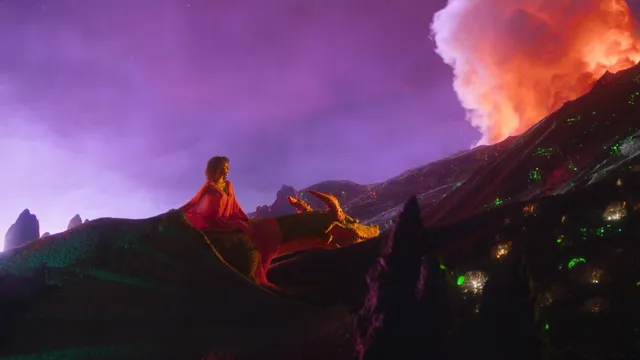
Anime-style image generation has shifted from a party trick to a real production tool. A concept that once needed an illustrator, a reference folder, and a week of revision rounds can now be roughed out in a text box, adjusted in minutes, and pushed close to a finished look before the coffee goes cold. The catch is that "vaguely anime-ish" and "good enough to ship" are very different outcomes, and the distance between them is almost entirely about prompt structure, workflow discipline, and consistency control.
This guide covers the practical side of generating anime art from text: how models actually read your words, how to build prompts that hold up, how to keep a character recognizable across dozens of images, and how to diagnose the specific failures that show up again and again.
Why Text-to-Anime Generation Works Better Than It Used to
Early text-to-image systems struggled with anime for a simple reason: anime is a stylized visual language, not a photographic one. Faces are simplified, eyes are exaggerated, hair behaves like sculpted geometry, and lighting is often emotional rather than physical. A model trained mostly on photography had no vocabulary for that grammar, so it produced uncanny hybrids — realistic skin with cartoon eyes, or flat shapes with photographic shadows.
The current generation of models is different in three concrete ways.
Style clustering improved. Training sets now contain so much illustration and animation artwork that the model has learned distinct clusters: cel-shaded television anime, 90s OVA softness, modern digital painting, manga line art, chibi, and semi-realistic cinematic anime. When your prompt names a style clearly, the model can jump to that cluster instead of averaging everything together.
Language understanding got sharper. Models follow relationships between words rather than just collecting keywords. "A girl holding a sword, seen from behind, rain at night" is parsed as a composition with a subject, an action, a camera angle, and an environment — not six unrelated tokens fighting for space.
Image-to-image and reference conditioning matured. You can now feed a model a character reference, a rough sketch, or a pose guide, and generation will respect it. That single capability turned anime generation from a slot machine into something closer to directing.
None of this removes the need for craft. It just moves the craft from brushwork to language, structure, and iteration.
How Anime Models Actually Read Your Prompt
Understanding the machinery makes debugging much faster. You do not need to know the math, but you do need to know the four things that shape output.
Word order and attention weight
Most models weight earlier tokens more heavily than later ones. A prompt that opens with "masterpiece, best quality, ultra detailed" and buries the actual subject at the end will frequently produce a beautiful image of nothing in particular. Put the subject and composition first, then style, then polish words.
Better ordering:
full-body shot of a young swordsman standing on a cliff edge, back to camera,
wind pulling at a long coat, dusk sky with layered clouds,
90s cel-shaded anime style, clean line art, limited color palette
Style tokens versus subject tokens
Models learn two broad categories of signal. Subject tokens describe what is in the frame: character type, clothing, props, setting, action. Style tokens describe how it is drawn: medium, era, studio feel, line weight, shading method.
Mixing them randomly produces mush. Separating them — subject line first, style line second — produces images that read as intentional. If a style is not landing, do not add more adjectives; move the style token earlier or make it more specific.
The difference between "anime" and an anime style
The word "anime" alone is a weak signal. It sits between many clusters and often produces a generic, glossy, slightly over-rendered look sometimes called the default AI style. Specificity fixes this. "Anime" plus "cel shading, flat color, two-tone shadow, crisp outline" lands much closer to television animation.
Negative prompts are shape control, not preferences
Negative prompts work best for structural problems rather than taste. Extra fingers, fused limbs, watermark text, and cluttered backgrounds respond well to negatives. Negative prompts do not reliably fix a wrong pose or a wrong expression — for that, rewrite the positive prompt.
Building a Prompt That Produces Anime, Not Generic Illustration
A repeatable structure beats a pile of adjectives. The five-part skeleton below works across most generators, and you can shorten it once you know which parts the model handles well.
The five-part prompt skeleton
- Subject and shot — who or what, and how it is framed.
- Composition and camera — angle, distance, focus, foreground elements.
- Environment and light — time of day, weather, color temperature, mood.
- Style specification — medium, era, shading, line quality.
- Technical finish — resolution intent, detail level, aspect framing.
A worked example, expanded from a one-line idea:
Subject: teenage girl in a school uniform, mid-shot, three-quarter view
Composition: centered, slight low angle, blurred classroom foreground
Environment: late afternoon, warm window light, dust in the air
Style: modern TV anime, cel shading, soft rim light, clean outline
Finish: high detail on hair and fabric folds, soft background bokeh
That is roughly 60 words. Long prompts are not automatically better. Past a certain length, extra words dilute attention and the model starts averaging — the classic symptom is an image that is technically polished but emotionally blank.
Negative prompts that actually help
A lean negative list beats a wall of text:
extra fingers, extra limbs, fused fingers, deformed hands, watermark,
signature, text, jpeg artifacts, blurry, low contrast, 3d render
Add "3d render" or "photorealistic" if the model keeps drifting away from illustration. Remove negatives that never fire — every unused token is noise.
Aspect ratio is a composition decision
Portrait framing suits character portraits and vertical social formats. Landscape framing suits group shots, environments, and cinematic beats. Square is convenient but often the weakest choice for dynamic poses because it encourages the model to center everything. Decide the frame before you write the prompt, not after.
Controlling Style: From Cel Shading to Painterly Digital
Style control is where most beginners plateau. They find one look they like and can never reproduce it deliberately. Here is a practical map of style levers, from strongest to weakest.
Reference images. The single most powerful control. One strong style reference outweighs a paragraph of style adjectives. Use it when you need a specific look repeated across a set.
Named style descriptors. Terms like cel shaded, flat color, two-tone shadow, line art, watercolor wash, gouache texture, retro 80s OVA, and soft airbrush shading each push output in a recognizable direction. Combine two at most; three or more cancel out.
Era and mood words. Late 90s television anime, early digital painting, manga ink texture, and muted film grain shift palette and rendering in ways pure technique words do not.
Adjectives. Beautiful, stunning, and masterpiece do almost nothing on their own. Use them sparingly for polish, never as the core of a style request.
A useful test: generate the same subject with three different style lines and compare. If the results look nearly identical, your style tokens are too weak or too generic, and you should move to reference conditioning instead.
Character Consistency Across a Set of Images
This is the part that separates hobby output from usable output. A character who looks like a different person in every frame cannot carry a story, a comic, or a series of thumbnails.
Seeds, references, and lightweight tuning
Three techniques stack well:
- Fixed seed. Locking the random seed keeps the underlying noise pattern stable, which preserves fine facial structure. Change the prompt and the pose, keep the seed, and the character drifts far less.
- Character reference image. Feed in one clear, front-facing, well-lit image of the character. Most modern tools support some form of reference or identity conditioning.
- Lightweight fine-tuning. Training a small adapter on 15–30 images of one character produces the strongest consistency, at the cost of setup time. Worth it for anything longer than a short project.
Build a character sheet before you build scenes
Generate a reference sheet first: front view, three-quarter view, side view, and two or three expressions, all in neutral lighting on a plain background. This costs you twenty minutes and saves hours later, because every subsequent prompt can cite the sheet instead of re-describing the character from memory.
Write the character description once, in a file, and reuse it verbatim:
17-year-old, short black hair with a single white streak, sharp eyes,
small scar above left eyebrow, navy school jacket, red scarf, always slightly slouched
Then only the scene line changes between generations. That one habit eliminates most inconsistency.
A Step-by-Step Workflow From Idea to Finished Panel
Here is a workflow that scales from a single illustration to a short sequence.
Step 1 — Write the brief in plain language
Two or three sentences: who is in the frame, what they are doing, where, and what the viewer should feel. Avoid style words entirely at this stage. The brief is for you, not the model.
Step 2 — Draft a wide, low-commitment batch
Generate eight to twelve low-resolution variations with the same seed family and slightly varied prompts. The goal is composition discovery, not finish. Most ideas fail here, and that is the point.
Step 3 — Pick and refine
Choose the two best compositions. Now add style specifics, adjust lighting, and fix anatomy issues through prompt edits. Generate four to six variations of each.
Step 4 — Lock consistency
Take the best result, extract a reference crop of the face and costume, and reuse it for all subsequent images in the set. Fix the seed. From here, only composition and environment change.
Step 5 — Upscale and repair
Upscale to final resolution, then repair small artifacts: hands, hair edges, background clutter. Local editing tools handle most of this faster than re-rolling the whole image, and re-rolling risks losing a composition you already like.
Step 6 — Sequence and present
If you are building a set, order images by narrative beat and check that lighting direction and color temperature stay coherent across the sequence. A character whose shadow flips direction between panels reads as amateur even when each image is good individually.
Choosing the Right Tool for the Job
Different tools excel at different stages. Rather than chasing one universal option, match the tool to the task.
| Task | What matters most | Typical tool type |
|---|---|---|
| Fast concept exploration | Speed, variety, low cost per attempt | Lightweight web generators |
| Style-accurate final art | Reference conditioning, style control | Full-feature diffusion suites |
| Character consistency | Identity conditioning, adapter training | Tools with reference and training support |
| Background and environment | Wide aspect support, detail retention | High-resolution capable models |
| Batch production | Scripting, repeatable seeds, export control | Local or API-driven setups |
Decision criteria worth weighing before committing:
- Reference support. If a tool cannot accept an image reference, it will struggle with long projects.
- Negative prompt control. Some tools hide or remove it. That limits how precisely you can steer output.
- Seed control. Without it, reproducibility becomes guesswork.
- Upscaling quality. A strong upscaler preserves line art; a weak one smears it.
- Export and licensing terms. Understand what you can do with output before you build a project on it.
- Iteration speed. Ten mediocre images in five minutes beat one perfect image in an hour during the exploration phase.
Troubleshooting: Fixing the Most Common Output Problems
The image looks generic and glossy. Your prompt is leaning on "anime" and quality words. Replace them with concrete style tokens: cel shading, flat color, limited palette, crisp outline.
Hands are mangled. Reduce hand prominence by cropping or changing the pose. Add hand negatives. Generate at higher resolution, then repair locally. Hands remain the hardest anatomy problem in stylized generation.
The character looks different every time. Fix the seed, add a reference image, and stop rewriting the character description. Consistency problems are almost always description-drift problems.
Colors are washed out. Add explicit palette direction — warm dusk tones, cool moonlight, high-saturation retro palette — and remove conflicting lighting words. Two lighting descriptors in one prompt usually cancel each other.
Faces look distorted at a distance. Increase subject size in frame, or generate a close-up and a wide shot separately, then composite. Models handle one scale well and mixed scales poorly.
Backgrounds steal attention. State the focal subject explicitly and describe the background as out of focus or simplified. Foreground blur is one of the most reliable control signals available.
Everything looks over-rendered. Add "flat shading" or "minimal rendering," and remove words like ultra detailed and 8k. Detail words push toward photographic rendering, which fights the anime look.
Style changes between images in a set. Reuse one style line verbatim across the entire set. Small rewording changes the style cluster.
Ethics, Originality, and Practical Guardrails
Anime generation sits in a sensitive area because the visual language is closely tied to living artists and studios. A few habits keep projects defensible and higher quality at the same time.
- Avoid artist-name prompts. Describing a technique — watercolor wash, thick ink outline, pastel palette — gives you control without leaning on a person's identity.
- Build your own style reference. Generate a set of images you like, then use those as references going forward. Your references become your style.
- Keep your prompt log. Save prompts, seeds, and reference images together. Reproducibility is both a legal asset and a creative one.
- Be honest about process. Audiences are generally fine with AI-assisted work and much less fine with being misled about it.
- Respect platform rules. Commercial use terms differ widely, and knowing them early avoids painful rework later.
FAQ
How long should an anime prompt be?
Thirty to eighty words is the sweet spot for most models. Shorter prompts give the model too much freedom and produce generic results; longer prompts dilute attention and flatten the image. If you need more control, switch to reference images rather than more text.
Do I need to learn prompt syntax to get good results?
No. Structural clarity matters far more than special syntax. Writing subject, composition, environment, style, and finish in that order will outperform any collection of magic keywords.
Why does the same prompt give different results every time?
Because generation starts from random noise. Fix the seed to make results reproducible, and expect small variations even then if the model version changes.
What is the fastest way to improve consistency?
Write the character description once, store it, and paste it verbatim. Fix the seed. Add a reference image. Those three steps solve the majority of consistency problems without any training.
Can text prompts replace an illustrator?
Not for final production artwork with tight deadlines and specific brand requirements. They are excellent for ideation, layout exploration, background plates, mood boards, and rapid iteration — areas where an illustrator's time is often better spent elsewhere.
How do I make anime art look less like AI?
Reduce rendering: fewer detail words, flat shading, limited palettes, and visible line work. Repair hands and edges manually. Most of the "AI look" comes from over-smoothing and excessive detail, not from the model itself.
Should I use one tool or several?
Most serious workflows use at least two: a fast generator for exploration and a more controllable tool for finish and consistency. Matching tools to stages beats searching for a single perfect one.
Where to Go From Here
The difference between frustrating anime generation and reliable anime generation is not talent or access to a secret model. It is structure: a consistent prompt skeleton, a saved character description, fixed seeds, reference images, and a workflow that separates exploration from finish.
Start small. Pick one character, write the description once, generate a reference sheet, then build a single scene around it. Once that works, replicate the process across a set. The second project will take half the time, and the third will feel less like prompting and more like directing — which is exactly what text-to-anime generation becomes once the mechanics stop getting in the way.

Alexander
More Blogs
Read MoreVidu Q4 Alternatives: 4K AI Video Models Compared (2026)
Vidu Q4 alternatives compared: Kling 4.0, Seedance 2.5, Wan 3.0, and Runway Gen-4 — 4K support, input modes, durations, audio, and what each costs in credits on Domer.
Top 4K AI Image Generators in 2026: 5 Models Compared on Real Costs
The top 4K AI image generators on Domer compared: Flux 3 Klein, Nano Banana 2.1, GPT Image 2.5, GPT Image 2, and Nano Banana Pro — 4K credit costs, reference limits, and speed.
Nano Banana 2.1 vs GPT Image 2.5: Which Image Model Should You Use? (2026)
Nano Banana 2.1 vs GPT Image 2.5 Flare compared: credit costs per resolution, aspect ratios, reference images, text rendering, and which tasks fit each model.