
Crea
Affiliazione
Inizia Gratis Ora
Unlimited AI Anime Art Generation: A Practical Workflow Guide
Oct 15, 2026
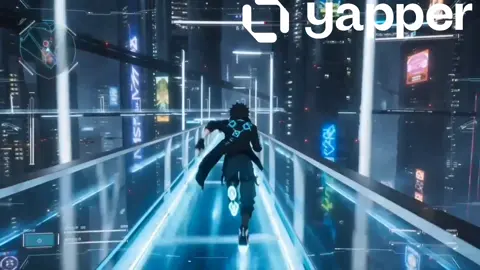


Why AI Anime Art Became a Practical Production Tool
Anime-style visuals have a structural advantage in AI production: the aesthetic is already highly stylized. Clean line work, flat cel shading, narrow palette ranges, and exaggerated expressions give generation models strong, learnable signals. Compared with photoreal work, where a misplaced finger or a mismatched shadow destroys the illusion, anime art tolerates — and often welcomes — abstraction. A slightly off proportion reads as a stylistic choice rather than an error. That tolerance is why anime pipelines tend to be the fastest route to consistent, usable output.
The second reason is demand. Independent creators, small studios, webcomic authors, VTuber teams, and game jam developers all need more frames than they can draw by hand. A single short animated episode can require hundreds of backgrounds and character poses. Generation does not replace the artist, but it converts a drawing bottleneck into a curation problem: instead of rendering every frame manually, you generate a large candidate pool and select the best.
The third reason is pipeline maturity. A modern stack combines diffusion image models, control layers for pose and depth, reference-based style transfer, upscalers, and short video models. Every component is swappable. That modularity matters more than any single tool — you can upgrade one stage without rebuilding the entire workflow.
What follows is a production-oriented guide. It assumes you want repeatable results across many images and clips, not one-off novelty pictures.
The Core Building Blocks of an Anime Image Pipeline
Before prompts matter, the pipeline matters. Most frustration attributed to bad prompting is actually a missing stage.
Diffusion models and style layers
Modern image generation runs on diffusion models, which start from noise and iteratively denoise toward an image conditioned on your text. Anime-specific checkpoints are trained or fine-tuned on large collections of cel-shaded art, which is why they produce cleaner line work than general-purpose photoreal models asked to draw anime.
Style layers — often implemented as LoRAs or adapters — let you stack a specific aesthetic on top of a base model. This is the single most effective way to get a house style. A base model gives you anatomy and composition; a style layer gives you the look.
Control layers: pose, line art, depth
Text alone cannot reliably control a pose. Control layers solve this by feeding a structural guide alongside the prompt:
- Openpose skeletons for body and hand positioning
- Line art or canny edges for matching an existing drawing
- Depth maps for spatial layering and background separation
- Segmentation masks for region-specific editing, such as changing only a jacket
In practice, nearly all professional-looking anime output uses at least one control layer. Pure text-to-image is best reserved for exploration and mood boards.
Upscaling and cleanup
Generation models output at limited resolution. A typical finishing chain is: generate at working resolution, select candidates, upscale with a dedicated upscaler, then run a light denoise pass to restore line crispness. Skipping the light denoise is a common mistake — upscalers can smooth away fine line work, leaving a soft, plastic look.
Prompt Architecture: Prompts That Repeat
A prompt is not a sentence describing a picture. It is a configuration file. Treat it that way and consistency improves dramatically.
The five-slot template
A reliable anime prompt has five slots. Write them in this order:
- Subject and action — who and what they are doing
- Composition and framing — close-up, medium shot, wide establishing shot
- Style and medium — cel shaded, 90s TV anime, watercolor background, etc.
- Lighting and palette — golden hour rim light, cool blue night, high-key
- Technical tail — quality descriptors, aspect ratio notes, detail emphasis
Keeping slots in a fixed order means that when you swap one variable, you know exactly what changed. Random piece order is the main cause of unpredictable output.
Negative prompts that actually matter
Long negative lists are mostly cargo cult. In anime work, focus on a small set of high-impact exclusions: extra fingers, fused limbs, watermark text, signature, photorealistic skin texture, 3D render shading, and blurry lines. Anything beyond ten to fifteen items usually does more to confuse the sampler than to fix problems.
Style tokens versus style references
Two approaches get you a consistent look. Style tokens are words such as flat color, bold outlines, cel shading, limited palette. Style references are actual images fed to the model as aesthetic anchors.
Tokens are fast, portable, and language-independent. Reference images are far more precise but lock you into a particular model and add preprocessing work. The practical answer: start with tokens, and graduate to reference-based styling once you have a look worth protecting.
Character Consistency Across a Whole Series
Character drift — where the same character looks like a different person in every image — is the number one complaint in anime generation. It is solvable, but only with structure.
Build a character sheet first
Before producing any scene, generate or draw a reference sheet: front view, three-quarter view, profile, plus a neutral expression and two or three key expressions. Lock the outfit, hair silhouette, and accessory placement. This sheet becomes your ground truth. Every later image is judged against it, not against your memory.
Use image-to-image and reference conditioning
Instead of describing the character from scratch each time, feed the reference sheet into an image-to-image or reference-conditioned generation step at moderate strength. Keep the strength high enough to preserve identity and low enough to allow a new pose. Typical usable range is 0.45 to 0.65, adjusted per model.
Vary one axis at a time
When you need a new expression, change only the expression. When you need a new angle, change only the angle. Multi-variable changes cause identity collapse. This sounds slow, but it is faster than regenerating a batch of unusable images.
Handle outfits and age shifts deliberately
Costume changes and time skips are the hardest consistency problems. The workable method is to build a second reference sheet for the alternate look rather than trying to describe the change in text. Two locked references will always beat one reference plus a paragraph of instructions.
From Still Frames to Animated Scenes
Static art is the foundation; motion is where the workflow gets interesting — and where most projects stall.
Frame-by-frame versus video models
There are two viable routes to animation. The traditional route generates keyframes and animates between them with tweening, cutout rigging, or manual in-betweening. The emerging route uses short video generation from a still frame, adding motion directly.
Frame-by-frame gives precise control and clean line consistency, at the cost of labor. Video generation gives fluid motion quickly, at the cost of control — hands warp, faces drift, backgrounds pulse. Many creators blend the two: video generation for atmospheric shots such as clouds, rain, light flicker; hand-controlled animation for character acting.
Camera moves, loops, and parallax
Cheap motion reads as expensive when the camera moves. A slow push-in on a still image with subtle parallax between foreground and background layers can carry several seconds of screen time. Looping elements — hair sway, cloth flutter, blinking — add life without requiring full animation.
Lip sync and motion restraint
The most common amateur mistake is animating everything. Characters who bob constantly while talking look worse than characters who hold still with a mouth flap and an occasional blink. Restraint reads as confidence.
A Repeatable Studio Workflow
Here is a sequence that scales from a single creator to a small team.
Step 1: Pre-production lock
Write the shot list, lock character references, choose the base model and style layer, and define the export resolution and aspect ratios. Changing models mid-project destroys consistency, so decide before generating.
Step 2: Batch generation
Generate in batches of the same shot type with only one variable changed. Name files with a consistent scheme that includes character, shot, and version. Undisciplined file naming is the silent killer of long projects.
Step 3: Curation and tagging
Review candidates against the character sheet. Discard aggressively — a 1-in-20 keeper rate is normal. Tag keepers with expression, angle, and lighting so they can be found later. A tagged library becomes reusable asset inventory.
Step 4: Cleanup and compositing
Fix hands and eyes in an image editor, then composite in layers. Small manual corrections on two or three features per image close most of the gap between generated art and production-ready art.
Step 5: Animation and assembly
Animate selected frames, add camera moves, cut to a rhythm, and export. Keep a project-wide look-up table for color grading so every shot matches.
Quality Control: Common Mistakes and How to Fix Them
| Symptom | Likely cause | Fix |
| --- | --- |
| Character looks different each time | No locked reference | Build a character sheet and condition on it |
| Line work looks soft or painted over | Aggressive upscaling | Upscale in stages, add a light restore pass |
| Backgrounds feel flat and disconnected | No depth or parallax layer | Generate depth maps and separate foreground |
| Every image looks generic | Style tokens too broad | Add a specific style layer or reference image |
| Composition fights itself | Prompt slots in random order | Use a fixed five-slot template |
| Motion looks wrong | Full-frame animation on a talking shot | Limit motion to hair, cloth, and mouth |
Beyond the table, watch for palette drift. If one shot is warm and the next is cool for no narrative reason, viewers feel discontinuity even if they cannot name it. Apply a consistent grade across the whole sequence.
Tools, Hardware, and Planning
You do not need a top-tier workstation to start, but you need to plan around limits.
- Local generation gives privacy, unlimited iteration, and no per-image cost, but requires a capable GPU and comfort with setup.
- Cloud and hosted generation removes hardware barriers and scales in bursts, at the cost of ongoing spend and, sometimes, usage limits.
- Hybrid setups are common: explore locally, batch-render in the cloud, finish locally.
Budget time, not just money. A realistic split for a short animated piece is roughly 20 percent prompt and configuration, 30 percent generation and curation, 30 percent cleanup and compositing, and 20 percent animation and editing. New creators consistently underestimate cleanup.
Rights, Ethics, and Publishing Safely
Three practical rules keep projects out of trouble.
First, understand what your model and style layers were trained on and respect their terms. Second, never present generated work as hand-drawn when the distinction matters to a client or audience — disclosure is now normal and rarely costs you work. Third, avoid reproducing a living artist's style as a selling point; emulate a genre or era instead, which is both safer and more creatively durable.
Also keep a paper trail. Save prompts, seeds, and reference sheets alongside final files. If a client asks for revisions six months later, that archive is the difference between a fast turnaround and starting over.
Frequently Asked Questions
Do I need to be an artist to use this workflow? No, but you need taste. Curation and cleanup are the skills that separate good output from generic output, and both improve with iteration.
How many images should I generate per final frame? Plan on ten to thirty candidates per keeper for a new character, dropping to three to five once references are locked.
Which matters more, the model or the prompt? For style, the model and its style layers. For composition and mood, the prompt. For consistency, neither — that is what reference sheets and control layers are for.
Can I mix anime and photoreal looks? Yes, and it is a strong aesthetic, but do it deliberately with a blended style layer rather than by accident. Half-photoreal, half-cel-shaded output usually reads as a mistake.
How long until a workflow feels stable? Most creators reach a repeatable pipeline after two or three small projects. The first project is always the slowest because you are still discovering which stages you need.
What is the biggest time sink? Hands, eyes, and background-to-character integration. Budget for them explicitly rather than hoping a better prompt solves it.
Where to Start This Week
Pick one character, one outfit, and one location. Build a reference sheet. Write a five-slot prompt template. Generate a batch of thirty images. Keep three. Then animate one of the three with a slow camera push and a hair sway loop. That single completed cycle teaches more than weeks of reading about pipelines, because it forces you to confront the exact stage where your process breaks.
From there, expand deliberately: add a second location, then a second character, then a second style layer. Each addition tests whether your foundation is actually reusable. If it is, the ceiling disappears — not because the tool is unlimited, but because your workflow finally is.

Alexander
More Blogs
Read MoreVidu Q4 Alternatives: 4K AI Video Models Compared (2026)
Vidu Q4 alternatives compared: Kling 4.0, Seedance 2.5, Wan 3.0, and Runway Gen-4 — 4K support, input modes, durations, audio, and what each costs in credits on Domer.
Top 4K AI Image Generators in 2026: 5 Models Compared on Real Costs
The top 4K AI image generators on Domer compared: Flux 3 Klein, Nano Banana 2.1, GPT Image 2.5, GPT Image 2, and Nano Banana Pro — 4K credit costs, reference limits, and speed.
Nano Banana 2.1 vs GPT Image 2.5: Which Image Model Should You Use? (2026)
Nano Banana 2.1 vs GPT Image 2.5 Flare compared: credit costs per resolution, aspect ratios, reference images, text rendering, and which tasks fit each model.