
Crea
Affiliazione
Inizia Gratis Ora
AI Anime Character Image Generator: A Practical Workflow
Oct 15, 2026


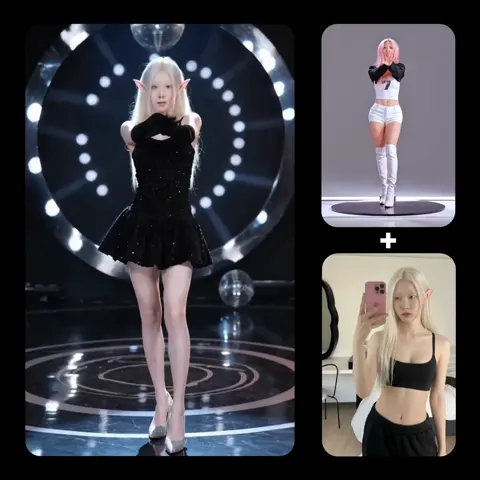
Anime is one of the most recognizable visual languages on the planet, and also one of the hardest to generate convincingly. A face that reads as charming in one frame can look uncanny two frames later. A hair style that feels iconic in a close-up collapses into mush in a wide shot. That gap between "looks like anime" and "looks like this anime character" is exactly where an AI anime character image generator either earns its place in your workflow or becomes a source of endless retries.
This guide walks through how these tools actually work, how to choose between them, how to write prompts that produce characters you can reuse, and how to take a finished character design into motion. It is written for illustrators, indie animators, storyboarders, and content creators who want a repeatable process rather than a slot-machine experience.
Why Anime Art Suits Generative Models So Well
Anime has a set of conventions that make it unusually friendly to machine learning. Character designs rely on a limited vocabulary of shapes: large expressive eyes, simplified noses, hair rendered as clean geometric masses, and shading built from flat color blocks with hard or soft edges. Compared to photorealism, where skin pores, subsurface scattering, and stray hairs create infinite variation, anime style compresses visual information into patterns a model can learn quickly.
The flip side is that conventions are also fragile. Viewers are extremely sensitive to proportion errors in anime faces because the style exaggerates proportion so deliberately. If an eye drifts half a centimeter too high, it does not read as "slightly off" — it reads as a different character. This is why consistency tools matter more in anime than in almost any other generative genre.
There is also a strong culture of remixing and iteration around anime aesthetics, which means the training data available to models is vast and heavily tagged. Tagging is an underrated advantage. When images come with structured labels — hair color, eye shape, uniform type, expression — models learn to map language to specific visual attributes instead of vague moods. That is why anime prompting tends to respond well to short, comma-separated descriptors rather than long literary sentences.
Practically, this means a dedicated anime model will frequently outperform a general-purpose image model on the same prompt, even when the general model is technically larger. Specialization beats scale when the target style is narrow.
How Diffusion-Based Anime Generators Actually Work
Most modern generators are built on diffusion. The model learns to reverse a process that gradually adds noise to an image, so it can start from random static and iteratively subtract noise until a coherent picture emerges. What steers that process is a text encoder, which converts your prompt into a mathematical representation the model can partly satisfy at each step.
Text encoders and why phrasing matters
Because the prompt is encoded as a whole, unusual word combinations can blend together. Writing "silver hair, red eyes, winter uniform" gives the encoder three distinct concepts to separate. Writing a long paragraph about a character's tragic backstory mixes style, mood, and content signals, and the model may satisfy the mood while dropping the silver hair entirely. Short structured prompts are not a superstition — they reflect how conditioning works.
Fine-tuned anime checkpoints versus general models
A base model trained on everything will produce anime-adjacent results with the right prompt, but it tends to drift toward semi-realistic rendering. Anime-tuned checkpoints and low-rank adapters push the output distribution toward clean line art, flat shading, and standard anime proportions. Some focus on a specific broadcast look, others on manga-influenced ink work, and others on stylized painterly background art.
Seeds, samplers, and structural control
The seed determines the starting noise, which means the same seed with the same prompt produces a nearly identical image. That is your cheapest consistency tool. On top of that, control layers let you dictate pose, depth, or edge structure, so you can keep a character's design fixed while changing how they stand or where the camera is. Once you combine a fixed seed, a fixed prompt, and a pose reference, you have the three ingredients of a reproducible character.
Choosing the Right Generator for Your Project
The market divides roughly into three tiers, and the right choice depends on whether your bottleneck is speed, control, or repeatability.
Browser-based all-in-one platforms. You type a prompt, get four options, and refine. They are excellent for exploration and mood boards, and they usually include upscaling and background removal. Their weakness is fine control: you often cannot fix a pose without regenerating the whole image.
Local or self-hosted pipelines. These give you access to community checkpoints, control layers, and batch scripting. You trade set-up time and hardware cost for maximum precision. This is the tier most webcomic artists and small studios settle into once consistency becomes a production requirement.
API-first engines. These are for teams that want to generate hundreds of character variations from a structured data source, such as a spreadsheet of character attributes, or that need to plug generation into a larger content pipeline. The learning curve is code, not art.
A useful decision rule: if you cannot describe your character in eight tokens or fewer, choose a platform with strong reference-image support. If you need the same character in forty poses, choose a pipeline with control layers. If you need twenty concepts before lunch, choose a browser tool and stop overthinking it.
Writing Anime Prompts That Produce Reusable Characters
The gap between a one-off pretty image and a production-ready character sheet is documentation. Treat every successful prompt as a specification, not a lucky draw.
The character sheet method
Start by generating a single front-facing portrait. Once you have a design you like, extract its attributes into an explicit list: hair color and length, eye color and shape, skin tone, outfit pieces, accessories, distinguishing marks, and overall art style. This list becomes your canonical prompt block, and you reuse it verbatim in every subsequent generation, changing only the pose, expression, and scene description.
Ordering and weighting
Most encoders give earlier tokens slightly more influence. Put identity attributes first, then outfit, then pose, then environment, then style. If a specific element keeps getting ignored, isolate it near the front rather than repeating it three times; repetition often produces artifacts rather than emphasis.
Negative prompts for anime specifically
Anime generation benefits disproportionately from negative prompts because the failure modes are so specific: extra fingers, merged eyes, asymmetrical bangs, inconsistent line weight, and the notorious "same face" problem where every character converges on a generic template. A short list covering anatomy errors, watermark artifacts, and unwanted realism usually does more for quality than another fifty words of positive description.
Style tokens and series drift
Naming a specific studio or artist in a prompt produces strong stylistic pulls, but it also invites legal and ethical problems in commercial work, and it can overwhelm your character identity. Safer practice is to describe the visual qualities you want: "clean cel shading, thin line art, muted pastel palette, high-contrast rim light." You get the look without borrowing someone's signature.
Achieving Consistency Across Poses and Scenes
Consistency is a systems problem, not a prompt problem. Four techniques stack well together.
Seed locking. Fix the seed for the base portrait. Variations will share underlying structure. Change one attribute at a time and regenerate to see which variables actually matter.
Reference conditioning. Feed the approved portrait back as a style and identity reference. Most modern pipelines support an identity-preserving mode that transfers facial structure without copying the exact composition.
Pose and depth control. Use a skeleton reference for body position and a depth map for camera placement. This gives you dramatic variation in staging while the face and outfit stay locked.
Model and sampler discipline. Do not switch checkpoints mid-project unless you are prepared to rebuild your identity block. A different checkpoint is effectively a different visual dialect, and mixing dialects is the fastest way to make a character look like two different people.
One practical tip: build a contact sheet. Generate the same character in five expressions and three camera angles, arrange them in a grid, and review them together. Inconsistencies that are invisible one image at a time become obvious in a grid, and you can fix them before they contaminate a hundred frames.
From Still Images to Animated Scenes
A finished character design is the beginning of a video pipeline, not the end. The transition usually follows one of three paths.
Image-to-video generation. You supply a keyframe and a motion description, and the model produces a short clip. This works best for subtle movement — hair drift, a blink, a slow head turn — and struggles with complex full-body action. Keep clips short and stitch them.
Pose-driven animation. A reference video of a performer drives a rigged or generated character. This is the most controllable option for dialogue scenes and dance sequences, and it is where most anime-style short-form content is heading.
Hybrid workflows. Generate key poses as stills, animate the in-betweens with a model, and finish with hand-drawn or hand-corrected passes. This preserves the artist's intent where it matters most — usually the face — while automating labor-intensive motion.
Whichever path you choose, lock your character identity before you animate. Re-establishing a face across fifty generated frames is dramatically more expensive than solving it once at the design stage. Also budget for audio: voice, ambient sound, and music do more for perceived production value in anime content than an extra pass of visual polish.
A Step-by-Step Production Workflow
Here is a workflow that scales from a solo creator to a small team.
- Define the brief. One sentence on the character's role, one on the tone, one on the target format (vertical short, widescreen scene, thumbnail).
- Explore broadly. Generate thirty to fifty rough concepts quickly with loose prompts. Do not polish anything.
- Select and document. Choose two or three finalists. Write their attribute blocks down. Save seeds.
- Build the reference sheet. Front, three-quarter, profile, and one action pose. Verify hair and outfit read correctly at small size.
- Test expression range. Neutral, happy, angry, surprised, sad. Catch structural problems now.
- Lock the identity. Freeze the prompt, seed, checkpoint, and reference images in a project file with version numbers.
- Produce scene stills. Change only pose, camera, lighting, and background. Review in batches.
- Animate selectively. Prioritize the shots where motion communicates story. Static shots with a subtle camera move are a legitimate, efficient choice.
- Edit and mix. Cut for rhythm, add sound, and resist the urge to keep every good-looking frame.
- Archive everything. The most valuable asset in your project is not the final render — it is the documented recipe that lets you make more.
Common Mistakes and How to Fix Them
Overloading the prompt. If your prompt is longer than a paragraph, cut it in half. Move secondary details into negative prompts or remove them.
Chasing realism. Adding photorealistic lighting descriptors to an anime prompt produces the uncanny middle ground. Choose a side and commit.
Ignoring resolution limits. Faces generated at low resolution and upscaled later lose eye detail. Generate at a size that keeps the face above roughly 300 pixels tall, then crop.
Changing too many variables at once. If an image fails, change one thing. Otherwise you learn nothing about what caused the failure.
Forgetting hands and props. Decide early whether your character holds anything. Props are a common consistency break because models rarely generate them the same way twice.
Treating the first good result as the final asset. Without a saved recipe, that great image is unreproducible. Documentation is not bureaucracy; it is the difference between a portfolio piece and a production pipeline.
Rights, Ethics, and Professional Practice
Style imitation is the most debated issue in anime generation. Naming a living artist in a prompt to reproduce their signature look is both legally risky and widely considered poor practice. Describing stylistic properties is the safer and more professional route.
When you publish work, be transparent about your process. Clients increasingly ask what was generated, what was drawn, and what was edited. Having a clear answer builds trust and protects you in disputes. If a project involves a real person's likeness, get written permission before using their face as a reference.
For commercial work, review the terms of the specific tool you use, and keep records of which model produced which asset. If a client later requests changes, you will need to know exactly how the original was made.
FAQ
Do I need artistic skill to use an anime image generator?
You need visual judgment more than drawing ability. Knowing why one composition reads better than another is the skill that separates usable output from endless scrolling. Basic anatomy knowledge helps enormously when diagnosing bad generations.
How many images does it take to get a consistent character?
Plan on twenty to forty generations for exploration and another ten to twenty to stabilize a final design. After that, consistent scene generation becomes routine if you keep your prompt block unchanged.
Can generated anime images be used commercially?
It depends on the tool's terms and the jurisdiction. Many platforms grant commercial rights to outputs, but restrictions often apply to style imitation and to training on other people's IP. Read the license before you build a product on top of it.
Why does my character's face change between images?
Usually because the seed changed, the reference image was not reused, or the prompt was rewritten. Reuse the exact identity block and lock the seed first.
Is a general model or a specialized anime model better?
For pure anime aesthetics, specialized models win on both quality and prompt responsiveness. Use general models when you need hybrid styles, such as anime characters in photorealistic environments.
How do I animate a character without it morphing?
Keep clips short, drive motion from a pose reference, and lock identity at the still-image stage. Animating a character whose design is not yet stable will always produce drift.
The tools will keep improving, but the workflow discipline is what actually determines whether you finish a project. Define the character, document the recipe, lock the variables, and only then scale up. Everything else is just retries.

Alexander
More Blogs
Read MoreVidu Q4 Alternatives: 4K AI Video Models Compared (2026)
Vidu Q4 alternatives compared: Kling 4.0, Seedance 2.5, Wan 3.0, and Runway Gen-4 — 4K support, input modes, durations, audio, and what each costs in credits on Domer.
Top 4K AI Image Generators in 2026: 5 Models Compared on Real Costs
The top 4K AI image generators on Domer compared: Flux 3 Klein, Nano Banana 2.1, GPT Image 2.5, GPT Image 2, and Nano Banana Pro — 4K credit costs, reference limits, and speed.
Nano Banana 2.1 vs GPT Image 2.5: Which Image Model Should You Use? (2026)
Nano Banana 2.1 vs GPT Image 2.5 Flare compared: credit costs per resolution, aspect ratios, reference images, text rendering, and which tasks fit each model.