

Affiliazione
Inizia Gratis Ora
AI Anime Generator Apps: Create Anime Art and Video Fast
Oct 15, 2026
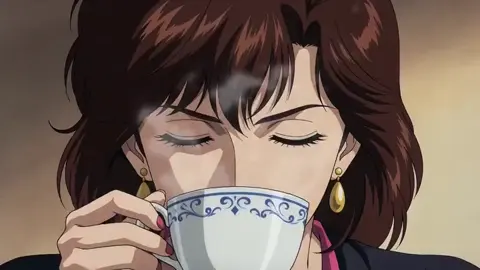

Why AI Anime Generation Became a Practical Creative Tool
AI anime generation has moved from a novelty to a real production option for artists, studios, and independent creators. What used to require years of drawing practice or a full animation pipeline can now be prototyped in minutes with text prompts, reference images, and short video models. The appeal is not just speed. It is the ability to explore a visual idea, refine it, and then decide whether to finish it by hand or with further AI assistance.
Anime style is particularly well suited to AI generation because it relies on strong graphic conventions: clean line art, expressive eyes, dynamic hair, flat but deliberate shading, and recognizable camera language. Those conventions give models clear patterns to learn. At the same time, anime fans and creators are demanding more than generic 'anime style' output. They want characters that stay consistent, scenes that match a storyboard, and motion that feels intentional rather than random.
This guide is for anyone who wants to use AI anime generator apps as part of a practical workflow. It covers how the technology works, how to choose tools, how to prompt effectively, how to keep characters consistent, how to move from stills to video, and how to avoid common mistakes. The goal is not to replace artistic judgment. It is to help you make better decisions faster.
How AI Anime Generators Actually Work
Text-to-Anime Generation
Text-to-anime tools take a written prompt and synthesize an image. Modern systems use diffusion models or similar generative architectures. During training, the model learns associations between words and visual patterns. When you type 'a determined anime swordswoman on a rain-soaked rooftop, cinematic backlight, cel-shaded,' the model combines those concepts into a new composition.
The quality of the result depends on several factors: the model's training data, the prompt's specificity, the aspect ratio, and the sampling settings. A prompt that is too vague gives the model too much freedom. A prompt that is too crowded can cause concepts to bleed into each other. The best prompts usually describe one clear subject, one clear action, and a small number of style cues.
Image-to-Anime Transformation and Style Transfer
Image-to-anime workflows start with an existing image. That image might be a photo, a rough sketch, a 3D render, or a previously generated frame. The tool then restyles it into an anime look. This is useful for storyboards, character concepts, and turning real-world references into fictional scenes.
Style transfer can be subtle or dramatic. A light pass may add cel shading and cleaner lines. A heavy pass may rebuild the entire image. Many creators use a two-step approach: first generate a strong composition with text, then use image-to-image with a lower strength setting to refine the style. This keeps the layout while improving the line quality and color harmony.
Video Generation and Motion
Anime video generation adds a temporal dimension. Instead of generating one frame, the model generates a sequence. Early video models struggled with flicker, warping, and inconsistent faces. Newer systems handle short clips much better, especially when they are guided by a first frame, a last frame, or a motion prompt.
For anime, motion is not just about moving pixels. It is about timing, anticipation, and impact. A punch should have a wind-up. A cape should trail. A character's expression should change at the right moment. AI video tools can approximate these effects, but they often need help from editing, interpolation, and sound design. Treat AI video as a source of shots, not a finished film.
Choosing the Right Tool for Your Anime Project
Match the Tool to the Task
Not every AI anime generator is good at every job. Some excel at beautiful single illustrations. Others are better at character consistency. Others focus on animation. Before you commit to a workflow, define your deliverable.
- Character portrait or key art: prioritize style control, high resolution, and face detail.
- Manga or comic panel: prioritize line art, screentone options, and consistent characters.
- Animated short: prioritize image-to-video, motion control, and temporal stability.
- Social media clip: prioritize fast iteration, vertical aspect ratios, and easy export.
- Concept art for a larger project: prioritize variation, mood, and quick iteration.
Evaluate Style Fit
Every model has a bias. Some lean toward soft, painterly anime. Others mimic 90s cel animation, modern digital art, or a more realistic semi-anime look. Run the same prompt through several tools and compare the results. Look for the style you can actually use, not just the one that looks impressive in isolation.
Pay attention to how the tool handles:
- Eyes and facial expressions
- Hair strands and highlights
- Clothing folds and fabric
- Background detail
- Dynamic poses
- Color grading
If a tool consistently fails at the feature that matters most to your project, it is probably not the right fit, no matter how good its other outputs are.
Consider Resolution, Aspect Ratio, and Export Options
Aspect ratio matters more than many beginners expect. Anime key art often uses 16:9, 4:3, or 2:3. Social clips need 9:16. Manga panels may need tall narrow formats. If the tool cannot generate your target ratio natively, you may end up cropping away important parts of the composition.
Resolution is equally important. Low-resolution outputs can look fine on a phone but fall apart on a large screen. Look for tools that support upscaling or that let you export at a size suitable for your final delivery. Also check whether the tool exports transparent backgrounds, layered files, or clean plates for compositing.
Prompting for Anime Style: A Practical Framework
The Core Prompt Structure
A reliable anime prompt often follows a simple structure:
[Subject] + [Action or pose] + [Setting] + [Camera or composition] + [Lighting] + [Style]
For example:
'Teenage anime pilot standing on a hangar catwalk, looking toward a distant airship, low-angle wide shot, golden hour rim light, retro cel animation style, clean line art.'
This structure works because it gives the model a subject, a context, and a visual treatment. It does not overload the model with contradictory ideas.
Style Keywords That Actually Help
Anime is a broad label. More specific keywords give better results:
- Cel-shaded
- Clean line art
- 90s anime
- Modern TV anime
- Watercolor background
- Cyberpunk anime
- Shonen action
- Shojo romance
- Ghibli-inspired naturalism
- Manga screentone
- Key visual
- Character sheet
- Dynamic perspective
Be careful with artist names. Some tools restrict living artists or specific studio references. Even when allowed, using an artist's name can produce inconsistent results and raises ethical questions. It is usually better to describe the visual traits you want.
Negative Prompts and What to Avoid
Negative prompts tell the model what to exclude. Common negatives for anime generation include:
- Extra fingers
- Deformed hands
- Blurry face
- Low resolution
- Photorealistic
- 3D render
- Western cartoon
- Text
- Watermark
- Signature
Not every tool supports negative prompts, and some handle them differently. Test a small set and adjust. Overloading negatives can make the image stiff. Start with the most common problems and add only what you need.
Common Prompt Mistakes
- Too many subjects: The model may merge them into one strange figure.
- Conflicting styles: 'Photorealistic cel-shaded watercolor' will confuse the output.
- No composition guidance: Without camera direction, the model defaults to a centered portrait.
- Ignoring aspect ratio: A beautiful wide shot cropped to vertical can lose its meaning.
- Forgetting the background: Backgrounds carry mood. Specify time of day, weather, and location.
Creating Consistent Characters Across Scenes
Why Consistency Is Hard
AI models do not naturally remember a character. Each generation is a fresh interpretation. Change the pose, outfit, or lighting, and the face may shift. For a single image, that is fine. For a comic or animated short, it breaks the illusion. Consistency requires either a technical solution or a disciplined workflow.
Reference Sheets and Character Memory
Many tools now support reference images. You can upload a character sheet and ask the model to keep the same face, hair, and outfit. Some platforms offer character memory or subject reference features. These are useful, but they are not magic. The more reference views you provide, the better.
A good character sheet includes:
- Front, side, and three-quarter views
- Neutral expression plus key emotions
- Full-body outfit details
- Color palette with hex values
- Distinctive accessories or scars
- Height and build notes
Even if the tool only accepts one image, a collage of views can help. Keep the sheet clean and well lit.
Using Seeds, LoRA, and Embeddings
In diffusion-based workflows, a seed is a number that helps reproduce a similar result. Using the same seed with a similar prompt can keep some visual traits stable. However, seeds are fragile. A small prompt change can alter everything.
LoRA models and textual embeddings are more powerful. A LoRA is a small additional model trained on a specific character, style, or concept. If you need a recurring character, training a LoRA on a curated set of images can dramatically improve consistency. This requires time and a clean dataset, but it is often worth it for a long project.
Keeping Wardrobe, Palette, and Proportions Stable
Write down the character's core traits and reuse them in every prompt. For example:
'Red scarf, short black hair, green eyes, navy school uniform, silver locket, slim build.'
Then vary only the action, setting, and camera. Keep the style keywords identical across the project. If you change the model or checkpoint, expect drift. Test the character in a few scenes before generating an entire chapter.
From Still Anime Art to Animated Clips
Storyboarding with Generated Frames
The easiest way to start anime video is to storyboard with still images. Generate a sequence of keyframes: establishing shot, character close-up, action beat, reaction, and ending. Arrange them in order. This becomes your visual script.
You can use an image editor or a simple slideshow to test pacing. If the story does not work as stills, it will not work as video. Fix the composition and sequencing first.
Image-to-Video and Motion Controls
Once you have keyframes, use an image-to-video tool to add motion. Many tools let you describe the motion: 'camera slowly pushes in,' 'hair blows in the wind,' 'character turns head.' Keep motion prompts simple. Complex actions often produce warping.
Some tools support first-frame and last-frame guidance. This is excellent for controlled transitions. You can show the model where a shot begins and where it ends, then let it fill the in-between motion. For anime, short clips of two to five seconds are often enough. You can assemble many short shots into a longer sequence.
Sound, Pacing, and Finishing
Anime is as much about sound as visuals. Add music, ambience, and voice. Even simple sound effects like footsteps, sword clashes, or wind can make AI-generated motion feel more intentional. Edit to the beat. Cut on action. Use speed ramps sparingly.
For finishing, consider:
- Interpolation to smooth frame rates
- Upscaling to improve detail
- Color correction for consistency
- Subtitles or captions
- A final pass in a video editor
Tools like DaVinci Resolve, CapCut, or Adobe Premiere can handle assembly, sound, and color. Specialized tools like RIFE or Topaz Video AI can help with interpolation and upscaling. The goal is to make the AI shots feel like part of a coherent piece.
A Complete Workflow: From Idea to Finished Anime Short
Step 1: Define the Concept
Write one sentence: 'A young mechanic discovers a hidden mecha in a junkyard and must pilot it to save her city.' From there, define the tone, visual references, and target length. A 30-second short needs fewer shots than a two-minute story.
Step 2: Design the Main Character
Create a character sheet. Generate multiple views and expressions. Pick the best one as your canonical reference. If possible, train a small character model or use a consistent reference feature. Write a reusable character prompt block.
Step 3: Build a Shot List
List every shot you need. For a short, you might have:
- Wide shot of the junkyard at sunset
- Close-up of the mechanic's eyes
- Reveal of the mecha under a tarp
- Hands pulling the tarp
- Cockpit activation
- Launch sequence
Each shot should have a purpose. If a shot does not advance the story, cut it.
Step 4: Generate Keyframes
Use text-to-image or image-to-image to create a still for each shot. Generate several options per shot. Choose the one with the best composition and character consistency. Do not settle for a shot that is almost right. It is easier to fix a still than to fix bad motion.
Step 5: Animate Selected Shots
Send each keyframe to an image-to-video tool. Add simple motion prompts. Generate two or three variations per shot. Keep the best. If a shot fails repeatedly, simplify the motion or split it into two shots.
Step 6: Assemble and Polish
Import the clips into an editor. Arrange them in order. Add music and sound effects. Adjust timing. Color correct. Add titles if needed. Export in your target format.
Step 7: Review and Iterate
Watch the piece without sound. Does the story read? Watch it at normal speed. Does the pacing work? Ask someone else for feedback. AI generation makes iteration cheap, so use that advantage. Refine the weakest shots rather than starting over.
Quality Control: Fixing Common AI Anime Artifacts
Hands, Faces, and Eyes
Hands remain a common weak point. If a hand is important, generate extra variations or use inpainting to fix it. Faces can drift between shots, especially in video. Use reference images and keep the character prompt identical. Eyes may lose focus or change shape. A close-up with a clear reference often helps.
Flicker and Temporal Consistency
Flicker appears when the model redraws details slightly differently in each frame. To reduce it:
- Use shorter clips
- Use a first-frame reference
- Avoid rapid camera movement
- Use interpolation carefully
- Keep lighting consistent
- Simplify textures
If flicker persists, try a different image-to-video model. Some models are better at maintaining line art than others.
Upscaling and Cleanup
AI images often have soft details or compression artifacts. Upscaling can sharpen them, but it can also amplify mistakes. Use a gentle upscale first, then compare. For anime line art, a dedicated upscaler that preserves edges works better than a generic photo upscaler. Clean up remaining issues in an image editor. Remove stray lines, fix color bleeding, and correct small anatomy errors.
Legal, Ethical, and Production Considerations
Copyright and Training Data
AI-generated anime raises questions about copyright and training data. Laws vary by country, and the field is evolving. If you plan to use AI art commercially, review the terms of the tool you use and understand your local regulations. Do not assume that a generated image is automatically free of third-party rights.
Style Imitation and Artist Likeness
Imitating a living artist's style without permission can be ethically questionable, even if it is technically possible. Instead of naming an artist, describe the visual qualities you want. If you are inspired by a specific work, transform it rather than copying it. Attribute influences when appropriate, and be transparent about AI assistance when your audience expects it.
Character and Brand Safety
If you generate characters for a brand, make sure they do not resemble protected characters too closely. Check for accidental logos, trademarks, or recognizable designs. For commercial projects, have a human review every frame before publication.
Tool Categories and Example Stacks
Text-to-Image and Illustration
Popular tools include Stable Diffusion interfaces like Automatic1111 and ComfyUI, Midjourney, DALL·E, and various web-based anime generators. Each has strengths. Stable Diffusion offers the most control, especially with LoRA models and extensions. Midjourney excels at aesthetic cohesion. Web apps are easier for beginners.
Image-to-Video and Animation
Runway, Pika, Kling, Luma, and similar platforms can animate stills. Some specialize in cinematic motion, while others are better for character animation. Test a short clip before committing to a long project.
Editing, Upscaling, and Sound
DaVinci Resolve, Adobe Premiere, CapCut, and Final Cut Pro handle assembly. RIFE and Topaz Video AI help with interpolation and upscaling. Audacity, Epidemic Sound, or Artlist can provide audio. The exact stack matters less than how well the pieces fit together.
FAQ
Can AI anime generators create full episodes?
Not reliably in one pass. They can generate individual shots, character art, and short sequences. A full episode still requires human editing, storyboarding, sound design, and quality control. Treat AI as a production assistant, not an autonomous studio.
How do I keep the same character in every image?
Use a detailed character sheet, a consistent prompt block, and a reference feature or trained model. Test across multiple scenes before generating a large batch. Expect some drift and plan for manual fixes.
What is the best prompt for anime style?
There is no single best prompt. Start with a clear subject, action, setting, camera, lighting, and style. Use specific style keywords like 'cel-shaded' or 'clean line art.' Iterate based on results.
Can I sell AI-generated anime art?
It depends on the tool's terms, your local laws, and how the image was created. Some platforms allow commercial use, while others restrict it. Original characters and substantial human editing can strengthen your position, but this is not legal advice. Consult a professional for commercial projects.
How long does it take to make an anime short with AI?
A 30-second short might take a few hours to a few days, depending on your experience, tool speed, and quality standards. The animation itself is only part of the work. Storyboarding, generating keyframes, fixing artifacts, editing, and sound take time.
Do I need a powerful computer?
Not necessarily. Many tools run in the cloud. Local Stable Diffusion workflows benefit from a strong GPU, but web-based generators and video tools can run on a laptop. For heavy upscaling or training, more hardware helps.
Final Thoughts
AI anime generator apps are powerful because they lower the barrier between an idea and a visual. They let you explore characters, scenes, and motion without a full studio. But the best results still come from clear thinking: a strong concept, a consistent character, a well-planned shot list, and careful quality control.
Use AI to accelerate the parts that are repetitive, and reserve your attention for the parts that require taste. The more you treat generation as a workflow rather than a slot machine, the more your anime projects will look intentional. Whether you are making a single illustration or a short animated scene, the combination of good prompts, consistent references, and thoughtful editing will always outperform random generation.

Alexander
More Blogs
Read MoreVidu Q4 Alternatives: 4K AI Video Models Compared (2026)
Vidu Q4 alternatives compared: Kling 4.0, Seedance 2.5, Wan 3.0, and Runway Gen-4 — 4K support, input modes, durations, audio, and what each costs in credits on Domer.
Top 4K AI Image Generators in 2026: 5 Models Compared on Real Costs
The top 4K AI image generators on Domer compared: Flux 3 Klein, Nano Banana 2.1, GPT Image 2.5, GPT Image 2, and Nano Banana Pro — 4K credit costs, reference limits, and speed.
Nano Banana 2.1 vs GPT Image 2.5: Which Image Model Should You Use? (2026)
Nano Banana 2.1 vs GPT Image 2.5 Flare compared: credit costs per resolution, aspect ratios, reference images, text rendering, and which tasks fit each model.