
Affiliazione
Inizia Gratis Ora
How to Create Unique Anime Art With AI Photo Generators
Oct 15, 2026

Why AI Anime Photo Generation Became a Core Creative Skill
Anime-style illustration is no longer a niche fandom aesthetic. It is one of the dominant visual languages of the internet: profile pictures, thumbnails, sticker packs, comic drafts, indie game assets, album covers, light novel mockups, and short-form video loops all lean on it. The demand was never the problem. The bottleneck was always the cost of iteration. A single polished character illustration can take an experienced artist several days, and a creator who needs twelve variants for a campaign has to either pay for all twelve or settle for one and stretch it thin.
AI anime photo generators attack a specific slice of that problem. They do not replace the illustrator and they do not replace the photographer. What they replace is the concepting phase — the slow, expensive part where you explore what a character or scene could look like before committing real hours to a finished piece.
The practical framing that keeps people out of trouble is this: a generator is a translation layer between a real photograph and a stylized drawing. Everything that happens before the image enters the model — how you lit the subject, how you cropped, how the background reads — determines most of the final result. The model is a very good stylist and a mediocre photographer. Give it a bad photograph and you will get a bad drawing with nicer colors.
What these tools are genuinely strong at: faces, hair silhouette, eyes, fabric folds, color harmony, and mood. What they still struggle with: hands under complex poses, consistent character identity across many images, coherent multi-character scenes, and background perspective when the camera angle is unusual. Plan your workflow around those strengths rather than fighting them.
How AI Anime Photo Generators Actually Work
Understanding the machinery at a conceptual level pays off immediately, because it tells you which dial to turn when something goes wrong.
Diffusion in plain language
Most modern anime generators are diffusion models. Training teaches the model to add noise to an image step by step; generation runs that process backward. You start with pure noise, and the model predicts what should be removed to reveal a coherent picture. That prediction is guided by your text prompt.
Three settings matter more than the rest. The number of steps controls how many refinement passes run — too few and the image stays muddy, too many and you burn time for no visible gain. Guidance scale (sometimes called prompt strength) controls how literally the model obeys your words; push it too high and you get harsh, oversaturated, over-literal results. The seed is the random starting point; reusing a seed with a tweaked prompt is the fastest way to iterate on one image without losing what already worked.
Style transfer, GANs, and fine-tuned checkpoints
Older anime filters relied on GANs and neural style transfer. GANs are fast and can be remarkably stable for a single narrow look — that is why so many early "anime camera" apps produced images that all looked vaguely alike. Style transfer paints texture and color from a reference image onto your photo, which is great for palette matching and weak for structural change.
The current generation of tools adds fine-tuned checkpoints and lightweight style adapters. These are narrow training runs that push a broad model toward a sub-style: crisp cel shading, soft watercolor wash, 1990s retro television look, or modern theatrical key-visual polish. This is why two tools using similar underlying technology can produce wildly different aesthetics. The base model decides what is possible; the fine-tune decides what it feels like.
What "photo to anime" really means
There are three distinct technical paths, and mixing them up causes most disappointment:
| Path | How it works | Best for | Weakness |
|---|---|---|---|
| Image-to-image | Your photo seeds the diffusion at partial noise | Loose stylization, mood pieces | Identity drifts at high stylization |
| Structure conditioning | Pose, depth, or edge maps lock composition | Consistent poses, action shots | Rigid; needs a clean source |
| Reference-driven | A style image drives the look, photo drives content | Matching a specific artist's vibe | Can leak unwanted texture |
Strong workflows combine them: use structure conditioning to hold the pose, image-to-image to keep the likeness, and a style reference to nail the look.
Choosing the Right Tool for Your Goal
There is no single best generator. There is a best generator for a specific job. Run every candidate through this checklist before you commit.
Decision criteria checklist
- Likeness retention. Does the tool keep recognizable facial structure, or does every subject come out looking like the same stock character?
- Stylization range. Can you dial between "slightly illustrated photo" and "full animation cel"?
- Control inputs. Does it accept pose, depth, or line-art conditioning, or only text?
- Iteration speed. How fast is a batch of eight variations? Concepting is a volume game.
- Resolution and upscaling. Does the output survive being printed or cropped to a wide banner?
- Consistency tools. Can it save a character reference and reuse it across images?
- Licensing and data handling. Who owns the output, and is your source photo used for training?
- Export and integration. Batch download, PNG with transparency, layer separation, or API access for automation.
When a general image model beats a specialized one
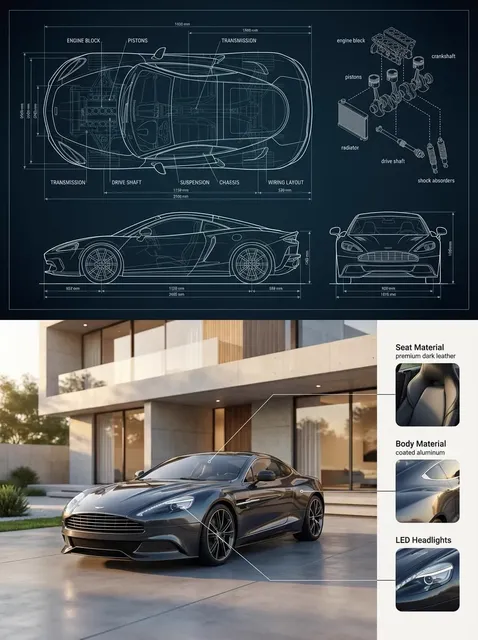
Specialized anime models win on style accuracy and speed. General-purpose image models win when the scene needs something anime models rarely see: realistic machinery, specific architectural styles, unusual props, or a hybrid look that sits between photorealism and illustration. If your project needs a character standing in a recognizably real city street, a general model with a strong style prompt often produces a more convincing result than a narrow anime checkpoint that has never learned what a subway entrance looks like.
Local versus hosted
Running locally gives you unlimited iteration, full control over models, and no per-image cost, but demands a capable GPU and comfort with configuration files. Hosted tools trade that friction for convenience and predictable performance on any laptop. A hybrid approach works well: explore broadly on a hosted tool, then move the winning idea to a local setup for high-volume final renders.
Anatomy of a Strong Anime Prompt
Most weak results trace back to weak prompts. A good anime prompt has four layers, and they should be written in a deliberate order.
Subject and framing
Start with what is in the frame and how it is framed. "Close-up portrait, three-quarter view, shoulders visible" beats "girl." Naming the shot type — portrait, medium shot, wide establishing shot — prevents the model from inventing a composition you did not ask for.
Style, medium, and era
The style layer is where anime prompts earn their keep. Be specific about medium and period: "digital cel animation," "gouache illustration," "1990s television anime," "theatrical key visual." Vague words like "anime style" pull the model toward a generic average of everything it has seen, which is exactly the bland look most people are trying to avoid.
Lighting and color script
Lighting changes more than most beginners expect. "Backlit with rim light," "soft overcast daylight," "neon signage reflections," and "warm sunset haze" produce dramatically different images from the same subject description. Add a short palette instruction: "muted teal and coral palette," "high-contrast monochrome with red accents."
Negative prompts and what to exclude
Negative prompts are your quality gate. A solid baseline: extra fingers, fused hands, deformed limbs, asymmetric eyes, watermark, text, logo, blurry, low contrast, oversharpened halo, duplicate subject. Add context-specific exclusions — for a portrait, exclude "busy background"; for a wide shot, exclude "cluttered foreground."
Keep the whole prompt under roughly 75 words. Beyond that, later tokens compete with earlier ones and the model starts averaging your instructions into mush.
A Step-by-Step Photo-to-Anime Workflow
This sequence works whether you are making one avatar or forty assets for a campaign.
Step 1 — prepare the source photo
Shoot or select a photo with a single clear subject, even lighting, and a background that is either simple or deliberately interesting. Avoid harsh flash on skin, motion blur, and heavy shadows across the face. Crop tighter than you think you need to; the model fills space better than it removes clutter.
Step 2 — lock an art direction
Pick one style reference before generating anything. Write down three adjectives — for example: "clean, warm, cinematic." Every prompt in the session should carry those three words. This single habit is what separates a coherent portfolio from a folder of unrelated experiments.
Step 3 — control structure before style
If the pose matters, generate a pose or depth map from your photo and feed it in. Fixing composition first, then adding style, always beats trying to fix a broken composition by adding more style words.
Step 4 — generate a wide spread, then narrow
Produce eight to twelve variations at moderate quality. Do not polish anything yet. Pick the two or three that have the right silhouette and mood, then iterate on those with refined prompts. Concepting wide and finishing narrow is how you avoid spending an hour polishing a composition that was never going to work.
Step 5 — fix faces and hands
Faces and hands are where anime generators fail most visibly. Options, in order of effort: regenerate that region with an inpainting pass; run a dedicated face restoration step; or accept a softer framing that de-emphasizes hands — a three-quarter crop or hands in pockets is a legitimate artistic choice, not a cheat.
Step 6 — upscale, grade, and export
Upscale to your target resolution, then apply a light grade: slight contrast curve, mild color temperature shift, subtle grain if you want a filmic feel. Save a layered master file and a compressed web version. If the image will be used as a thumbnail, check it at 200 pixels wide — many anime renders lose all readability at small sizes.
Reusable Style Recipes
Six starting points you can adapt. Each pairs a look with the kind of project it suits.
- Modern key visual: "digital cel animation, crisp lineart, saturated complementary palette, dramatic rim light, theatrical poster composition" — for covers, banners, promotional art.
- Retro television: "1990s television anime, slightly desaturated, visible cel texture, soft bloom, 4:3 framing feel" — for nostalgic or parody work.
- Watercolor storybook: "loose watercolor and ink, paper texture, bleeding edges, muted earth palette" — for children's content and gentle editorial illustration.
- Cinematic realism hybrid: "semi-realistic anime, detailed rendering, shallow depth of field, volumetric light shafts" — for game key art and trailers.
- Flat sticker style: "bold flat colors, thick outlines, minimal shading, transparent background, centered subject" — for chat packs and merch mockups.
- Moody noir: "high-contrast monochrome with a single accent hue, heavy shadows, rain-slick surfaces" — for crime, thriller, and music visuals.
Quality Control: Judging AI Anime Output
Do not trust your first impression. Renders look better than they are at full size. Run this checklist on every candidate, scoring each item out of five:
- Thumbnail read. Shrink it. Can you still tell what is happening?
- Eye consistency. Both eyes the same shape, aligned, and catching light from the same direction.
- Hand anatomy. Count fingers. Look at knuckles and wrist angles.
- Hair logic. Does it originate from the scalp and follow gravity and wind consistently?
- Background coherence. Are perspective lines consistent with the subject's eye level?
- Line weight. Consistent across the whole image, or does one region look like a different drawing?
- Upscale artifacts. Check edges and fine texture for smearing and halos.
Anything scoring below three gets regenerated, not repaired. Repairing a structurally weak image costs more time than producing a fresh one.
Common Mistakes and How to Avoid Them
Weak source material
Starting with a blurry, badly lit photo and expecting the model to fix it. Correct the source first: better light, cleaner background, sharper focus.
Cranking stylization too high
Maximum stylization feels fun for one image and destroys likeness. Start at moderate strength, confirm the subject reads correctly, then push the style dial.
The one-shot mentality
Single generations are rarely good. Budget for twenty attempts per final image and you will stop being disappointed by attempt one.
Ignoring hands and backgrounds
Beginners frame tight on faces and then discover every wide shot is unusable. Practice wide compositions early so you learn where the model breaks.
Skipping consent and licensing
Using someone's photo without permission, or a living artist's name as a style shortcut, creates real problems. Get consent for identifiable people, especially for commercial use. Respect platform terms and local rules about likeness and publicity rights. Where you drew inspiration from a specific artist, say so honestly rather than copying their signature look wholesale. Familiarize yourself with how your chosen tool handles ownership of outputs and whether your inputs are retained.
Forgetting to keep notes
If you cannot reproduce a result, you cannot build on it. Save prompts, settings, seeds, and reference images in a simple text file. Six months later that log will be worth more than any single image.
Scaling Into a Repeatable Content Pipeline
One good image is a hobby. A repeatable pipeline is a business. To get there, standardize four things.
Naming conventions. Adopt a consistent scheme such as project-character-variant-version. It sounds trivial until you are searching for the right file among four hundred exports.
Presets. Convert your best-performing prompts and settings into saved presets per project. This is what makes a series of images feel like they belong together.
A character reference kit. For recurring characters, build a small reference set — front view, three-quarter view, profile, and a couple of expression sheets — and reuse it in every generation session.
A review gate. Before anything publishes, it passes the quality checklist. Instituting a hard gate prevents the slow erosion of standards that happens when you are rushing.
From there, repurposing is mostly mechanical. A single strong render can become a vertical thumbnail, a square avatar, a wide banner, a sticker with a transparent background, and a looping animation seed. Plan the crops at the generation stage by leaving breathing room around the subject instead of cropping tightly in the model.
FAQ
Do I need a powerful computer?
Not for hosted tools, which run on remote hardware and work from a laptop or phone. Local generation needs a capable GPU and more setup, but removes per-image limits.
How do I keep the same character across many images?
Combine three things: a fixed style preset, a saved character reference kit, and structure conditioning on poses. Expect some drift and budget a manual correction pass.
Why do my results all look generic?
Usually because the prompt relies on broad terms. Add medium, era, lighting, palette, and camera framing. Specificity is the entire game.
Can I sell images made this way?
Often yes, but it depends on the tool's terms, your source material, and local law. Read the licensing section of whichever tool you use, and never sell a render built from someone else's photo without permission.
What is the fastest way to improve?
Run the same source photo through ten prompts that differ in exactly one variable — only lighting, only style, only framing. Isolating variables teaches you the model's behavior faster than any tutorial.
What should I do first?
Pick one photo, one art direction, and one tool. Generate twelve variations, score them with the checklist, and log every prompt. That single session will teach you more than a week of browsing settings — and it produces your first genuinely usable anime render in the process.

Alexander
More Blogs
Read MoreVidu Q4 Alternatives: 4K AI Video Models Compared (2026)
Vidu Q4 alternatives compared: Kling 4.0, Seedance 2.5, Wan 3.0, and Runway Gen-4 — 4K support, input modes, durations, audio, and what each costs in credits on Domer.
Top 4K AI Image Generators in 2026: 5 Models Compared on Real Costs
The top 4K AI image generators on Domer compared: Flux 3 Klein, Nano Banana 2.1, GPT Image 2.5, GPT Image 2, and Nano Banana Pro — 4K credit costs, reference limits, and speed.
Nano Banana 2.1 vs GPT Image 2.5: Which Image Model Should You Use? (2026)
Nano Banana 2.1 vs GPT Image 2.5 Flare compared: credit costs per resolution, aspect ratios, reference images, text rendering, and which tasks fit each model.