

Affiliazione
Inizia Gratis Ora
AI Art Generator Workflows: From Prompt to Polished Visual
Oct 14, 2026
What an AI Art Generator Actually Does
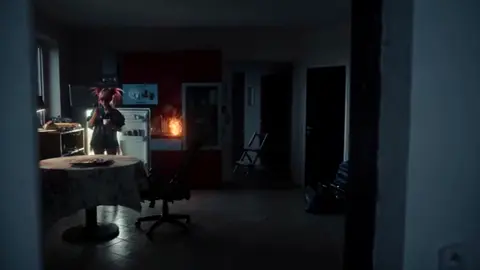
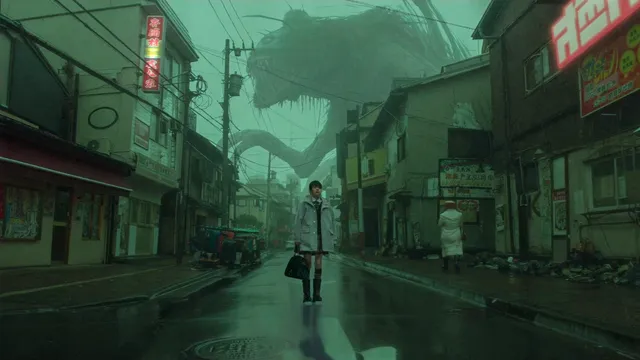
An AI art generator is not a magic picture box. It is a probability engine that has learned the statistical relationship between language and pixels. When you type a prompt, the system does not "look up" an image — it starts from random noise and iteratively refines that noise, guided by your words, until a coherent picture emerges. Understanding this single fact changes how you work with these tools, because it explains almost every quirk you will encounter: why the same prompt produces different results each run, why hands are hard, why certain words carry disproportionate weight, and why small edits to a prompt can swing an image wildly.
Most people arrive at these tools expecting a search engine. They leave with something closer to a very fast, very literal collaborator that needs direction. The practical skill is not memorizing magic phrases. It is learning to control three variables at once: what the model sees (the input), what the model is allowed to vary (the sampling settings), and what you keep from each generation (selection and refinement).
This guide walks through the full pipeline — text-to-image, image-to-image, reference control, and AI video — plus the workflow habits that separate one-off experiments from repeatable visual production.
The Technology Stack Behind Generated Visuals
Diffusion Models in Plain Language
Diffusion is the dominant approach in modern image generation. During training, a model is shown millions of images that have been progressively corrupted with noise. It learns to reverse that corruption. At generation time, the process runs in reverse: start with pure noise, then remove noise step by step, with your prompt steering each step toward a target.
The practical consequences are worth internalizing:
- Step count matters. Too few steps and the image looks muddy or half-formed. Too many and you are burning time for marginal gains, sometimes introducing artifacts.
- The seed matters. A seed fixes the starting noise. Reusing a seed with a slightly modified prompt lets you make controlled changes instead of starting over.
- Guidance strength matters. A low guidance value gives the model more freedom and often more creativity; a high value forces it to obey your prompt, sometimes at the cost of natural-looking results.
Transformers and Prompt Understanding
Early image models treated prompts as bags of keywords. Newer architectures use transformer components that understand relationships between words. This is why a prompt like "a red chair next to a blue sofa" now places objects more reliably than it did in earlier generations, and why longer, more structured prompts are no longer automatically worse than short ones.
It also means word order and grammar carry meaning. "A woman holding a cat in a library" behaves differently from "a library cat holding a woman." You do not need to write prose, but you should write sentences when relationships between objects matter.
Where GANs and Upscalers Still Fit
Generative adversarial networks — the older technology that produced the first wave of convincingly synthetic faces — still appear in the pipeline, just not usually as the main generator. They show up in face restoration, in super-resolution, and in fast preview modes.
Upscaling is the unsung hero of professional output. A model may generate a sharp 1024-pixel image quickly, but print, large-format display, or video compositing demands far more resolution. Dedicated upscalers add plausible detail rather than simply interpolating pixels, and the difference between a naive resize and a proper upscale is obvious at full size.
Text-to-Image: Writing Prompts That Produce Usable Results
The Anatomy of a Strong Prompt
A reliable prompt usually contains five ingredients:
- Subject — who or what is in frame, described specifically.
- Action or pose — what the subject is doing, which affects composition.
- Environment — location, time of day, weather, background detail.
- Visual style — photography, illustration, watercolor, 3D render, film stock, lighting style.
- Technical framing — lens, angle, depth of field, aspect ratio.
A weak prompt: "a warrior." A strong prompt: "a lone warrior in weathered leather armor, kneeling beside a dying campfire at dawn, mist over a pine forest behind her, cinematic photograph, 85mm lens, shallow depth of field, cold blue light with warm fire glow."
The second prompt is not longer for the sake of length. Every clause resolves an ambiguity the model would otherwise resolve randomly.
Aspect Ratio, Style Keywords, and Negative Prompts
Aspect ratio is a compositional decision, not an afterthought. A 16:9 frame encourages wide, environmental storytelling. A 9:16 frame forces you into portrait framing and pushes subjects toward the center. A 1:1 square works well for product and social grids. Choose the frame before you write, because a vertical composition and a cinematic wide shot demand different prompts.
Style keywords are shortcuts, but they are blunt instruments. Naming a specific living artist or a specific studio can produce a useful look and also raises real ethical and legal questions. Safer, equally effective alternatives describe the qualities you want: "high-contrast noir lighting," "soft pastel palette," "hand-inked linework," "matte painting," "editorial fashion photography." These give you control without borrowing someone's identity.
Negative prompts are the other lever. If your generator supports them, they are the fastest way to eliminate recurring problems: extra limbs, text artifacts, watermarks, harsh flash, oversaturated colors. Build a reusable negative prompt list per project and stop retyping it.
Iteration: From Draft to Final Frame
The biggest productivity gain in AI image work is accepting that the first generation is a draft. Professionals do not try to write a perfect prompt on attempt one. They write a decent prompt, generate four to eight variations, pick the one with the best composition, and then refine.
Refinement can take several forms: adjusting the prompt, changing the seed, switching the model, increasing steps, or moving to an editing pass. The point is that generation and direction are separate phases. Mixing them — endlessly tweaking the prompt while staring at one output — is the most common way to waste an hour.
Image-to-Image, Inpainting, and Reference-Driven Control
Text-to-image is fast but imprecise. When you need a specific composition, image-to-image is the answer. You supply an existing image, and the model regenerates it with your prompt applied, guided by a strength setting.
- Low strength keeps most of the original structure and changes surface details — useful for restyling a sketch.
- High strength keeps only the broad composition and rebuilds everything else — useful for turning a rough blockout into final art.
Inpainting refines a region instead of the whole frame. This is the practical fix for the small number of problems that ruin otherwise good images: a twisted hand, a distracting object in the background, a logo that should not be there. Mask the area, describe what belongs there, and regenerate only that patch. Done well, the result is invisible.
Reference-driven control goes further. Pose references lock the skeleton of a figure. Depth maps preserve spatial structure. Edge maps hold line art intact. These controls are what make AI generation usable for storyboards, product mockups, and any project where the composition is dictated by a client rather than by the model's imagination.
From Still Frames to Motion: AI Video Generation
Animating a Single Image
Image-to-video takes a still frame and generates a short clip from it. The results are best when the scene has natural motion candidates: drifting smoke, moving water, hair, fabric, crowds in the background. Scenes with a single static subject in a featureless room will move less convincingly because there is little for the model to animate.
Keep clips short and purposeful. A four-to-six second shot that does one thing well reads better in an edit than a twenty-second clip where the model slowly loses coherence.
Multi-Shot Sequences and Continuity
Once you can generate individual shots, the next challenge is making them feel like one film. Continuity depends on four things:
- Consistent subject description. Reuse the same descriptive language for your main subject across every prompt in the sequence.
- Consistent lighting and palette. Specify the same time of day, weather, and color treatment.
- Consistent lens language. If shot one is 35mm, shot two should not suddenly be a fisheye.
- Deliberate shot variation. Change the framing, not the world. Wide, medium, close — all from the same scene.
A common failure is treating each shot as an independent artwork. The result looks like a portfolio, not a sequence. The fix is to write a short "series bible" — three to five sentences defining subject, wardrobe, palette, and setting — and paste the relevant parts into every prompt.
Sound, Pacing, and the Edit
AI video generation gets you raw footage; editing turns it into a piece. The three habits that most improve output quality:
- Cut on motion. End a clip while the movement is still resolving rather than after it has settled.
- Vary shot length. Uniform clip durations feel mechanical. Two seconds, then four, then one and a half.
- Add sound early. Ambient audio and a music bed change how you perceive pacing and frequently reveal which shots are actually weak.
Character and Style Consistency Across a Series
Consistency is the hardest problem in AI visual production, and it splits into two distinct challenges: keeping a character recognizable, and keeping the overall look coherent.
For characters, the most reliable modern approaches are reference-image conditioning, trained character models, and identity-preserving pipelines that combine a reference face with a new pose. Text descriptions alone will drift — eye color shifts, jawlines soften, wardrobe mutates. If a character appears in more than three shots, invest in a reference-based method rather than hoping the prompt holds.
For style, build a locked style suffix and reuse it verbatim. Something like "muted teal and amber palette, soft diffused light, subtle film grain, 2.39:1 cinematic framing" applied to every generation does more for coherence than any single clever prompt.
One more practical note: generate a character sheet first. Front view, three-quarter view, profile, and a few expressions, all approved before you start production shots. It costs an hour and saves an entire day of rework.
A Repeatable Production Workflow, Step by Step
Step 1: Define the Deliverable
Write down format, aspect ratio, duration or image count, and where the asset will live. A vertical social clip and a horizontal website hero impose completely different constraints. Deciding this first prevents generating beautiful footage you cannot use.
Step 2: Build the Look Document
A one-page reference containing palette swatches, two or three mood images, lighting notes, and the locked style suffix. This is your source of truth for every prompt in the project.
Step 3: Block Out Composition Before Detail
Use rough sketches, low-strength image-to-image, or simple pose references to nail framing. Do not chase rendering quality until the composition works. A gorgeous render of a badly framed shot is still a bad shot.
Step 4: Generate Wide, Then Narrow
Produce many variants cheaply at low resolution, select aggressively, then regenerate the winners at higher quality or upscale them. This is far more efficient than producing a few high-quality candidates and hoping one works.
Step 5: Repair and Refine
Run an inpainting pass for defects, an upscaling pass for resolution, and a color pass for consistency. Treat this as a distinct phase with its own checklist rather than an extension of generation.
Step 6: Assemble, Sound, and Review
Edit shots to rhythm, add audio, then watch the whole piece once without pausing. Problems that are invisible when reviewing individual frames become obvious in sequence — mismatched lighting, jarring scale changes, repeated compositions.
Step 7: Archive the Prompt Set
Save every prompt, seed, and setting that produced an approved asset. Future revisions, sequels, and additional shots become dramatically cheaper when you can reproduce the original conditions.
Common Mistakes and How to Avoid Them
Overloading a single prompt. Cramming ten concepts into one generation produces a muddled image. Split complex scenes into elements you can control.
Ignoring resolution economics. Iterating at maximum resolution wastes time. Draft low, finalize high.
Treating the first output as final. The first generation is a hypothesis, not a deliverable.
Skipping the negative prompt. Recurring artifacts usually have a one-line fix you keep forgetting to apply.
Inconsistent terminology. Calling the same character a "detective" in one prompt and an "investigator" in another guarantees drift. Standardize your vocabulary.
Forgetting aspect ratio in the prompt. Many models respond to framing language. If you need a wide cinematic shot, say so.
No review stage. Generating images is fun; reviewing them against a brief is the part that makes the work professional.
Choosing the Right Tool for Your Project
There is no single best generator. Match the tool to the job:
- Fast concept exploration favors models optimized for speed and visual variety, even at lower fidelity.
- Photorealistic editorial work favors models with strong lighting and material rendering, plus a good upscaler.
- Illustration and stylized art favors models with strong illustration priors and reliable line and color control.
- Animation and video favors image-to-video systems with reference conditioning and consistent multi-shot output.
- Character-driven series favors any pipeline that accepts reference images, because text-only consistency will not hold.
Evaluate on three axes: control (how precisely you can direct output), consistency (how reliably it repeats), and throughput (how many usable assets per hour). Most teams over-index on raw image quality and under-index on control, then discover that a slightly less impressive model with better reference support saves them hours per project.
FAQ
Do I need artistic skill to use an AI art generator?
No formal training is required, but visual literacy helps enormously. Understanding composition, lighting, and color lets you diagnose why an image feels wrong and describe the fix. The skill you are building is direction, not rendering.
Why does the same prompt give different results every time?
Because generation starts from random noise unless you fix the seed. Reusing a seed with a modified prompt is the standard technique for controlled iteration.
How do I stop AI images from looking generic?
Specificity. Generic prompts produce generic results. Name the lens, the light source, the material, the time of day, and the emotional tone. Also vary your framing choices deliberately instead of defaulting to centered portraits.
What is the fastest way to fix a bad hand or a stray object?
Inpainting. Mask the problem area, describe what should be there, and regenerate only that region. It is faster and cleaner than rerolling the entire image.
Can AI video replace traditional filming?
For short-form, stylized, and concept work, often yes. For dialogue-driven performance, precise physical action, and continuity-heavy narrative, hybrid approaches — real footage with AI-generated elements — currently produce more reliable results.
How many generations should I plan per final asset?
Budget generously early. Experienced users often generate dozens of drafts to land one final frame, then reuse that frame's prompt and settings for related shots. Efficiency comes from reusing approved conditions, not from getting lucky once.
Is it safe to publish AI-generated visuals commercially?
It depends on the tool's terms, the training data controversy in your jurisdiction, and how you use the output. Avoid prompts that imitate a specific living artist or a protected brand, keep records of your process, and check the licensing terms of every tool in your pipeline — including upscalers and editors.
Where to Focus Next
The gap between casual experimentation and professional output in AI visual generation is not about finding a secret model. It is about process: writing prompts that resolve ambiguity, locking a look, drafting cheaply and finalizing deliberately, repairing instead of rerolling, and archiving the conditions that worked. Build those habits and the tool becomes irrelevant — you can produce coherent, on-brief visuals with whatever generator ships next quarter.

Alexander
More Blogs
Read MoreVidu Q4 Alternatives: 4K AI Video Models Compared (2026)
Vidu Q4 alternatives compared: Kling 4.0, Seedance 2.5, Wan 3.0, and Runway Gen-4 — 4K support, input modes, durations, audio, and what each costs in credits on Domer.
Top 4K AI Image Generators in 2026: 5 Models Compared on Real Costs
The top 4K AI image generators on Domer compared: Flux 3 Klein, Nano Banana 2.1, GPT Image 2.5, GPT Image 2, and Nano Banana Pro — 4K credit costs, reference limits, and speed.
Nano Banana 2.1 vs GPT Image 2.5: Which Image Model Should You Use? (2026)
Nano Banana 2.1 vs GPT Image 2.5 Flare compared: credit costs per resolution, aspect ratios, reference images, text rendering, and which tasks fit each model.