

Affiliazione
Inizia Gratis Ora
AI Avatar Video vs Generative Video: A Creator Workflow Guide
Oct 13, 2026
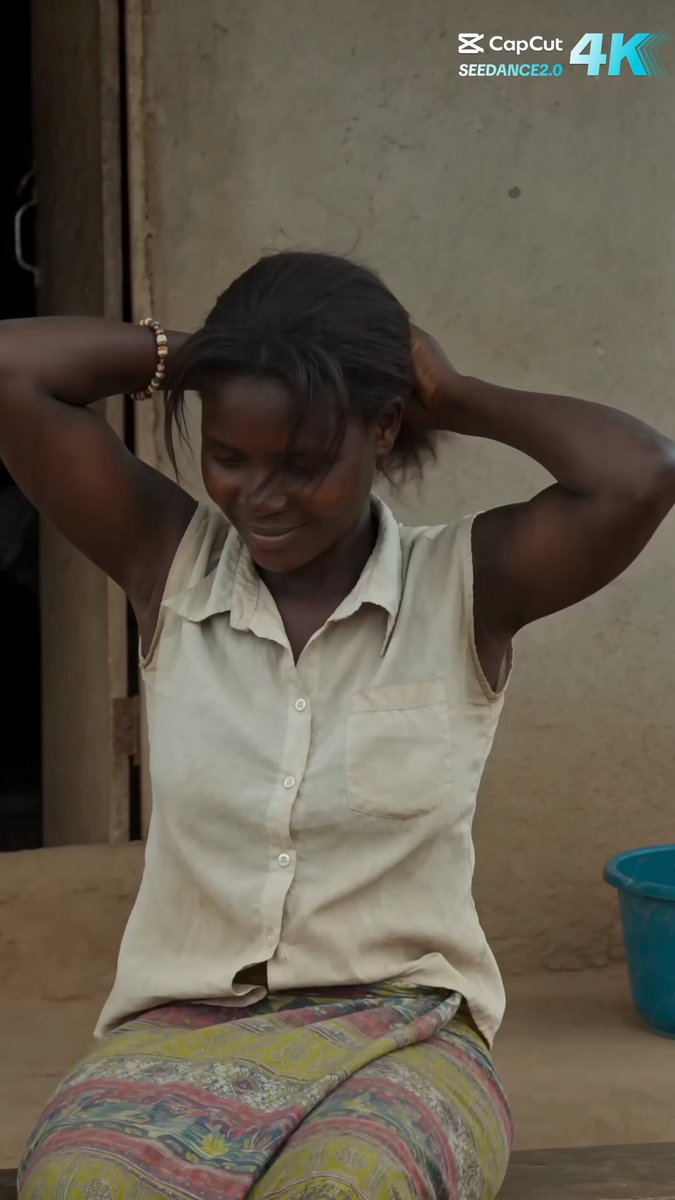
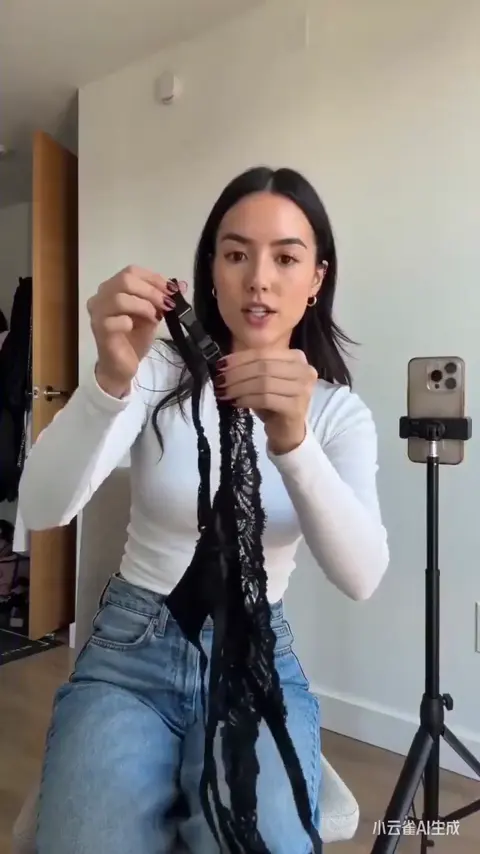
Why Avatar Video and Generative Video Solve Different Problems
Most teams that say "we want to use AI for video" are actually describing two very different jobs. The first is presenter-led avatar video: a script becomes a talking person on screen, lip-synced, usually against a clean background or a slide deck. The second is cinematic generative video: shots are generated from text or image prompts, then cut together like a short film. Both get labelled "AI video," but they have different strengths, different failure modes, and different budgets.
Avatar video is built for explanation. The viewer needs a human face to hold attention while information is delivered: onboarding, product walkthroughs, compliance training, internal announcements, localized marketing. Its superpower is repeatability. Once a presenter is configured, you can produce forty videos with the same face and voice, in nine languages, without booking a studio or a single flight.
Cinematic generative video is built for feeling. It creates atmosphere, metaphor, motion, and visual surprise: a city dissolving into data, a product floating through clouds, a character crossing a desert. Its superpower is range. It can show things that would be expensive or impossible to film.
Ask three questions before choosing:
- Does the viewer need a specific person explaining something, or do they need to feel something?
- Will this be one video or a series of thirty with the same presenter?
- Is accuracy more important than atmosphere, or the reverse?
If the answer skews toward explanation, consistency, and volume, you want an avatar workflow. If it skews toward mood, story, and visual originality, you want a generative workflow. Most mature teams end up running both, and the rest of this guide shows how to make that combination work without doubling your production time.
The Three Tiers of AI Video Tools You Should Know
Before building a workflow, it helps to understand what kind of tool you are actually holding. Most platforms fall into one of three tiers, and mixing them up is the fastest way to waste a week.
Tier 1: Template avatar platforms
These are optimized for speed. You paste a script, choose a presenter, pick a background, and export. Editing options are deliberately limited: scene splitting, text overlays, background swaps, maybe a music library. Localization is often a first-class feature, with voice cloning or a large library of synthetic voices per language.
Best for: training, internal comms, localized explainers, FAQ videos, sales outreach at volume.
Limitations: rigid visuals, limited camera language, and a recognizable "corporate avatar" look that can feel sterile if used without design care.
Tier 2: Generative creative suites
These are shot-based. You write prompts, generate clips of a few seconds each, then assemble them in an editor or in the platform itself. Many suites now support image-to-video, character reference images, camera-motion prompts, and style presets. Output quality varies wildly depending on the model behind each feature, so strong suites let you choose between several engines rather than locking you into one.
Best for: ads, social hooks, title sequences, mood pieces, product hero shots, B-roll for avatar videos.
Limitations: consistency is hard, text inside frames is unreliable, and a single ambitious shot can eat a large share of your monthly generation allowance.
Tier 3: Hybrid pipelines
This is where most professional output now lives: avatar segments for the explanation, generative clips for the visual interest, an audio pass, and a human edit. The avatar carries the argument; the generated footage carries the emotion; the editor makes them feel like one piece.
| Need | Avatar platform | Generative suite | Hybrid |
|---|---|---|---|
| Explain a policy in six languages | Strong | Weak | Strong |
| Sell a feeling in 15 seconds | Weak | Strong | Strong |
| 40-video onboarding library | Strong | Weak | Medium |
| Cinematic product film | Weak | Strong | Strong |
| Weekly social cadence | Medium | Strong | Strong |
A practical rule: if the video's job is information transfer, start with avatar. If the video's job is attention capture, start with generative. If it needs both, plan the hybrid from the script stage, not after the first export.
Scripting for an Avatar Presenter: Structure Before Style
Avatar video fails more often from weak scripting than from weak technology. Synthetic presenters amplify a bad script because there is no charisma, no improvised gesture, and no charming stumble to soften clumsy writing.
Write for the ear, not the page
Keep most sentences between twelve and eighteen words. Read every line out loud and delete anything you stumble over. If a sentence requires a breath in the middle, split it. Avoid stacked clauses, avoid parentheses, and avoid abbreviations that a synthetic voice will spell out letter by letter.
Front-load the hook
The first eight seconds decide whether the rest is watched. Open with the problem, the change, or the number: "Forty percent of new hires quit onboarding in the first week. Here's the fix." Do not open with "Welcome to this video about..." Nobody has ever finished that sentence voluntarily.
Structure in scenes, not paragraphs
Plan scenes of 40 to 90 seconds. Each scene should make one point and end with a visual or verbal handoff. This structure makes localization easier, because you can re-record a single scene in a new language instead of rebuilding the video.
Write around the avatar's limits
The presenter is a talking head, so give it something to be, not just something to say. Add B-roll cues, on-screen text, lower thirds, and screen recordings in the script itself. A 90-second talking head with no visual change is hard to watch, even when the voice is excellent.
Localization-proof writing
If the video will be translated, avoid idioms, puns, sports metaphors, and cultural references. Keep terminology consistent: decide once whether it is "dashboard," "control panel," or "admin area," then use it everywhere. Acronyms should be spelled out the first time and ideally replaced with plain language afterward. And keep numbers written as numerals with units, so voice engines read them correctly across languages.
Sample scene card
- Purpose: explain why the new approval flow exists
- Length: 55 seconds
- Visual: avatar on branded background, cut to screen recording at 00:18
- On-screen text: "3 approvals → 1"
- Sound: soft bed music, ducked under voice
- CTA: link in the description to the one-page guide
Scene cards like this take ten minutes to write and save hours of re-rendering later.
When Cinematic Generation Wins: Storyboards, Shots, and Continuity
Generative video is a shot factory, not a story machine. If you hand it a vague idea, you get a beautiful clip that means nothing. The discipline that fixes this is storyboarding, and it is the same discipline animation studios have used for decades.
Start with a shot list, not a prompt list
A shot list describes what the audience must see in order for the idea to land. Five to eight shots is plenty for a 30-second piece. For each shot, note the subject, the framing, the motion, and why the cut exists. Only then translate each shot into a prompt.
Keep clips short
Generative clips usually look best between three and eight seconds. Longer generations tend to drift: faces warp, hands multiply, backgrounds change character. Short clips also give you more options in the edit, because you can trim to the strongest frames.
Prompt for camera, not just content
Camera language is what separates amateur and professional-looking AI footage. Useful descriptors include slow push in, dolly out, crane up, handheld drift, locked-off wide, over-the-shoulder, shallow depth of field, and lens flare. Combine one camera move with one subject action, and avoid stacking four movements that fight each other.
Control style with references
Instead of describing a look in fifteen adjectives, attach a reference image or choose a style preset. Image-to-video with a strong first frame almost always beats pure text-to-video for consistency, because you are controlling composition before motion is added.
Respect editing rhythm
A common mistake is cutting on every generated clip's natural length. Cut on the beat, on a movement, or on a line of narration instead. Vary the pace: fast cuts for energy, one long slow shot for emphasis. Save your best generation for the shot that follows the longest pause.
Where generative footage belongs in a business video
You rarely need a fully generative narrative. More often, you need eight seconds of atmosphere to open the piece, four seconds of abstract transition between sections, and a hero shot at the end. That is perhaps twenty seconds of generative footage inside a three-minute video, and it transforms the perceived production value.
Excellent prompt:
Slow push in on a translucent glass prototype on a workbench, warm morning light from the left, dust in the air, shallow depth of field, no camera shake, no text.
Weak prompt:
Amazing futuristic product, epic cinematic, 8K, masterpiece, trending.
The weak prompt gives the model nothing to obey. The excellent prompt gives it a subject, a movement, a light source, an atmosphere, and a constraint.
Building a Hybrid Workflow Step by Step
Here is a repeatable pipeline that holds up whether you are producing one video or a series of twelve.
- Brief in one page. Audience, single takeaway, length, platform, aspect ratios, deadline, and the one action you want the viewer to take. If the brief has three takeaways, you have three videos.
- Write the narration first. Full script, read aloud, timed. Mark every visual change.
- Split into avatar scenes and B-roll shots. Roughly 70 percent avatar, 30 percent generated or stock footage for a typical explainer.
- Generate the avatar segments. Batch them in one session so voice settings, background, and wardrobe stay identical between scenes.
- Generate B-roll from a shot list. Two to three variations per shot, never one. Save the best and note the seed or reference image that produced it.
- Assemble a radio edit. Cut audio only: narration, music, sound design, pauses. Get the timing right before any visuals distract you.
- Lay visuals onto the radio edit. Avatar where the argument happens, generated footage where the feeling happens, screen recordings where the detail matters.
- Add graphics and captions. Lower thirds, key numbers, and burned-in or uploaded captions. Most social viewing is silent.
- Review with a checklist. Details below, but at minimum: lip sync, hands, faces, on-screen text, audio levels, brand colors.
- Export per platform. Different aspect ratios, different hook lengths, different caption styles. One master, four deliverables.
Team roles in a small studio
A three-person team can run this comfortably: one writer-producer who owns the script and approvals, one AI operator who owns generation and prompt libraries, one editor who owns timing, sound, and graphics. On a solo project, do the steps in the same order and resist the urge to skip the radio edit. It is the single highest-leverage habit in AI video production.
Version control for prompts
Keep a simple document per project: shot number, prompt, reference image, settings, result link, and a one-word quality note. When a client asks for the same look in a follow-up campaign, you reproduce it in minutes instead of reverse-engineering it for hours.
Character Consistency: Solving the Hardest Problem in AI Video
Nothing breaks an AI video faster than a protagonist who changes face between shots. Consistency is a solvable problem, but it requires discipline rather than luck.
Build a character sheet
Write down age range, ethnicity, hair, facial hair, wardrobe, accessories, and one distinguishing feature. Then generate or collect four to six reference images: front, three-quarter, profile, and a wider shot. These references become your source of truth for every generation.
Use reference-based generation, not description-based
Describe a person in words and you will get a different person every time. Feed a reference image into an image-to-video or character-reference workflow, and the model has something concrete to match. This is the single most important technical habit for narrative AI video.
Lock wardrobe and lighting per scene
Even with the same face, a jacket that changes color or a light that moves from warm to cold reads as a continuity error. Keep a scene-level note: wardrobe, light direction, time of day, color temperature, and lens feel. Reuse that exact wording in every prompt for that scene.
Keep the camera honest
Extreme close-ups and heavy motion blur hide or expose inconsistency. If your references are limited, favor medium shots, slower movement, and shorter clips. Save the dramatic close-up for the shot where the face is most stable.
Consistency in avatar work is easier, but not free
Avatar platforms solve face consistency by design, but you can still break continuity with changing backgrounds, inconsistent zoom levels, or a presenter repositioned slightly between scenes. Lock a template per series and change only the script.
Multi-reference fusion in practice
Some modern pipelines accept several reference images at once and merge them into a coherent character. This is genuinely useful for recurring characters across a campaign: one hero still, four angles, and a consistent look from the opening shot to the final frame. Treat it as a library asset, versioned and named clearly, not as a one-off prompt you will forget by next month.
Quality Control: Reviewing AI Video Before You Publish
AI video review is a distinct skill. Watch the video once with sound, once without sound, and once at double speed. Each pass catches different problems.
The technical pass
- Lip sync drift, especially after speed changes or edits
- Fingers, hands, teeth, and earrings in generated footage
- Flickering textures, morphing backgrounds, warped signage
- Text inside generated frames, which is usually garbled
- Aspect ratio and safe zones for captions and platform UI
The audio pass
- Voice level consistency between avatar scenes
- Music ducking under narration, not fighting it
- Plosives, sibilance, and awkward pauses at scene joins
- Room tone mismatch between generated voice and recorded audio
The clarity pass
- Does the first eight seconds state the problem?
- Is there one takeaway, or four competing ones?
- Do captions match the spoken words exactly?
- Are numbers, names, and product terms pronounced correctly in every language?
The brand pass
- Colors match the current palette, including older templates accidentally reused
- Logo placement and animation are consistent across the series
- Terminology matches the approved glossary
- Legal or compliance disclaimers are present where required
Accessibility
Add captions, avoid flashing sequences, keep text on screen long enough to read, and use contrast ratios that survive mobile viewing. Accessibility choices also improve retention for everyone.
The ten-minute rule
If a reviewer cannot articulate a specific problem in ten minutes, they are commenting on taste rather than defects. Collect notes as timestamps with a suggested fix, then make one revision pass instead of five.
Budgeting Time, Compute, and Revisions
AI video does not remove production cost; it moves it. The money you save on crew, studio, and travel reappears as generation time, retries, and revision loops.
Budget by finished minute
For a polished hybrid explainer, a realistic planning ratio is roughly 3 to 6 minutes of work per finished second across scripting, generation, and editing, plus review time. A three-minute video is therefore a multi-day project for one person, or a two-day project for a small team working in parallel.
Budget generation attempts
Assume you will discard 60 to 70 percent of generated clips. Plan two to three variations per shot, and accept that some shots need five. This is normal, not failure, and it is the main reason teams blow through monthly usage allowances in the first week.
Reduce cost with reusable assets
- Build a B-roll library around recurring themes: offices, devices, abstract data, cityscapes, nature
- Save working prompts with their settings
- Reuse lower thirds, intros, and transitions from a master template
- Generate at the final aspect ratio instead of cropping later
Know when to stop iterating
Decide before the project starts what "done" looks like. If a shot is 85 percent of the way there and the remaining 15 percent would require four more hours, ship it and move on. Perfectionism is the most expensive line item in AI production.
Subscription versus pay-per-use
Subscription tiers suit steady weekly output; pay-per-use suits spike projects. If you produce fewer than four videos a month, flexible usage is usually cheaper. If you produce weekly series, a fixed plan with predictable allowances reduces planning friction and finance approval headaches.
Common Mistakes That Ruin AI Video Projects
These are the patterns that show up again and again in post-mortems.
Treating AI as a replacement for the script stage. Generated footage cannot fix an unclear message. Write first, generate second.
Making the avatar talk for five minutes with no visual change. Change something every fifteen to twenty seconds: angle, cutaway, graphic, or screen recording.
Using one voice for every audience. A voice that reads well in a training module often sounds robotic in a social ad. Match tone and pace to the channel.
Ignoring sound design. Music, room tone, and subtle effects carry more perceived quality than another generation attempt.
Chasing trends in model features instead of finishing the video. New models arrive constantly. Your deadline does not move.
Skipping captions. Most viewers watch muted, and captions also make your content searchable and accessible.
Publishing without a language check. Native speakers catch mistranslations, awkward phrasing, and cultural misfires that automated checks miss.
Overloading the first frame. Competing text, logos, and motion in the opening second make the video look like an ad for nothing.
Forgetting the human edit. A sequence of generated clips is not a video. Pacing, sound, and structure are still the job.
No archive. If you cannot find last quarter's project files, prompts, and reference images, you will rebuild them from scratch next quarter.
FAQ
How long should an AI avatar video be?
For internal training, 3 to 6 minutes is comfortable. For marketing or social, 30 to 90 seconds. If a topic genuinely needs 12 minutes, split it into modules with a clear title for each. Viewer attention is a budget you spend, not a resource you own.
Can generative video replace filmed footage entirely?
For abstract, atmospheric, or impossible shots, yes. For faces speaking at length, product details, or anything requiring precise text, no. The most reliable approach is hybrid: generated footage for atmosphere, filmed or avatar content for information.
How do I keep the same character across multiple videos?
Create a character sheet with written attributes and four to six reference images. Use reference-based generation every time, and keep wardrobe and lighting notes attached to the character asset. Treat the character as a brand asset with version history, not a prompt you retype from memory.
What is the biggest quality difference between cheap and expensive tools?
Consistency and control, not peak quality. Lower-cost tools often produce one impressive clip; premium workflows let you reproduce that clip with the same character, lighting, and framing across twenty shots. Reproducibility is what clients actually pay for.
How many revisions should I plan for?
One formal revision round after the first full cut, plus a light polish pass after captions and graphics. Unlimited revisions almost always mean the brief was unclear, so spend the extra hour on the brief instead.
Do I need an editor if the platform exports finished videos?
You need editing judgment, whether or not you need editing software. A platform can assemble scenes, but timing, music, and pacing decisions still determine whether anyone watches past the first fifteen seconds. If you are solo, learn basic editing rhythm; it is the highest-return skill in AI video work.
What should I optimize first when quality is mediocre?
Sound, then the first eight seconds, then lighting consistency in generated shots. Poor audio makes good visuals feel amateur, while clean audio makes average visuals feel intentional. Fix the order before fixing the pixels.
The practical conclusion is simple. Avatar video and generative video are not competing answers to the same question; they are two tools that answer different questions. Decide what the video must do, write the script before touching a generation tool, build a shot list, keep your characters and templates versioned, and protect the edit. Teams that follow that sequence ship faster than teams that chase every new model release, and their videos hold attention long after the novelty of AI footage has worn off.

Alexander
More Blogs
Read MoreVidu Q4 Alternatives: 4K AI Video Models Compared (2026)
Vidu Q4 alternatives compared: Kling 4.0, Seedance 2.5, Wan 3.0, and Runway Gen-4 — 4K support, input modes, durations, audio, and what each costs in credits on Domer.
Top 4K AI Image Generators in 2026: 5 Models Compared on Real Costs
The top 4K AI image generators on Domer compared: Flux 3 Klein, Nano Banana 2.1, GPT Image 2.5, GPT Image 2, and Nano Banana Pro — 4K credit costs, reference limits, and speed.
Nano Banana 2.1 vs GPT Image 2.5: Which Image Model Should You Use? (2026)
Nano Banana 2.1 vs GPT Image 2.5 Flare compared: credit costs per resolution, aspect ratios, reference images, text rendering, and which tasks fit each model.