
Affiliazione
Inizia Gratis Ora
AI Avatar Video Workflow: From Script to Published Clip
Oct 13, 2026
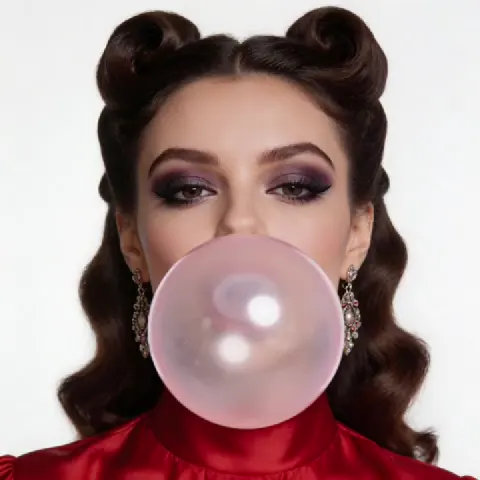

AI video generation has quietly become a normal part of production. The output is no longer interesting merely because a machine produced it. It is useful because it solves real problems: onboarding clips that need updating every quarter, product explainers for a launch three weeks away, training modules localized into six languages, and social cutdowns that have to ship daily.
That shift matters because video demand keeps rising while production capacity does not. A small marketing team can only book so many studio days. A learning-and-development group can only schedule so much voice talent. AI video tools close part of that gap, not by replacing craft, but by removing the repetitive labor around it.
This guide walks through a practical workflow for producing avatar-led and AI-generated video: what these tools genuinely do well, how to choose between them, how to prompt for usable footage, how to assemble everything into something publishable, and where the common failure points hide.
What an AI Video Generator Actually Does
There is a lot of noise around AI video, and it helps to separate the underlying capabilities into three buckets. Most tools combine some mixture of them, and knowing which bucket you actually need will save you weeks of trial and error.
Text-to-video: generating footage from a description
Text-to-video models take a written prompt and return a short clip. Modern versions handle camera movement, lighting direction, and simple physics reasonably well. They are strongest with environments, textures, abstract motion, and b-roll: waves, city streets, ink spreading through water, a slow push through a server room.
They are weakest with precise human action, readable text inside the frame, and anything requiring continuity across multiple shots. If your script needs a specific person saying a specific sentence, text-to-video alone is the wrong instrument.
Avatar-led video: a presenter who never gets tired
Avatar platforms generate a synthetic presenter from a photo or a short recording, then drive it with a script and a voice track. This is the workhorse format for explainers, internal comms, e-learning, and localized versions of the same message.
Quality varies enormously. The good ones produce natural blinking rhythm, believable head movement, and lip-sync that holds up in a medium shot. The weaker ones produce the uncanny stillness that viewers notice instantly, even if they cannot name it.
The practical advantage is consistency. The same presenter can deliver thirty scripts across a year with identical framing, lighting, and wardrobe, which is genuinely hard to achieve with a human on camera.
Voice, music, and sound design
Speech synthesis is often the single biggest quality lever in AI video. A great voice track over a mediocre visual reads as professional. A robotic voice over beautiful footage reads as a demo.
Look for control over pacing, emphasis, and pronunciation of brand names. Most tools let you insert pauses, adjust speed per sentence, and correct mispronounced words phonetically. Music and sound effects usually live on a separate layer, and stock libraries integrated into the editor remain the fastest route to a finished mix.
Worth stating honestly: none of these tools understand your business. They generate plausible output from patterns in training data. Your judgment about what is true, useful, and on-brand is still the scarce resource.
Matching the Tool to the Deliverable
The most common mistake in AI video is picking a tool before defining the output. Start from the deliverable and work backward.
Step back: define the format first
Ask four questions before opening any app.
First, does the video need a human face? Talking-head explainers, training content, and personalized outreach usually do. Atmosphere pieces, product montages, and abstract brand films usually do not.
Second, how long is the final cut? A fifteen-second social hook has completely different requirements than an eight-minute training module. Short clips tolerate visual imperfection because viewers never settle in. Long clips expose every inconsistency.
Third, does it need to be localized? If the answer is yes, prioritize tools with strong script-to-voice pipelines and avatar consistency, because you will be replicating the same structure many times.
Fourth, who approves it? Compliance-heavy organizations need visible sourcing, review trails, and clear disclosure. That shapes tool selection more than any feature list.
Build a shortlist by capability, not by hype
Group the market into four functional families and pick one primary tool per family.
Avatar presenters handle spoken script delivery. Text-to-video generators handle b-roll and abstract visuals. Voice engines handle narration and localization. Timeline editors handle assembly, captions, and finishing.
You do not need best-in-class in all four. You need a chain that works together without friction. A slightly weaker generator that exports cleanly into your editor beats a spectacular one that forces awkward workarounds.
What to test before committing
Run the same thirty-second test through every candidate: one medium shot of a presenter, one line of complex narration with a brand name, and one b-roll clip with camera movement. Then ask:
- Does the lip-sync hold in a medium shot, or only in a wide?
- How does the voice handle numbers, acronyms, and non-English words?
- Can you regenerate a single sentence without rebuilding the whole project?
- What are the export formats, resolutions, and caption options?
- What does the license actually allow for commercial use?
That last point deserves attention. Rights around synthetic likeness, generated audio, and training data differ by provider and by region. Read the terms and keep written attribution records for anything client-facing.
The End-to-End Workflow: Script to Published Clip
Here is a workflow that scales from a single clip to a weekly series.
Step 1: Lock the script before touching a tool
Write for the ear, not the eye. Read every line aloud. If you stumble, the voice engine will stumble too.
Keep sentences under twenty words. Avoid subordinate clauses stacked three deep. Spell out numbers under ten, and write out acronyms the first time they appear.
Mark up the script with delivery notes: pause here, emphasize this word, slow down on this statistic. These notes translate directly into most speech tools and save an entire round of revision.
Target roughly 140 to 150 spoken words per minute for clear instructional delivery. That means a three-minute video needs about 420 to 450 words, not 700.
Step 2: Build a shot list and visual plan
Before generating anything, list every visual beat next to its script line. Mark each as presenter, b-roll, screen recording, graphic, or text card.
This is the step people skip, and it is why so many AI videos feel like a slideshow of unrelated clips. A shot list forces continuity: if the presenter is on the left in shot one, they should not jump to the right in shot three without a reason.
Also decide your aspect ratios now. A horizontal master with vertical cutdowns planned from the start will save hours compared with cropping later.
Step 3: Generate the voice track first
Counterintuitive but effective: build audio before video. The voice track defines the exact timing of every shot, which means you generate visuals to a fixed length instead of guessing.
Generate the full script in one pass so the tone stays consistent, then regenerate individual lines that need work. Watch for energy drift: some engines start strong and flatten out over a long read. Splitting a long script into paragraphs and stitching them often produces better results than one continuous generation.
Add a two-second lead-in and tail at the start and end. This tiny buffer makes editing dramatically easier.
Step 4: Generate avatar and b-roll visuals
For avatar segments, upload the cleanest source image or recording you have. Even lighting, neutral background, and a straight-on gaze all improve the result. Avoid busy patterns and harsh shadows.
For b-roll, generate in short bursts of three to five seconds. Longer clips tend to drift, morph, or lose coherence. Write prompts with explicit camera language: slow dolly in, handheld follow, static wide shot, aerial descent.
Generate three variants of every b-roll clip. The first attempt is rarely the best one, and having options makes the edit far less painful.
Step 5: Assemble on a timeline
Drop the voice track down first, then place avatar segments against it. Cut on natural pauses rather than mid-word.
Layer b-roll over the narration where the speaker does not need to be visible. A useful rhythm is roughly one visual change every three to five seconds during narration, slowing down for complex explanations.
Add captions from an auto-transcript, then fix them manually. Automatic captions reliably mangle product names, jargon, and numbers, and they are the most visible sign of a rushed edit.
Step 6: Review, export, and distribute
Watch the whole video once at normal speed without pausing, on a phone. That is how most viewers will see it, and it exposes audio problems and unreadable text immediately.
Export a high-bitrate master, then generate platform-specific versions with correct duration limits and safe areas. Keep an archive copy of the project file, the script, and the voice settings, because you will want to update this video eventually.
Prompting Techniques That Improve Output Quality
Prompting for video is closer to directing than to writing. You are describing a shot, not a concept.
Use cinematic vocabulary
Replace adjectives with camera terms. Instead of asking for a dramatic shot, specify a low-angle medium close-up with shallow depth of field. Instead of beautiful lighting, specify soft window light from the left with a warm fill.
Specify lens feel, framing, and movement. Specify what is in the foreground. Models respond far better to concrete spatial language than to mood words alone.
Keep visual continuity across a series
If you are producing multiple videos with the same look, write a reusable style block and paste it into every prompt. Locking down a palette, lighting direction, and lens choice makes a series feel intentional rather than random.
For avatar presenters, keep the same source image, framing, and wardrobe across every generation. Consistency matters more than perfection here.
Handle failures with negative descriptions
When a generation goes wrong, do not just reroll. Describe the problem in the prompt. Add terms like no on-screen text, no extra fingers, no rapid zoom, no flickering background. Many tools weight negative phrasing effectively.
Keep a running document of prompt fragments that worked and fragments that failed. Over a few weeks, that document becomes more valuable than any tutorial.
Common Mistakes That Sink AI Video Projects
Most failures are process failures, not model failures.
Overloading a single generation. Asking one clip to contain a person, a product, readable text, and a camera move guarantees mediocrity. Split complex ideas into separate generations and layer them in the editor.
Ignoring the audio mix. Even excellent visuals feel amateur when the narration sits at the wrong level or music swamps the voice. Aim for narration clarity above everything, with music roughly ten to fifteen decibels below.
Chasing perfect lip-sync on wide shots. Perfection is unnecessary at a distance. Use close-ups only when the mouth is doing critical work; otherwise, cut to b-roll and let the voice carry the message.
Skipping disclosure. Audiences are increasingly sensitive to synthetic media. A clear label or a brief on-screen note builds more trust than trying to pass generated footage off as real.
Generating before scripting. The most expensive mistake. Every hour spent refining the script saves several hours of regenerating visuals.
Forgetting the mobile viewer. Small text, thin fonts, and subtle details disappear on a phone. Design captions and graphics for a five-inch screen.
Pre-Publish Quality Control Checklist
Run this list before anything goes out.
- Does the audio hold up on phone speakers, not just headphones?
- Are captions accurate, including names, numbers, and technical terms?
- Is lip-sync clean in every close-up?
- Do hands, teeth, and background details survive a paused frame inspection?
- Is the pacing tight enough that nothing drags in the middle third?
- Are there any generated artifacts that appear for longer than half a second?
- Do the first three seconds communicate the topic without context?
- Is everything licensed for its intended use, with attribution recorded?
- Is synthetic content labeled where required?
Pause the video at random intervals and scrutinize the frame. This catches more problems than watching at speed.
Building a Repeatable Video System
Once a single video works, the goal shifts from producing one to producing many without proportional effort.
Standardize your assets. Build a template project with your intro, outro, lower thirds, caption style, and audio levels already set. Build a library of approved avatar sources and reusable b-roll clips. Write a style guide so anyone on the team can generate footage that fits.
Document your prompt patterns and voice settings next to each finished video. When you need to update a clip in six months, that documentation turns a rebuild into a quick swap.
Batch your work by stage rather than by video. Script five videos in one sitting, generate all the voice tracks, then all the visuals. Context switching is the hidden cost in AI production, and batching removes most of it.
Finally, measure something. Completion rate, click-through, support ticket deflection, training quiz scores. AI makes video cheap to produce, which means volume rises quickly and quality becomes the only differentiator.
Frequently Asked Questions
Do I need to record a real person at all?
No, but it helps. A two-minute reference recording gives avatar tools far more information than a single photo, which usually produces better head movement and expressions. If you cannot record, use a high-resolution, evenly lit portrait against a plain background.
How long should an AI-generated video be?
As short as the message allows. Social hooks work best under thirty seconds. Explainers hold attention for sixty to ninety seconds. Training content can run longer because viewers have a reason to finish. Length should be driven by the task, not by what the model can generate.
Are AI avatars acceptable for customer-facing content?
Usually yes, when they suit the context and the synthetic nature is disclosed. Internal communications and training tolerate them easily. High-stakes sales conversations and sensitive announcements often benefit from a real human, even if the visuals are AI-assisted.
How do I handle localization without losing quality?
Keep the script structured in short, self-contained lines, since translation changes length and rhythm. Generate each language with a native-sounding voice, and review numbers, dates, and product names manually. Avoid word-for-word dubbing that ignores sentence structure.
Why does my generated b-roll look strange after a few seconds?
Most text-to-video models degrade over longer durations, producing morphing objects and drifting backgrounds. Generate short clips of three to five seconds, check the midpoint, and cut away before problems appear.
Can I edit a finished AI video later?
Yes, if you save the project file, script, prompt list, and voice settings. Without those, a minor update becomes a full rebuild. Treat documentation as part of the deliverable.
What is the fastest way to improve output quality?
Improve the script, then improve the voice. Those two changes affect perceived quality more than any model upgrade, and they cost nothing but attention.
The tools will keep improving, and the gap between a demo and a finished video will keep narrowing. What will not change is the underlying discipline: define the deliverable, write for the ear, generate in small pieces, assemble with intent, and check the result the way your audience will actually experience it.

Alexander
More Blogs
Read MoreVidu Q4 Alternatives: 4K AI Video Models Compared (2026)
Vidu Q4 alternatives compared: Kling 4.0, Seedance 2.5, Wan 3.0, and Runway Gen-4 — 4K support, input modes, durations, audio, and what each costs in credits on Domer.
Top 4K AI Image Generators in 2026: 5 Models Compared on Real Costs
The top 4K AI image generators on Domer compared: Flux 3 Klein, Nano Banana 2.1, GPT Image 2.5, GPT Image 2, and Nano Banana Pro — 4K credit costs, reference limits, and speed.
Nano Banana 2.1 vs GPT Image 2.5: Which Image Model Should You Use? (2026)
Nano Banana 2.1 vs GPT Image 2.5 Flare compared: credit costs per resolution, aspect ratios, reference images, text rendering, and which tasks fit each model.