

Affiliazione
Inizia Gratis Ora
AI Cartoon Animation Workflow: From Script to Final Cut
Oct 15, 2026
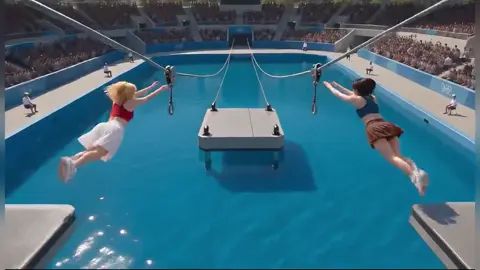

Why AI Cartoon Animation Is Now a Practical Production Path
Cartoon animation has always been a craft of patience. A single minute of polished 2D animation can take weeks of drawing, in-betweening, coloring, compositing, and sound syncing. That is why so many great ideas never leave the sketchbook. The barrier was never only talent. It was throughput. A small team could imagine a series, a short, or a branded cartoon, but the production math rarely worked without a studio budget.
AI changes that math, but not in the way beginners expect. The technology does not replace the director, the storyboard artist, or the editor. It replaces the empty page. It gives you a fast first draft of motion, color, character blocking, and atmosphere. From there, the human work becomes selection, refinement, continuity, and taste. That shift is important because it turns animation from a gatekeeping problem into a workflow design problem. If you can structure the process, you can produce cartoon animation consistently with a small team.
The most successful creators treat AI as a production assistant that never gets tired. It can propose twenty variations of a shot, test a camera angle, generate a background plate, or create a rough animatic from a script. But it cannot decide what the scene means. It cannot feel when a pause should last two extra frames. It cannot protect your characters from drifting into different faces, outfits, or proportions unless you build systems that force consistency. The winning formula is human direction plus machine speed plus editorial discipline.
This guide lays out a practical cartoon animation workflow for AI-assisted production. It covers what the tools do well, where they fail, how to prompt for better shots, how to choose a stack, how to avoid common mistakes, and how to scale without losing the visual identity that makes your cartoon yours.
Understand What AI Does Well and Where Humans Still Win
Before you generate a single frame, you need an honest map of strengths and weaknesses. AI video and image models are excellent at texture, lighting, background variety, stylized motion, and rapid iteration. They are weak at precise acting, complex hand interaction, consistent character identity across many shots, readable lip sync, and long-form narrative logic. If you plan around those limits, you will save days of frustration.
Text-to-video, image-to-video, and video-to-video
Text-to-video is the fastest way to explore a concept. You describe a scene and get moving footage. It is ideal for mood boards, pitch trailers, dream sequences, abstract transitions, and quick story beats. The trade-off is control. The model may invent details that contradict your script or design bible.
Image-to-video starts from a still image, which gives you much stronger composition and character control. You can draw or generate a keyframe, approve the look, and then animate from that frame. This is often the best route for cartoon production because it preserves your style choices. You still get motion surprises, but the visual foundation is already yours.
Video-to-video is useful for style transfer, rotoscoping support, cleanup, and turning live-action reference into animation. It can help with body mechanics and timing, especially for dance, action, or physical comedy. The risk is that the output can feel traced or uncanny if the style transfer is too aggressive.
The parts that still need a director
AI can generate a character walking through a forest. It cannot decide why the character is walking, what they are hiding, or how the audience should feel when they stop. Performance is still human. Timing is still human. Subtext is still human. You also need a director for continuity. If a character picks up a cup in one shot, the cup must still be in their hand in the next. If a jacket has a patch on the left side, it cannot move to the right. AI does not remember these details unless you force them into every prompt, reference frame, and edit decision.
Sound is another human-heavy area. AI can generate voices, music, and effects, but the mix is where emotion lives. A funny line can die with the wrong pause. A tense scene can become confusing with the wrong ambience. Treat audio as part of the animation from the first storyboard, not as a final polish step.
A Repeatable Seven-Stage AI Cartoon Workflow
The best way to make AI cartoon animation manageable is to break it into stages. Each stage has a clear output, and you do not move forward until that output is approved. This prevents the classic mistake of generating hundreds of clips and then trying to edit them into a story.
Stage One: Lock the premise, audience, and visual language
Start with one sentence that describes the cartoon. Then define the audience, tone, runtime, and platform. A thirty-second social short has different pacing than a five-minute YouTube episode. A kids cartoon needs clearer silhouettes and simpler motion than a teen comedy. Write a small style guide: color palette, line weight, character proportions, camera language, and the emotional range of the world. This guide becomes your filter for every generation.
Stage Two: Write a generation-friendly script
AI models respond better to visual, present-tense action than to dialogue-heavy scenes. Write your script in beats, not paragraphs. Each beat should describe one visible change: a character enters, a door opens, a light flickers, a chase begins. Keep dialogue short and separate. If a scene depends on a subtle expression, plan to handle it with a close-up, a pause, or a hand-drawn insert rather than expecting the model to nail it.
Stage Three: Build a character and style bible
Create a reference sheet for every main character. Include front, side, and three-quarter views. Add outfit variations, color swatches, facial expressions, and prop details. Generate or draw a few approved keyframes that show the character in different lighting conditions. You will reuse these images constantly. A character bible is not busywork. It is the single most effective way to reduce identity drift.
Stage Four: Storyboard in modular shots
Break the script into shots of two to five seconds. Short shots are easier to generate, easier to repair, and easier to reorder in the edit. For each shot, write a mini prompt that includes subject, action, camera angle, background, lighting, style, and continuity notes. Sketch a rough thumbnail even if you cannot draw well. The thumbnail tells you whether the shot reads before you spend time generating it.
Stage Five: Generate and review in small batches
Do not generate the whole episode at once. Generate five to ten shots, review them together, and note what worked. Look for character consistency, motion clarity, background continuity, and whether the shot communicates the story beat. Approve the best take for each shot and move on. Small batches keep you oriented and make it easier to adjust prompts before a problem repeats across dozens of clips.
Stage Six: Repair motion, faces, and continuity
Most AI cartoon shots need some repair. You might need to replace a face, stabilize a background, fix a hand, adjust the timing, or re-generate a character walk cycle. Use editing and compositing tools to patch problems rather than regenerating everything. A simple cutaway, a reaction shot, or a foreground object can hide a weak motion segment. The goal is not perfection in every frame. The goal is a believable scene.
Stage Seven: Assemble, sound design, and finish
Edit the approved shots into a timeline. Add temporary voices or scratch audio early so you can feel the pacing. Then layer in final voice performances, music, ambience, and effects. Color grade the piece so all shots feel like one world. Add titles, captions, and any visual transitions. Export a review version, watch it without stopping, and take notes on what feels slow, confusing, or emotionally flat. Then do one focused revision pass.
Prompt Patterns for Better Cartoon Shots
Prompting is not magic wording. It is structured communication. The more clearly you describe the shot, the less the model has to guess. A useful pattern is subject plus action plus camera plus environment plus style plus lighting plus continuity. For example: a young fox detective in a yellow raincoat, walking cautiously through a neon-lit alley, medium tracking shot, puddles reflecting signs, hand-drawn cartoon style with bold outlines, cool blue shadows and warm window light, same character design as the reference sheet, no extra characters. That prompt gives the model a subject, action, camera, setting, style, lighting, and a guardrail.
Use negative instructions carefully
Negative instructions can help, but they are not always respected. Instead of writing a long list of things you do not want, describe the positive alternative. Rather than no extra characters, write a single character alone in frame. Rather than no blur, write sharp focus with clean line art. When a model keeps adding an unwanted element, change the composition or camera angle so the element has nowhere to appear.
Keep continuity keywords in every prompt
If your character has a red scarf, mention the red scarf in every shot prompt. If the setting is a snowy village at dusk, repeat snowy village and dusk. If the camera is always at eye level, say eye-level shot. Repetition feels clumsy in a prompt document, but it is essential for consistency across a sequence. You can build a small continuity block that you paste into each prompt and then change only the action and camera.
Generate variations on purpose
Do not ask for one perfect take. Ask for three or four variations with controlled differences: one wide, one close, one from behind, one with a different light direction. This gives you editorial choices and helps you discover unexpected moments. Variation is cheap. Reshooting a whole scene is expensive.
Choosing the Right Tool Stack for Your Animation Type
Different cartoon formats need different AI support. A flat 2D explainer video has different requirements from a cinematic anime short or a 3D kids series. Choose tools based on the bottleneck you need to solve, not on hype.
2D cutout and explainer cartoons
For simple character animation, you may not need full video generation. You can generate backgrounds, props, and character poses with AI image tools, then animate them with layered rigs in an editor or animation app. This gives you precise control over timing and lip sync. The AI handles asset creation and style exploration, while traditional keyframe animation handles performance. This hybrid approach is often faster and more reliable than generating every frame from scratch.
Cinematic and action-driven cartoons
For dynamic shots, use image-to-video and video-to-video models that handle camera movement and motion blur well. Build a shot library of approved camera moves: push in, pull back, orbit, whip pan, low angle, overhead. Then match each story beat to a camera move. Keep shots short. Action reads better in fragments than in long continuous takes. Use editing to create rhythm.
Anime and stylized character drama
Anime-style production benefits from strong line art, speed lines, dramatic lighting, and expression close-ups. Generate keyframes for emotional moments, then use motion tools for hair, fabric, and background movement. Be extra careful with faces. Face drift is the fastest way to break immersion. Use character reference images, face-focused prompts, and manual face swaps where needed.
3D and puppet-style series
If you already work in a 3D pipeline, AI can help with concept art, textures, background mattes, and storyboard previsualization. For puppet-style series, AI can generate environment plates and crowd backgrounds while your main characters stay in a controlled rig. This keeps your series consistent while reducing the time spent on world-building assets.
Common Mistakes That Wreck AI Cartoon Projects
The technology is powerful, but most failures come from process, not from the model. Here are the mistakes that cost the most time.
Starting with generation instead of story
If you do not know what the scene needs to accomplish, you cannot judge whether a generated shot is good. Write the beat, sketch the shot, and define the emotional target before you prompt. A beautiful clip that does not serve the story is just a distraction.
Ignoring character consistency
Characters drift when you rely on memory and vague prompts. Fix this with a character bible, reference images, repeated continuity keywords, and a review step that checks every shot against the approved design. If a character looks different in shot twelve, fix it before you edit it into the timeline.
Making every shot a masterpiece
AI generation can make every frame look expensive, but a cartoon needs contrast. Some shots should be simple. Some should be still. Some should be close-ups with minimal motion. If every shot is a sweeping camera move, the audience becomes numb. Use energy where the story needs it.
Skipping sound design
Bad audio makes good animation feel amateur. Record or generate dialogue early, add room tone, use music to guide emotion, and place sound effects precisely. A door slam, a footsteps pattern, or a soft breath can do more for a scene than another visual effect.
Not versioning prompts and approvals
Save your prompts, reference images, and approved takes. Name files clearly. When a shot needs a revision three weeks later, you need to know how it was made. A simple spreadsheet or production board can track shot number, prompt, reference, status, and notes.
Legal, Ethical, and Brand Safety Checks
AI-generated cartoons raise practical questions about ownership, likeness, style, and disclosure. You do not need to be a lawyer to build good habits, but you do need to be careful. Use characters and styles you have the right to use. Avoid prompts that imitate a living artist too closely or reproduce a protected character. If you use a real person's likeness or voice, get permission. Keep records of your source assets and generation settings.
For brand work, check platform policies and client requirements. Some campaigns require disclosure that AI was used. Some children's content has stricter rules about voices, music, and advertising. Build a simple compliance checklist into your workflow: rights for every asset, consent for every real person, disclosure where required, and a final review before publishing.
Ethically, think about how your cartoon represents people. AI models can amplify stereotypes if you prompt carelessly. Diverse character design, thoughtful casting, and human review help you avoid embarrassing mistakes. The goal is not to remove style. The goal is to make choices on purpose.
Scaling the Workflow Without Losing the Art
Once you have one episode or short working, you can scale by turning your process into a production system. Create templates for scripts, storyboards, prompts, and review checklists. Build a shot library of reusable backgrounds, camera moves, and transitions. Keep a style guide that new collaborators can read in ten minutes. Standardize file naming and folder structure. The more predictable the pipeline, the more energy you can spend on creative choices.
You can also scale by dividing roles. One person handles story and dialogue. Another handles character design and continuity. Another handles generation and repair. Another handles edit, sound, and color. In a small team, one person may wear several hats, but the handoffs should still be clear. Every shot should have an owner, a status, and an approval note.
Finally, protect your creative identity. AI makes it easy to produce more, but more is not always better. Choose a visual signature and repeat it. Limit your palette. Define how your characters move. Decide what your cartoon will never do. Constraints are what make a series recognizable, and recognizable work is what builds an audience.
FAQ: AI Cartoon Animation in Practice
Do I need drawing skills to make an AI cartoon?
Drawing skills help, but they are not mandatory. You can use reference images, generated keyframes, and compositing tools to build a cartoon. What you really need is visual taste, story sense, and patience for iteration. If you can describe a shot clearly and recognize when it works, you can direct an AI-assisted cartoon.
How do I keep characters consistent across many shots?
Create a character bible with front, side, and three-quarter views. Use approved reference images in every generation. Repeat key design details in every prompt. Review shots in small batches and fix drift immediately. When a face or outfit changes too much, replace it with a corrected asset rather than hoping the next generation will solve it.
What is the best shot length for AI cartoon animation?
Most AI-generated shots work best between two and five seconds. Shorter shots are easier to control and easier to repair. Longer shots can work for dialogue, atmosphere, or music sequences, but they need stronger continuity and more precise motion. If a shot is not holding up, cut it into two smaller shots.
Should I use text-to-video or image-to-video?
Use text-to-video for exploration and simple motion. Use image-to-video when you need control over composition, character design, and style. Most cartoon workflows combine both. Generate a keyframe first, approve it, then animate from that image. This reduces surprises and keeps your visual language intact.
How do I handle lip sync?
AI lip sync is improving, but it is still one of the hardest parts of cartoon production. Record or generate the dialogue first, then animate the mouth shapes to match. For simple styles, a few mouth positions may be enough. For close-ups, manual animation or a dedicated lip sync tool will look better. Always review the audio and mouth movement together, not separately.
What should I do when a generated shot looks wrong?
First, decide whether the shot can be repaired with editing. A cutaway, a reaction shot, a foreground element, or a speed change can save a weak motion. If the core composition is wrong, regenerate from a better keyframe. Do not spend hours trying to polish a shot that does not communicate the story beat. Replace it and move on.
Can AI cartoon animation work for client projects?
Yes, but the workflow must be more controlled. Use clear approvals, documented prompts, rights-cleared assets, and disclosure where required. Clients care about consistency, deadlines, and brand safety. A repeatable pipeline with review checkpoints will serve you better than a folder full of random beautiful clips.
How do I make an AI cartoon feel handmade?
Add human touches at every stage. Draw or paint key details. Use custom sound effects. Vary timing with intentional pauses. Add texture, grain, or slight line wobble. Keep imperfections that support the style. The goal is not to hide AI. The goal is to use AI as one tool in a larger creative process. When story, performance, sound, and edit all point in the same direction, the result feels authored rather than generated.

Alexander
More Blogs
Read MoreVidu Q4 Alternatives: 4K AI Video Models Compared (2026)
Vidu Q4 alternatives compared: Kling 4.0, Seedance 2.5, Wan 3.0, and Runway Gen-4 — 4K support, input modes, durations, audio, and what each costs in credits on Domer.
Top 4K AI Image Generators in 2026: 5 Models Compared on Real Costs
The top 4K AI image generators on Domer compared: Flux 3 Klein, Nano Banana 2.1, GPT Image 2.5, GPT Image 2, and Nano Banana Pro — 4K credit costs, reference limits, and speed.
Nano Banana 2.1 vs GPT Image 2.5: Which Image Model Should You Use? (2026)
Nano Banana 2.1 vs GPT Image 2.5 Flare compared: credit costs per resolution, aspect ratios, reference images, text rendering, and which tasks fit each model.