

Affiliazione
Inizia Gratis Ora
AI Image Description Generators for Accessible Content
Oct 14, 2026
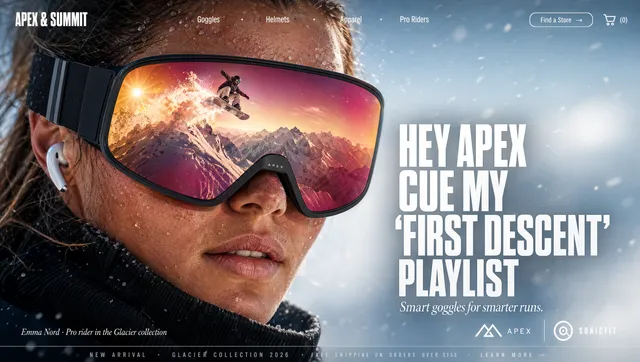
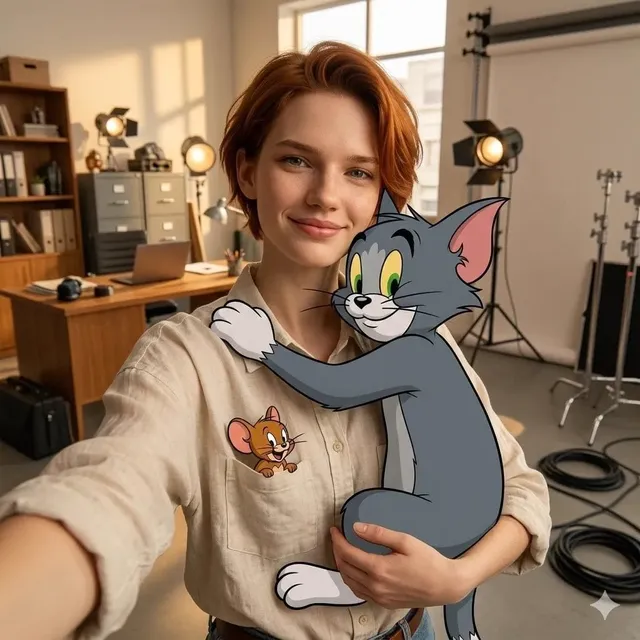
Image descriptions are the bridge between visual content and people who cannot see it. When a screen reader reaches an image, it can only communicate what the markup or description provides. If the image is a product photo, a chart, a diagram, or a social post, a vague label like image1 leaves the user with missing information. AI image description generators solve part of that problem by turning pixels into language quickly. They do not replace human judgment, but they make consistent, scalable description work possible.
Why AI image description generators matter
Accessibility is not a niche concern. It is a core part of how digital products reach people. Vision impairment, low vision, color blindness, cognitive differences, and temporary conditions such as a broken screen or a noisy environment all affect how people consume visual information. A useful description helps a screen reader user understand the same idea that a sighted user gets from an image. It also helps search engines understand the content, which can improve discoverability when the description is written naturally.
The scale problem is what makes automation attractive. A single blog post might contain five images. A retail catalog might contain fifty thousand. A learning platform might update diagrams every week. Manual descriptions are valuable but expensive and inconsistent. An AI image description generator can produce a first draft in seconds, tag images by type, and suggest language that a human can refine. The result is not just efficiency. It is broader coverage. Images that would otherwise have empty or generic descriptions get a meaningful starting point.
There is also a compliance angle. Many accessibility standards and regulations expect non-text content to have a text alternative. The exact rules vary by region and organization, but the direction is consistent: if information is conveyed visually, it needs a text equivalent. AI can help teams meet that expectation without turning every image into a bottleneck. The key is to treat AI as an assistant, not as an unchecked authority.
How an AI image description generator works
An AI image description generator usually combines several models and rules. It does not simply look up a filename or read metadata. It analyzes the image itself, predicts what is present, and turns those predictions into sentences. The best systems also consider the page context, the intended audience, and the required output length.
Object and scene recognition
The first layer is computer vision. The model detects objects, people, animals, buildings, text, logos, and scene types. It can distinguish a beach from a desert, a formal meeting from a casual gathering, and a product close-up from a lifestyle shot. Modern systems are good at recognizing common objects, but they still struggle with ambiguity, cultural context, and very specialized domains. A hospital image might be labeled as a clinic, or a rare plant might be misidentified. That is why review matters.
Context and relationships
The second layer is contextual understanding. Instead of listing objects, the system tries to describe relationships. A woman holding a coffee cup in a cafe is more useful than woman, coffee, cafe. A child running toward a dog suggests action and emotion. A chart with a rising line suggests a trend. This layer depends on the quality of the model and the prompt or template used. If the generator is asked for a short alt text, it will compress. If it is asked for a long description, it can explain relationships, positions, and visual style.
Language, tone, and output format
The third layer is language generation. The same image may need different descriptions for different channels. A news site may need neutral, factual wording. A fashion brand may want sensory detail about fabric and color. A learning module may need step-by-step explanation of a diagram. A social media post may need a short, friendly sentence. A good AI image description generator lets you control tone, length, language, and the presence or absence of subjective interpretation. Multilingual support is especially valuable because accessibility should not stop at one language.
What a high-quality image description includes
Quality is not about writing the longest description. It is about giving the user the information they need for the image's purpose. A decorative background image may need no description at all. A functional icon may need a concise label. A complex infographic may need both a short alt text and a longer text alternative nearby.
Alt text versus captions versus long descriptions
Alt text is the text attribute that screen readers announce when an image cannot be seen. It should be concise, usually one or two sentences, and it should communicate the image's purpose in context. A caption is visible text that adds context for all users, and it may repeat or extend the alt text. A long description is a more detailed explanation used for complex images such as charts, maps, or diagrams. It can be placed in the surrounding text, in an expandable section, or in a linked document.
AI generators often produce all three if you ask. The mistake is treating them as interchangeable. Alt text should not begin with image of or photo of because screen readers already announce that an image is present. A caption can be more editorial. A long description can include data points, relationships, and conclusions.
Examples that show the difference
Consider a photo of a runner crossing a finish line. Weak alt text might say runner. Better alt text says A runner in a blue shirt raises both arms as they cross a finish line. A caption might say Mira completes her first marathon. A long description could explain the crowd, the clock, the weather, and the runner's expression.
For a bar chart showing quarterly revenue, weak alt text might say bar chart. Better alt text says Bar chart showing revenue rising from Q1 to Q4, with the steepest increase in Q3. If the chart is central to the article, the long description should include approximate values, trends, and any outliers. The description should answer the question the chart was created to answer.
For an e-commerce product image, weak alt text might say shoes. Better alt text says Black leather running shoes with white soles and blue laces, shown from the side. If the product listing already has detailed visible text, the alt text can focus on the visual information that is not repeated elsewhere.
Building an accessibility-first description workflow
AI works best when it is embedded in a workflow. If you generate descriptions and then publish them without review, errors become part of the user experience. If you review every image manually with no automation, the process may not scale. The middle ground is a repeatable pipeline with clear roles.
Step 1: inventory and classify images
Start by listing where images appear. Group them by purpose: decorative, functional, informative, complex, and text-bearing. Decorative images can be marked as such and skipped. Functional images, such as icons in a navigation bar, need labels that describe the action, not the appearance. Informative images need contextual descriptions. Complex images need long descriptions. Text-bearing images, such as screenshots or posters, may need the text transcribed.
This classification prevents wasted effort. It also helps you decide which images can be handled by automation and which need subject matter experts.
Step 2: generate a first draft
Use an AI image description generator to create a draft for each image that needs one. Provide context in the prompt: page title, surrounding paragraph, audience, desired length, and language. Ask for a neutral description first. Then ask for alternatives in different tones if the brand voice requires it. For charts, ask the model to extract visible labels and trends, but verify the numbers against the original data.
At this stage, batch processing is useful. A content team can export images, run them through a vision model, and receive a spreadsheet with suggested alt text, captions, and long descriptions. The output should be treated as raw material, not final copy.
Step 3: review with the right questions
A reviewer should ask:
- Does the description explain why the image is here?
- Does it include the most important information first?
- Does it avoid unnecessary phrases such as image of?
- Is it accurate about people, objects, and relationships?
- Does it avoid assumptions about gender, race, age, or ability?
- Is it appropriate for the audience and channel?
- Does it repeat nearby text unnecessarily?
- For complex images, does it provide a full text alternative?
This review can be quick for simple images and more involved for data visualizations. The goal is not perfection. The goal is to prevent misleading or useless descriptions from reaching users.
Step 4: publish and maintain
Descriptions are content. They need governance. Store alt text with the image asset when possible, so it travels with the image across pages. Include description fields in your CMS workflow. Add checks in your publishing checklist. When an image changes, review the description. When a product is updated, update the description. When a chart gets new data, revise the long description. Accessibility is ongoing maintenance, not a one-time project.
Choosing the right tool for your team
There is no single best AI image description generator for every organization. The right choice depends on accuracy requirements, languages, integration needs, privacy rules, and volume. A small blog can use a general vision model inside an editing tool. A global retailer may need an API that connects to a digital asset management system. A university may need strict data governance and detailed long descriptions.
Accuracy and context
Test tools on your own images, not only on public demos. Use a sample that includes products, people, charts, screenshots, and unusual images. Compare descriptions for factual accuracy, relevance, and readability. A model that writes beautiful sentences but misses the key detail is less useful than a plain model that gets the facts right. Look for tools that accept context, because context improves output more than any generic prompt.
Language and localization
If your audience speaks multiple languages, check whether the tool can generate descriptions directly in each language or only translate from English. Direct generation often sounds more natural. Translation can work for simple images, but idioms, cultural references, and product names may suffer. Also check right-to-left language support and character encoding if you publish globally.
Integration and governance
Consider how the tool fits your existing stack. Can it connect to your CMS, digital asset management system, or localization platform? Does it support bulk upload? Does it offer an API? Can you set rules for length and tone? Can you log changes for audits? Who has access to the images and generated text? If your content includes private user data, medical images, or unreleased products, data handling matters as much as description quality.
Cost and scale
Pricing models vary. Some tools charge by usage, some by seat, and some by subscription tier. Estimate your monthly image volume and the percentage that needs human review. A cheap tool that requires heavy editing may be more expensive in staff time than a higher-priced tool that produces cleaner drafts. Also consider the cost of not describing images: lost users, legal risk, lower search visibility, and missed conversions.
Practical use cases across channels
AI image description generators are useful in any channel where images carry meaning. The description strategy changes with the context, but the core principle stays the same: give the user the information they need.
E-commerce product images
Online shoppers rely on images to judge color, shape, material, and scale. A screen reader user needs equivalent information. AI can generate product descriptions that mention the item type, color, material, pattern, and visible details. For fashion, it can describe fit and styling. For electronics, it can describe ports, screens, and controls. For home goods, it can describe texture, dimensions, and room context. The best descriptions avoid marketing fluff in alt text and keep the persuasive language for visible copy.
E-learning and training
Educational images often carry the lesson. A diagram of a process, a screenshot of software, or a historical photo requires a careful explanation. AI can draft descriptions for common diagrams, but an instructional designer should verify accuracy. For complex processes, a long description can walk through each step. For screenshots, the description should mention the interface area and the action being demonstrated, not every button.
Social media and marketing
Social platforms move fast, and accessibility is often overlooked. AI can generate short alt text for posts, helping users who rely on screen readers to understand images and memes. It can also suggest captions that add context for everyone. Marketers should be careful with humor and cultural references, because AI may flatten or misinterpret them. A quick human review is still essential.
News, blogs, and documentation
Publishers use images to inform, illustrate, and set tone. AI can help with high-volume publishing, but editorial judgment matters. A photo of a protest, a product launch, or a sports event needs accurate description without editorializing. Documentation teams can use AI to describe screenshots and interface changes, then refine the text to match the product terminology.
Common mistakes to avoid
The most common mistake is treating AI output as finished copy. AI can hallucinate objects, misread text, or miss the point of an image. Always verify names, numbers, and relationships.
Another mistake is over-describing. A decorative border does not need a poem. A simple icon does not need a paragraph. Alt text should be proportional to the image's role.
A third mistake is ignoring context. The same image on a product page and in a news article may need different descriptions. The generator needs to know where the image will appear.
A fourth mistake is using alt text for SEO keywords. Keyword stuffing makes the experience worse for screen reader users and can look spammy to search engines. Write for people first. Good descriptions naturally include relevant terms.
A fifth mistake is forgetting other accessibility features. Descriptions work alongside captions, transcripts, sufficient contrast, keyboard navigation, and clear headings. AI image descriptions are one part of an accessible content system.
Measuring quality and impact
It helps to track quality with a simple scorecard. Rate each description for accuracy, relevance, clarity, and length. Sample descriptions every month and review them with an accessibility specialist or a screen reader user. Listen to how the description sounds when spoken aloud. Some sentences look fine on a page but become confusing in audio.
You can also track operational metrics: percentage of images with descriptions, average review time, number of revisions per image, and time saved compared with manual writing. For public-facing content, monitor search performance and engagement on pages with improved descriptions, but do not assume causation. Accessibility improvements may help everyone, including users who skim, users on slow connections, and users who prefer text.
The strongest signal is user feedback. Provide a way for people to report missing or inaccurate descriptions. Treat those reports as high-priority bugs, not as complaints. They reveal where the system failed and how to improve the workflow.
FAQ
Can AI image description generators replace human writers?
No. They can draft, scale, and standardize, but humans should review for accuracy, context, and sensitivity. Complex images and high-stakes content need expert input.
What is the ideal length for alt text?
Most alt text should be one or two sentences. If the image is complex, keep the alt text short and provide a longer description nearby. The ideal length depends on the image's purpose, not a fixed character count.
Should alt text start with image of or photo of?
Usually no. Screen readers announce that an image is present. Starting with image of adds noise. There are exceptions, such as when the medium matters to the meaning, but they are rare.
How do AI generators handle charts and graphs?
They can read visible labels and describe trends, but they may misread values or miss context. Use them to draft, then verify against the source data and add a full text alternative.
Can AI generate descriptions in multiple languages?
Many tools can, either directly or through translation. Direct generation is usually better for natural phrasing. Always test with a native speaker for important content.
Is AI-generated alt text bad for SEO?
No, if it is accurate and useful. Search engines reward content that helps users understand the page. Keyword-stuffed or misleading alt text can hurt trust and may be ignored.
How often should descriptions be reviewed?
Review them when the image changes, when the surrounding content changes, and as part of regular accessibility audits. High-traffic pages and regulated content should be reviewed more often.
AI image description generators are most valuable when they are part of a thoughtful accessibility practice. Use them to remove blank alt attributes, speed up drafting, and support multilingual publishing. Then add human review, clear standards, and ongoing maintenance. That combination helps more people understand your visual content, improves the quality of your pages, and turns accessibility from a last-minute task into a durable advantage.

Alexander
More Blogs
Read MoreVidu Q4 Alternatives: 4K AI Video Models Compared (2026)
Vidu Q4 alternatives compared: Kling 4.0, Seedance 2.5, Wan 3.0, and Runway Gen-4 — 4K support, input modes, durations, audio, and what each costs in credits on Domer.
Top 4K AI Image Generators in 2026: 5 Models Compared on Real Costs
The top 4K AI image generators on Domer compared: Flux 3 Klein, Nano Banana 2.1, GPT Image 2.5, GPT Image 2, and Nano Banana Pro — 4K credit costs, reference limits, and speed.
Nano Banana 2.1 vs GPT Image 2.5: Which Image Model Should You Use? (2026)
Nano Banana 2.1 vs GPT Image 2.5 Flare compared: credit costs per resolution, aspect ratios, reference images, text rendering, and which tasks fit each model.