
Crea
Affiliazione
Inizia Gratis Ora
AI Image Generators for Abstract Art: A Practical Workflow
Oct 14, 2026
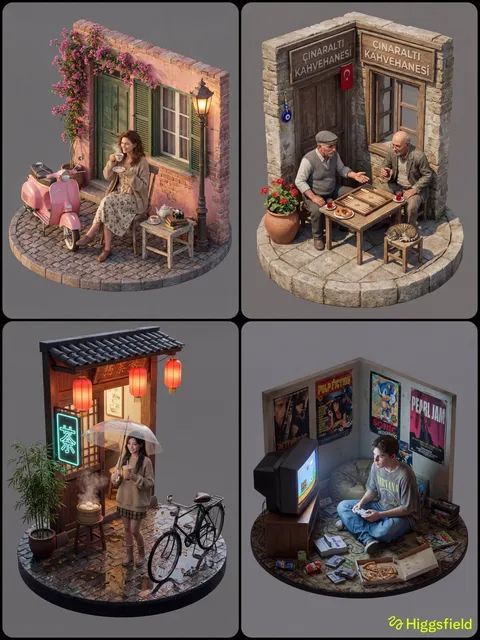
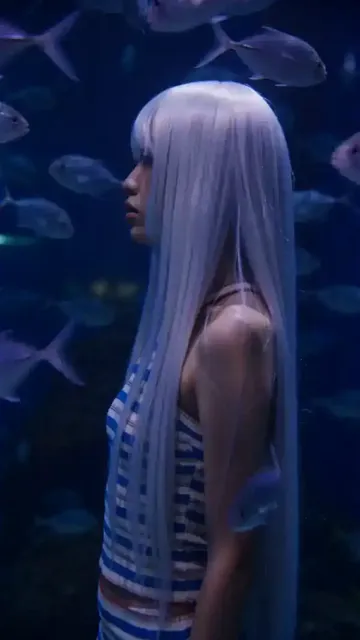
Why Abstract Art and AI Image Generation Fit Together
Abstract art has always been a conversation about color, tension, rhythm, and surface rather than about recognizable subject matter. That makes it an unusually comfortable match for generative image models. When a model produces a warped hand or a slightly wrong eye, viewers notice immediately. When it produces a turbulent field of ochre and ultramarine with a soft, bleeding edge, there is no anatomical truth to violate — only aesthetic judgment. The failure modes that plague representational generation largely disappear.
There is a second reason the pairing works so well. Abstract work is evaluated by feeling and composition rather than by fidelity, and generative models are extraordinarily good at producing texture, gradient, and chromatic variation. A single prompt can return a hundred distinct studies in the time it would take to stretch a canvas. That speed changes the creative process: instead of committing to one idea, you can explore a territory, then choose the direction worth developing.
The practical applications go well beyond fine art prints. Designers use generated abstraction for album artwork, editorial illustration, podcast covers, book jackets, brand backgrounds, motion-graphics backdrops, textile patterns, packaging, and hero images for websites. A marketing team that needs forty variations of a soft gradient field for a campaign can produce them in an afternoon. A gallery artist can use the same tools to prototype large-format pieces before committing expensive materials.
What follows is a workflow-oriented guide rather than a ranked list of winners. The right generator depends on whether you value poetic interpretation, precise control, local privacy, or animation, and that answer changes from project to project.
How a Generator Actually Builds an Abstract Image
Understanding the machinery makes you a better operator, because most confusing outputs come from misunderstanding what the controls do.
Diffusion models learn by destroying and rebuilding. During training, noise is added to images step by step until nothing recognizable remains. The model learns to reverse that process. At generation time it starts from pure noise and denoises toward an image that matches your prompt, guided by a text encoder that maps your words into the same latent space. Two parameters matter enormously for abstract work. Sampling steps control how many denoising passes run; too few leaves grain and unresolved structure, too many can over-cook an image into smoothness. Guidance scale (often called CFG) controls how strictly the model obeys your text. Low values produce freer, stranger, more painterly results; high values force literal compliance and can flatten abstraction into something stiff and illustrative.
Generative adversarial networks take a different route. A generator proposes images while a discriminator judges whether they look like the training set. The two improve against each other. GAN-based tools tend to be fast and produce smooth, cohesive surfaces, though they offer less fine-grained text control than modern diffusion pipelines.
Style transfer and activation-amplification systems work differently again. Instead of generating from noise, they push an existing image through a neural network and exaggerate what specific layers detect — edges, swirls, repeating motifs. The result is the dreamlike, psychedelic distortion those tools are known for. They are best used as a processing pass on top of an image you already like rather than as a primary generator.
One more concept is worth internalizing: the latent space. Similar prompts sit near each other in that space, so small changes to wording produce small changes to output, while large leaps produce unrelated results. If you find a composition you love, do not just recreate it — save the seed, then walk slowly away from it. Interpolating between two seeds or two prompts is one of the most reliable ways to build a coherent series rather than a pile of unrelated pieces.
Decision Criteria for Choosing a Generator
Rather than asking which tool is best, ask which constraints your project has. These seven questions sort most options quickly.
1. How literal should the interpretation be? If you write "a soft field of overlapping translucent rectangles in dusty rose and slate" and want exactly that, choose a model with strong instruction following. If you write "the feeling of forgetting a dream" and want to be surprised, choose one that rewards poetic vagueness.
2. How much control do you need after the first output? Masking, inpainting, extending a canvas, and image-to-image refinement matter far more in production than raw generation quality. A slightly weaker generator with excellent editing beats a brilliant one you cannot steer.
3. What is the iteration cost model? Subscription plans encourage long exploratory sessions; compute-based pricing encourages planning before you generate. Know which behavior you want to encourage in yourself.
4. Can you run it locally? Local models give privacy, unlimited experimentation, and offline work, at the cost of hardware and setup time. Cloud services give convenience and consistent speed.
5. What does the license allow? Commercial use, print runs, resale, and client work are governed by terms that differ significantly between platforms and between individual models in open ecosystems. Read the terms before you build a product on top of an output.
6. Does it support a path to motion? If the final deliverable is a video loop, a title sequence, or social content, choose tools whose outputs you can animate without heavy degradation.
7. Is the ecosystem alive? Community styles, fine-tuned models, shared prompt collections, and node-based pipelines create leverage. A tool with an active community lets you borrow solutions instead of inventing them.
Tool-by-Tool: How the Major Generators Handle Abstraction
Painterly, poetic interpretation
Some generators are tuned for aesthetic drama. They respond well to evocative, under-specified prompts and produce rich, layered surfaces with a hand-made quality — visible brush logic, pigment variation, and confident color relationships. Style and chaos parameters let you dial how far the model drifts from your reference. For abstract work this is often the fastest path from idea to something gallery-adjacent, because the model fills gaps with taste rather than literal interpretation.
The trade-off is control. If a client asks for a specific palette and a specific negative space, you may spend more iterations steering than you would with a more obedient model. Aspect-ratio and upscaling options matter here too: square and wide formats behave differently, and abstract compositions can fall apart when forced into extreme ratios.
Conversational, instruction-following generation
Chat-style generators let you describe, look, and correct in the same thread. That loop is remarkably effective for abstract work with structural requirements: "keep the lower third empty, cool the palette, increase the grain." Because the model holds context, you can make incremental revisions the way you would brief a studio assistant. Built-in editing features can remove an intrusive shape or extend a field of color without leaving the conversation.
Use this approach when the deliverable is spec-driven: a book cover with a fixed title-safe area, a website hero that must work under text, or a series of brand assets that need to feel related. It is less suited to pure discovery, where the joy is in outputs you would never have specified.
Open-weight control and reproducibility
Open models are the power tools of abstract generation. Because the weights are available, you can fine-tune on your own body of work, add lightweight style adapters, and build pipelines that run identically every time. Structural conditioning tools let you constrain composition with a rough sketch, a depth map, or an edge image — extremely useful when you want abstraction that still respects a layout. Image-to-image with a moderate denoise strength is arguably the single most useful technique for developing a coherent series: start from a previous piece, let the model reinterpret it, and repeat.
Node-based interfaces deserve a mention. They look intimidating, but they turn a generation into a reusable recipe. Once your abstract pipeline is built — base model, adapter, conditioning, sampler, upscaler — you can apply it to fifty variations with consistent character. That consistency is what separates a hobbyist's folder of one-offs from a portfolio.
Psychedelic distortion and style-transfer passes
Activation-amplification tools exaggerate the patterns a network detects, producing swirling, kaleidoscopic, dreamlike results. They are superb for texture passes, poster treatments, and anything that needs to feel hallucinatory. The most reliable way to use them is as a second stage: generate a clean abstract composition first, then push it through a distortion pass at varying intensities, and composite the layers. Used as a primary generator they can become repetitive, since the underlying visual grammar is narrow.
Building a Prompt Vocabulary for Abstract Art
Vague prompts give vague results, but so do over-stuffed ones. The goal is a compact vocabulary you can recombine. Build four lists and mix one item from each.
Form and composition
Useful terms: flowing organic shapes, geometric fragmentation, dense central cluster with generous negative space, rule-based grid, diagonal drift, stacked horizontal bands, radial burst, interlocking arcs, torn paper edges, dissolving boundaries, topographic contouring, woven lattice. Composition words change the layout more than any other category, so change them one at a time when iterating.
Color and light
Useful terms: high-chroma complementary clash, muted earth palette with a single accent, monochrome with warm undertone, duotone teal and rust, pastel wash with sharp black intrusion, bioluminescent glow, backlit translucency, hard-edged shadow, soft ambient bloom. If you need brand compliance, specify approximate hues rather than mood words — models handle "terracotta, bone, deep indigo" more predictably than "warm and sophisticated."
Texture and medium
Useful terms: impasto oil with visible palette-knife ridges, risograph grain, watercolor bleed and pooling, liquid metal, gouache flatness, chalk pastel dust, acrylic pour cells, screen-print misregistration, oxidized copper patina, frosted glass diffusion. Medium words do more for perceived quality than almost anything else, because they carry embedded assumptions about edge behavior and surface.
Motion, mood, and negatives
Useful terms: swirling, suspended, collapsing inward, blooming outward, calm and oceanic, anxious and fractured, ceremonial, weightless. Negatives are your cleanup crew: exclude text, watermarks, signature marks, faces, and recognizable objects if you want true non-representation. Many tools also let you weight terms so one idea dominates without deleting the rest.
Two techniques are worth adopting immediately. First, seed locking: fix the seed, change one variable at a time, and you get a controlled study rather than a lottery. Second, two-pass prompting: generate a broad composition, then describe the best result in more specific terms and regenerate. The second pass usually outperforms any amount of tinkering with the first.
From Still Image to Moving Artwork
Abstract stills animate unusually well, because viewers are not tracking faces or physics — they are watching color and shape evolve. Three approaches cover most needs.
Image-to-video generation. Feed a finished piece into a video model with a short motion prompt describing direction and energy: "slow vertical drift, gentle bloom, subtle grain shift." Keep motion descriptions short; long prompts tend to produce busy, incoherent movement in abstraction.
Parallax and layer separation. Cut your composition into foreground, midground, and background layers, then move them at different speeds. This gives you cinematic depth from a flat image and works especially well for geometric abstraction.
Displacement and loop design. Use a displacement map derived from the image itself to warp it over time, then design the motion so the last frame matches the first. Seamless loops are essential for social posts, ambient installations, and presentation backgrounds.
Export considerations matter as much as generation. For social platforms, keep motion slow and contrast moderate to survive aggressive compression. For large screens, render at a higher resolution than you think you need, because subtle gradients band badly when scaled up.
A Repeatable Production Workflow
1. Write a brief, even for personal work
Two sentences: what the piece is for and what constraints exist (palette, dimensions, text-safe zones, mood). This sounds bureaucratic but prevents the single most common waste of time — producing beautiful images that do not fit the job.
2. Run exploration sprints in batches
Generate in batches of twenty to forty, using the same prompt skeleton with one variable changed. Do not judge individual images while generating; skim, mark favorites, move on. Momentum beats perfectionism at this stage.
3. Curate onto a board
Collect candidates into one view. Patterns emerge: you will notice that three pieces share a palette you actually love, or that your best results all use the same composition word. The board is where the series reveals itself.
4. Refine with targeted edits
Upscale, then fix specifics: inpaint an awkward corner, extend the canvas, clean up noise, adjust contrast in a normal image editor. The last ten percent of quality almost always comes from editing outside the generator.
5. Deliver and archive with discipline
Name files with prompt, seed, and version. Keep a plain-text log of prompts that worked. Six months later, that log is worth more than the images, because it lets you rebuild the pipeline instead of guessing.
Common Mistakes and How to Fix Them
Muddy composition. Too many competing motifs. Fix: reduce to two or three visual ideas and increase negative space.
Over-compliance. Guidance scales pushed too high produce stiff, illustrative results that feel like clip art. Fix: lower guidance and accept a little unpredictability.
Ignoring aspect ratio. A composition built for a square crop rarely survives an ultrawide banner. Fix: generate in the final ratio, or plan a crop-safe center.
Resolution blindness. Screen-ready images are not print-ready. Fix: upscale deliberately and check at final print size before committing.
Style-name dependence. Prompting with a living artist's name is both ethically shaky and legally risky in commercial contexts. Fix: describe the visual qualities instead — medium, edge behavior, palette, era-agnostic descriptors.
No record keeping. Without seeds and prompts, a successful piece cannot be extended into a series. Fix: log as you go.
Ignoring licensing. Commercial use terms differ between tools and between open models. Fix: verify before you sell prints or deliver to a client.
FAQ
Do I need artistic training to make good abstract AI art? No, but visual literacy helps enormously. Learning basic composition principles — value structure, focal hierarchy, color temperature contrast — improves results faster than any prompt trick.
Which generator is best for abstract art? There is no single answer. Choose poetic interpretation for discovery, instruction-following models for spec-driven work, open-weight models for reproducibility and privacy, and distortion tools for texture passes.
How do I keep a series consistent? Lock a seed, reuse one prompt skeleton, change a single variable per iteration, and keep a shared palette. Consistency comes from constraint, not from luck.
Can abstract AI images be printed at gallery size? Yes, with care. Upscale in stages, add subtle grain to mask banding in smooth gradients, and proof on the actual paper before a full run.
Should I disclose that a piece was AI-assisted? Follow the rules of the platform or client you are working with, and be transparent when asked. Keeping provenance records — prompts, seeds, generation dates — makes that easy.
Can I animate a still into a seamless loop? Yes. Generate motion with a short prompt, then use a displacement or morph technique to match the final frame to the first. Short, slow motion loops most reliably.
The most useful shift in mindset is this: a generator is not a vending machine for finished art, it is a fast sketching partner. Treat exploration as cheap, curation as the real work, and refinement as where craft lives — and the tools stop feeling like a shortcut and start feeling like a studio.

Alexander
More Blogs
Read MoreVidu Q4 Alternatives: 4K AI Video Models Compared (2026)
Vidu Q4 alternatives compared: Kling 4.0, Seedance 2.5, Wan 3.0, and Runway Gen-4 — 4K support, input modes, durations, audio, and what each costs in credits on Domer.
Top 4K AI Image Generators in 2026: 5 Models Compared on Real Costs
The top 4K AI image generators on Domer compared: Flux 3 Klein, Nano Banana 2.1, GPT Image 2.5, GPT Image 2, and Nano Banana Pro — 4K credit costs, reference limits, and speed.
Nano Banana 2.1 vs GPT Image 2.5: Which Image Model Should You Use? (2026)
Nano Banana 2.1 vs GPT Image 2.5 Flare compared: credit costs per resolution, aspect ratios, reference images, text rendering, and which tasks fit each model.