

Affiliazione
Inizia Gratis Ora
AI Image Prompt Generator: Create Stunning Visuals Fast
Oct 15, 2026

Why prompt quality decides your visual output
Every image generation model responds to language in its own way, but the underlying rule is consistent: clearer instructions produce more controllable results. A prompt generator is useful because it helps you convert a fuzzy idea into specific visual decisions. Instead of typing 'a nice fantasy castle' and hoping for the best, you can describe the castle's architecture, its surroundings, the time of day, the camera angle, the lighting, and the emotional tone. That extra detail gives the model fewer opportunities to invent unwanted elements.
The best generators do not merely add adjectives. They structure a request so that important information appears early, style cues are grouped logically, and technical modifiers support the main concept. This matters because most text-to-image systems weigh earlier tokens more heavily. If your first words are vague, later refinements may struggle to rescue the composition. If your first words define the subject and intent, later words can polish the result.
Prompt quality also affects iteration speed. A well-formed starting prompt often produces a usable draft in one or two attempts. A vague prompt can produce dozens of unusable variations, which wastes time and makes creative direction harder to maintain. The goal is not to write a novel. The goal is to write a compact creative brief that the model can interpret consistently.
What an AI image prompt generator actually does
An AI image prompt generator is a tool that expands a short idea into a richer prompt. Some generators use templates; others use language models to infer likely details; more advanced versions let you choose a visual style, aspect ratio, lighting mood, and subject category. The output is a text prompt that you can paste into an image generator, a video generator, or a design tool that supports AI image creation.
The generator is not the same as the image model. It sits earlier in the workflow, helping you plan and describe. Think of it as a translation layer between human intent and machine-readable creative direction. You still need to review the output, because no generator knows your brand guidelines, your audience, or your legal constraints unless you tell it.
From blank page to useful starting point
A good generator removes the friction of the first sentence. You might start with a rough phrase such as 'cozy reading nook for a book blog.' The generator can propose details: warm lamplight, linen curtains, a worn leather armchair, rain on the window, shallow depth of field, muted earth tones, editorial photography. You then remove what does not fit and keep what does. This editing step is where your creative voice enters.
Inputs that shape the result
Most useful generators accept a few key inputs. Subject describes who or what is in the image. Action or mood describes what is happening. Setting establishes the environment. Style determines whether the image looks photographic, illustrated, cinematic, or abstract. Composition controls framing and perspective. Lighting defines the mood and depth. Format sets the aspect ratio and intended use. When you provide these inputs, the generator can produce a prompt that is both specific and flexible.
The anatomy of a strong image prompt
A strong prompt usually contains several layers. The exact order can vary by model, but a reliable structure is subject, action, environment, style, lighting, camera or composition, and quality modifiers. You do not need every layer in every prompt. You need the layers that matter for your goal.
Subject, action, and environment
Start with the core subject. Be concrete. 'A woman' is weaker than 'a middle-aged botanist in a linen apron.' Action adds narrative: 'examining a rare orchid through a magnifying glass.' Environment gives context: 'inside a glass conservatory during a summer rainstorm.' These three elements alone can produce a recognizable scene. The more specific the subject, the less the model has to guess.
Style, medium, and visual language
Style tells the model how to render the scene. Photographic, watercolor, oil painting, vector illustration, claymation, and anime are different visual languages. You can also reference broader aesthetics such as brutalist, art deco, cyberpunk, or cottagecore. Avoid overloading style references. Two or three strong style cues are usually better than ten competing ones. If you want a clean result, name the medium and the mood instead of listing many artists or genres.
Camera, lighting, and composition
Camera language is powerful because it mimics real photography. Terms like wide-angle lens, macro shot, low angle, over-the-shoulder, and shallow depth of field guide framing. Lighting terms such as golden hour, softbox, rim light, volumetric fog, and candlelight shape atmosphere. Composition terms like rule of thirds, centered symmetry, negative space, and leading lines control balance. Together, these details make an image feel intentional rather than accidental.
Quality modifiers and negative guidance
Quality modifiers are words like highly detailed, sharp focus, professional color grading, or clean background. They can improve output, but they can also create a generic look if used carelessly. Negative guidance tells the model what to avoid, such as blurry, extra fingers, text artifacts, cluttered background, or distorted proportions. Use negative guidance sparingly and only for problems you actually see. A long negative list can confuse the model or flatten creativity.
A practical workflow for generating images with a prompt generator
A repeatable workflow saves more time than any single prompt trick. The following process works for blog images, social posts, product concepts, storyboards, and presentation visuals.
Step 1: Define the communication goal
Before opening a generator, answer three questions. What should the viewer notice first? What emotion should the image create? Where will the image appear? A hero image for a landing page needs different framing than a thumbnail for a video. A product shot needs clarity and brand consistency. A mood board image can be more experimental. Write the goal in one sentence and keep it visible while you work.
Step 2: Build a base prompt
Write a simple base prompt with subject, action, environment, and one style cue. Keep it under thirty words if possible. For example: 'A ceramicist shaping a bowl in a sunlit studio, documentary photography, warm natural light.' This base prompt is your control sample. It tells you how the model interprets the core idea before you add complexity.
Step 3: Generate variations
Use the generator to create several versions of the base prompt. Change one variable at a time. Swap the lighting from warm natural light to cool overcast light. Change the camera from medium shot to close-up. Shift the style from documentary photography to soft gouache illustration. This controlled variation helps you learn what the model responds to. If you change five things at once, you will not know which change improved the image.
Step 4: Evaluate and refine
Judge each result against your communication goal. Is the subject clear? Is the composition balanced? Does the image feel consistent with your brand? Look for obvious artifacts, awkward hands, floating objects, and unreadable text. When you find a problem, add a specific fix to the prompt. If hands are distorted, add 'natural hand proportions.' If the background is busy, add 'uncluttered background.' Refinement is a loop, not a single pass.
Step 5: Upscale, edit, and export
The generated image is often a draft, not a final asset. Use an upscaler for print or large screens. Crop for the target aspect ratio. Adjust color, contrast, and sharpness in an editor. If the image includes text, replace it with real typography in a design tool. If the image will be used in video, export a clean frame and keep the prompt notes so you can recreate a similar look for additional scenes.
Model-specific prompting notes
Different image and video models have different strengths. A prompt that works beautifully in one system may need adjustment in another. The table below summarizes common tendencies without treating any model as universally best.
| Model family | Common strength | Prompt style that tends to work |
|---|---|---|
| Diffusion-style image models | Detailed stills, artistic styles, texture | Clear subject, style medium, lighting, composition |
| Cinematic video-first models | Motion, camera moves, scene continuity | Shot type, subject action, environment, camera movement |
| Hybrid creative suites | Fast iteration, templates, multi-format output | Short structured prompts with aspect ratio and mood |
Diffusion-style models
Diffusion-style models often excel at texture, lighting, and stylistic range. They respond well to descriptive nouns and visual adjectives. Keep syntax natural. If the model struggles with a complex scene, simplify the subject and add one layer at a time. Aspect ratio matters, especially for social formats. Negative prompts can help with recurring artifacts, but do not make them your main strategy.
Video-first and cinematic models
Video models need motion cues. Describe what moves, how the camera behaves, and what changes over time. A prompt like 'a cyclist rides through a neon-lit street at night, tracking shot, rain-slicked pavement, reflections' gives the model more to work with than a static description. For storyboards, keep character descriptions consistent across shots. Reuse the same subject phrasing and only change the action or camera angle.
Hybrid creative suites
Some tools combine prompt assistance, image generation, video generation, and editing in one workspace. These suites are convenient for rapid iteration, but they can hide important settings. Check the aspect ratio, style strength, and seed controls. If the tool offers presets, treat them as starting points rather than final answers. A preset can speed up the first draft, but your prompt still needs to reflect the specific project.
Prompt patterns for common content needs
Different content types need different prompt patterns. The following examples show how to adapt the same basic structure.
Social media thumbnails
Thumbnails need a clear focal point, high contrast, and room for text. Prompt for a bold subject, simple background, and strong lighting. Example: 'Close-up of a surprised chef holding a smoking pan, dark kitchen background, dramatic side light, high contrast, copy space on the right.' Avoid fine details that will disappear at small sizes. Test the image at actual thumbnail dimensions before publishing.
Product and ecommerce visuals
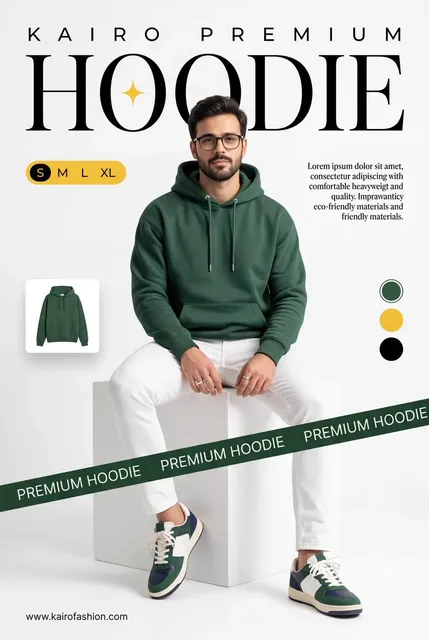
Product images should prioritize accuracy and consistency. Use a neutral background, soft even lighting, and a straight-on or three-quarter view. If the product has a specific color or material, state it explicitly. Example: 'Matte ceramic coffee mug on a light gray seamless background, soft studio lighting, three-quarter view, sharp focus, no props.' AI-generated product images can be useful for concepts and mockups, but final commerce images should be verified against the real product.
Editorial and blog imagery
Editorial images should support the article's argument, not just decorate it. Choose a visual metaphor that matches the topic. For an article about focus, you might prompt for a single lit desk in a dark room. For an article about collaboration, you might show multiple hands arranging colorful notes on a table. Keep the style consistent across a series by reusing the same lighting and color palette.
Storyboards and concept art
Storyboards benefit from consistent characters, environments, and camera language. Create a character sheet prompt first, then reuse the same description in every scene. Describe the shot type and the action. For concept art, allow more stylistic freedom, but keep the world-building details consistent. A simple prompt bible with reusable phrases can save hours across a project.
Common mistakes and how to fix them
Mistakes are normal, especially when you are learning how a model interprets language. The key is to diagnose the problem instead of randomly adding more words.
One common mistake is overstuffing the prompt. When you include too many subjects, styles, and competing moods, the model averages them into a muddy result. Fix it by choosing one main subject and one primary style. Another mistake is using vague quality words like 'beautiful' or 'amazing' without visual direction. Replace them with concrete cues like 'soft morning light' or 'clean minimalist composition.'
A third mistake is ignoring aspect ratio. A prompt designed for a wide cinematic frame may crop poorly in a vertical social format. Specify the format early. A fourth mistake is expecting perfect text inside images. Most image models still struggle with long text. Generate the visual without text, then add typography in a design tool.
Finally, avoid treating the first result as final. Generation is iterative. Save your prompts, note what changed, and build on the versions that work. The difference between a frustrating session and a productive one is often just a structured revision process.
Building a reusable prompt library
A prompt library turns one-off experiments into repeatable assets. Start by creating categories such as portraits, products, landscapes, interiors, abstract backgrounds, and storyboards. Within each category, save prompts that produced strong results, along with the model name, aspect ratio, and any negative guidance.
Include a short note about why the prompt worked. For example: 'This prompt produced consistent soft lighting because it named the light source and time of day.' That note helps you adapt the prompt later. Also save failed prompts with a note about what went wrong. Knowing which phrases cause artifacts is as useful as knowing which phrases create beauty.
Version your prompts like code. Small changes can have large effects. If a prompt is working, duplicate it before experimenting. Use descriptive filenames or tags so you can find prompts by subject, mood, or client. Over time, your library becomes a creative asset that speeds up every new project.
Ethical, legal, and brand-safety considerations
AI image generation raises practical questions about ownership, likeness, and disclosure. Always check the terms of the tool you use and the laws that apply to your region. Avoid prompting for real people's likenesses without permission. Avoid copying a living artist's style too closely, especially for commercial work. If an image will be used in advertising, make sure it does not imply a false endorsement.
Brand safety matters too. Generated images can include unintended symbols, stereotypes, or cultural references. Review images carefully before publishing. If you are creating content for a global audience, test the visuals with people from different backgrounds. A prompt that seems neutral to you may carry associations you did not intend.
Document your process. Keep records of prompts, model versions, and edits. This helps with internal review, client approval, and troubleshooting if an image needs to be recreated. Transparency builds trust, especially when AI is part of a public-facing campaign.
FAQ
Do I need a prompt generator to create good AI images? No, but it helps you move faster and avoid blank-page syndrome. Experienced users often write prompts manually, while beginners benefit from structured suggestions.
How long should an image prompt be? Most strong prompts are between fifteen and sixty words. Longer prompts can work, but every word should add useful information. If a phrase does not change the image, remove it.
Should I use the same prompt across different models? Start with the same core idea, then adjust for each model's strengths. Video models need motion cues; diffusion models often need more style and lighting detail.
How do I stop AI images from looking generic? Add specific, personal details. Instead of 'a modern office,' describe 'a small office with a walnut desk, a half-finished crossword, and late afternoon light through half-closed blinds.' Specificity creates character.
Can I use AI-generated images commercially? That depends on the tool's license and your local laws. Review the terms of service and consult legal advice for high-stakes commercial use. Keep documentation of your prompts and edits.
What is the fastest way to improve my prompts? Change one variable at a time and compare results. Learn the vocabulary of light, lens, composition, and style. Save what works. A structured feedback loop beats memorizing magic words.
Turning prompts into a reliable creative system
An AI image prompt generator is most valuable when it becomes part of a larger system. That system includes a clear creative brief, a structured prompt format, controlled iteration, a review checklist, and a searchable prompt library. The generator accelerates the starting point, but your judgment determines the final quality.
Start with one project and one repeatable workflow. Define the goal, build a base prompt, generate a small set of variations, and refine the strongest result. As you practice, you will develop an instinct for which words matter and which models respond best to your style. The goal is not to replace human creativity. The goal is to make technical execution faster so you can spend more time on ideas, storytelling, and the details that make an image memorable.

Alexander
More Blogs
Read MoreVidu Q4 Alternatives: 4K AI Video Models Compared (2026)
Vidu Q4 alternatives compared: Kling 4.0, Seedance 2.5, Wan 3.0, and Runway Gen-4 — 4K support, input modes, durations, audio, and what each costs in credits on Domer.
Top 4K AI Image Generators in 2026: 5 Models Compared on Real Costs
The top 4K AI image generators on Domer compared: Flux 3 Klein, Nano Banana 2.1, GPT Image 2.5, GPT Image 2, and Nano Banana Pro — 4K credit costs, reference limits, and speed.
Nano Banana 2.1 vs GPT Image 2.5: Which Image Model Should You Use? (2026)
Nano Banana 2.1 vs GPT Image 2.5 Flare compared: credit costs per resolution, aspect ratios, reference images, text rendering, and which tasks fit each model.