

Affiliazione
Inizia Gratis Ora
AI Image to Animation: Build Animated Graphics That Move
Oct 15, 2026
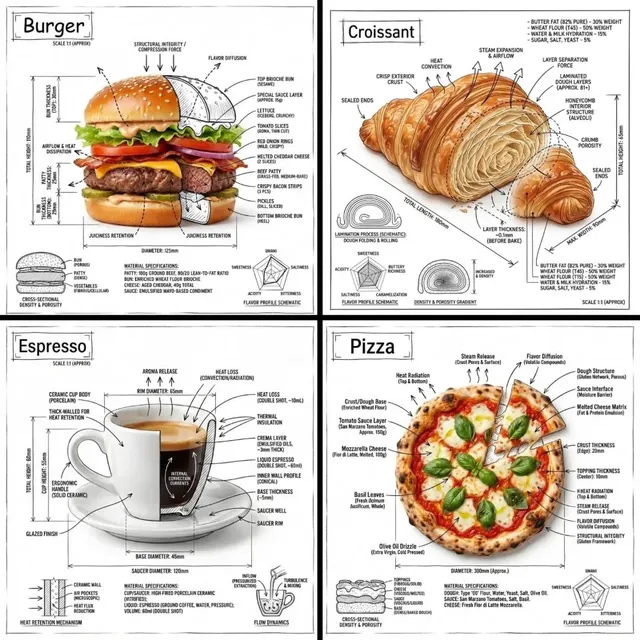

Why Static Images Keep Losing the Attention Battle
A well-shot photograph can carry a product page, a pitch deck, or a social post. What it cannot do is hold a viewer for eight seconds in a feed built on movement. That gap is exactly where image-to-animation tools earn their place. You already have the composition, the lighting, and the subject. The animation layer only needs to add believable motion — a slow push-in, drifting steam, hair moving in wind, a camera arc around a still-life arrangement.
The appeal is not novelty. It is leverage. Generating motion from existing imagery reuses art direction you already paid for, keeps brand visuals consistent across formats, and shortens the distance between a concept board and a finished clip. A designer who can take one hero still and produce a six-second animated variant is worth more than a designer who must re-render an entire 3D scene to get the same result.
This guide walks through the mechanics of image-to-animation, how to choose an approach for a given project, a repeatable generation workflow, prompting patterns, and the mistakes that waste the most render time. It is written for people who need finished clips, not people who want to read research papers.
How Image-to-Video Systems Actually Work
Under the interface, most modern image-to-animation pipelines share three layers: a visual prior, a motion prior, and a temporal reconciler. Understanding them loosely is enough to diagnose most failures.
The visual prior: diffusion and generative backbones
The first layer understands what the image contains. Diffusion-based backbones dominate here because they produce high-fidelity frames and respond well to text conditioning. In practice, the model encodes your still image into a latent representation, then denoises new frames that stay close to that representation. The closer the model stays to the original image, the more faithful the result — and the less dramatic the motion tends to be.
The motion prior: what actually tells the model to move
Motion comes from conditioning signals layered on top of the visual prior. These include text descriptions of movement, optical-flow estimates derived from reference clips, camera trajectory parameters, and depth cues inferred from the still. A model does not "know" that a flag should ripple; it learns associations between visual patterns and motion patterns from training data. That is why specific, physical language outperforms vague adjectives.
The temporal reconciler: coherence, flicker, and identity drift
The final layer enforces consistency across frames. This is where most visible artifacts originate. Flicker happens when the model makes slightly different guesses about texture on each frame. Identity drift happens when facial features or logo shapes morph as the sequence lengthens. Object popping happens when occluded areas are invented inconsistently.
Three practical rules follow from this. Shorter clips drift less. Motion that stays within the frame's own geometry distorts less. And any element carrying brand meaning — a face, a logo, a label — deserves a manual review pass before delivery.
Choosing the Right Approach for Your Project
Not every still should become a video. Before generating anything, classify the shot.
Subtle motion versus full scene animation
Subtle motion includes parallax, drifting particles, breathing light, and gentle camera float. It is fast, low-risk, and works for almost any image. Full scene animation includes walking figures, changing weather, or new objects entering frame. It looks impressive but demands stronger source quality and more attempts.
A useful rule: if the source image already implies motion (a runner mid-stride, a wave breaking), amplify it. If the source image is a flat product shot, keep the motion to camera and light.
Camera moves versus subject motion
Camera moves are the safest way to add life. A slow dolly, a slight orbit, or a vertical tilt reads as production value without altering the subject. Subject motion is riskier but more emotionally engaging. Combine them only when the source image supports both — otherwise the model spends its capacity resolving conflicting instructions.
Duration and shot economy
Most image-to-animation clips degrade past six to ten seconds. Plan for short shots stitched together rather than one long sequence. Three four-second shots usually beat one twelve-second shot, and they give an editor more flexibility in pacing.
A Repeatable Generation Workflow
This is the sequence that produces consistent results across tools.
Step 1: Prepare the source image
Resolution matters, but cleanliness matters more. Fix banding, remove compression artifacts, and clean up edges before generation. If the shot needs an isolated subject, cut the background first and composite a controlled backdrop — models handle clean silhouettes far better than cluttered ones. Keep a high-resolution master and work from a copy.
Step 2: Write a motion-first prompt
Describe movement, not content. The model already sees the content. Phrases like "slow camera push-in, soft parallax between foreground and background, gentle light shift from left to right" give the temporal layer something concrete to execute. Avoid stacking five unrelated motions; two or three coordinated ones produce cleaner output.
Step 3: Set motion strength and camera parameters
Most interfaces expose a motion intensity slider, a camera control block, and sometimes a seed field. Start at low-to-medium intensity. High values introduce warping in faces and text. Lock a seed once you find a motion pattern you like, then adjust one variable at a time so you can attribute improvements.
Step 4: Generate in short passes
Generate four to six seconds at a time rather than pushing maximum duration. If a sequence works, extend by generating a follow-on clip from the final frame. This chaining approach keeps coherence because each new clip inherits a real frame instead of extrapolating from a compressed latent.
Step 5: Finish outside the generator
Generated clips rarely ship untouched. Run frame interpolation to smooth motion, then upscale to delivery resolution. Stabilize if the camera path wobbles. Color grade last so all shots share a consistent look. Add motion blur in post if the generator produced unnaturally crisp movement.
Prompting Patterns That Improve Results
Prompting for video is a different discipline from prompting for stills. These patterns consistently raise hit rates.
Motion verbs over motion adjectives. "Steam rises and curls to the left" beats "atmospheric steam." Verbs specify direction, and direction is what the temporal layer needs.
Anchor the camera explicitly. State whether the camera is static, handheld, or on a slider. Ambiguity here produces the floaty, drifting look that reads as amateur.
Describe only what changes. Listing static elements again can cause the model to redraw them and introduce shimmer.
Use physical comparisons. "Fabric moves like it is hanging on a clothesline in a light breeze" communicates amplitude and rhythm better than "fabric moves slightly."
Keep a prompt template. Save a base string you reuse: subject-scoped motion, camera behavior, lighting behavior, atmosphere behavior. Changing one clause at a time makes iteration systematic instead of random.
Common Mistakes and How to Fix Them
Warping faces and hands
Cause: too much motion intensity on a subject with fine detail. Fix: reduce intensity, shorten the clip, or restrict animation to the camera layer. For portrait work, treat generation as the first pass and plan a cleanup step.
Flickering textures and noise crawl
Cause: per-frame inconsistency in detailed regions such as foliage, sand, or knitted fabrics. Fix: lower the frame-to-frame variation setting if available, add a subtle denoise pass, and avoid shoving a complex texture through aggressive motion.
Melting geometry and rubbery edges
Cause: the model trying to invent occluded areas. Fix: choose camera paths that do not reveal new angles. If a move requires revealing hidden geometry, you need a 3D approach, not an image-to-video one.
Text and logos breaking apart
Cause: generative models treat lettering as texture. Fix: animate a plate without the text, then composite crisp vector text over the final clip in an editor. This is faster and always correct.
Over-motion that distracts from the message
The most common failure is not technical. If the movement pulls attention away from the copy or the product, the clip is worse than the still. Halve the motion and check whether the shot still feels alive.
Style Transfer, Multi-Image Fusion, and Advanced Controls
Once the basics are reliable, these techniques extend the range of what you can produce.
Style transfer applies the visual language of one reference to the motion of another. Useful for matching a generated clip to an existing brand look or a live-action campaign. Be careful with heavy stylization: it hides artifacts but also erases the photographic detail that made the source appealing.
Multi-image fusion introduces additional references — a second angle, a texture plate, a character sheet — to guide consistency across several shots. This is the most practical route to a coherent mini-sequence built from stills.
Depth and mask controls let you separate foreground and background so they move at different rates. Parallax created this way reads as genuine camera motion rather than a sliding image.
Keyframe and trajectory controls allow you to define start and end states and let the model interpolate. This is where image-to-animation starts behaving like traditional animation, and it is worth learning if you produce repeatable shot types.
A Production Checklist for Teams
Working alone, you can improvise. Working as a team, you need a checklist. Before publishing any generated clip, confirm:
- Source image is artifact-free and at sufficient resolution for the delivery format.
- Motion serves the message rather than demonstrating the tool.
- Clip length is the shortest that communicates the idea.
- Faces, hands, text, and logos have been inspected frame by frame at full size.
- Camera motion is intentional and consistent with adjacent shots.
- Frame rate, aspect ratio, and color space match the rest of the project.
- A quiet, low-motion version exists as a fallback for accessibility and bandwidth.
- Prompt, seed, and settings are logged so the shot can be regenerated.
That last point is underrated. Reproducibility turns a lucky render into a production asset. When a client asks for the same look on a new photo six weeks later, your log is the difference between an hour of work and a day of guessing.
Where Image-to-Animation Fits in a Broader Pipeline
Treat generation as one station on an assembly line, not the whole factory. Concept and art direction come first. Then image preparation, generation, selection, cleanup, compositing, sound, and delivery.
In advertising and e-commerce, the highest-value use is volume: one hero still becomes a dozen animated variants for different placements, each with adjusted crop and pacing. In editorial and explainer content, the value is emphasis — animating only the diagram or map that carries the argument while everything else stays still. In social content, the value is cadence: fast, short, low-motion clips that survive compression and autoplay.
Know the boundary too. Image-to-animation is poor at complex choreography, precise physical interaction, and anything requiring consistent multi-character performance over long durations. If your storyboard needs a chase sequence, you need a different toolset. Choosing the wrong technique is the most expensive mistake in generative video.
FAQ
How long should a generated clip be?
Four to six seconds is the reliable sweet spot. Extend by chaining follow-on clips from the last frame rather than requesting a single long render.
Can I animate a low-resolution image?
You can, but artifacts amplify with motion. Upscale carefully first, and keep the camera move minimal.
Do I need a text prompt if I already have a good image?
Yes. The image defines content; the prompt defines motion. Without one, the model invents motion at random.
Why do faces look wrong after a few seconds?
Accumulating identity drift. Shorten the clip, lower motion intensity, or generate a clean base and apply motion to everything except the face.
Is it better to generate one long shot or several short ones?
Several short ones. They are easier to fix, easier to cut, and drift far less.
Can generated clips be used commercially?
That depends on the tool's terms and the source image rights. Confirm licensing for both the model and the underlying photo before publishing.
What is the fastest way to improve output quality?
Clean the source image, describe motion with verbs, and lower the motion intensity. Those three changes fix the majority of disappointing results.
Final Takeaway
The technology behind image-to-animation is impressive, but the skill that matters is editorial: deciding what should move, how much, and for how long. Treat every still as a storyboard frame, write motion like a director rather than a poet, generate in short passes, and finish outside the generator. Do that consistently and static imagery stops being a limitation — it becomes raw footage.

Alexander
More Blogs
Read MoreVidu Q4 Alternatives: 4K AI Video Models Compared (2026)
Vidu Q4 alternatives compared: Kling 4.0, Seedance 2.5, Wan 3.0, and Runway Gen-4 — 4K support, input modes, durations, audio, and what each costs in credits on Domer.
Top 4K AI Image Generators in 2026: 5 Models Compared on Real Costs
The top 4K AI image generators on Domer compared: Flux 3 Klein, Nano Banana 2.1, GPT Image 2.5, GPT Image 2, and Nano Banana Pro — 4K credit costs, reference limits, and speed.
Nano Banana 2.1 vs GPT Image 2.5: Which Image Model Should You Use? (2026)
Nano Banana 2.1 vs GPT Image 2.5 Flare compared: credit costs per resolution, aspect ratios, reference images, text rendering, and which tasks fit each model.