

Affiliazione
Inizia Gratis Ora
AI Image to Anime Video: A Practical Creation Workflow
Oct 15, 2026

Why Anime Works Well with AI Video
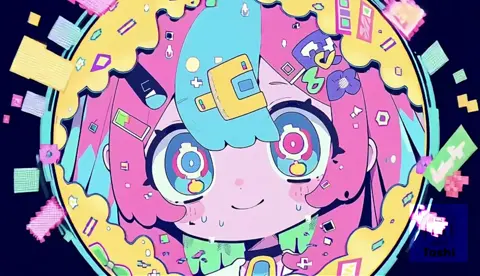
Anime has a visual grammar that AI video tools handle surprisingly well. Strong silhouettes, clean line work, symbolic backgrounds, exaggerated expressions, and stylized motion are patterns that image and video models can learn. Unlike photoreal footage, anime does not demand perfect skin texture or physically accurate lighting in every frame. It rewards clarity, rhythm, and intentional imperfection. That makes it a practical starting point for creators who want to turn still images into moving scenes without building a full animation team.
The workflow is not a single button. The strongest results come from splitting the job into stages: concept, keyframe generation, motion generation, cleanup, sound, and edit. Each stage answers a different question. Concept decides what the scene means. Keyframes decide how it looks. Motion decides how it feels. Cleanup protects the illusion. Sound and edit decide whether the audience believes it.
This guide lays out a repeatable pipeline for converting AI-generated anime images into short animated sequences. It covers tool choices, prompt structure, temporal consistency, common failure modes, and a step-by-step production loop. The goal is not to replace animators. The goal is to give writers, solo creators, small studios, and social video teams a way to prototype anime scenes quickly and then refine the parts that matter most.
The Core Pipeline: From Still Image to Anime Motion
Every anime shot moves through a chain of decisions. In an AI workflow, that chain is compressed, but it does not disappear. If you skip a stage, the final video usually exposes the gap.
Define the shot before generating
Start with a shot card, not a prompt. A shot card describes the subject, action, setting, camera, mood, and duration. For example: a swordsman stands on a rooftop at dusk, turns toward the city, cape lifts in the wind, camera slowly pushes in, bittersweet mood, four seconds. That card guides every later choice. Without it, you will generate attractive images that cannot be animated together.
Prepare character sheets and keyframes
Anime relies on recognizable characters. Create a character sheet with front, side, and three-quarter views, plus color notes for hair, eyes, uniform, and props. Then generate keyframes that match the sheet. Keyframes are the anchor images you will animate. A good keyframe has clear separation between foreground, subject, and background. It also leaves room for motion: a character should not be cropped so tightly that the head cannot turn.
Build a motion prompt that respects anime logic
Motion prompts should describe change over time, not just content. Instead of beautiful anime girl, write slow hair drift, subtle shoulder rise, blinking eyes, camera dolly left, background clouds moving right. Anime motion is often selective. Backgrounds may slide past while the character stays locked. Speed lines may appear for a single beat. A cape may snap rather than flutter realistically. Your prompt should choose two or three motion ideas and commit to them.
Choosing Tools for Keyframes, Motion, and Cleanup
No single tool wins every stage. A practical stack uses different generators for images, motion, and cleanup.
Image tools for anime key art
Text-to-image models are the fastest way to explore character design, lighting, and composition. Models fine-tuned on anime data often produce cleaner line art and more consistent faces than general-purpose models. Tools that support reference images, ControlNet, IP-Adapter, or LoRA adapters are especially useful because they let you lock in a character or pose. For keyframes, generate at the highest resolution you can afford, then downscale for the video model if needed.
Video tools for image-to-motion
Image-to-video tools take a still frame and add movement. Some are better at subtle character acting, while others excel at camera moves and environmental motion. Look for controls such as motion strength, camera direction, seed locking, and reference conditioning. Short clips of two to five seconds are easier to control than long clips. You can always extend a shot by generating overlapping beats and editing them together.
Upscaling and cleanup tools
AI video often introduces warping around hands, eyes, hair edges, and complex patterns. Cleanup tools help. Frame interpolation can smooth motion, but it can also create ghosting, so use it carefully. Upscalers can restore line clarity. A raster editor or compositing tool is useful for painting over broken frames, stabilizing a shot, or adding effects like lens flares, rain, and speed lines. If you plan to cut between shots, keep a consistent grain and color treatment across the sequence.
Prompting Anime Motion: Camera, Acting, and Effects
Prompting for anime video is different from prompting for anime images. You are describing a performance, not a portrait.
Camera language
Camera terms have a strong effect. Push in creates intimacy. Pull out reveals context. Pan follows action. Tilt shows height or vulnerability. Tracking shot follows a character through space. Orbit circles the subject. Handheld adds tension. In anime, camera moves are often bold and theatrical. A slow push-in on a silent character can be more powerful than a complicated fight sequence.
Character acting and micro-expression
Micro-expressions sell emotion. Ask for a slight eyebrow raise, a tiny smile, a narrowing of the eyes, a quick inhale, or a hand tightening around a sword hilt. These small changes are more convincing than broad emotional labels like angry or happy. If the tool struggles with faces, generate the expression in the keyframe and animate only the body or camera.
Effects, speed lines, and stylized physics
Anime effects are symbolic. Wind can appear as curved lines. Impact can appear as a white flash and radial lines. Rain can be rendered as diagonal streaks. Fire can be flat shapes with hard edges. Prompt these effects explicitly: anime speed lines, impact frame, motion blur, cel-shaded fire, dramatic wind streaks. Keep effects brief. A single impact frame or two seconds of speed lines is usually enough.
Temporal Consistency: The Skill That Sells the Illusion
Temporal consistency means the character, background, and props remain believable from frame to frame. It is the hardest part of AI animation and the main reason amateur results look uncanny.
Character identity anchors
Use the same seed, reference image, and character description across all shots. If the tool supports character reference, use it. Keep hair color, eye color, clothing details, and silhouette consistent. Avoid changing the camera angle too drastically between beats unless you regenerate the keyframe from the same character sheet. When a face warps, replace that segment with a new generation rather than trying to fix every frame.
Background and prop continuity
Backgrounds drift easily. A building may change shape, a tree may move, or a sword may switch hands. Lock the background by generating it as a separate plate and compositing the character over it. If the character must move through the scene, use a parallax approach: animate the background layer slowly and the character layer separately. Props should be simple and clearly described. Complex jewelry, patterned clothing, and detailed weapons are more likely to flicker.
Handling cuts and transitions
Not every movement needs to happen inside one clip. You can cut between keyframes the way traditional animation cuts between poses. A cut on action hides imperfections. A cut to a reaction shot resets consistency. A cut to an environment insert gives the viewer a breather and covers a weak transition. Use cuts deliberately. A sequence of four short, stable clips often feels more professional than one long, drifting clip.
A Practical Step-by-Step Anime Scene Workflow
Here is a production loop you can adapt for a short scene, a music video, or a social clip.
Step 1: Write a shot list, not a script
Convert your idea into a list of shots. Each shot should have one primary action and one camera idea. For a thirty-second scene, aim for six to ten shots. Include inserts: a hand on a railing, a bird taking off, a flickering sign. Inserts are easy to animate and add atmosphere.
Step 2: Generate keyframes in matched style
Generate several keyframes per shot. Choose the one with the clearest silhouette and the most stable face. Apply the same style prompt across the project: anime key visual, clean line art, cel shading, cinematic lighting, limited color palette. If you use a style reference, keep it consistent. Do not mix a soft watercolor look with hard mecha lines unless that contrast is intentional.
Step 3: Animate in short beats
Import each keyframe into an image-to-video tool. Generate two to four seconds. Use low motion strength for dialogue and emotion, medium motion for walking and turning, and higher motion for action. Review the clip at full speed and frame by frame. Look for face warps, extra fingers, melting backgrounds, and sudden lighting shifts. Regenerate the beat if the first second is broken; viewers forgive a weak ending more than a weak opening.
Step 4: Assemble, retime, and sound-design
Bring the clips into an editor. Trim to the strongest moments. Retime shots for rhythm. Add sound effects: footsteps, wind, cloth movement, sword clashes, room tone. Add music that matches the emotional beat. Sound design does enormous work in anime. A simple shot of a character turning can feel epic with the right whoosh and string swell. Add titles, subtitles, and color grading last.
Common Mistakes and How to Fix Them
AI anime workflows fail in predictable ways. Knowing the failure modes saves hours.
Mistake: generating a beautiful image that cannot move
Some images are too busy. Intricate patterns, overlapping characters, and unclear depth confuse the video model. Fix it by simplifying the composition. Reduce the number of characters, separate the subject from the background, and avoid extreme close-ups where the face fills the entire frame.
Mistake: asking for too much motion
When you ask for running, fighting, hair blowing, camera orbiting, and rain all at once, the model averages everything into mush. Fix it by choosing one dominant motion and one secondary motion. Let the edit create complexity across multiple shots.
Mistake: ignoring frame rate and timing
Anime often uses limited animation. It holds poses, then moves quickly. AI video tends to produce continuous, even motion. You can mimic limited animation in the edit by holding frames, adding step frames, or lowering the frame rate for action beats. Do not assume the generator must produce the final timing.
Mistake: inconsistent color and grain
Each generation may have slightly different contrast, saturation, and noise. Fix it with a color pass. Apply a shared LUT, match black levels, and add subtle grain. Consistency in post makes the AI origin less visible.
Mistake: over-relying on the first result
The first generation is a draft. The best workflow generates three to five variations per beat, selects the strongest, and rebuilds weak sections. Treat the tool as a fast sketch artist, not a vending machine.
Frequently Asked Questions
Can AI turn any image into anime animation?
Not every image. Clear subject separation, simple backgrounds, and visible space for motion work best. Photographs can be stylized first, then animated. Complex group shots and extreme close-ups are harder.
How long should each AI anime clip be?
Two to four seconds is a practical starting point. Shorter clips are easier to control and hide inconsistencies. You can extend a shot by generating overlapping beats or by using a cut to a new angle.
Do I need to draw to make anime with AI?
Drawing helps with character sheets and corrections, but it is not mandatory. You can use reference images, describe characters in detail, and iterate. Basic editing skills matter more than traditional animation training for short projects.
Why do faces warp in AI video?
Faces contain many small features that change quickly. When the model lacks a strong identity reference or the motion is too large, it guesses. Use lower motion strength, keep the face at a moderate size, and regenerate broken segments.
How do I keep a character consistent across shots?
Create a character sheet. Use the same seed and reference image. Keep clothing and hair descriptions identical. Avoid extreme angle changes without a new reference. In post, you can also use color matching and subtle overlays to unify shots.
Is AI animation ready for full episodes?
For long-form, AI works best as an assistant: previsualization, background generation, in-between assistance, and rough animation. A full episode still benefits from human direction, cleanup, timing, and sound design. Use AI to accelerate exploration and repetitive tasks, not to replace every creative decision.
Final Thoughts: Direct the Tool, Do Not Just Prompt It
The most successful AI anime workflows borrow from traditional production. They start with a shot list, build a character reference, choose a visual style, animate in short beats, and finish in the edit. The AI handles variation and speed. The creator handles intention and rhythm.
If you are new to the process, begin with a single four-second shot. Generate three keyframes, animate each one, and cut them together with sound. Study what breaks. Then expand to a ten-shot scene. Over time, you will develop a personal pipeline: preferred image model, motion settings, cleanup routine, and sound palette. That pipeline is more valuable than any single tool because it turns unpredictable generation into a repeatable craft.
Anime is built on exaggeration, emotion, and selective detail. AI video can support all three when it is guided carefully. Keep the motion focused, the character consistent, and the edit purposeful. The result will not look like a machine made it. It will look like you directed it.

Alexander
More Blogs
Read MoreVidu Q4 Alternatives: 4K AI Video Models Compared (2026)
Vidu Q4 alternatives compared: Kling 4.0, Seedance 2.5, Wan 3.0, and Runway Gen-4 — 4K support, input modes, durations, audio, and what each costs in credits on Domer.
Top 4K AI Image Generators in 2026: 5 Models Compared on Real Costs
The top 4K AI image generators on Domer compared: Flux 3 Klein, Nano Banana 2.1, GPT Image 2.5, GPT Image 2, and Nano Banana Pro — 4K credit costs, reference limits, and speed.
Nano Banana 2.1 vs GPT Image 2.5: Which Image Model Should You Use? (2026)
Nano Banana 2.1 vs GPT Image 2.5 Flare compared: credit costs per resolution, aspect ratios, reference images, text rendering, and which tasks fit each model.