
Crea
Affiliazione
Inizia Gratis Ora
How AI Tools Create Personalized Video Ads at Scale for Brands
Oct 15, 2026

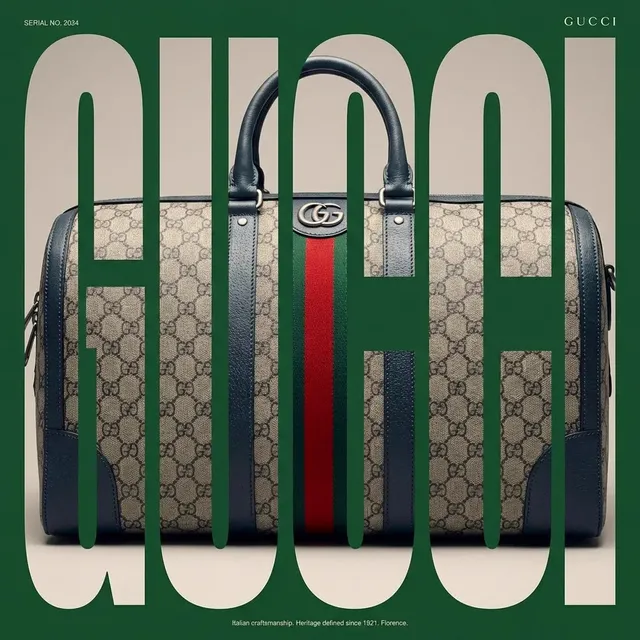

Why Personalized Video Ads Became a Production Problem
Not long ago, a brand could shoot one strong commercial, cut three versions for different placements, and call that a quarter of video advertising. That model has collapsed. Feed-based platforms reward novelty, performance teams want dozens of hooks to test, and audiences expect creative that reflects their language, region, device, and buying stage. A single campaign can now require hundreds of short videos, each with its own opening frame, offer, and call to action.
The bottleneck is rarely the idea. It is the production math. Shoots, editing, and localization cost too much per variant to justify testing narrow segments, so teams default to broad creative and hope the algorithm finds the right viewer. AI video generation changes that equation. When a variant can be produced from a structured prompt plus a set of approved brand assets, the marginal cost of the twentieth version approaches the marginal cost of the second.
That shift does not remove craft. It moves human effort up the stack: from cutting clips to designing the system that produces them, defining brand rules, and judging results. Teams that treat AI as a button they press get generic output. Teams that treat it as infrastructure get a repeatable pipeline. The rest of this guide covers how that pipeline is structured, where the real decisions live, and how to avoid the mistakes that make AI-driven ads feel cheap.
How an AI Video Ad Pipeline Is Structured
A reliable AI ad pipeline has four layers, and confusion between them causes most failed projects. Keeping them separate lets you swap tools without rebuilding your whole operation.
The brief layer
This is where human judgment concentrates. Who is the audience? What is the single message? What is the offer, the proof, and the desired action? A brief that reads like a paragraph of vibes will produce vague video. A brief that reads like a table of variables will produce testable creative.
The generation layer
This covers the models that turn text or reference images into shots, voices, and music. Some models excel at photoreal product shots, others at stylized motion or talking presenters. Most serious teams use more than one and route each shot to the model that handles it best.
The assembly layer
Generated clips are raw material, not finished ads. Assembly is where you combine shots, add captions, brand marks, end cards, pricing, and calls to action. This layer is usually template-driven, which is what makes hundreds of variants manageable.
The delivery layer
Distribution includes naming conventions, aspect ratios, platform specs, tracking parameters, and the ad accounts where variants go live. If your naming convention is inconsistent, your performance data becomes unreadable and the whole experiment loses its point.
Step 1: Define Audience Segments and Creative Variables
Personalization only works when you decide what actually varies. Beginners try to vary everything at once, which produces noise instead of signal. Experienced teams pick a small number of variables and hold everything else constant.
The most useful starting variables are usually: hook (the first three seconds), proof point (review, demo, statistic, comparison), visual world (studio, street, home, office), presenter or narrator (if any), language and voice, offer framing (discount, trial, bundle, urgency), and call to action. Pick two or three to test in a first round, then expand.
Write these as a matrix before you generate anything. A simple spreadsheet with one row per variant and one column per variable forces clarity and prevents duplication. It also gives you a checklist for QA later, because every asset can be traced back to the exact combination it was supposed to represent. Segments should be defined by something you can actually act on, such as language market, customer type, or product interest, rather than by vague personas that never map to a media plan.
Step 2: Build a Reusable Brand and Asset Kit
AI models generate faster when they are not guessing. A brand kit is the difference between ten usable clips and a hundred unusable ones. Assemble it once, then reuse it across every campaign.
The kit typically includes: a logo with clear space rules, two or three brand colors with hex values, approved typography, recurring transitions or motion cues, a music direction note, product photography with clean backgrounds, reference frames for lighting and composition, and a written style sentence that describes the aesthetic in plain language. That style sentence matters more than people expect. Something like soft daylight, muted palette, slow camera drift, minimal props does more work than a folder of adjectives.
Also build a negative list. Words and concepts you never want the model to introduce: competitor logos, unrealistic claims, alcohol or gambling references if those are restricted for your brand, cluttered backgrounds, or specific camera moves that look dated. Feeding both a positive and a negative list into every generation request keeps output consistent and reduces review time dramatically.
Step 3: Generate Variants from Structured Prompts
Prompt-to-video is the core capability that makes personalized advertising practical. Instead of describing a whole ad, you describe one shot at a time and let the model handle motion, lighting, and consistency. Structured prompts follow a predictable order: subject, action, environment, camera, lighting, style, and technical constraints such as aspect ratio and duration.
For example, a product ad for a plant nutrition brand might use a base shot description: close-up of hands pouring a scoop of powder into a glass pitcher, bright kitchen counter, morning light, shallow depth of field, slow push-in, clean and airy style, vertical format, four seconds. From that base, you generate hook variants by changing only the opening moment, or visual-world variants by changing the environment to a balcony garden or a farm shop.
Consistency is the hard part. Characters, products, and lighting need to survive across shots and across variants. Reference-image workflows, character locking, and style presets all help. When a model drifts, tighten the reference material rather than adding more adjectives. In practice, teams that lock a small set of reference frames early spend far less time regenerating than teams that chase prompts.
Step 4: Assemble, Edit, and Localize at Scale
Generated clips need a template. A template defines where the hook sits, when the product appears, where captions live, how the end card is structured, and how long each beat lasts. Once a template works, a variant becomes a data fill rather than a creative rebuild.
Most modern assembly tools handle this with a combination of generative video, automated captioning, voice synthesis, and template rendering. Captions should be burned in for social placements and delivered as separate files for broadcast or web. Aspect ratios should be generated from a single master composition wherever possible, so the vertical cut and the square cut share the same timing and message.
Localization is where AI becomes genuinely transformative. Translating a script, regenerating a voice track in the target language, and adjusting captions used to take days per market. With voice synthesis and text-to-video generation, the same visual template can serve six languages in an afternoon, provided you have native speakers review the output for tone and idiom. Machine translation reads fine until it lands on a pun, a legal claim, or a cultural reference, and that is exactly where a reviewer earns their time.
Step 5: Review, QA, and Brand Safety
Speed is worthless if the output embarrasses the brand. A short, disciplined review pass catches nearly everything. Check faces and hands first, since those are the most common artifacts. Check text rendering, because models frequently garble on-screen words and logos. Check claims, pricing, disclaimers, and legal language against an approved source of truth.
Then check the less obvious things: does the pacing match the placement? Is the hook legible without sound? Does the voice pronunciation match the market? Is the product the current version? Does the end card carry the correct call to action and landing page?
Keep a rejection log. Every time a clip fails review, note the reason in one line. After a few weeks you will see patterns, and most of them can be fixed upstream in prompts, references, or templates rather than by regenerating endlessly. This log is also the fastest way to onboard new team members, because it captures institutional knowledge that would otherwise stay in someone's head.
Tool Categories and Selection Criteria
AI video tooling has converged into a few recognizable categories. Knowing which one you actually need prevents overspending and tool sprawl.
- Text-to-video generators for creating shots that never existed: useful for abstract sequences, stylized worlds, and b-roll that is expensive to film.
- Image-to-video and reference-driven tools for animating approved product photography or keeping a character consistent across shots.
- Presenter and avatar tools for talking-head explainers, localized spokespeople, and rapid script variations.
- Voice and music tools for narration in multiple languages, timing adjustments, and royalty-free scoring.
- Template and assembly tools that turn raw clips into finished, captioned, branded ads at volume.
When evaluating any of them, score against real criteria rather than demo reels. Can it maintain a character or product across multiple shots? Does it respect aspect ratio and duration constraints? How long does a revision take? Can it output files your editing pipeline accepts? What are the commercial usage terms for generated footage? How does output quality hold up on a small phone screen, which is where the ad will actually be seen? A tool that looks impressive on a monitor but falls apart at 1080x1920 is not ready for paid media.
Common Mistakes, Measurement, and Iteration
Mistake: generating before deciding
Producing fifty clips without a hypothesis wastes budget and teaches nothing. Decide what you are testing, and how you will know whether it worked, before the first prompt is written.
Mistake: ignoring the first second
Most AI ad failures are hook failures. If the opening frame is generic, the rest of the ad never gets watched. Generate multiple openings for the same body and test them as the primary variable.
Mistake: no naming discipline
If variant names do not encode segment, hook, and language, your reporting becomes guesswork. Establish a naming convention on day one and enforce it.
Mistake: over-personalizing into creepiness
Personalization works best when it reflects context, language, and interest rather than surveillance. Ads that feel invasive hurt brand perception even when they lift short-term clicks.
On measurement, focus on a small set of metrics that map to your goal: hook retention, completion rate, click-through rate, cost per acquisition, and incremental lift where you can measure it. Avoid optimizing toward a single vanity metric, because AI makes it easy to overfit to whatever number you stare at.
Iteration should be systematic. Each cycle, keep the winning template, replace the weakest variable, and regenerate only what changed. Over months, this compounds into a library of proven hooks, visual worlds, and offers that new campaigns can draw from immediately instead of starting from a blank prompt.
Frequently Asked Questions
Do AI-generated ads perform as well as filmed ones?
For performance marketing, they often match or beat filmed creative because teams can test far more angles. For brand films and high-emotion storytelling, filmed footage still tends to win. Many teams use AI for volume and testing, then invest in production for the messages that prove out.
How many variants should I test at once?
Start with eight to twelve per audience segment. Fewer makes it hard to learn anything; hundreds at the start creates noise and review overload. Scale once you know which variables matter.
How do I keep a product looking consistent across shots?
Use reference images, lock a small set of approved frames, and generate from those references rather than from text alone. Review product shots first, since they carry the most commercial risk.
What about legal and disclosure requirements?
Rules vary by market and platform, and they change. Check current guidance for your channels, keep records of how assets were produced, and avoid implying that real footage was filmed when it was generated.
Can small teams realistically run this workflow?
Yes. A two-person team with a solid brand kit, one template, and three prompt variants can produce a week of testable creative in a few hours. The constraint is usually review capacity, not generation speed.
Where should I start tomorrow?
Write one brief, define three variables, build a ten-item asset kit, and generate twelve variants of a single template. Measure hook retention and click-through, then keep the two best and iterate. That first loop teaches more than any amount of tool comparison.

Alexander
More Blogs
Read MoreVidu Q4 Alternatives: 4K AI Video Models Compared (2026)
Vidu Q4 alternatives compared: Kling 4.0, Seedance 2.5, Wan 3.0, and Runway Gen-4 — 4K support, input modes, durations, audio, and what each costs in credits on Domer.
Top 4K AI Image Generators in 2026: 5 Models Compared on Real Costs
The top 4K AI image generators on Domer compared: Flux 3 Klein, Nano Banana 2.1, GPT Image 2.5, GPT Image 2, and Nano Banana Pro — 4K credit costs, reference limits, and speed.
Nano Banana 2.1 vs GPT Image 2.5: Which Image Model Should You Use? (2026)
Nano Banana 2.1 vs GPT Image 2.5 Flare compared: credit costs per resolution, aspect ratios, reference images, text rendering, and which tasks fit each model.