

Affiliazione
Inizia Gratis Ora
AI Pixar-Style Animation: A Practical Video Workflow Guide
Oct 15, 2026


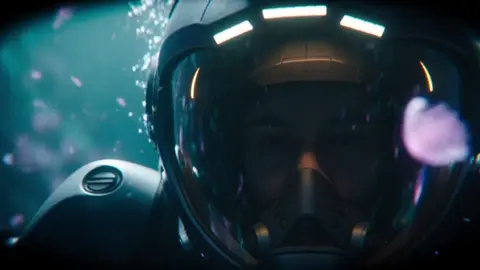
What People Actually Mean by "Pixar-Style" Animation
"Pixar-style" is shorthand, not a technical specification. When a client, a brand team, or a producer asks for it, they are usually describing a cluster of visual decisions: rounded, readable silhouettes; oversized expressive eyes; materials that feel tactile but slightly idealized; warm key lights with soft bounce; and camera work borrowed from live-action cinema rather than flat cartoon staging. None of that comes from a single model or a single prompt. It comes from constraints you apply consistently across every shot in a sequence.
The fastest way to disappoint an audience is to treat the style as a filter. Running footage through a "3D cartoon" preset produces something that reads as plastic and weightless, because the preset changes surface texture without changing proportion, staging, or performance. The illusion depends on those three things far more than on render quality.
The design language
Characters in this style use shape language deliberately. Circles and soft triangles for friendly leads, sharper angles for antagonists, exaggerated head-to-body ratios for younger characters. Props follow the same logic: a lamp is a curve plus a warm glow, not a photorealistic appliance. If you sketch your cast as simple geometric primitives before generating anything, you will save hours of re-rolling later.
The lighting language
Stylized 3D animation rarely uses flat, even light. It uses a strong warm key, a cooler fill, and a rim light that separates the character from the background. Interiors glow. Exteriors have visible sun direction. Shadows are soft but present, and they carry color rather than turning gray.
The motion language
Motion is where most AI output fails. Real animation uses anticipation, overshoot, and settle. A character leans back before stepping forward. A head turn finishes a few frames after the body stops. Generated motion tends to be linear, so you either design shots around stillness or you add motion in post and cut around the weakest frames.
The Technology Stack Behind the Look
Modern stylized animation pipelines mix several model families. Understanding what each one is good at prevents you from asking a text-to-video model to do a job that belongs to an image model.
Image models for keyframes
Image generation is far more controllable than video generation. Use it to lock your look: character sheets, environment plates, and hero keyframes. Because these models accept reference images, you can build a small library of approved frames and reuse them as anchors for every subsequent shot.
Video models for motion
Video models take a starting frame and add movement. The quality of that movement depends heavily on what you hand them. A clean keyframe with a clear subject, uncluttered background, and obvious implied motion direction will animate far better than a busy composition with three competing focal points.
Control layers: depth, pose, and masks
Depth maps and pose skeletons are the most underrated tools in this workflow. Feeding a depth pass tells the model how far objects sit from the camera, which prevents background elements from sliding around. Pose data keeps limbs in believable positions during dialogue shots. Masks let you regenerate one character without touching the rest of the frame.
Upscaling and interpolation
Generate at the resolution your model handles best, then upscale. Interpolation can double frame rates smoothly, but it also smooths out intentional snappy timing, so use it selectively on wide shots rather than on fast action or comedic beats.
Choosing Tools for Each Stage
A practical rule: pick one tool per stage and resist switching mid-project.
Pre-production
You need a script or beat sheet, a mood board, and a style bible. Plain text documents and image boards are enough. Generative chat tools are useful for beat sheets and dialogue polish; image tools handle mood boards and character sheets.
Shot generation
Text-to-video and image-to-video cover most needs. Text-to-video is best for establishing shots and simple action. Image-to-video is best for anything with a recurring character, because it lets you control the starting composition.
Character work
If a character appears in more than four shots, consider training a small style adapter on six to twenty approved images. This is the single biggest quality jump available to a solo creator. Without it, you will spend your time fighting drift.
Post-production
An editor, a color tool, and a sound tool. You do not need a studio-grade suite. A conventional nonlinear editor handles assembly, pacing, titles, and audio. Cutting on the beat hides a surprising amount of model inconsistency.
A Repeatable Seven-Stage Workflow
This sequence works for a thirty to ninety second short. Scale it up by adding shots, not by skipping stages.
Stage 1: Write a beat sheet, not a script
List eight to twelve beats: the character wants something, tries, fails, adjusts, succeeds or loses. Each beat becomes one or two shots. A beat sheet keeps you from generating beautiful footage that has nowhere to go.
Stage 2: Build a style bible
Write down five to eight sentences that define your look, and never change them mid-project. Example: "Soft rounded shapes, oversized eyes, warm amber key light with teal fill, shallow depth of field, gentle film grain, slightly matte materials, no harsh specular highlights." Paste this block into every generation.
Stage 3: Lock character sheets
Create one front view, one three-quarter view, and one expression sheet per character. Approve them before generating any motion. Reusing these images as references is what makes a cast feel like a cast instead of a series of lookalikes.
Stage 4: Generate keyframes before motion
Produce a still for every shot first. Arrange them in a timeline as a storyboard. Fix composition, eyelines, and scale here, where iteration is cheap. Motion generation is where costs and frustration multiply.
Stage 5: Animate shot by shot
Animate the simplest shots first to validate your settings, then the complex ones. Keep shots short, three to five seconds. Long generated shots drift, morph faces, and lose their staging.
Stage 6: Assemble and match
Cut on action and on beat. Where two consecutive shots clash in color or contrast, apply a shared grade. A subtle overall look applied to the whole sequence does more for perceived quality than any single shot.
Stage 7: Sound and finish
Sound design carries stylized animation. Footsteps, cloth movement, a soft room tone, and music that lands on your cuts make rough motion read as intentional. Voice performance matters too: a warm, committed read can rescue an imperfect lip sync.
Prompt Craft for Consistent Stylized 3D
Prompts are less about magic words and more about the same constraints repeated in the same order.
A working prompt structure
Start with shot type, then subject, then action, then style block, then lighting, then camera, then technical notes. For example: "Medium shot, small round robot with large amber eyes and a dented copper body, reaching up toward a shelf, soft stylized 3D animation look, rounded shapes, matte materials, warm key light from the left with cool teal fill, slow dolly in, shallow depth of field, gentle grain." Same order every time keeps outputs comparable.
Negative prompts and failure modes
The recurring failures are extra limbs, warped faces, text artifacts, and photoreal skin. List them explicitly as exclusions. If a specific shot keeps producing the same error, change the shot rather than fighting it: pull the camera back, obscure the hands, or cut away earlier.
Iterating without drifting
Change one variable per generation. If you change the lens, the lighting, and the wording simultaneously, you cannot tell which change helped. Save your best settings in a text file you can paste from.
Solving Character Consistency
Consistency is the difference between an animation and a collection of clips. There are four practical techniques, and they stack.
Reference-driven generation
Feed the model an approved image of the character as the starting frame and describe only the action and camera. This is the foundation. It handles most short projects.
Style adapters and fine-tuning
Six to twenty clean images, consistent lighting and angle variety, produce a lightweight adapter that holds identity across poses. Use it for your lead character only; supporting characters can rely on references.
Cheat with framing
Animation has always hidden limitations with framing. Shoot over shoulders, cut to reactions, use silhouette for transitions, and keep the camera on the character who is speaking. Audiences read these as style, not as shortcuts.
Wardrobe and build diversity
Give each character a distinctive silhouette: a hat, a scarf, a bulky jacket, a different height. Shape differences survive model drift much better than facial differences.
Camera, Staging, and Emotional Timing
The camera should have a reason to move. In stylized animation, movement signals emotion: a slow push for realization, a handheld drift for unease, a quick snap for comedy. Decide the emotion of the beat first, then choose the move.
Eye lines matter more than fidelity. If two characters look at each other correctly, the audience accepts everything else. Keep a consistent screen direction across shots or the geography falls apart.
Timing sells performance. Let a reaction hold two beats longer than feels natural. Cut into action slightly early, and cut out slightly late. Comedy specifically depends on the pause before the punchline, not on the punchline itself.
Common Mistakes That Break the Illusion
- Changing the style block between shots, which creates a sequence that looks like five different films.
- Generating long continuous shots instead of cutting, which exposes morphing and unstable geometry.
- Photoreal texture on stylized shapes, which reads as uncanny rather than charming.
- Flat, even lighting with no key direction, which flattens the whole frame into a sticker.
- Ignoring sound design; silent stylized animation feels like a test render.
- Casting too many characters; every additional lead multiplies consistency work.
- Perfecting shots before the edit exists; pacing problems cannot be fixed by sharper renders.
- Forgetting the story entirely and producing a reel of attractive but unrelated clips.
Quality Control Checklist Before Delivery
Run through this list before you export anything.
- Does every shot use the same style block and the same grade?
- Are character proportions stable across the sequence?
- Is screen direction consistent?
- Do cuts land on action or music beats?
- Is there ambient sound under every scene?
- Are the weakest three seconds of the animation trimmed or covered?
- Does the first three seconds communicate the premise without dialogue?
- Does the ending resolve the beat the opening promised?
If any answer is no, fix that before touching resolution or frame rate.
FAQ
Do I need a powerful workstation?
No. Most modern browser-based generators run on hosted infrastructure. A mid-range laptop with a stable connection and a lot of storage for intermediate files is sufficient. Rendering locally only becomes necessary if you are training your own adapters.
How long should a stylized AI short be?
Sixty to ninety seconds is the sweet spot for a first project. It forces selectivity and keeps consistency work manageable. Two-minute pieces are possible but the failure rate climbs sharply with length.
Can I use this for client work?
Yes, if you check the licensing terms of the specific tools and assets you use, and if you disclose AI assistance where required. Keep a written record of which model generated which shot.
How do I stop faces from changing between shots?
Reference images, a style adapter for the lead character, short shots, and framing that avoids full-face close-ups during rapid motion. Also avoid generating the same character at wildly different zoom levels back to back.
Is lip sync worth attempting?
For short dialogue lines, yes, with a dedicated sync tool and a clean audio track. For long monologues, cut to listeners and reactions instead. Stylized animation traditionally uses broad mouth shapes, so precise sync is less critical than committed voice acting.
What is the biggest time saver?
Generating and approving all keyframes as stills before animating anything. Composition problems are cheap to fix in a still and expensive to fix in motion.
How do I make it feel cinematic rather than generic?
Limit yourself to two or three lens choices, keep a consistent color story, use foreground occlusion, and let one strong idea drive the lighting in each scene. Restraint reads as craft.
Where to Start Tomorrow
Pick a fifteen-second beat: a character wants something small, tries once, and gets a result. Write four shots. Build one character sheet. Generate four keyframes, approve them, then animate. Add sound. Export. The entire exercise fits into a single afternoon, and it teaches you more about consistency, prompt structure, and pacing than a month of reading.
Once that short holds together, scale the same seven stages to a minute, then to three. The tools will keep changing; the discipline of a locked style bible, approved keyframes, short shots, and a tight edit does not. That discipline is what separates animation that looks generated from animation that looks directed.

Alexander
More Blogs
Read MoreVidu Q4 Alternatives: 4K AI Video Models Compared (2026)
Vidu Q4 alternatives compared: Kling 4.0, Seedance 2.5, Wan 3.0, and Runway Gen-4 — 4K support, input modes, durations, audio, and what each costs in credits on Domer.
Top 4K AI Image Generators in 2026: 5 Models Compared on Real Costs
The top 4K AI image generators on Domer compared: Flux 3 Klein, Nano Banana 2.1, GPT Image 2.5, GPT Image 2, and Nano Banana Pro — 4K credit costs, reference limits, and speed.
Nano Banana 2.1 vs GPT Image 2.5: Which Image Model Should You Use? (2026)
Nano Banana 2.1 vs GPT Image 2.5 Flare compared: credit costs per resolution, aspect ratios, reference images, text rendering, and which tasks fit each model.