
Affiliazione
Inizia Gratis Ora
AI Product Video Generator: Build Polished Demo Videos
Oct 13, 2026

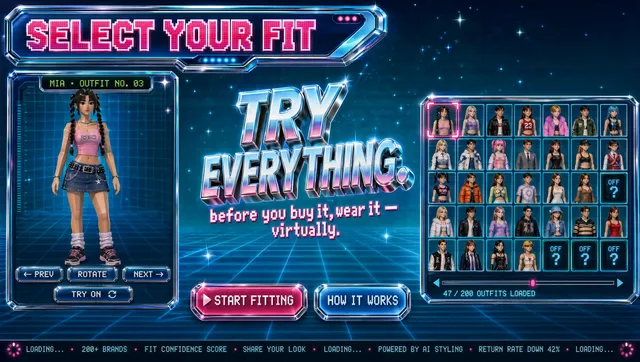
Marketing teams rarely lose deals because the product is weak. They lose them because the buyer never sees the product clearly. An AI product video generator exists to close that gap: it turns a script, a handful of screen recordings, and a few brand assets into a demo that reads as intentional rather than improvised.
This is a workflow guide, not a pitch. It covers what these tools genuinely do well, where they still fall short, how to prepare inputs, how to prompt for usable clips, and how to review the result before a prospect ever watches it.
Why Product Demos Became a Video-First Job
Buyers now evaluate software the way they evaluate consumer products: by watching. A product page full of bullet points asks the reader to imagine the workflow. A ninety-second demo shows it. That shift is why demo video moved from a launch-day nice-to-have to a standing production line.
The problem is economics. A traditional demo shoot needs a scriptwriter, a presenter, a screen-capture setup, a clean staging environment, an editor, and several rounds of review. For a feature that ships every three weeks, that cadence is impossible. Teams either skip the video or record a rushed screen capture with shaky audio and call it done.
AI generation changes the cost curve in three places: pre-production, performance, and iteration. You can draft a script from a feature brief, generate a voiceover without booking a studio, and produce five variants of the same opening in the time it used to take to schedule a single shoot. None of that removes the need for judgment. It removes the excuse for having no video at all.
There is a second, quieter reason this matters. Demo video is now consumed in places it was never designed for: vertical feeds, embedded help centers, sales follow-up emails, onboarding flows, and app store listings. The same core assets need to survive being cropped, muted, and watched at 1.5x speed. Planning for that from the start is far cheaper than retrofitting it later.
What an AI Product Video Generator Actually Does
These tools are less magical than the marketing suggests and far more useful than the skeptics assume. In practice, most combine four capabilities:
- Script assistance. Turning a feature list, changelog, or support ticket into narration with a hook, a body, and a payoff.
- Synthetic voice and presenter tracks. Generating narration from text in multiple languages and tones, sometimes with a lip-synced avatar.
- Footage generation and assembly. Producing b-roll, backgrounds, motion graphics, or transitions, and stitching them together with existing screen captures.
- Post-production automation. Captions, beat-matched cuts, music selection, and automatic resizing for vertical, square, and widescreen placements.
Where they struggle is precision. Generative models do not know what your interface looks like, and they will happily invent buttons, menus, and dashboard charts that do not exist. Text rendering inside generated frames is still unreliable, and any generated hand or cursor movement can drift in ways that feel wrong to anyone who uses your product daily.
The practical rule: generate the wrapper, capture the product. Let AI produce backgrounds, transitions, music, narration, and b-roll of abstract concepts. Use real recordings for anything a buyer might pause and inspect. That division keeps the output both fast and honest.
Preparing Inputs Before You Generate Anything
Most disappointing AI demos are not model failures. They are input failures. Garbage in, gloss out. Before you touch a generator, assemble five things.
1. A single source-of-truth script
Write the narration as plain text with one idea per line. Do not paste a feature list and hope the tool finds a story. A demo script has three jobs: name the pain in the first five seconds, show the shortest path to relief, and end with a specific next step. If a line does not serve one of those jobs, delete it.
2. A capture list mapped to the script
For each line of narration, note the screen, state, and action required. This becomes your recording checklist and prevents the classic scramble where you finish the voiceover and realize you never captured the export screen.
3. A clean, seeded environment
Empty states look broken. Populate the account with realistic data: believable company names, plausible numbers, recent timestamps. Blur or replace anything that reveals a real customer. Use a demo tenant that nobody else is editing.
4. A brand kit
Export your logo in a version that works on dark and light backgrounds, your two or three core colors, and your typeface. Generators produce generic, house-style output unless you give them something specific to match.
5. An approved claims list
Anything involving performance numbers, security posture, or pricing needs review before it becomes a spoken line. AI narration makes wrong claims sound confident, which makes them expensive.
Spending an hour on those five items cuts review cycles dramatically. It also gives you reusable assets for the next demo, the next webinar, and the next onboarding sequence.
A Practical Production Workflow, Step by Step
The workflow below assumes one person with a laptop and no video background. It scales to a small team with a designer and an editor, but the sequence stays the same.
Step 1: Write the demo as a story, not a tour
A product tour walks through menus in order. A story follows a person with a problem. Pick one protagonist role, give them a deadline, and let the interface resolve it. Ninety seconds is the sweet spot for a top-of-funnel demo; three minutes is reasonable for a mid-funnel walkthrough. Beyond four minutes, retention collapses unless the viewer is already evaluating you seriously.
Read the script out loud. Anything you stumble over will sound worse when a synthetic voice reads it. Short sentences, concrete nouns, no internal jargon.
Step 2: Capture clean footage
Record at the highest resolution you can reasonably handle, then downscale. Hide bookmarks, notifications, and personal tabs. Move the cursor deliberately and pause before clicking. Those pauses become edit points and give the voiceover room to breathe.
Capture slightly more than you need. An extra three seconds at the end of a clip is free; re-recording a workflow because the last step was clipped is not.
Step 3: Choose a generation path
There are three common paths, and they suit different budgets and risk tolerances:
- Narration plus real footage. Generate the voiceover and assemble around real captures. Lowest risk, fastest, and usually the best choice for B2B software.
- Presenter-led. Add a generated avatar or a human on camera. Higher engagement for top-of-funnel content, but the avatar must be good or it distracts from the product.
- Generated scenes. Use AI-generated environments and b-roll to illustrate abstract concepts, with captions carrying the narrative. Useful for vertical social cuts where native-looking footage matters more than product fidelity.
Most teams should start with narration plus real footage, then add a presenter track once the script is proven.
Step 4: Generate variations, not one take
Ask for three voiceover reads with different pacing, or three openings with different hooks. Comparing options is faster than editing one version endlessly. Keep the version history, because the read that feels too slow on your machine often feels right on a phone.
If your tool supports multiple languages, generate the same script in your top two markets while the project is open. Translation is where AI voice work pays for itself fastest, provided a native speaker reviews the result.
Step 5: Edit for pacing before adding polish
Cut every pause longer than a beat. Trim the first half-second of each clip and the last quarter-second. Align cuts to the narration rather than to the music. Only after the pacing works should you add transitions, and then sparingly. Two or three well-placed zoom-ins on the interface do more than a dozen animated wipes.
Step 6: Add captions, UI callouts, and an end card
Most viewers watch with sound off at least some of the time. Burn in captions or ship a reliable subtitle track. Add a callout arrow or highlight box only where a viewer would otherwise miss the click. End with one action: start a trial, book a call, open the docs. One.
Prompt Patterns That Produce Usable Clips
When you write prompts for generated b-roll, backgrounds, or motion graphics, vague descriptions produce vague footage. These patterns consistently work better.
Describe a shot, not a concept. Instead of "modern teamwork," write "slow dolly across a bright open-plan office, two people looking at a laptop, shallow depth of field, natural window light." Camera language gives the model structure.
Specify duration and motion. Say whether the camera is static, panning, or orbiting, and how long the loop should last. Loops that match your cut rhythm save editing time.
State what must not appear. No text, no logos, no faces in close-up, no hands. Negative constraints prevent the artifacts that force you to discard an otherwise good clip.
Match the aspect ratio up front. Generating widescreen footage for a vertical placement wastes both time and resolution.
Keep a prompt library. Once a background style works, save the prompt with its settings. Consistency across a series of demos is worth more than novelty in any single clip.
Choosing the Right Tool Category
There is no single best generator. Different categories solve different problems, and the right pick depends on how much control you need.
| Category | Best for | Watch out for |
|---|---|---|
| Text-to-video generators | Abstract b-roll, backgrounds, social hooks | Cannot reproduce your real interface |
| Avatar and voiceover platforms | Narrated walkthroughs, localization, series content | Unnatural pacing and stiff delivery if scripts are long |
| Screen-recording editors with AI assists | Product-focused B2B demos | Fewer cinematic options, less brand flexibility |
| Template-based editors | Fast turnaround and consistent series | Repetitive look across many videos |
A practical setup uses two: a screen-recording editor with AI assists for the product core, and a text-to-video generator for the wrapper. Add an avatar platform only if you are producing volume or need multilingual versions.
Decision criteria worth weighing: output resolution and aspect-ratio support, caption accuracy in your language, export formats your CMS accepts, whether the tool stores your footage in a way that satisfies your security review, and how easily a non-specialist can revise the project three months from now.
Common Mistakes That Make AI Demos Feel Fake
The tell is rarely the technology. It is usually one of these:
- Too much narration. Constant talking leaves no room for the interface to speak. Silence before a key click reads as confidence.
- Feature-stacking. Listing capabilities in sequence produces a spec sheet with a soundtrack. Every feature should serve the story you set up.
- Invisible cursor chaos. Jump cuts where the pointer teleports are disorienting. Keep motion continuous or use a clean cut with a caption.
- Generated UI. If a viewer sees a button that does not exist in your product, trust collapses instantly. Never fake the interface.
- Uniform energy. A synthetic voice on one intensity for three minutes is exhausting. Vary sentence length in the script so the read naturally rises and falls.
- Ignoring sound design. Clicks, whooshes, and a quiet bed of music do more for perceived quality than another visual transition.
- Skipping a mobile check. Watch the full cut on a phone with the sound off before you approve it.
A Pre-Publish Quality Checklist
Run this list before anything ships:
- Does the first five seconds name a problem the viewer recognizes?
- Is the product visible and legible on a small phone screen?
- Are captions accurate, including product names and acronyms?
- Does every claim have a source or an approval?
- Is the cursor movement continuous and intentional?
- Does the audio sit at a consistent level, with no clipping on the voice?
- Is the end card a single action with a working link?
- Does the file meet the resolution and duration limits of each destination?
- Would someone who knows the product spot anything fabricated?
- Does the vertical crop keep the important UI in frame?
Anything that fails gets fixed before distribution, not after. Demos circulate for years; a small defect has a long life.
Measuring Whether the Demo Works
Vanity view counts tell you almost nothing. Track completion rate at the twenty-five percent and seventy-five percent marks, click-through on the end card, and time-to-first-meaningful-action for visitors who watched versus those who did not. If viewers drop at the same second across cohorts, the problem is in the script, not the thumbnail.
Run simple experiments. Swap the opening hook. Try a shorter cut of the same walkthrough. Add captions to a silent autoplay placement. One change per test, and give it enough traffic to mean something. Keep a log of what worked, because demo video decisions are notoriously easy to relitigate from memory.
Frequently Asked Questions
Can an AI product video generator replace a full production team?
For explainer and walkthrough content aimed at software buyers, largely yes. For brand films, launches, and executive messaging, it supplements rather than replaces. The studio still wins on narrative ambition; AI wins on speed and iteration.
How long should a product demo video be?
Ninety seconds for a cold audience, two to three minutes for evaluation-stage viewers, and as long as necessary for technical deep dives that are consumed on demand. The constraint is attention, not platform limits.
Do generated voices sound good enough for a real product?
Modern synthetic narration is convincing when the script is written for speech: short sentences, varied rhythm, no jargon clusters. It falls apart on long subordinate clauses. Review pronunciation of product names and acronyms manually.
What should I record myself instead of generating?
Everything the viewer might pause to inspect: the interface, the workflow, the error handling, the settings screen, the export. Real captures are the anchor of a credible demo.
How do I keep a series of demos consistent?
Build a small kit: one intro animation, one outro card, two or three transitions, one music bed, and a saved prompt library for b-roll. Consistency across a series signals a real product; novelty in every video signals chaos.
Is localization worth it?
If a market contributes meaningful pipeline, yes. Regenerating narration from an approved script is one of the highest-leverage uses of these tools, provided a native speaker reviews the finished cut for tone as well as meaning.
What is the fastest path to a first demo?
Write a ninety-second script, record two workflows, generate one voiceover, add captions, and publish. Roughly a day of work. Then iterate on the opening hook based on completion data.
Bringing It Together
An AI product video generator does not remove craft from demo production. It moves the craft earlier, into the script, the capture plan, and the review. Teams that treat generation as a shortcut produce videos that look like everyone else's. Teams that treat it as a fast iteration loop produce demos that show a real product solving a real problem, in the time it once took to schedule a single shoot.
Start with one workflow, one audience, and one action you want the viewer to take. Capture the product honestly, generate everything around it, and let the data tell you which opening hook deserves a second version. The tools will keep improving. The judgment is still yours, and it is still the part that makes a demo worth watching.

Alexander
More Blogs
Read MoreVidu Q4 Alternatives: 4K AI Video Models Compared (2026)
Vidu Q4 alternatives compared: Kling 4.0, Seedance 2.5, Wan 3.0, and Runway Gen-4 — 4K support, input modes, durations, audio, and what each costs in credits on Domer.
Top 4K AI Image Generators in 2026: 5 Models Compared on Real Costs
The top 4K AI image generators on Domer compared: Flux 3 Klein, Nano Banana 2.1, GPT Image 2.5, GPT Image 2, and Nano Banana Pro — 4K credit costs, reference limits, and speed.
Nano Banana 2.1 vs GPT Image 2.5: Which Image Model Should You Use? (2026)
Nano Banana 2.1 vs GPT Image 2.5 Flare compared: credit costs per resolution, aspect ratios, reference images, text rendering, and which tasks fit each model.