

Affiliazione
Inizia Gratis Ora
How AI Reshaped Short-Form Mobile Video: A Creator's Guide
Oct 15, 2026

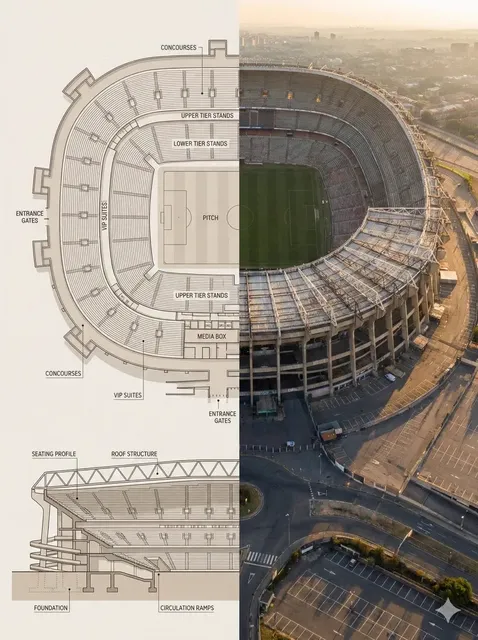
Short-form mobile video used to be a craft measured in patience. You shot vertical footage, imported it, trimmed on a timeline, graded by hand, and hoped compression would not eat the detail. Today one creator with a phone and a browser tab can ship something that looks like a small crew made it. That change did not come from better cameras alone — it came from AI moving into the middle of the workflow: script drafting, shot generation, voice, captions, assembly, and iteration.
This guide is a practical look at what actually changed for people who publish short-form video every week. It covers how to choose models, a repeatable production workflow, the consistency problems that still bite, and the operating habits teams need once output volume rises.
What Changed: From Clip Operator to Creative Director
The manual pipeline
In the early vertical-video era, the bottleneck was mechanical skill. A creator spent most of the schedule importing clips, hunting for the right frame, keyframing zooms, splitting footage to the beat, typing captions by hand, and re-exporting after every small fix. Editing consumed roughly seventy percent of the work; creative decisions got whatever energy was left. A single thirty-second video could take a full day, and each format variation — square, landscape, a different hook — cost nearly as much as the original.
The directing-first pipeline
Generation tools collapsed that cost. Instead of hunting footage, you describe a shot: subject, action, camera movement, lighting, mood, duration. Options come back in under a minute. Cheap iteration changes the psychology of the work. You stop protecting a mediocre take because reshooting is expensive, and you start treating the first pass as a sketch. The scarce skill shifts from timeline mechanics to structure: which hook earns three seconds, which payoff justifies thirty, and where the cut belongs.
What it means for small teams
A solo creator can now test five hooks for the same concept in an afternoon, something that once required a production calendar and a shoot day. The risk is equally obvious: volume without judgment produces noise. The useful discipline is a short written brief — audience, promise, tone, one hard constraint — plus a review rubric you apply every time. Direction, not button-pressing, is the job now.
Three Capabilities AI Actually Added
Text and image to video generation
The first wave turned prompts into clips. The more useful second wave starts from images: a product photo, a storyboard frame, an illustration, a still you already like. Image-to-video keeps you closer to a plan, which matters whenever a brand asset or a character design has to survive the generation intact. Use text-to-video for exploration and image-to-video for anything that must match something that already exists.
Character and style consistency
Consistency used to be a human-only guarantee. Today, reference images, character sheets, and style prompts let you carry the same face, wardrobe, palette, and grain across multiple shots. That is the difference between a one-off clip and a series people recognize in a feed. It is still the least reliable part of the stack, so build in checks rather than assuming it will hold.
Automated assembly
Captioning, beat-synced cutting, music ducking, and reframing for multiple aspect ratios are now background tasks. None of them are glamorous, and all of them used to consume hours. The practical effect is that you can ship a clean, captioned, platform-ready edit the same day you generate it, then spend your remaining attention on the two things automation cannot decide: hook strength and pacing.
Choosing the Right Model for the Job
Cinematic and photorealistic models
These are your hero-shot engines. They handle skin texture, reflections, shallow depth of field, and deliberate camera moves. They are slower and more expensive per second, so reserve them for the three to five shots that carry the video: the opening image, the product reveal, the emotional beat.
Draft-mode and lightweight models
Fast models are for thinking, not for finishing. Use them to test hooks, build animatics, and generate B-roll you may throw away. A rough render that appears in twenty seconds tells you whether a concept works far more cheaply than a polished render that appears in five minutes. Expect to re-render anything that survives the cut.
Language and regional fit
Model quality is uneven across languages, faces, and cultural context. On-screen text rendering and non-English voice performance vary significantly between tools and versions. If your audience is not primarily English-speaking, test a short sample in the target language before committing to a long production run. A model that looks flawless in English can produce awkward mouth shapes or broken subtitles elsewhere.
A quick decision table
| Job | Priority | What to check |
|---|---|---|
| Hook test, many variants | Speed | Fast generation, easy batching, low cost per attempt |
| Product beauty shot | Fidelity | Texture, reflections, precise camera control |
| Recurring character series | Consistency | Reference image support, style locking, seed control |
| Localized ad set | Language accuracy | Non-English voice, correct on-screen text |
| Daily volume content | Reliability | Predictable output, queue stability, export presets |
Pick two models rather than ten: one fast for exploration, one high-fidelity for finals. Tool sprawl is the most common reason small teams slow down.
A Practical Short-Form Workflow
Script the hook before you generate
Write three hooks and choose one before touching any generation tool. Then write a beat sheet: hook in the first three seconds, context by second eight, payoff between eight and twenty-five, close in the final five. This single document prevents the most expensive mistake in AI video, which is generating beautiful footage for a concept nobody wants to watch.
Build a shot list that survives generation
For a thirty-second video, six to ten shots is plenty. Give each shot four specifications: subject, action, camera, and duration. Avoid prompts that depend on complex physical interaction — crowds, hands manipulating small objects, fast choreography. These are exactly the cases where current models break down, and they will eat your afternoon.
Generate in passes
Run a draft pass at low settings and pick the best take per shot. Then regenerate only the three or four shots that matter at higher quality settings. Keep every prompt in a shared document next to the take you approved, so a later revision does not require reverse-engineering what worked.
Edit for retention, not for beauty
Your first frame has to be legible at thumbnail size. Cut on motion rather than on a beat you like. Keep captions on screen long enough to read without pausing, and check that the loop point feels intentional. A beautiful edit that loses viewers at second four is a failed edit.
Consistency: The Hardest Problem in AI Short-Form
Character sheets and reference sets
Build a small reference set for every recurring character: a neutral front view, a three-quarter view, one with the intended wardrobe, and one in the target lighting. Keep the file names stable and reuse the exact same references across the series. Changing one reference image mid-series is the fastest way to make a character look like a stranger.
Style locking across shots
Style drifts when prompts drift. Write one style sentence — lens, grain, palette, contrast, era — and paste it unchanged into every prompt. Then check the generated shots side by side at thumbnail size before you edit. Problems that are invisible at full resolution often become obvious when the shots sit next to each other in a sequence.
Regenerate or fix in the edit
Not every inconsistency deserves a re-render. If a shot is slightly off in color, a grade can save it. If the face has changed, regenerate. A useful rule: fix in the edit when the problem is tonal, regenerate when the problem is identity or anatomy.
Mobile-First Delivery: Format, Captions, Sound
Aspect ratio and safe zones
Design for the smallest screen first. Keep faces and key text inside the central safe area, away from the top and bottom interface overlays. If the same asset runs on multiple platforms, generate or crop with a little extra headroom so reframing does not cut through a subject's eyes.
Captions as design
Captions are not an accessibility afterthought; on muted autoplay they are the script. Limit them to a few words per line, place them where they do not cover the subject, and keep the style consistent across a series. Check for line breaks that split a phrase awkwardly — automated captioning still gets those wrong.
Sound and loudness
Audio carries more retention weight than most creators assume. Keep dialogue and voice consistent in loudness between shots, duck music under speech, and avoid sudden spikes that trigger platform normalization. If you generate synthetic voice, test pacing at 1x speed on a phone speaker, not headphones.
Common Mistakes to Avoid
- Generating before scripting. Hours of footage with no structure is the most expensive way to learn that a hook does not work.
- Using one model for everything. A draft model used for finals looks mushy; a cinematic model used for testing wastes time and budget.
- Ignoring safe zones. Text that sits under a platform overlay is invisible on real devices.
- Chasing perfection in the first pass. Approve good-enough drafts, then invest in the shots that carry the video.
- Letting style prompts drift. Small wording changes compound into visible inconsistency across a series.
- Skipping reference images. Identity consistency collapses without a stable reference set.
- Overloading a single shot. Complex actions, multiple characters, and camera movement in one prompt rarely all land.
- Publishing without a muted test. Watch your own edit with sound off; if it does not make sense, most viewers will scroll.
Team Tooling and Infrastructure
Asset storage and naming
Once more than one person touches a project, naming becomes infrastructure. Use a consistent pattern such as project, sequence, shot, version, and status. Store references, prompts, and approved takes in the same place so a revision six weeks later does not depend on someone's memory.
Batch generation and queues
Generation jobs fail, stall, and occasionally return something unexpected. A simple queue that logs each request, its prompt, and its output location turns a frustrating afternoon into a recoverable process. Batch similar shots together so settings stay consistent and you can compare results fairly.
Review loops and versioning
Keep approvals in writing and tie them to a specific version. Structured records — a shared database or a simple spreadsheet with timestamps — prevent the classic argument about which export was actually approved. Treat review as a step with an owner, not as an informal chat.
Measuring What Matters
Track a small set of numbers and ignore the rest. Three-second retention tells you whether the hook works. Average watch time and completion rate tell you whether the middle earns its length. Shares and saves tell you whether the payoff was worth the wait. Compare variants that differ in only one variable — hook, opening frame, caption style — so the result actually means something.
Keep a simple log of every published video with its hook type, model used, and performance. After twenty or thirty entries, patterns emerge that no single video can reveal: which opening style works for your audience, how long your ideal runtime really is, and which part of your workflow is quietly costing you the most time.
FAQ
Do I still need a real camera?
For talking-head content, product detail, and anything requiring precise physical action, a phone camera plus AI-assisted editing is often still better than full generation. Use generation for visuals a camera cannot easily produce, or for volume variants of an existing concept.
How long should a generated short-form video be?
Match the platform and the idea, not a fixed number. Most short-form concepts work between fifteen and forty seconds. If the payoff arrives later than roughly twenty-five seconds, test a shortened version against the original before assuming length is helping.
Can AI handle captions accurately enough to publish?
It gets you most of the way, then needs a human pass. Names, brands, technical terms, and fast speech are common failure points. Proofread every caption track before publishing, especially in languages other than the one the model was primarily trained on.
What is the biggest bottleneck once tools stop being the problem?
Deciding what to make. Generation removed the production constraint and exposed the strategy constraint. Teams that write briefs, test hooks systematically, and keep a tight review loop move faster than teams with the largest tool subscriptions.
How do I keep a series visually consistent?
Lock a style sentence, a reference set, and export presets. Reuse them without edits. Consistency comes from repetition of the same inputs, not from trying to describe the look better each time.
Should I outsource editing if I generate my own footage?
Outsource assembly and captioning first, since those are the most mechanical steps. Keep hook selection and pacing decisions in-house, because those determine performance and depend on context an editor will not have.

Alexander
More Blogs
Read MoreVidu Q4 Alternatives: 4K AI Video Models Compared (2026)
Vidu Q4 alternatives compared: Kling 4.0, Seedance 2.5, Wan 3.0, and Runway Gen-4 — 4K support, input modes, durations, audio, and what each costs in credits on Domer.
Top 4K AI Image Generators in 2026: 5 Models Compared on Real Costs
The top 4K AI image generators on Domer compared: Flux 3 Klein, Nano Banana 2.1, GPT Image 2.5, GPT Image 2, and Nano Banana Pro — 4K credit costs, reference limits, and speed.
Nano Banana 2.1 vs GPT Image 2.5: Which Image Model Should You Use? (2026)
Nano Banana 2.1 vs GPT Image 2.5 Flare compared: credit costs per resolution, aspect ratios, reference images, text rendering, and which tasks fit each model.