
Affiliazione
Inizia Gratis Ora
How to Create High-Converting Video Ads With AI Workflows
Oct 15, 2026
Most teams do not have a video problem. They have a throughput problem. A single paid social concept can take two weeks to script, shoot, edit, review, and resubmit, and by the time it ships, the hook that tested well six weeks ago has already fatigued. AI video generation does not replace the thinking behind a great ad, but it collapses the distance between having an idea and seeing it move on a screen. That compression is where the real advantage lives — not in saving a few dollars on one production, but in running twenty-five coherent variations of the same idea before lunch.
This guide is a working manual. It covers what actually makes a video ad convert, how to structure an AI-assisted pipeline from brief to delivery, where multi-image fusion and style systems fit, how to test without fooling yourself, and which mistakes quietly destroy performance.
What a High-Converting Video Ad Actually Needs
Before touching any generation tool, it helps to be honest about what the ad is doing. Almost every profitable video ad does four jobs in sequence, and each one can fail independently.
It stops the scroll. This is the first one to three seconds. Framing, motion, contrast, human faces, an unexpected visual, or a bold on-screen line. If this fails, nothing downstream matters.
It earns attention for a few more seconds. Usually by creating a small unresolved tension: a problem stated, a result shown partially, a comparison that raises a question.
It proves something. Demonstration, before-and-after, testimonial, spec comparison, or visible process. This is where most AI-generated ads are weakest, because generation tools default to mood rather than evidence.
It makes the next step obvious and low-risk. One clear action, matched to the ad's promise, with the friction acknowledged rather than ignored.
The practical implication for AI workflows: you need to be able to generate a specific shot on demand — a hand holding the product at a particular angle, a screen recording with a legible interface, a clean before-and-after pair. Mood boards are easy. Targeted evidence shots are the work.
Decide the format before the tool
A 9:16 vertical hook-driven ad for a paid social feed behaves nothing like a 16:9 explainer embedded on a landing page. Choose the format, the duration band (typically 6–10 seconds for pure hooks, 15–30 seconds for full narrative, 45–90 seconds for considered purchases), and the primary platform before you open a generator. Format decisions made late force awkward crops and re-renders.
Write the hook as a sentence, not a concept
"Show the product being used in an unexpected place" is not a hook. "She opens her gym bag and there are three of these in it, still cold" is a hook. AI tools respond well to concrete, physical, time-bound descriptions and poorly to abstract creative directions. The more your prompt reads like a stage direction, the closer the first take lands.
The AI Video Ad Pipeline, Step by Step
A repeatable pipeline matters more than any single tool. Here is a sequence that holds up across categories, from consumer goods to software to local services.
Step 1: The one-page creative brief
Keep it under a page. Audience, single promise, single objection being overcome, mandatory product shots, legal or brand constraints, and the CTA. If the brief has three promises, the ad will have none. This document becomes the source of truth when you generate variants, because it tells you which elements must stay identical and which are free to change.
Step 2: Script in fragments, not paragraphs
Write the script as discrete beats: hook line, context line, proof beat, objection beat, CTA line. Each beat should be independently editable, because variant testing works far better when you swap one beat at a time rather than rewriting the entire script. Keep a running list of alternate hook lines — ten is a reasonable starting library, thirty is a working library.
Step 3: Storyboard with a generator, then edit the board by hand
Feed the script beats into a storyboard or scene-generation step and let the tool propose shot sequences, transitions, and pacing. Treat the output as a first draft from a fast but literal-minded junior editor. Then fix it manually: reorder shots, cut a scene, insert a product hero frame, mark where text overlays will sit. The storyboard is where you catch the problem of "every shot looks like a stock ad," which is the most common failure mode of fully automated pipelines.
Step 4: Generate shots in small, controllable batches
For each storyboard panel, generate three to six options at a low resolution, pick the closest, then regenerate at higher quality with a refined prompt. Two habits make this dramatically more efficient:
- Lock the elements that must not drift. Character appearance, wardrobe, product color, environment, and lighting direction should be specified identically in every prompt for a given sequence.
- Change one variable per batch. If you change the camera angle, the lighting, and the subject's clothing at the same time, you learn nothing about which change improved the shot.
Step 5: Fuse and composite the visuals
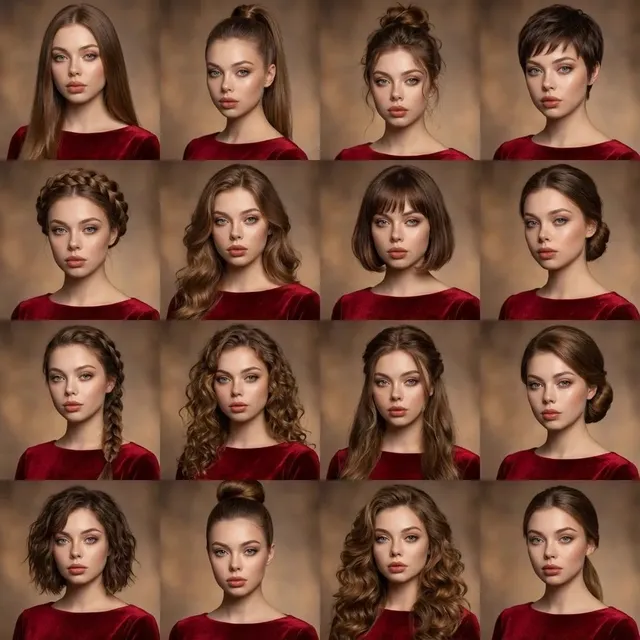
This is where generated footage becomes a real ad. Multi-image fusion — combining several reference images into a single coherent frame — solves problems that pure text-to-video handles badly: accurate product appearance, consistent people across shots, and before-and-after compositions. A supplement brand can place the actual bottle into a generated kitchen scene. A software company can composite a legible interface into a generated desk environment. A retailer can show four colorways in one frame without four separate shoots.
Step 6: Voice, music, and sound design
Synthetic voice is now good enough for many direct-response formats, particularly when the tone is conversational rather than dramatic. Two rules: keep the read slower than feels natural, and always add a music bed plus at least a few tactile sound effects (clicks, packaging, footsteps) so the ad does not feel like a slideshow with narration. Silence and thin audio are the fastest ways to make an AI ad look cheap.
Step 7: Captions, edits, and platform framing
Burn in captions with a high-contrast style, keep them inside the safe area for each platform, and check legibility at the smallest screen size in your target set. Then assemble in a normal editor — a caption pass, a music pass, a trim pass. Generation tools are rarely the right place to finish an ad.
Step 8: Quality control before spend
Run a fixed checklist: product logo legible, no warped hands or melting text, no accidental brand marks from training data, claims substantiated, audio normalized, first frame readable as a still thumbnail, CTA visible for at least the final two seconds. This step takes five minutes and prevents the most expensive kind of mistake — a live campaign with a visibly broken frame.
Multi-Image Fusion for Product Accuracy and Continuity
Text prompts describe products approximately. Reference images describe them exactly. Fusion bridges the two.
Where it pays off most
The strongest use cases share one trait: something in the frame has to be correct rather than merely attractive.
- E-commerce variants. One generated scene, four real product images rotated through it. You get a coherent visual system without a studio day.
- Before-and-after. Two supplied images blended into a single controlled frame with matched lighting and perspective, which is far more convincing than two separately generated images.
- Human continuity. The same face and wardrobe carried across five shots in a sequence, so the viewer reads it as one person rather than five strangers.
- Environment insertion. Real product, generated world — useful when a shoot location is impractical or licensed.
Fusion pitfalls
Mismatched lighting is the number one tell. If your reference photo was shot in soft window light and your generated background is hard noon sun, the composite reads as fake even to viewers who cannot articulate why. Match color temperature and shadow direction first, then adjust scale and perspective, then blend edges. Also watch for scale errors: a product that is subtly the wrong size relative to a hand or a table destroys believability faster than any other flaw.
Style and Theme Systems: Direction Without Rebuilding
A brand does not need one look. It needs a look that stays recognizably itself while shifting to fit context — seasonal, promotional, or tonal.
Build a small style system instead of styling each ad from scratch. Define three to five reusable presets: for example, clean daylight, moody studio, documentary handheld, graphic and typographic. Each preset is a written spec covering palette, contrast, camera feel, pacing, music genre, and caption treatment. Then a seasonal campaign becomes a preset swap plus a prop change, not a new creative direction.
Brand guardrails that survive generation
Write down the non-negotiables. Logo treatment and placement, minimum product visibility, approved color range, prohibited imagery categories, tone of voice for any on-screen text. When you generate at volume, these guardrails are the only thing preventing consistency drift — subtle changes in saturation, framing, and diction that accumulate until the ad no longer looks like it came from your company.
Personalization and Variant Testing at Scale
AI's biggest structural advantage is not speed on one asset. It is making a genuinely different asset for each audience segment without proportionally more work.
Map variants to segments, not to whims
Start from the audience. If you sell to three distinct buyer types, each one has a different objection. Build the core ad once, then swap the beat that speaks to the objection, the opening visual, and the CTA line. Everything else stays constant, which keeps production cost low and makes test results interpretable.
Build a modular asset library
Treat hooks, proof beats, and CTA endings as interchangeable modules. A library of ten hooks, six proof beats, and four CTAs yields a large combinatorial space from a small amount of work. Generate modules in consistent style presets so any combination still looks like one campaign.
Keep personalization honest
Personalized does not mean invasive. Segment-level relevance — speaking to a real use case — outperforms pseudo-personal detail that feels like surveillance. Also keep your claims identical across variants; a personalized ad that quietly changes what the product promises creates compliance risk and confuses returning viewers.
How to Test AI-Generated Video Ads Without Fooling Yourself
AI makes it easy to produce twenty variants. It also makes it easy to produce twenty variants that are subtly the same, or to run a test so noisy that the winner is random.
Test one dimension at a time
Hook, proof, CTA, style preset. Change one. If you change the hook, the music, and the length simultaneously, you learn that one combination won, and nothing about why. Reserve multi-variable tests for when you already have a baseline that works.
Watch the right metrics in the right order
For short-form vertical ads, the diagnostic chain is: three-second view rate (is the hook working?), then completion or watch-through at 50%, then click-through, then conversion rate on the landing page. A drop at the top is a creative problem. A drop at the bottom is usually a landing page or offer problem, and no new hook will fix it.
Let variants run long enough to matter
Small-sample wins are the most expensive habit in paid social. Set a minimum spend or impression threshold per variant before you compare, and resist the urge to kill a variant in the first few hours — early performance is heavily influenced by audience delivery, not creative quality.
Refresh on a schedule, not on panic
Generative pipelines make creative fatigue cheaper to solve, so use that advantage systematically. Keep a rolling reserve of two to three replacement hooks per active ad, refreshed on a fixed cadence. This turns creative fatigue from an emergency into routine maintenance.
Cost, Speed, and Quality: Where AI Wins and Where It Does Not
AI-generated video is not universally better. It is better under specific conditions, and knowing the boundaries saves both budget and reputation.
Use AI generation when: you need volume and speed, the concept relies on mood or environment rather than precise physical demonstration, the product can be composited from existing photography, or you are testing messaging before committing to a shoot.
Use live action when: you need a real person's credibility, the product's physical behavior must be shown accurately (texture, pour, fit, mechanism), you need a paid spokesperson, or the category demands documentary realism.
Use a hybrid when: you want both. This is the highest-leverage option for most teams — shoot the product on a table for two hours, generate everything else, composite the real footage into generated scenes, and finish in an editor. You keep the authenticity of the product and the economics of generation.
A useful decision rule: if a viewer could plausibly pause the ad and ask "is that real?" about something central to the claim, shoot it. If the question only arises about the background, generate it.
Common Mistakes That Kill Performance
Generating before writing. The most common failure. A beautifully generated ad with no argument still converts poorly, and now you have spent a week polishing the wrong thing.
Mood over evidence. Generated scenes default to aspirational. If nothing in the ad demonstrates the product doing its job, add a proof shot even if it is less visually pleasing.
Ignoring the first frame as a still. Many placements show a static thumbnail. If your first frame is a mid-motion blur, your effective hook is much weaker than your video hook.
Inconsistent brand elements across variants. Different logo sizes, caption fonts, and color temperatures across a campaign read as spam rather than as a brand testing ideas.
Synthetic voice with no audio design. A flat read plus no music plus no sound effects is the single clearest signal of a low-effort ad.
Skipping legal review on claims. Generated visuals can imply things — speed, results, exclusivity — that your substantiation does not cover. Review the finished frame, not just the script.
No naming convention. With dozens of assets, unlabeled exports become unusable within a month. Name files with campaign, audience, hook ID, style preset, and version.
FAQ
Do AI-generated video ads actually perform as well as filmed ones?
For many direct-response formats, yes — performance is driven mainly by hook strength, offer clarity, and audience fit, not production polish. Where live action pulls ahead is credibility-heavy categories and products whose physical behavior is central to the claim.
How many variants should I launch at once?
Three to five per audience segment is a workable starting point. Enough to learn something, few enough that each gets meaningful delivery. Scale up only when your measurement and naming systems can handle the volume.
What is multi-image fusion used for in ads?
Placing real product photography or real people into generated scenes, keeping a character consistent across multiple shots, and building credible before-and-after frames. It is the main technique for making AI video product-accurate.
How do I keep brand consistency across many generated ads?
Define reusable style presets with written specs, keep a locked list of non-negotiables, and reuse a single module library for hooks, proof beats, and CTAs rather than rebuilding each ad from a blank prompt.
Can I use AI for the voiceover?
Yes, in most conversational and direct-response formats. Choose a natural, unhurried read, add a music bed and tactile sound effects, and always review pronunciation of brand and product names before launch.
What is the fastest way to start?
Take one ad you already know works, rebuild it in an AI pipeline in a single afternoon, and compare. You will learn more from one honest side-by-side than from a month of planning the perfect generative workflow.
How often should I refresh creative?
Plan on a rolling refresh rather than a fixed calendar — keep two to three replacement hooks ready per active ad, and swap them when three-second view rates or frequency signals tell you the audience has seen enough.
The teams winning with AI video are not the ones with the most tools. They are the ones with a boring, repeatable pipeline: a one-page brief, a modular script, a controllable generation and fusion step, a strict quality check, and a testing cadence that produces one clear learning per cycle. Everything else is decoration.

Alexander
More Blogs
Read MoreVidu Q4 Alternatives: 4K AI Video Models Compared (2026)
Vidu Q4 alternatives compared: Kling 4.0, Seedance 2.5, Wan 3.0, and Runway Gen-4 — 4K support, input modes, durations, audio, and what each costs in credits on Domer.
Top 4K AI Image Generators in 2026: 5 Models Compared on Real Costs
The top 4K AI image generators on Domer compared: Flux 3 Klein, Nano Banana 2.1, GPT Image 2.5, GPT Image 2, and Nano Banana Pro — 4K credit costs, reference limits, and speed.
Nano Banana 2.1 vs GPT Image 2.5: Which Image Model Should You Use? (2026)
Nano Banana 2.1 vs GPT Image 2.5 Flare compared: credit costs per resolution, aspect ratios, reference images, text rendering, and which tasks fit each model.