

Affiliazione
Inizia Gratis Ora
How AI Reshaped Video Aesthetics: From 2010s to Today
Oct 15, 2026
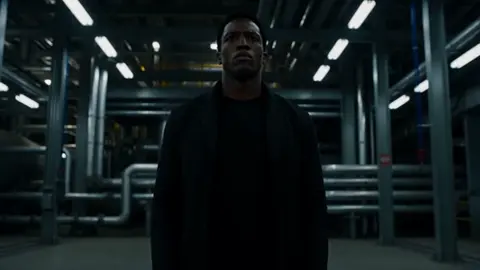

Video aesthetics rarely change on command. They change when the cost of a particular look collapses, and that is exactly what happened over the past decade. In the 2010s, a cinematic image was the product of equipment, patience, and a crew. Today, a comparable image can be assembled from a text prompt, a reference frame, and a handful of control settings. The result is not simply "better video." It is a different visual grammar, with different habits, different failure modes, and a different set of skills that separate work that feels intentional from work that feels generated.
This guide compares the two eras in practical terms: the workflows, the signature looks, and the decisions a creator makes at each stage. The goal is not nostalgia. It is to help you borrow what still works, understand what no longer does, and build a repeatable process for making video that looks deliberate rather than accidental.
The Old Toolkit: Manual Craft as the Default
For most of the 2010s, video production revolved around a linear timeline. You imported footage, arranged clips, trimmed them, added transitions, keyframed motion, and rendered. Every visual decision had a physical or computational cost attached to it, which shaped the aesthetic in ways that were easy to overlook at the time.
Timeline-first thinking
Editors thought in layers and tracks. A simple title card required font selection, tracking adjustments, and a safe-area check. A speed ramp required retiming, frame interpolation, and often a plugin. This friction was not purely negative — it forced decisions to be deliberate. If a shot needed a slow push-in, you either had a slider or you cropped and scaled in post, and the crop degraded the image in a way everyone accepted because there was no alternative.
The color grade as signature
Color grading became the primary way creators developed a recognizable look. Teal-and-orange blockbuster grades, desaturated documentary palettes, and heavy film-emulation LUTs defined entire genres of online content. Grain was added on purpose. Halation, bloom, and lens flares were layered in post to make digital footage feel analog. Shooting flat and grading later became standard advice, because the sensor needed headroom and the grade needed latitude.
The budget wall
Complex visual effects were gated by money and time. A convincing creature, a city destruction sequence, or a de-aging effect required a pipeline: modeling, texturing, rigging, animation, lighting, simulation, compositing. Small teams worked around this with practical effects, clever framing, and aggressive editing that hid what could not be shown. The audience learned these conventions, and the conventions themselves became part of the aesthetic — shaky camera to imply chaos, a cut just before impact, a silhouette instead of a monster.
That entire structure assumed that generating an image from nothing was impossible. Once that assumption broke, the aesthetic followed.
What Actually Changed: Model Selection as the New Editing
The most important shift is not resolution or frame rate. It is that a large part of the creative decision-making moved upstream, from the edit to the model and the prompt.
From keyframes to control signals
An editor working today often starts by choosing a model, then a style, then a motion. Instead of keyframing a camera move, you describe it. Instead of rotoscoping a subject, you provide a mask or a depth pass and let the model hold the subject steady while the background changes. Control signals — pose, depth, edges, optical flow, reference images — replace many of the manual operations that used to consume an afternoon.
Shot planning becomes prompt architecture
In a traditional production, a shot list is a logistical document. In an AI-assisted production, it is closer to a specification. Each shot needs a described subject, a camera behavior, a lighting condition, a lens feel, and a stylistic anchor. Ambiguity that a human crew would resolve instinctively has to be written down, because the model will resolve it randomly instead.
Speed changes taste
When iteration takes minutes instead of days, creators explore far more variants. That sounds purely positive, but it produces a recognizable new problem: volume without discipline. The most common weak AI video is not badly generated — it is under-directed. Ten plausible options were rendered and the first acceptable one was used. The aesthetic of the era is therefore split between work that looks shockingly polished and work that looks like a demo reel: consistent per shot, incoherent as a whole.
Director agents and structured planning
A newer layer of tooling handles the planning itself. Director-style assistants break a script into shots, assign camera language, maintain a style sheet, and pass structured instructions to generation and editing stages. The practical benefit is continuity: when a system remembers that the lead wears a red jacket and the scene is lit from the left, you stop re-explaining the same facts in every prompt. You can achieve a version of this manually with a style bible and a spreadsheet, but automated planning dramatically reduces the number of continuity breaks you have to fix in post.
Aesthetic Signatures, Side by Side
The differences are easiest to see when you compare specific visual dimensions rather than arguing about eras in general terms.
| Dimension | Traditional 2010s norm | Contemporary AI-assisted norm |
|---|---|---|
| Texture | Sensor noise, added grain, film emulation | Clean synthetic surfaces, optional grain added in post |
| Depth of field | Optical, dictated by lens and aperture | Simulated, sometimes physically inconsistent |
| Camera motion | Physical rigs, gimbals, sliders, drones | Described motion, often smoother than reality allows |
| Lighting | Practical fixtures, motivated sources | Prompted mood, frequently over-dramatic |
| Continuity | Script supervisor, continuity photos | Reference images, seeds, style sheets |
| Scale | Limited by budget and location | Limited mainly by coherence |
| Failure mode | Soft focus, missed focus, noise | Warping, morphing, unstable detail |
The texture row matters more than people expect. Audiences have spent a century learning to read grain, halation, and imperfect focus as signals of authenticity. Hyper-clean generated footage can feel uncanny precisely because it lacks the small imperfections that real optics introduce. Adding back a little noise, a touch of chromatic aberration, and a subtle vignette often does more for believability than another round of prompt tuning.
A Practical Workflow for an AI-Assisted Short
Below is a workflow that works for narrative shorts, product films, and social campaigns alike. It assumes you want a coherent result, not a collection of disconnected clips.
1. Write the script with visuals in mind
Keep scenes short. A 30-second sequence broken into five 6-second shots is far easier to control than one long take. Mark the emotional beat of each shot, because that beat should drive the lighting and lens choice.
2. Build a shot list with explicit visual parameters
For each shot, note the subject, the action, the camera behavior, the lighting, the palette, and the intended duration. Write these as short, concrete sentences. "Wide, slow dolly right, cold morning light through blinds, muted blues" beats "moody office scene."
3. Lock a style bible
Collect five to eight reference images that represent the look. Note the palette, contrast curve, lighting direction, and texture. This document is the single source of truth you return to whenever a shot drifts.
4. Generate keyframes before motion
Produce still frames first. Iterating on a still is fast and cheap; iterating on a clip is neither. Approve the frame, then animate it. This single habit eliminates most wasted rendering time.
5. Use control inputs for anything that must stay consistent
Depth maps, pose guides, masks, and reference frames are the difference between a character who persists across shots and a character who quietly changes face at the cut. If the tool supports subject references, use them from the very first shot rather than retrofitting them later.
6. Generate multiple takes per shot, then choose deliberately
Render three to five variants with the same parameters but different seeds. Compare them as a group rather than in isolation, and reject any take whose lighting or color temperature breaks the sequence.
7. Assemble in an editor, not in the generator
Bring approved clips into a normal editing timeline. Trim, cut, and set rhythm there. Rhythm is a human decision and it is where most AI-generated sequences fall apart — shots linger or cut too fast because duration was decided by the model's default rather than by the story.
8. Unify in post
Apply a shared grade, a consistent grain layer, and subtle effects across the whole piece. This pass is what makes varied shots feel like one film. Slight vignettes and matched black levels do more than most people expect.
9. Fix audio before you fix picture
Dialogue, room tone, and music carry continuity in ways viewers notice only when they are missing. If a shot looks slightly off but sounds right, audiences usually forgive it.
Tool Selection Criteria: What to Evaluate Before You Commit
There is no single best tool, and chasing one wastes time. Evaluate options against the specific demands of your project.
- Shot length and complexity. Some tools excel at short, highly controlled shots; others handle longer, more dynamic sequences better.
- Character consistency. If your piece has a recurring lead, subject referencing and identity preservation are non-negotiable.
- Control surfaces. Depth, pose, and camera-path controls matter enormously for anything with deliberate cinematography.
- Style fidelity. Test each tool with your own reference images, not with the examples on its marketing page.
- Iteration speed. A tool that produces a great frame in ten minutes is often less useful than one that produces a good frame in ninety seconds.
- Export and pipeline fit. Resolution, frame rate, alpha channels, and codec support determine how much friction you face downstream.
- Licensing clarity. For commercial work, confirm how generated output can be used and what restrictions apply to your inputs.
A reasonable strategy is to use two tools: one for hero shots where quality matters most, and one fast tool for coverage, backgrounds, and social cutdowns.
Where AI Video Still Breaks — and How to Patch It
Knowing the failure modes is more useful than knowing the feature lists.
Hands, text, and fine detail
Small structures with strict rules remain the hardest thing to generate reliably. Avoid shots that make hands the focal point, replace on-screen text in post, and redesign props so that illegible detail is not part of the story.
Physics and continuity
Liquids, cloth, and collisions reveal the seams quickly. Keep interactions brief, cut away before the physics has to resolve, and use camera movement to mask transitions. Continuity is best protected by generating shots from the same reference set rather than from scratch.
Motion and camera language
Generated camera moves often feel either too smooth or too unstable. Pick one movement per shot and commit. If you need a complex move, split it into two shots and let the edit create the impression of one continuous sweep.
Lip sync and performance
Talking heads are improving but still demand precision. Shoot or generate the performance first, then align dialogue carefully, and prefer tighter framing where mouth detail is smaller on screen.
Six Mistakes That Make AI Video Look Cheap
- No locked palette. Every shot uses a different color mood, so the sequence reads as a montage rather than a film.
- Default camera behavior. Accepting whatever motion the model suggests produces the drifting, semi-random camera that audiences now associate with generated content.
- Over-long shots. Generation quality decays over duration. Short shots cut together look more expensive than long ones.
- Inconsistent subjects. A jacket changes shade, a hairstyle shifts, a face subtly morphs. Fix with references, not with re-prompting.
- Ignoring sound design. Silence and mismatched ambience undermine otherwise strong images.
- No final grade. Applying one consistent look across all shots is the cheapest and most effective quality upgrade available.
Building a Repeatable Style System
Once you have a look you like, systematize it. Consistency is a process problem, not a talent problem.
The style bible
Keep a single document with reference frames, palette swatches, lighting rules, and lens characteristics. Add a short "never do this" list. Update it after every project so the system improves rather than resets.
Prompt and seed libraries
Save the prompts that produced your best frames, along with their seeds and settings. A reusable prompt scaffold — subject, action, camera, lighting, palette, texture — removes guesswork and speeds up every future project.
A fixed review pass
Review each sequence three times: once muted for composition, once with audio only, and once at full speed for rhythm. Problems that are invisible in the first pass tend to surface in the third.
FAQ
Is AI-generated video replacing traditional editing?
No. It is absorbing part of the production pipeline while making editing more important, not less. Rhythm, continuity, and sound design remain human responsibilities, and they are what separate a polished piece from a demo.
Why does so much AI video look the same?
Defaults. When thousands of creators accept the same suggested camera moves, color moods, and shot lengths, the output converges. Deliberate constraints — an unusual palette, locked lens choices, or an intentionally imperfect texture — break the pattern immediately.
How do I keep a character consistent across shots?
Use subject references from the first shot, keep the description of the character identical in every prompt, avoid extreme angle changes between consecutive shots, and generate in the same session or with the same style settings. Consistency is easier to maintain than to restore.
Do I need to be a trained filmmaker to get good results?
Not trained, but literate. Understanding shot sizes, the 180-degree rule, motivated lighting, and the basics of pacing will improve your output more than any single tool upgrade. These are learnable in a weekend and pay off permanently.
How long should generated shots be?
Shorter than you think. Most coherent AI sequences use shots between two and six seconds. Reserve longer shots for moments where the camera itself is the subject.
Can I mix generated footage with real footage?
Yes, and it is often the strongest approach. Grading both to a shared look, matching grain and black levels, and using real footage for close human performance while generating environments and scale shots gives you the best of both pipelines.
What Comes Next for Visual Aesthetics
The pendulum is already swinging back toward imperfection. As clean, hyper-detailed generation becomes ordinary, creators are reintroducing film grain, soft focus, mismatched framing, and handheld instability to signal intent. That is a familiar pattern: every time a production technology becomes cheap, the aesthetic value migrates to whatever it cannot easily imitate.
For working creators, the practical takeaway is straightforward. Learn the visual language that the last era of filmmaking developed, because those rules still govern whether an audience trusts an image. Then use modern tools to execute that language faster than was ever possible before. The people producing the most convincing work today are not the ones with the most advanced models — they are the ones with the clearest point of view, applied consistently across every shot.
Treat generation as a camera, not as a magic box. Decide what the frame should say, specify it precisely, and only then let the model do its work.

Alexander
More Blogs
Read MoreVidu Q4 Alternatives: 4K AI Video Models Compared (2026)
Vidu Q4 alternatives compared: Kling 4.0, Seedance 2.5, Wan 3.0, and Runway Gen-4 — 4K support, input modes, durations, audio, and what each costs in credits on Domer.
Top 4K AI Image Generators in 2026: 5 Models Compared on Real Costs
The top 4K AI image generators on Domer compared: Flux 3 Klein, Nano Banana 2.1, GPT Image 2.5, GPT Image 2, and Nano Banana Pro — 4K credit costs, reference limits, and speed.
Nano Banana 2.1 vs GPT Image 2.5: Which Image Model Should You Use? (2026)
Nano Banana 2.1 vs GPT Image 2.5 Flare compared: credit costs per resolution, aspect ratios, reference images, text rendering, and which tasks fit each model.