
Affiliazione
Inizia Gratis Ora
AI Video Animator Generators: A Practical Workflow Guide
Oct 15, 2026
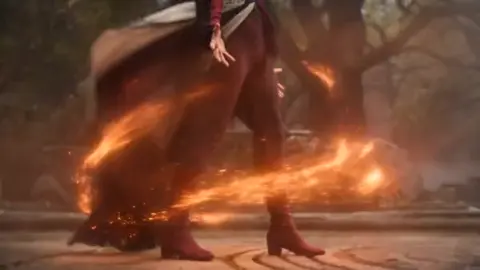


Animation has always been the most labor-intensive form of commercial video. Every frame had to be drawn, rigged, and composited before a single second of motion existed. AI video animator generators change that arithmetic: they accept a text prompt, a still image, or a short reference clip and return moving footage with plausible camera motion, lighting, and physics in a fraction of the time.
The craft does not disappear — it moves. The job shifts from drawing frames to directing motion: choosing shots, describing movement precisely, holding characters consistent, and repairing the small failures every model produces. This guide covers the full loop so you can build a repeatable process instead of gambling on one-off generations.
What an AI Video Animator Generator Actually Does
Under the hood, most modern systems are diffusion or diffusion-transformer models trained on large collections of video-text pairs. During training they learn a joint distribution over appearance and motion. At generation time, the model starts from noise and denoises it step by step, conditioned on your prompt and any supporting signals you supply. Temporal layers or attention blocks push consecutive frames toward coherence, which is why short clips look stable while long ones tend to drift.
What separates one tool from another is mostly the conditioning surface — how many levers you get to steer the result.
- Text prompt: the primary control, strongest for subject and mood, weakest for exact timing.
- First frame or keyframe image: locks composition, palette, and character identity.
- Last frame: useful for transitions and for chaining clips into a sequence.
- Motion controls: brushes, trajectories, or camera splines that dictate where pixels travel.
- Structural guides: depth maps, pose skeletons, or edge maps for precise staging.
- Style references: images that transfer rendering style without copying content.
Where quality actually comes from
Most disappointing output traces back to inputs, not the model. A blurry, low-contrast source image animates into a blurry, low-contrast clip. A vague prompt produces an average-looking average. Treat generation as a search problem: fix your inputs, then sample several seeds before judging a prompt. The first take is rarely the best one, and the third take is usually where the interesting accidents appear.
The Animation Pipeline End to End
Professional results come from a pipeline, not from a single prompt. The four stages below apply whether you are making a fifteen-second social clip or a multi-minute explainer.
Stage one: concept and shot list
Write the story in shots before you write prompts. A thirty-second piece typically needs six to eight shots of three to five seconds each. For every shot, note the subject, the action, the camera move, and the emotional beat. This document becomes your production checklist and prevents the most common failure mode: generating beautiful clips that do not cut together.
Stage two: visual anchors
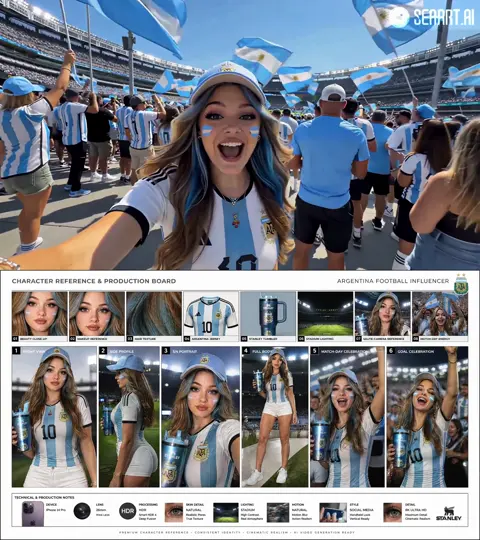
Create or collect still images that define the look. These might come from photography, a style frame you illustrated, or an image model. Anchors solve consistency problems before they happen, because image-to-video generation inherits far more visual identity from a reference than from a paragraph of adjectives.
Stage three: motion generation
Now generate. Work shot by shot, in order, and keep a log of the prompt, seed, reference image, and settings that produced each acceptable take. Short clips are easier to control; you can always extend a good three-second shot rather than fight a drifting eight-second one.
Stage four: assembly and finishing
Cut the clips on a timeline, replace or smooth the weak moments, add sound, and grade. This is where a pile of generations becomes a video. Budget real time for it — assembly is often a third of total production effort.
Choosing Between Text-to-Video, Image-to-Video, and Hybrid Workflows
The right entry point depends on how much control you need versus how fast you want to move.
| Approach | Best for | Main trade-off |
|---|---|---|
| Text-to-video | Ideation, mood pieces, B-roll | Loose control over composition |
| Image-to-video | Character work, product shots, brand pieces | Depends on anchor quality |
| Hybrid (stills + motion controls) | Precise staging, VFX-style inserts | Slower, more technical setup |
Decision criteria that hold up
Ask three questions. Does the client need to recognize a specific person or product? If yes, start from an image and never rely on text alone. Does the shot need a specific camera move? If yes, choose a tool with explicit camera or trajectory controls. Will the same character appear in five shots? If yes, invest in a locked reference set and generate all shots in one session so the seed space stays comparable. When in doubt, prototype the hardest shot first — it tells you whether the whole concept is feasible before you commit to the easy ones.
Prompting for Motion, Not Just Subject Matter
Most beginners describe what is in the frame. Better results come from describing what happens in the frame.
Camera language
Use concrete cinematography terms: slow dolly in, handheld follow, crane down, static tripod, orbit clockwise, whip pan into the subject. Name one move per shot. Two competing moves produce mush, because the model averages them.
Motion verbs, pacing, and duration
Specify the action with a verb and a tempo: drifts, snaps, unfurls, cascades, settles. Add environmental motion — steam rising, fabric rippling, leaves scattering — because secondary motion is what makes a generated clip feel alive. Keep individual generations short: three to five seconds gives the model less room to accumulate errors, and you can join clips in the edit.
Negative constraints
Instead of listing everything you dislike, name the two or three failure modes you actually see. If hands melt, say so. If the background warps, ask for a static background. Keep the negative list short; long lists of prohibitions often bleed into the image and create the very artifacts you were trying to avoid.
Consistency Across Shots: Characters, Style, and Brand
A sequence fails if the hero looks like a different person in every shot. Consistency is a process, not a setting.
Reference images and style locks
Build a small reference kit: one clear front-facing portrait, one three-quarter view, one full-body shot, and one image that defines the lighting and grade. Feed the same kit into every generation. Where a tool supports style strength or reference weight, keep it in a moderate range — maximum weight tends to freeze motion and produce uncanny, stiff performances.
Multi-shot continuity tactics
Generate all shots of a character in one working session, with the same reference and similar prompt scaffolding. Reuse backgrounds and props from an approved take rather than regenerating them. Where available, use the last frame of shot one as the first frame of shot two. If a tool offers a character or subject training feature, use it for recurring casts; if not, keep a fixed seed list and rotate through the seeds that worked.
Audio, Lip Sync, and Timing
Silent clips are rarely the finished product. Plan audio early, because timing drives the edit.
Record or generate narration first when dialogue matters. Generating video to match a voice track is far easier than bending a voice track to fit an existing clip. For on-screen speech, use a lip-sync pass on a locked shot rather than trying to prompt speech into existence — mouth shapes are the hardest thing for a generator to get right, and a dedicated sync step is more reliable.
For music, choose the track before you cut. Cut points land on beats, and beat-matched edits make even simple footage feel professionally assembled. Add ambience and foley underneath: room tone, footsteps, cloth movement, and a light transient on any action your eye lands on. Sound design does more for perceived realism than one more round of regeneration ever will.
Troubleshooting Common Artifacts
Almost every problem has a predictable fix. Work through these before regenerating blindly.
- Warping faces or textures: reduce motion intensity, shorten the clip, or lower reference weight. Fast movement gives temporal layers less to hold onto.
- Morphing limbs and extra fingers: keep hands out of close framing or partially occluded, and animate from a clean still rather than a busy one.
- Flicker or buzzing texture: lower the resolution and upscale afterward, or increase temporal smoothing if the tool exposes it.
- Sudden scene changes mid-clip: trim the clip before the break and generate an extension from a clean frame instead.
- Static, lifeless output: add explicit secondary motion and a slower camera move; low motion values often read as stillness.
- Muddy or oversaturated color: the source image is the culprit. Grade your anchor stills before animating them.
Keep a short error log with the prompt, seed, and setting for each failure. Patterns emerge within a dozen attempts, and the log stops you from repeating the same mistake across a whole project.
Editing and Finishing the Sequence
Generation gives you raw material with inconsistent grain, sharpness, and color. Finishing makes it look intentional.
Start with timing: place clips, trim to the beat, and cut on movement. Reversing a clip, playing it at half speed, or looping a three-second shot can rescue an otherwise weak take. Where a cut feels abrupt but you want continuity, a short dissolve or a motion-matched transition hides the seam.
Then unify the look. Apply a single grade across all clips — matching contrast, saturation, and black levels first, then adding a stylistic layer. A subtle film grain or a touch of chromatic softness masks the difference between generated and photographed footage surprisingly well, because real cameras are imperfect and generators are too clean.
Finally, upscale and export deliberately. Upscale at the end, after the edit is locked, so you are not reprocessing footage you will cut. Render at a standard frame rate to avoid judder, and check the final file on a phone screen as well as a monitor; most of your audience will see it small.
Worked Example: A Thirty-Second Product Spot
Suppose you are producing a thirty-second spot for a wireless speaker, opening on a moody interior and ending on a product hero shot.
Planning. Six shots: room reveal, hand placing the speaker, close detail of the grille, light pulsing with bass, wide lifestyle shot, and a slow product turntable. Write the shot list with camera moves before touching a generator.
Anchors. Shoot or source six stills — one per shot — with consistent lighting and a single color palette. Grade them together so they match.
Generation. Produce each shot in image-to-video mode at three to five seconds, using one camera move per shot and explicit secondary motion: dust drifting in the light, fabric settling, bass pulse rippling through a glass of water. Generate four seeds per shot and keep the best; expect a fifty percent hit rate at first and better as your prompts tighten.
Assembly. Cut to a 90 BPM track, land the reveal on the first downbeat, and use a two-frame flash on the bass hits. Grade everything to one look, add a grain pass, and upscale once.
Scaling. Once this flow works, template it: save your prompt scaffolding, reference kit, grade preset, and export settings. Batch generation for a series in one session so seeds and settings stay comparable, and keep a version log so an earlier shot can be restored when a later experiment disappoints.
Frequently Asked Questions
How long should a single generated clip be? Three to five seconds is the sweet spot for control. Longer clips drift, and drift is expensive to fix.
Do I need an image model as well as a video model? Usually yes. Still-image creation gives you anchors that carry identity and style far more reliably than text prompts.
Why does the same prompt give different results each time? Generators sample from a distribution. Fix your seed when you want repeatability, and vary it deliberately when you want options.
Can generated footage replace a full animation team? For short-form marketing, product inserts, and mood pieces, it can carry most of the load. For expressive character acting or precise technical motion, it still works best as a fast previsualization and cleanup layer alongside traditional animation.
How many attempts should a shot get before I change approach? Roughly four. If four seeds of a well-specified prompt all fail, the problem is the concept, the anchor, or the tool choice — not luck.
What is the biggest beginner mistake? Generating clips before writing a shot list. Beautiful isolated shots that cannot be cut together waste more time than any bad render.
The pattern behind all of this is simple: constrain the input, describe the motion, generate short, keep a log, and finish deliberately. Do that and AI animation stops feeling like a slot machine and starts behaving like a production line.

Alexander
More Blogs
Read MoreVidu Q4 Alternatives: 4K AI Video Models Compared (2026)
Vidu Q4 alternatives compared: Kling 4.0, Seedance 2.5, Wan 3.0, and Runway Gen-4 — 4K support, input modes, durations, audio, and what each costs in credits on Domer.
Top 4K AI Image Generators in 2026: 5 Models Compared on Real Costs
The top 4K AI image generators on Domer compared: Flux 3 Klein, Nano Banana 2.1, GPT Image 2.5, GPT Image 2, and Nano Banana Pro — 4K credit costs, reference limits, and speed.
Nano Banana 2.1 vs GPT Image 2.5: Which Image Model Should You Use? (2026)
Nano Banana 2.1 vs GPT Image 2.5 Flare compared: credit costs per resolution, aspect ratios, reference images, text rendering, and which tasks fit each model.