

Affiliazione
Inizia Gratis Ora
AI Video Body Generator Workflow: From Prompt to Final Cut
Oct 15, 2026

What an AI Video Body Generator Actually Does
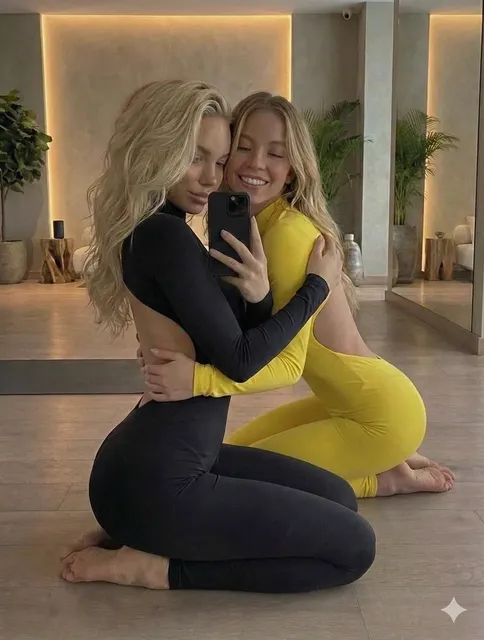
An AI video body generator is a system that synthesizes a human figure inside a moving image. Depending on the tool, the output might be a full-body character performing a scripted action, a photoreal torso replacing a performer, or a rigged silhouette sitting behind a product shot. The common thread is that the body itself is generated rather than filmed.
That distinction matters more than it first appears. A traditional video pipeline assumes a camera, a subject, and a set. A generative pipeline assumes a description, a reference, and a duration. You do not need a green screen or a performer who can hold an awkward pose for twenty seconds. You need a clear idea of what the body should do and a model capable of holding that idea together frame after frame.
Most working systems combine three capabilities. Pose control decides where the limbs are and how weight shifts through a movement. Appearance synthesis decides what the surface looks like: skin, fabric, hair, sweat, lighting response. Temporal smoothing keeps identity stable across hundreds of frames so a face does not drift halfway through a sentence and hands do not change shape between cuts. When any of the three fails, viewers notice immediately, even if the other two are flawless.
It also helps to separate two jobs that sound similar but are not. Body generation creates a figure from nothing. Body replacement swaps an existing figure for a generated one. The first is useful for previsualization, stylized content, and characters who never existed. The second is useful for repairs: hiding a continuity error, matching a stunt performer's physique to the lead actor, or covering a wardrobe problem in an otherwise perfect take. Knowing which job you actually have saves hours of wasted generation.
How the Technology Works Under the Hood
You do not need to understand the math to use these tools well, but a working mental model helps you diagnose failures faster.
Generative models in plain terms
Early body synthesis leaned on adversarial training, where one network proposes an image and another judges it. That approach produced sharp stills but struggled with video, because each frame was judged in isolation. The result was flicker: a body that looked convincing for a single frame and wrong the moment it moved.
Why diffusion changed the quality bar
Diffusion models build an image by starting from noise and removing it step by step. Because the process is iterative, the model can be steered mid-way, which makes it far easier to apply pose guides, depth maps, and reference images without destroying the render. Modern video models extend this across time, denoising a whole clip together so motion stays coherent. This is the single biggest reason synthetic bodies went from novelty to production-viable.
Pose, depth, and 3D priors
A body generator that only sees pixels has no idea that an elbow cannot bend backwards. Feeding it pose skeletons, depth maps, or a coarse 3D mesh gives it physical constraints. Tools that accept a driving performance — a phone video of someone dancing, for example — extract that skeleton and transfer the motion onto a generated physique. Depth priors are what prevent a generated arm from sinking into a generated torso.
Where language models fit
Text models rarely draw anything themselves. Their role is translation and orchestration: turning a written brief into structured parameters, choosing camera moves, sequencing generation steps, and writing the shot list your pipeline consumes. They are most valuable before and after generation, not during it.
Where Synthetic Bodies Fit in Real Productions
Generative bodies are not a replacement for filming. They are a replacement for the expensive parts of filming: reshoots, risky stunts, unavailable performers, and setups that require equipment nobody has on set today.
Short-form social and advertising
Vertical video rewards volume. A brand that needs thirty variations of the same message cannot shoot thirty times. Generating a consistent body that can be re-posed, re-dressed, and re-lit per variation turns a week of production into an afternoon of iteration. The catch is consistency: audiences forgive stylization but not a character who changes height between clips.
Training, onboarding, and explainer video
Corporate content has a specific advantage — nobody expects cinematic realism. A clean, neutral, well-lit synthetic presenter walking through a process is often better than a real employee reading a teleprompter badly. Updates become cheap, because you can regenerate a single paragraph rather than rebook a shoot.
Previsualization, games, and extended reality
In previz, generated bodies let a director test blocking before committing to a location. In games and immersive media, they populate scenes at a scale no animation team could match. Here the bar shifts from photorealism to believability of motion, and motion quality is exactly where generative systems have improved fastest.
Building a Repeatable Workflow, Step by Step
Most disappointing results come from treating generation as a single button rather than a pipeline. A reliable process looks like this.
Step 1 — Write the shot, not a wish
Start with a shot list in plain language: subject, action, camera, duration, lighting, wardrobe. "A woman in a grey hoodie walks three steps toward camera, stops, folds her arms, medium shot, soft window light, eight seconds." That is a spec. "Beautiful realistic human walking" is a lottery ticket.
Step 2 — Lock the reference
Before generating motion, generate or select a still of the body you want. Approve the silhouette, proportions, skin tone, and clothing. Then use that still as the identity anchor for every clip in the sequence. Changing references between shots is the most common cause of visible drift.
Step 3 — Generate in passes
Generate short segments — three to five seconds — rather than one long take. Short segments are cheaper to discard, easier to correct, and can be stitched with cuts that hide imperfections. If your tool supports motion transfer, drive each segment with a separate clean performance take.
Step 4 — Repair anatomy and temporal drift
Review frame by frame at the problem areas: hands, feet, hair edges, joints at extreme angles, and any place where the body meets an object. Expect to regenerate roughly a third of your clips. Budget for it in your schedule instead of being surprised by it.
Step 5 — Composite, grade, and finish
Place generated bodies into real plates or fully synthetic environments, match grain and color, and stack a light vignette or lens artifact over the seams. Adding a subtle camera move in post — even a two percent push — makes generated footage read as shot footage to most viewers.
Prompting and Directing Synthetic Bodies
The language you use shapes the output more than most creators expect.
Describe motion, not just appearance
Adjectives about looks are easy for models; verbs about movement are harder and more valuable. Specify tempo ("slow, deliberate"), weight ("heavy steps, shoulders leading"), and interaction ("rests one hand on the counter"). Motion descriptions are what separate a floating figure from a person with mass.
Use negative constraints
If your tool accepts exclusions, name the failure modes you keep seeing: extra fingers, warped wrists, rubber limbs, changing hairline. Exclusions are a blunt instrument, but they are effective against recurring artifacts.
Keep seeds and settings documented
When a clip works, save everything: seed, reference, prompt, duration, resolution, and any pose guide. Reproducibility is what lets you build a series instead of a one-off. A simple spreadsheet beats memory every time.
Direct the camera separately
Lock the camera for dialogue-adjacent shots and reserve movement for action. Moving cameras plus moving generated bodies compound errors, and the audience reads the result as a glitch rather than as style.
Choosing the Right Tool for the Job
There is no single best generator; there is a best generator for the constraint you have. Use these criteria to narrow the field.
| Constraint | What to look for |
|---|---|
| Photoreal close-ups | Strong identity anchoring and skin detail |
| Long sequences | Temporal consistency across clips, not just within one |
| Precise choreography | Motion transfer from a driving video |
| Fast iteration | Short render times and cheap re-rolls |
| Commercial use | Clear licensing on outputs and training data |
| Team handoff | Exportable project files and version history |
The practical move is to pick two tools and use them for different stages: one for identity stills and one for motion. Trying to make a single system do everything usually produces mediocre results in both.
Common Mistakes and How to Avoid Them
Chasing realism when stylization would win. A slightly stylized body avoids the uncanny valley entirely. If your content is not pretending to be documentary footage, do not pay the cost of photorealism.
Generating before designing. Skipping the shot list means generating dozens of clips that cannot be edited together. Paper first, pixels second.
Ignoring the frame rate and aspect ratio of your final delivery. Generating square footage for a vertical channel wastes both time and money. Set delivery specs before your first render.
Over-relying on one long take. Long single generations hide errors until the very end. Short segments surface problems while they are still cheap to fix.
Forgetting audio. Generated bodies look more real over realistic room tone. Silence makes synthetic footage feel like a test render.
No continuity owner. On a team, one person should own the reference library and approve every new clip. Shared improvisation produces a character who changes face between scenes.
Quality Control Checklist Before You Publish
Run every clip through the same pass before it reaches an editor.
- Identity: does the face match the approved reference at both the start and end of the clip?
- Anatomy: hands, fingers, ears, and feet survive full-resolution inspection?
- Weight: does the body react to gravity, contact, and momentum?
- Edges: hair, fabric, and limbs hold up against the background?
- Continuity: wardrobe, lighting direction, and proportions match neighboring shots?
- Temporal stability: no flicker, warping, or sudden texture changes on fast motion?
- Sound: room tone and footsteps match the environment?
Anything that fails two or more checks should be regenerated, not patched. Fixing a broken clip in post is almost always slower than producing a clean one.
Ethics, Consent, and Disclosure
Generating human bodies raises questions that are not purely technical. If a body resembles a real, identifiable person, you need permission — ideally written — regardless of whether the likeness was intentional.
Disclosure is the safer default. A short on-screen label or a line in the description protects your audience's trust and increasingly satisfies platform requirements. It also removes the burden of maintaining a fiction that can be broken by a single viewer with sharp eyes.
Avoid training a model on footage you do not have rights to. Avoid generating bodies in scenes implying violence, harassment, or sexual content involving real people. And be careful with bodies presented as spokespeople, because viewers reasonably assume a spokesperson is a real, accountable person.
Finally, think about representation. Synthetic bodies are easy to diversify and easy to homogenize, because models reproduce the biases of their training data. Deliberately varying age, body type, and skin tone in your reference library is both fairer and better creative work.
FAQ
Can I use a generated body in a commercial ad?
Usually yes, but check the license that comes with your specific tool. Watch for restrictions on training data, on resale of raw outputs, and on content categories such as political advertising or medical claims.
How long can a generated clip be before it falls apart?
Practically, most pipelines hold up for three to eight seconds per clip. Beyond that, drift and warping accumulate. Build sequences from short segments and hide the joins with cuts, camera moves, or foreground occlusion.
Do I still need actors?
For emotion-heavy dialogue, physical comedy, and anything requiring genuine spontaneity, yes. For repeated motion, background crowds, previz, and endless variations, generated bodies are usually faster and cheaper.
What is the fastest way to improve output quality?
Improve your references. Clean, well-lit, front-facing stills with consistent wardrobe do more for quality than any prompt change. The second fastest fix is generating shorter clips and cutting more.
How do generated bodies fit into an existing edit?
Treat them like any other footage: match grain, color, and motion blur, then grade the whole sequence together. Footage that is graded in isolation almost always looks pasted in.
Will viewers notice?
On a phone screen at speed, usually not, if your editing is competent. On a large display with a locked-off shot, they often will. Design your shots around where the content will actually be watched.
Where This Goes Next
The technology is moving toward fewer passes and more controllability. Expect stronger pose conditioning, longer coherent durations, and better integration with real footage so generated and shot material cut together without a visible seam. None of that changes the fundamentals: clear intent, consistent references, short segments, disciplined review, and honest disclosure.
Treat generated bodies as one more tool in a production kit rather than a magic replacement for production itself. Teams that adopt that mindset get usable footage quickly. Teams that expect a single prompt to produce a finished ad spend their time fighting the same artifacts forever.

Alexander
More Blogs
Read MoreVidu Q4 Alternatives: 4K AI Video Models Compared (2026)
Vidu Q4 alternatives compared: Kling 4.0, Seedance 2.5, Wan 3.0, and Runway Gen-4 — 4K support, input modes, durations, audio, and what each costs in credits on Domer.
Top 4K AI Image Generators in 2026: 5 Models Compared on Real Costs
The top 4K AI image generators on Domer compared: Flux 3 Klein, Nano Banana 2.1, GPT Image 2.5, GPT Image 2, and Nano Banana Pro — 4K credit costs, reference limits, and speed.
Nano Banana 2.1 vs GPT Image 2.5: Which Image Model Should You Use? (2026)
Nano Banana 2.1 vs GPT Image 2.5 Flare compared: credit costs per resolution, aspect ratios, reference images, text rendering, and which tasks fit each model.