

Affiliazione
Inizia Gratis Ora
AI Video Generator Alternatives: A Practical Workflow Guide
Oct 13, 2026

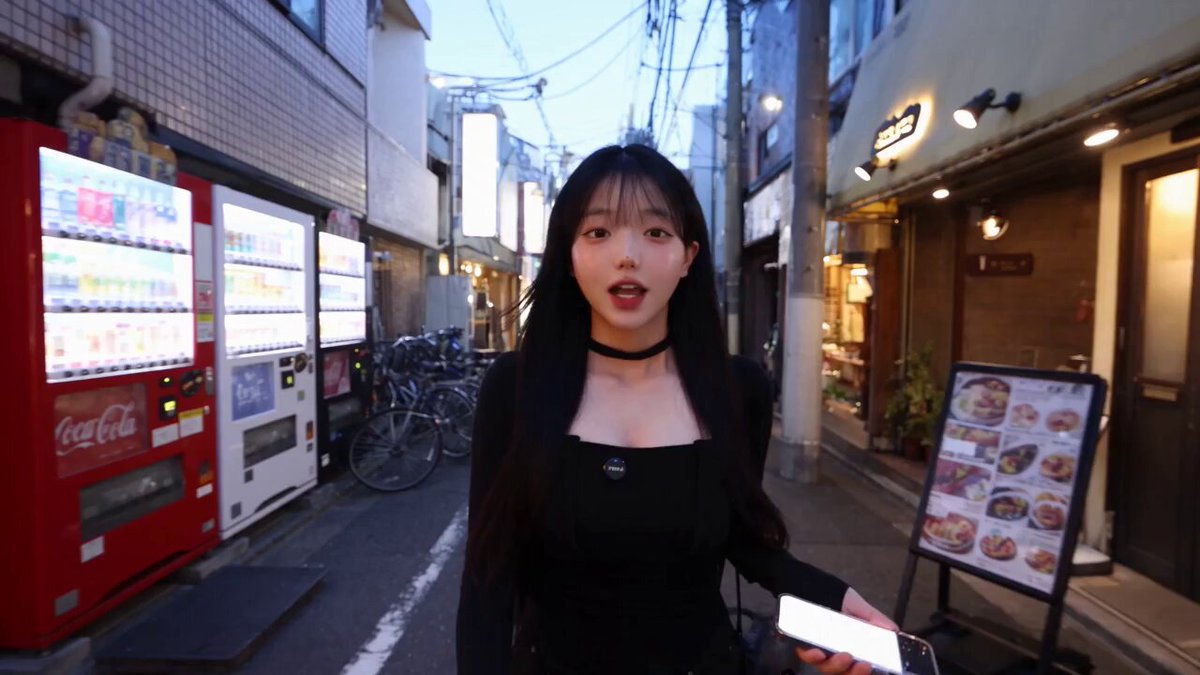
AI video generation has moved from novelty to practical production tool. Hailuo AI is one of the names creators encounter when they search for text-to-video and image-to-video platforms, but it is not the only option. The real challenge is not finding a generator. It is building a workflow that turns a rough idea into a finished clip you can publish, reuse, and improve over time.
Why AI Video Generators Became Essential Creative Tools
Video is the default format for social platforms, product pages, online courses, and brand campaigns. Traditional production requires planning, casting, locations, lighting, cameras, and editing. AI video generators compress part of that pipeline into a text prompt or a reference image. They do not replace cinematography, but they remove friction from early exploration.
The first wave of AI video tools produced short, surreal clips. The current generation is more controllable. You can specify camera movement, lighting, subject action, and visual style. You can feed a still image and animate it. You can generate multiple variations and pick the best one. For small teams, this changes how concepts are tested. A storyboard that once required a shoot can now be prototyped in minutes.
Hailuo AI fits into this shift as an accessible generator for short cinematic clips. Alternatives range from research demos to production suites. The value of comparing them is not to declare a winner. It is to match the tool to the task, then combine tools when one platform cannot do everything.
How Text-to-Video and Image-to-Video Systems Work
Most modern generators use diffusion models or transformer-based architectures. During training, the system learns patterns from video and image data. At generation time, it starts with noise and gradually refines it into frames that match your prompt. Text-to-video uses language as the main guide. Image-to-video uses a still frame as the starting point and predicts motion forward.
This matters because prompts are not commands in the traditional sense. They are probabilistic hints. A prompt such as a woman walking through a neon city gives the model many possible interpretations. The result depends on model training, random seed, aspect ratio, duration, and motion settings.
Key controls usually include prompt, negative prompt, seed, duration, aspect ratio, resolution, camera motion, and motion strength. Some tools add reference images, style presets, character locks, and region-based editing. The more controls a platform exposes, the more you can steer results, but the more decisions you must make. Beginners often do better with simpler tools first, then move to granular platforms when they need consistency.
Hailuo AI and the Alternative Landscape
Hailuo AI is known for generating short clips from text and images with a focus on stylized motion and accessible prompting. It can be a good starting point for creators who want to test ideas quickly. However, the market includes several categories of alternatives.
General-purpose generators like Runway, Pika, and Luma Dream Machine offer broad text-to-video and image-to-video workflows. Cinematic-focused tools emphasize realistic motion, lighting, and camera language. Social-first tools optimize for vertical video, fast iterations, and template-like outputs. Animation-oriented tools support stylized characters and 2D or anime aesthetics. Open-source options give technical users more control over deployment and customization.
Other names in the conversation include Kling, Stable Video Diffusion, Sora, Veo, and various cloud video APIs. Each has strengths. Some excel at photorealistic humans. Some handle camera moves better. Some are stronger with animation. Some provide better editing controls after generation.
The practical takeaway is that no single tool dominates every use case. A marketer making product teasers may prefer a fast social-first tool. A filmmaker testing a scene may prefer a cinematic generator. An indie game developer may need animation consistency. A developer may want an API and batch generation. Use Hailuo AI or any alternative as one station in a larger workflow, not as the entire studio.
Feature Comparison: What Separates a Toy from a Workhorse
When you compare AI video generators, look beyond the demo reel. The following features determine whether a tool can support real work.
Prompt adherence measures how closely the output follows your description. Test it with specific prompts: a red jacket, a slow dolly-in, rain on glass. If the model ignores details, you will spend too much time regenerating.
Motion realism covers how naturally subjects move. Watch for sliding feet, warping faces, and objects that melt. Temporal consistency checks whether the scene stays stable across frames. Flickering textures and changing clothing are common failures.
Camera control lets you specify pans, tilts, zooms, and tracking shots. Even basic camera language improves the cinematic feel. Aspect ratio options matter for horizontal, vertical, and square formats. Duration limits tell you how long a single generation can be.
Resolution and upscaling affect final quality. Some tools output lower-resolution previews and rely on separate upscalers. Image-to-video support is essential for character consistency. Video-to-video and style transfer help you restyle existing footage.
Editing features such as inpainting, outpainting, and motion brushes reduce the need to start over. Audio support, including sound effects and lip sync, can save post-production time. API access matters for automation. Collaboration features help teams review and approve. Watermarks and licensing affect commercial use. Export codecs and frame rates must match your editing software.
A tool is a workhorse if it fits your repeatable tasks. If you make vertical social clips, prioritize vertical output, fast generation, and captions. If you make narrative scenes, prioritize consistency, camera control, and editing. If you make product videos, prioritize clean backgrounds, accurate logos, and stable motion.
A Repeatable End-to-End AI Video Workflow
A good workflow reduces randomness. The following steps work whether you use Hailuo AI, a similar generator, or a mix of platforms.
Step 1: Define the Brief and Storyboard
Start with one sentence: what should the viewer feel or do? Then break the video into shots. A 30-second video might have five to eight shots. Each shot needs a subject, action, setting, camera angle, and mood. Write these as simple lines. This storyboard becomes your prompt list.
Do not skip this step. AI generators are bad at interpreting vague intentions. A clear shot list prevents wasted generations and makes editing easier.
Step 2: Write Prompts That Direct Motion
A strong prompt includes subject, action, environment, camera, lighting, and style. For example: a cyclist rides through a misty forest at sunrise, slow tracking shot, soft golden light, cinematic, shallow depth of field. Add negative prompts for things you do not want, such as blurry, distorted hands, text, watermark.
Use action verbs. Instead of a beautiful city, write a woman walks past neon signs and looks over her shoulder. Motion gives the model something to animate. If you need a specific camera move, name it: dolly in, pan left, crane up, handheld.
For image-to-video, describe the motion you want from the still. The subject turns slightly toward camera, hair moves in the wind, background lights flicker. This helps the model understand what should change and what should stay stable.
Step 3: Generate Multiple Variations
Never accept the first result. Generate three to five variations per shot. Change one variable at a time: seed, motion strength, camera wording, or style. Keep notes. If a variation works, save the prompt and seed for future shots.
Batch similar shots together. If your video has three forest scenes, generate them in one session to maintain visual consistency.
Step 4: Curate with a Ruthless Eye
Review each clip on a large screen. Check faces, hands, edges, and background motion. Look for flicker, warping, and sudden changes in lighting. If a clip is 80 percent good, consider whether editing can fix the rest. If it is fundamentally wrong, regenerate.
Create a selects folder. Name files by shot number and take. This saves time later.
Step 5: Edit, Upscale, and Add Sound
Import selects into an editor. Cut on motion. Add transitions only when they serve the story. Use speed ramps to hide awkward moments. Color grade for consistency. Upscale if needed, but beware of over-sharpening artifacts.
Sound is half the experience. Add ambient audio, sound effects, and music. If dialogue is needed, record it separately and align it carefully. AI lip sync can help, but it still needs clean audio and a clear face.
Step 6: Publish and Repurpose
Export in the correct aspect ratio and resolution. Create a vertical cut for short-form platforms, a horizontal cut for YouTube or websites, and a square cut for feeds. Write captions that work without sound. Add a hook in the first two seconds. Test thumbnails and titles.
Repurpose successful clips into ads, explainers, and social posts. Keep a library of prompts and settings that worked. Over time, your workflow becomes a repeatable system.
Prompt Patterns That Improve Motion and Consistency
Use a consistent prompt formula: subject plus action plus environment plus camera plus lighting plus style plus negative prompt. For example: a chef slices vegetables in a bright kitchen, medium close-up, slow push in, soft window light, documentary style, no text, no extra fingers.
For character consistency, use a reference image and repeat the same descriptive words. If the tool supports seeds, reuse them. If it supports character training or LoRA-like features, use them. Otherwise, keep the same clothing, hair, and environment across prompts.
For camera consistency, define your camera language before generating. If you want a sequence of tracking shots, use similar wording in every prompt. Avoid mixing handheld, drone, and static shots unless the story calls for it.
For motion control, use motion strength settings carefully. Too high can warp subjects. Too low can produce a still image with slight movement. Test small changes.
For lighting, specify time of day and source. Golden hour backlight, overcast soft light, and neon rim light produce more predictable results than good lighting.
For style, choose a lane. Mixing photorealistic and animated descriptions confuses the model. If you want anime, use anime terms. If you want cinematic realism, use film terms.
Common Mistakes and How to Fix Them
The first mistake is overcrowding a prompt. Too many subjects, actions, and style words reduce adherence. Fix it by focusing each shot on one main action.
The second mistake is ignoring aspect ratio. A horizontal prompt may not work for vertical platforms. Generate in the target ratio from the start.
The third mistake is expecting long continuous clips. Most generators work best with short shots. Build longer sequences in the edit.
The fourth mistake is not using reference images. For characters, products, or locations, a reference image improves consistency. Use image-to-video when possible.
The fifth mistake is accepting AI artifacts. Check hands, teeth, eyes, and text. If a logo or sign appears, verify it. Regenerate or cover it in editing.
The sixth mistake is neglecting audio. Silent AI clips feel unfinished. Add sound design early in the edit.
The seventh mistake is ignoring rights and platform rules. Check the tool terms for commercial use. Avoid generating real people without permission. Do not use copyrighted characters or brands unless you have rights.
The eighth mistake is building a workflow around one tool. Tools change. Keep your prompts, shot lists, and editing presets portable. That way you can switch generators without starting over.
Quality Control Checklist Before You Publish
Run through this checklist for every video. Does the story make sense without explanation? Is the first frame strong enough to stop a scroll? Are faces and hands stable? Is the motion natural? Are there flickering textures or warped edges? Is the lighting consistent between shots? Is the audio balanced? Are captions accurate? Does the video match the platform aspect ratio? Is the file size and codec appropriate? Are there any watermarks or unintended text? Is the content safe for the intended audience? Does it comply with advertising rules? Is the call to action clear?
If a clip fails multiple checks, replace it. It is faster to regenerate than to fix a fundamentally broken shot.
FAQ About AI Video Generator Alternatives
Is Hailuo AI good for beginners? Yes. It offers an accessible entry point for text-to-video and image-to-video. Beginners can learn prompt structure and motion control without a complex interface.
What is the best alternative to Hailuo AI? It depends on the task. For cinematic control, look at Runway or Luma Dream Machine. For fast social clips, try Pika or similar social-first tools. For animation, consider specialized animation generators. For developers, compare API access and batch features.
Can AI video generators make long videos? Not in one generation. You generate short shots and assemble them in an editor. This is also better for storytelling because you can control pacing.
How do I keep characters consistent? Use reference images, repeat descriptive details, reuse seeds, and keep clothing and environment descriptions stable. If the tool supports character references, use them.
Do I need editing skills? Basic editing skills help enormously. You need to trim, arrange, add audio, and color match. AI generation is only one part of the pipeline.
Are AI-generated videos ready for commercial use? Check the terms of each platform. Some allow commercial use, others require attribution or restrict certain content. Also verify that your prompts do not infringe on trademarks, likenesses, or copyrights.
How many variations should I generate? Start with three to five per shot. For important hero shots, generate more. For simple B-roll, fewer may be enough.
What should I do when a tool changes? Keep a portable workflow. Store prompts, shot lists, reference images, and editing templates outside the tool. Then you can move to an alternative without losing your system.
Final Thoughts: Build a Workflow, Not a Dependency
Hailuo AI and similar tools are powerful, but they are not the final product. The final product is a clear story, clean motion, good sound, and a format that fits the platform. The creators who get the most from AI video generation are not the ones who chase every new tool. They are the ones who build a repeatable workflow: plan, prompt, generate, curate, edit, publish, and learn.
Start with one short project. Write a shot list. Generate variations. Edit them together. Add sound. Publish. Then refine your prompt library and your quality checklist. As you do, Hailuo AI and its alternatives become interchangeable stations in your process. The process is what scales. The tool is just the current brush.

Alexander
More Blogs
Read MoreVidu Q4 Alternatives: 4K AI Video Models Compared (2026)
Vidu Q4 alternatives compared: Kling 4.0, Seedance 2.5, Wan 3.0, and Runway Gen-4 — 4K support, input modes, durations, audio, and what each costs in credits on Domer.
Top 4K AI Image Generators in 2026: 5 Models Compared on Real Costs
The top 4K AI image generators on Domer compared: Flux 3 Klein, Nano Banana 2.1, GPT Image 2.5, GPT Image 2, and Nano Banana Pro — 4K credit costs, reference limits, and speed.
Nano Banana 2.1 vs GPT Image 2.5: Which Image Model Should You Use? (2026)
Nano Banana 2.1 vs GPT Image 2.5 Flare compared: credit costs per resolution, aspect ratios, reference images, text rendering, and which tasks fit each model.