
Affiliazione
Inizia Gratis Ora
AI Video Generators: A Practical Workflow Guide for Teams
Oct 15, 2026
Why AI Video Generation Reshaped the Production Pipeline
A decade ago, a thirty-second brand video meant a crew, a location, a lighting package, a voice actor, and an edit suite. The cost floor was high enough that most teams produced one or two hero videos a year and reused them everywhere. Generative video changed the economics of that decision. When a usable clip can be produced from a written description in minutes, the constraint moves from budget to judgment: knowing what to make, what to keep, and what to discard.
That shift matters most for the middle of the funnel — the dozens of small, specific videos that were previously uneconomical: localized variants, single-feature explainers, ad permutations, onboarding walkthroughs, social cutdowns. These are not cinematic projects. They are communication tasks, and they reward speed, consistency, and cheap iteration far more than production polish.
The practical consequence is that AI video generation is rarely a drop-in replacement for a traditional pipeline. It is a parallel lane with different tradeoffs. Understanding which lane a project belongs in is the most useful skill in this space, and it is the thread running through the rest of this guide.
The Core Technologies Behind Modern Generators
Most platforms bundle several distinct technologies behind one interface. Separating them helps, because each has its own failure modes and its own place in a workflow.
Text-to-Video: From Description to Footage
Text-to-video models take a written prompt and synthesize moving imagery. Early versions produced short, blurry, morphing clips. Current models handle camera movement, lighting direction, and subject motion with enough reliability to be used in real edits. The catch is control: the more specific your prompt, the more likely you are to fight the model on composition.
The most reliable approach is to describe a single moment, a camera behavior, and a lighting condition — not a story. A useful prompt skeleton runs like this: subject and wardrobe, action in the present tense, shot size, camera movement, lighting and time of day, rendering style, and an explicit statement of what should not appear. Prompts that read like stage directions outperform prompts that read like synopses.
Image-to-Video and Multi-Image Fusion
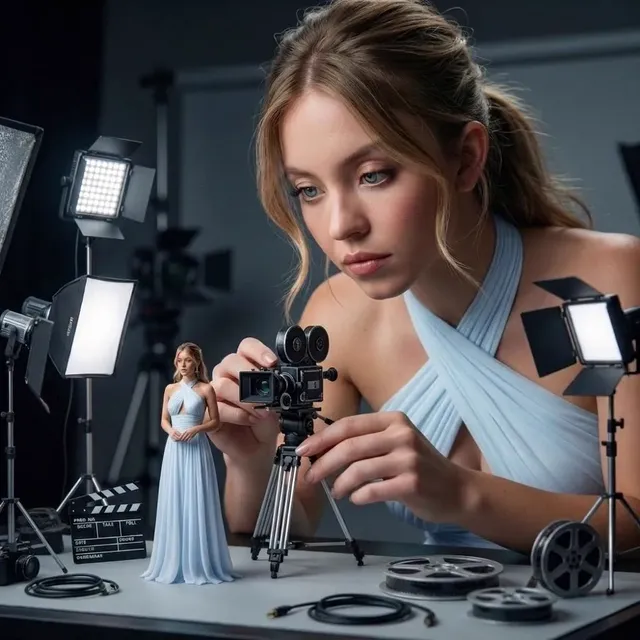
Image-to-video starts from a still and animates it. This is where most professional work actually happens, because the still gives you exact control over framing, wardrobe, product placement, and color. You generate or shoot a reference image, approve it, then animate it.
Multi-image fusion extends the idea by letting you anchor a sequence in several references — a character sheet, a location plate, a product shot — so consecutive clips feel like they belong to the same world. When consistency is a hard requirement, this is the technique that carries the most weight.
Voice Synthesis and Audio Layers
Modern voice models produce natural prosody, breath, and emphasis, and they support both scripted narration and conversational dialogue. Two rules save a lot of rework. First, generate audio at the same time you plan the visual edit, not after, because pacing decisions depend on it. Second, keep a small stable of voices per brand rather than a new voice per video; recognition compounds over time.
Music and sound design still matter more than most teams expect. A clip that looks slightly synthetic reads as intentional once the sound design is tight. A perfect clip with generic stock music reads as a template.
Scene Consistency Across Shots
Consistency is the hardest problem in generative video. Faces drift, logos warp, jackets change color between cuts. The workarounds are structural rather than magical: lock a character reference image, reuse the same seed and style tags, keep shot lengths short, cut on motion, and avoid asking one clip to carry more than one idea. If two shots must match exactly, generate them from the same reference and treat the second as a variation rather than a fresh start.
How to Choose the Right AI Video Tool
Feature lists from different platforms look nearly identical. The differences that matter in practice are about control, throughput, and how the tool fits an existing edit. Use these criteria in order.
Control versus speed. Some tools optimize for one-shot generation with minimal input. Others expose camera parameters, motion strength, seeds, and negative prompts. If your work needs brand-accurate framing, choose control. If you are producing volume for testing, choose speed.
Starting point. Does the tool accept stills, video, or only text? Image-to-video is the single most important capability for anyone producing consistent series content.
Aspect ratios and durations. Most social work needs vertical 9:16 at 5 to 15 seconds. Long-form explainers need horizontal clips that can be extended. Confirming native aspect ratio support avoids awkward crops later.
Audio. Some tools generate voice and lip sync internally. Others expect you to bring your own audio. Internal audio is faster; external audio gives you better mixing control.
Style and model control. Look for reusable style references, saved presets, or the ability to train or fine-tune on your own imagery. This is what turns a generic output into something a viewer recognizes as yours.
Export and integration. Check codec, resolution, frame rate, alpha channel support, and whether the platform offers an API or watched-folder workflow for automation.
Collaboration. For teams, review comments, version history, and shared asset libraries matter more than any single generation feature.
A reasonable decision rule: pick one primary tool with strong image-to-video control, and one secondary tool with fast text-to-video for exploration. Mixing more than two or three tools usually costs more in consistency than it gains in novelty.
A Practical End-to-End Workflow for a 30-Second Promo
The workflow below assumes a short marketing video with a voiceover, six to eight visual beats, and a one-week turnaround. It scales down for social cutdowns and up for longer explainers.
1. Write a one-sentence brief
Before touching any tool, write a single sentence that names the audience, the single idea, and the desired reaction. If the sentence has two ideas, split it into two videos. Most failed AI video projects failed at this step, not at the generation step.
2. Build a six-to-eight beat shot list
Each beat should be describable in one line: what the viewer sees and what the narration says. Keep beats short — two to four seconds each. Write down the emotional temperature of each beat, because that is what you will translate into lighting and camera language.
3. Lock the visual kit
Create a small reference set before generating anything: a character or presenter look, a location plate, a color palette, and two or three style adjectives. Approve this kit with stakeholders first. Changing the kit halfway through is the most expensive mistake in this workflow.
4. Generate first passes in batches
Generate three to five variations per beat rather than one perfect attempt. Save everything in a structured folder with the beat number and version. Do not delete weak clips yet; they often become B-roll or transition material.
5. Select, then cut on motion
Assemble a rough cut with the best takes. Cut on movement — a turn of the head, a step forward, a product rotation — rather than on static frames. Cuts on motion hide the small visual seams that generative clips tend to produce.
6. Add narration before final visuals
Record or generate the voiceover, then adjust clip lengths to match the narration rhythm. It is far easier to trim a clip than to stretch one without it looking artificial.
7. Finish with sound design and grade
Add ambience, a music bed, and two or three accent sounds. Apply a light color grade that unifies contrast and saturation across clips from different sources. This step is the difference between a collection of AI clips and a video.
8. Deliver in two aspect ratios
Export horizontal and vertical versions from the same timeline. Most teams underproduce vertical variants because it feels like extra work, but the vertical cut is usually the one that performs.
Prompt Craft: The Variables That Actually Change Output
Prompting is a craft, but it is a craft with a small number of high-leverage variables.
Specificity of subject. Generic nouns produce generic footage. Describe age range, wardrobe material, and posture instead of just role.
Camera language. Terms like slow dolly in, handheld follow, locked-off wide, and slow tilt communicate more than any adjective about mood.
Lighting direction. Saying where the light comes from changes more of the image than describing the mood. Backlit haze, soft window light from the left, and hard overhead sun each produce a distinctly different render.
Motion verbs. Present-tense action verbs keep subjects moving forward. Past tense or passive phrasing tends to produce static scenes.
Negative constraints. Explicitly excluding text overlays, extra limbs, duplicate subjects, or watermarks reduces cleanup time.
Style anchoring. Naming a rendering approach — documentary realism, 16mm grain, clean studio product photography — anchors the model faster than naming an artist or a film.
Keep a personal prompt library. When a prompt works, save it with the output. Over a few months this becomes the most valuable asset you own in this discipline.
Model Customization and Style Control
Off-the-shelf models produce competent, slightly anonymous footage. Customization is how you escape that. The three tiers, from cheapest to most involved, are style references, small trained adapters, and full fine-tuning.
Style references require no training and can be swapped per project. They are ideal for campaign-level looks. Small trained adapters — often called something like a character or style pack — lock a specific face, product, or illustration style with a modest set of images, usually twenty to fifty. They are the right choice for recurring characters and branded presenters. Full fine-tuning makes sense only when you produce consistently at volume and have a clean, rights-cleared dataset.
Regardless of tier, keep a written record of what each custom model was trained on and what it is not good at. Teams routinely forget this and then wonder why a style pack fails on a new camera angle.
Batch Production, Queues, and Asset Management
At volume, generation speed stops being the bottleneck and organization becomes one. Long render queues are an opportunity, not just a delay: queue up overnight batches of variations and review them in the morning.
A few habits keep batch work manageable:
- Name files with project, beat, and version, for example
spring-promo_b03_v2.mp4. - Keep a single source-of-truth sheet listing each beat, its prompt, its approved take, and its status.
- Store approved reference images separately from experimental ones.
- Archive rejected clips rather than deleting them; a rejected clip from one project is often a usable texture or transition in another.
If you are producing more than a handful of videos per week, look for platforms that support queues, saved presets, and scripted or API-driven submission. The manual clicking is what drains teams, not the render time.
Common Mistakes and How to Avoid Them
Generating before the concept is locked. The most expensive error. Every concept change invalidates a set of clips.
Asking one clip to do too much. A clip that tries to show a character walking, talking, and turning in a new location will produce artifacts. Split it into three clips and cut.
Ignoring audio until the end. Narration length dictates shot length. Plan them together.
Chasing perfection on a single shot. If the fifth variation of a beat still looks wrong, change the prompt structure or the reference image — not the wording.
Mixing too many tools in one video. Every model has a slightly different color response. More than two sources usually requires a grade to unify.
Skipping rights checks. Verify licensing for reference images, voices, and music before publishing, especially for commercial and paid media use.
Publishing without a vertical cut. Most distribution now happens in vertical feeds.
Quality Control Checklist Before You Publish
Run every finished video through the same short list:
- Watch once at full speed for pacing and emotional flow.
- Watch once at half speed to catch hand, face, and text artifacts.
- Check the first two seconds — that is where retention is decided.
- Confirm captions are burned in or correctly attached for sound-off viewing.
- Verify loudness consistency between narration and music.
- Confirm any on-screen text is legible on a phone at arm's length.
- Check that the aspect ratio crop does not cut off key product or face detail.
- Confirm every asset is cleared for the intended use.
This checklist takes ten minutes and prevents most of the corrections that come back after publication.
FAQ
Do I still need a video editor if I use AI generators?
Yes, and often more than before. Generation produces raw material; editing produces meaning. Pacing, sound design, and grading determine whether the result feels professional.
How long should AI-generated clips be?
Keep individual clips between two and six seconds. Longer clips accumulate drift in faces and geometry, and short clips cut together more naturally.
Can AI video replace live-action shoots entirely?
For explainers, social ads, localization, and abstract sequences, often yes. For testimonials, live events, and high-trust human moments, live footage still reads as more credible because it is real.
What is the fastest way to improve output quality?
Improve your reference images. A strong still reference influences the final clip more than any amount of prompt rewriting.
How do I keep a character consistent across a series?
Build a reference pack with several angles, reuse the same seed and style language, keep shot lengths short, and regenerate from the reference rather than from a previous clip.
Should I train a custom model on day one?
No. Start with style references and saved presets. Train a custom adapter only once you have a recurring character or look that appears in multiple projects.
Is AI-generated video detectable?
Usually yes, at least in part. Rather than trying to hide it, aim for work that is stylistically deliberate. Deliberate style reads as creative choice; accidental artifacts read as mistakes.
Where This Leaves Your Production Plan
The realistic position is that AI video generation handles a growing share of routine communication work, while human judgment handles concept, editing, sound, and quality control. Teams that treat generation as a camera — one input among several — consistently outperform teams that treat it as a magic button.
Start small. Pick one recurring communication task, build a reference kit, produce eight clips, cut them together, and publish. Then measure what worked. The workflow you build in that first project will be more useful than any tool comparison table, because it encodes your own standards for pacing, tone, and quality — and those standards are what make the output recognizable as yours.

Alexander
More Blogs
Read MoreVidu Q4 Alternatives: 4K AI Video Models Compared (2026)
Vidu Q4 alternatives compared: Kling 4.0, Seedance 2.5, Wan 3.0, and Runway Gen-4 — 4K support, input modes, durations, audio, and what each costs in credits on Domer.
Top 4K AI Image Generators in 2026: 5 Models Compared on Real Costs
The top 4K AI image generators on Domer compared: Flux 3 Klein, Nano Banana 2.1, GPT Image 2.5, GPT Image 2, and Nano Banana Pro — 4K credit costs, reference limits, and speed.
Nano Banana 2.1 vs GPT Image 2.5: Which Image Model Should You Use? (2026)
Nano Banana 2.1 vs GPT Image 2.5 Flare compared: credit costs per resolution, aspect ratios, reference images, text rendering, and which tasks fit each model.