
Crea
Affiliazione
Inizia Gratis Ora
AI Video Marketing for Art Exhibitions: A Creative Workflow
Oct 15, 2026

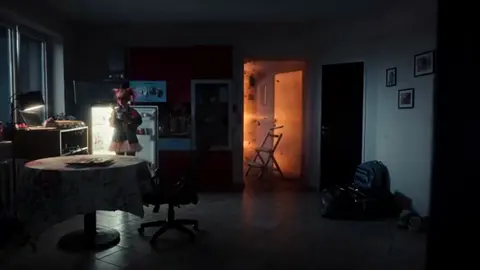
Why Art Exhibition Marketing Needs a New Visual Language
An exhibition is a physical, time-bound experience. It lives in a room with specific light, specific scale, and specific silence. Marketing, however, lives on a phone screen at 9 p.m., sandwiched between a cooking clip and a friend's vacation photo. The gap between those two worlds is the central problem of exhibition promotion, and it has never been wider.
The traditional toolkit was built for a different attention economy. Posters assume a passerby with ten seconds of patience. Press releases assume a journalist with context. Print ads assume a reader who already knows the artist. None of those assumptions hold for the majority of the audience you are now trying to reach, and none of them solve the hardest question a curator faces: how do you make someone feel something about a room they have never entered?
The answer is not simply to post more. It is to build a visual language that carries mood, texture, and narrative into the feed. That is where modern generative video, image-to-video tools, and lightweight analytics platforms become genuinely useful, not as novelty, but as a production layer that lets small teams create work that previously required a full agency.
Three shifts define this moment:
- Motion is the default. Static images still matter, but a five-second clip of light moving across a canvas does more emotional work than a perfectly lit still.
- Sound carries identity. A single ambient bed, a recorded room tone, or the artist's own voice creates recall far faster than text overlay.
- Specificity beats generality. A clip showing the actual weave of a textile outperforms a generic montage of gallery visitors holding wine glasses.
Most exhibition marketing teams are small: two or three people handling press, social, email, and the opening-night guest list. Any workflow worth adopting has to fit inside that reality, which means it must be repeatable, template-driven, and fast enough to survive a busy install week.
What AI Video Actually Changes for Curators and Galleries
From documentation to dramaturgy
Documentation answers the question what is in the room. Dramaturgy answers why should I care. AI-assisted production lets you build the second thing before the first thing is finished. A mood teaser can be cut while crates are still being unloaded, using the artist's reference imagery, installation plans, and studio photography. That early asset starts the conversation weeks before a photographer would normally arrive.
Where AI helps most
- Turning stills into motion. Slow push-ins, parallax, and layered depth give archival photographs a cinematic quality without reshooting anything.
- Atmospheric b-roll. Abstract texture, drifting light, dust in a beam, pigment in water. These clips fill gaps between documentary shots and cost almost nothing to produce.
- Multilingual captioning and translation. One teaser can serve five language communities in a city within an hour.
- Voiceover drafting. Generate a scratch narration to find the right pacing, then replace it with the curator or artist for the final cut.
- Thumbnail and cover variants at scale. Produce ten first-frame options in the time it used to take to make two.
- Restoration and upscaling. Old exhibition footage, degraded VHS documentation, or low-resolution scans can be brought back to usable quality.
Where AI hurts
There is a line that should never be crossed: the artworks themselves. Do not generate an image of a painting that does not exist and present it as the artist's work. Do not stylize a sculpture into something the visitor will not encounter. Do not clone an artist's voice without written permission. The audience forgives atmospheric AI footage; they do not forgive misrepresentation.
A simple internal rule works well: AI may build atmosphere, context, and motion, but it may not fabricate the art.
The Six-Step AI Promo Workflow for an Exhibition
Step 1: Write a one-line emotional brief
Before opening any tool, write one sentence that describes the feeling of the show. Something like: quiet tension, a room where light moves slowly and nothing is still. Every creative decision downstream gets filtered through that sentence. If a generated clip does not serve the line, it does not go in the edit, no matter how beautiful it is.
Alongside the brief, define two things: the audience segments you are addressing (members, students, first-time visitors, local community, press, collectors) and the single action you want from each. One action per segment. Teasers that ask for three things at once get none of them.
Step 2: Build a reference board and a style bible
Pull ten to fifteen reference images, including at least three from the actual exhibition photography. Define a palette with hex codes, a look reference for color grading, a font pairing, and a short motion vocabulary, such as:
- slow push in
- lateral drift
- parallax reveal
- ripple distortion
- cross-dissolve on beat
Write a forbidden list too: no lens flares, no floating particles, no generic drone shots, no AI-rendered faces. The forbidden list saves more time than the approved list, because it prevents the team from exploring directions you will never ship.
Step 3: Generate the raw material in batches
Produce twenty to thirty short clips, three to five seconds each. Use image-to-video generation from real photographs whenever accuracy matters, and reserve text-to-video for atmosphere only. Log every prompt, seed, model version, and output filename in a spreadsheet. Name files with a strict convention such as SHOWNAME_SHOT_V01. When you need a reshoot six weeks later, that log is the difference between ten minutes and an afternoon.
Step 4: Assemble a twenty-to-thirty-second master teaser
A structure that reliably works:
- Hook (0–2s). One striking motion, no logo, no title card.
- Reveal (2–8s). The space or a signature work, held long enough to breathe.
- Detail montage (8–18s). Texture, hands, tools, close crops, cut to the music's rhythm.
- Voice (18–24s). A single sentence from the artist or curator, or a short on-screen quote.
- Call to action (24–30s). Dates, venue, ticket link, QR code, held still for at least two seconds.
Insert half a second of near-silence before the call to action. Contrast makes the final card land.
Step 5: Create platform variants
One master cut is a starting point, not a deliverable. Export a 9:16 version for vertical feeds, a 4:5 or 1:1 for grid posts, a 16:9 for the website hero and press kit, and a silent 21:9 loop for lobby screens. Burn in captions for sound-off viewing, keep text inside safe zones, and make sure the hook lands within the first 1.5 seconds on vertical.
Step 6: Localize and schedule
Translate the caption script rather than auto-dubbing the audio, and have a native speaker review anything in a language your team does not speak. Prepare alt text for every image, write descriptive captions for accessibility, and schedule the campaign as a sequence rather than a single push: teaser, artist feature, process story, countdown, opening night, walkthrough, closing weekend.
Solving Visual Consistency Across a Campaign
Consistency is the hardest technical problem in AI-assisted art marketing, because each generation drifts. Clip one has warm highlights, clip four has cool shadows, clip seven has a slightly different grain structure. Viewed individually they all look fine. Viewed as a campaign, they look like they came from five different exhibitions.
Practical fixes that work:
- One style bible, one owner. A single person approves or rejects visual assets. Consensus decision-making produces mush.
- Reference conditioning. Feed the same three to five reference images into every generation so the model has a stable target.
- Prompt templates with variables. Keep the descriptive language identical and change only the subject and camera move.
- Seed locking. Reuse the same seed across a series to keep color and texture closer.
- A single color pipeline. Apply one grade across all clips in the editor, and correct AI footage white balance before anything else.
- A recurring human element. A pair of hands, a silhouette, a uniformed attendant. Small recurring details create continuity faster than any visual effect.
- A continuity review gate. Ten minutes with all clips on one screen at thumbnail size. Problems invisible at full size become obvious in a grid.
- A rejected folder. Archive bad clips with a clear label so nobody rescues them three weeks later.
Remember that campaign-level consistency matters more than shot-level perfection. If a viewer recognizes your exhibition at a glance from color and rhythm alone, you have succeeded.
Personalization Without Losing the Artist's Voice
Generic promotion says come see the show. Personalized promotion says this is why this show is for you. Both can be produced from the same master assets with modest variation.
Build a personalization matrix: one column per audience segment, one row per asset type. A student audience might receive a clip about process and materials. Members might receive an invitation framed around a private viewing. Local community groups might get a walking-route video tied to the neighborhood. Press gets the high-resolution stills, the artist statement, and the full-length b-roll package.
AI is genuinely good at producing that volume of variation quickly, especially for captions, subject lines, and invitation copy. The risk is tonal flattening: twenty versions of the same sentence, all sounding like a marketing template rather than a person. The safeguard is to write the first version yourself, then let the tool generate variants that keep your sentence structure and vocabulary.
Community building follows the same logic. A response video, a hashtag asking visitors to share their favorite piece, an artist question-and-answer session, a member preview, a thank-you clip after closing. These do not require large budgets, they require a rhythm.
Reading the Signals: Analytics and Iteration
Most teams publish and move on. The teams that improve publish, measure, and adjust within the same campaign window.
Track these metrics consistently:
- three-second retention (your hook rate)
- watch-through at 25/50/75/100 percent
- saves and shares per view
- profile visits and link clicks
- ticket-page conversion and, for paid placement, cost per ticket
- on-site signals: QR scans by zone, dwell time, exit-survey answers
Test one variable at a time: first frame, hook text, music, length, or call to action. Give each variant at least forty-eight hours at comparable spend. Set a kill rule in advance, such as stopping any variant that underperforms baseline by forty percent. Log everything in a simple weekly dashboard so the winning hook from this show becomes the starting template for the next one.
The most valuable output of analytics is not a number. It is a reusable pattern.
Mistakes That Quietly Kill AI-Assisted Campaigns
- Starting with the tool instead of the story. The output looks expensive and says nothing.
- Generating images of the art. This is a trust problem, not a style problem.
- Ignoring sound design. One ambient bed and a room tone beat a generic stock track every time.
- Long teasers with slow openings. Forty-five seconds with no hook in the first two seconds is a dead asset.
- Mixing color temperatures across clips. Fixable in ten minutes, fatal if ignored.
- No captions. A large share of viewers watch with sound off.
- Posting the same cut everywhere. Each platform rewards a different rhythm and aspect ratio.
- Skipping artist approval. The artist should see every asset before it publishes.
- Not archiving prompts, seeds, and sources. Future you will need them.
- Treating AI output as final. It is a draft generator, not a finishing tool.
Two quieter mistakes deserve their own line: overlooking accessibility, such as caption size, contrast, and alt text, and neglecting the venue's own screens. The lobby loop is often the highest-attention placement you own.
Ethics, Rights, and Disclosure
Get AI usage into the artist agreement before production starts. Define where generated footage may appear, whether the artist's voice or likeness may be synthesized, and who approves the final cut. Do not clone a voice or face without explicit written consent, even for a private preview.
Respect licensing on source photography. A photographer's contract usually covers editorial use, not derivative motion generation. When AI-generated atmosphere appears in a promotional asset, a brief disclosure line in the caption costs nothing and builds trust, particularly with press and collectors who care about authenticity.
Review prompts for cultural sensitivity. Models reproduce stereotypes in ways that are invisible until someone points them out, and an exhibition is exactly the wrong place to learn that lesson publicly. Add accessibility as a requirement rather than an afterthought: captions, alt text, high contrast, and audio descriptions for longer pieces. Finally, follow consent rules for visitor footage, email lists, and any recorded interviews.
Toolkit, Team Rhythm, and a Countdown Calendar
Think in tool categories rather than brands: image generation, image-to-video, text-to-video, video editing and finishing, audio and voice, captioning and translation, asset management, and analytics. Many established options exist in each category, from Midjourney, Stable Diffusion, and Adobe Firefly on the image side, to Runway, Pika, Luma, and Kling for motion, with DaVinci Resolve, Premiere Pro, and CapCut handling the final assembly. Choose based on your team's existing skills, not on the most impressive demo reel.
Roles for a three-person team: a producer who owns the brief and approvals, an editor who owns generation and assembly, and a copywriter-social lead who owns captions, scheduling, and community replies. Add a curator or artist liaison as the final approver.
A twelve-week countdown keeps the campaign steady:
- Week 10: emotional brief, reference board, style bible
- Week 8: first teaser draft and internal review
- Week 6: teaser goes live, artist feature published
- Week 4: countdown series, localized captions, press kit delivery
- Week 2: invitation push, member preview, stories sequence
- Week 0: opening-night coverage, same-night edit
- Weeks 1–6: walkthroughs, responses, community submissions
- Final two weeks: last-chance messaging and a thank-you clip
FAQ
Can AI video replace a photographer or videographer?
No. It replaces the parts of the job that were never really about photography: atmospheric b-roll, motion from stills, caption variants, and pre-visualization. Documentary capture of the actual exhibition still requires a person in the room.
Will audiences notice that some footage is generated?
Sometimes, and it rarely matters as long as the artworks are authentic and the atmosphere is clearly decorative. Transparency in captions removes the risk entirely.
What does this cost a small gallery?
Most of the stack has free or low-cost tiers. The real investment is time: roughly fifteen to twenty hours to build a reusable campaign kit for one exhibition, dropping to six to eight hours for the next show once templates exist.
Do I need the artist's permission?
Yes, in writing. Specify what may be generated, where it may appear, and who approves the final assets.
How do I keep AI footage from looking generic?
Constrain everything. One emotional brief, one palette, a forbidden list, and reference images pulled from the actual exhibition. Generic output is usually the result of loose prompts, not weak tools.
How much content does one exhibition need?
A workable minimum is one master teaser, four to six vertical cuts, three still carousels, two long-form walkthroughs, and a set of email and invitation variants. That is enough for a six-week campaign at two posts per week.
Can AI help with the catalogue or wall texts?
It can draft, translate, and produce accessible summaries, but curatorial voice should come from a human. Use it for structure and scale, not for interpretation.
The exhibitions that cut through the noise are not the ones with the biggest budgets. They are the ones with a clear emotional line, a consistent visual identity, and a team disciplined enough to keep generating, measuring, and iterating until the room on screen feels like the room in the building.

Alexander
More Blogs
Read MoreVidu Q4 Alternatives: 4K AI Video Models Compared (2026)
Vidu Q4 alternatives compared: Kling 4.0, Seedance 2.5, Wan 3.0, and Runway Gen-4 — 4K support, input modes, durations, audio, and what each costs in credits on Domer.
Top 4K AI Image Generators in 2026: 5 Models Compared on Real Costs
The top 4K AI image generators on Domer compared: Flux 3 Klein, Nano Banana 2.1, GPT Image 2.5, GPT Image 2, and Nano Banana Pro — 4K credit costs, reference limits, and speed.
Nano Banana 2.1 vs GPT Image 2.5: Which Image Model Should You Use? (2026)
Nano Banana 2.1 vs GPT Image 2.5 Flare compared: credit costs per resolution, aspect ratios, reference images, text rendering, and which tasks fit each model.