

Affiliazione
Inizia Gratis Ora
AI Video Marketing Workflow: From Brief to Analytics
Oct 15, 2026
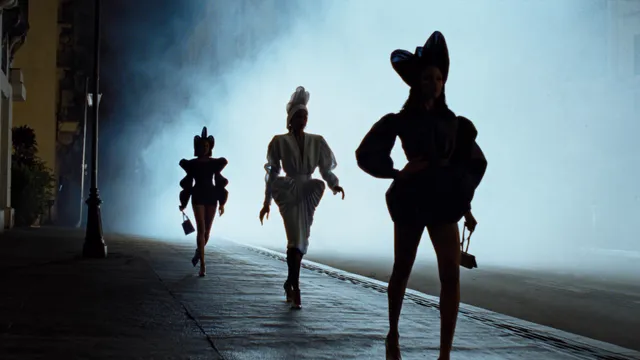

Why AI Video Marketing Needs a Workflow, Not Just Tools
Generative video has collapsed the distance between an idea and a finished clip. One marketer can storyboard, generate, narrate, caption, and publish a thirty-second spot in an afternoon. That speed is real, but it creates a new bottleneck: when production stops being expensive, relevance and quality control become the constraint. Teams that treat AI video like a vending machine end up with a folder of attractive clips that never compound into a campaign.
A workflow fixes that by defining what happens before generation (research, brief, script), during generation (continuity, prompting, review gates), and after generation (assembly, distribution, measurement). Each stage hands the next one a usable artifact: a segment map, a shot list, a locked style reference, a variant matrix, a performance dashboard. Artifacts are what make output repeatable instead of lucky.
What changes when video becomes abundant
Scarcity moves from footage to attention and trust. When anyone can produce a polished clip, the differentiators become specificity, continuity, and evidence. Specificity answers whether the video feels made for this audience. Continuity answers whether it feels like one brand across every scene. Evidence answers whether it moved a metric anyone cares about. Give each of those questions an owner in your process.
The three artifacts every campaign needs
- A segment map: who you are speaking to and exactly what changes for each group.
- A continuity kit: reference frames, palette, typography, pacing rules, and voice guidance.
- A measurement plan: one primary metric, two or three guardrails, and the decision each outcome triggers.
Without these, personalization becomes randomness and testing becomes anecdote collection.
Stage 1: Research and Audience Mapping
Weak AI video usually starts with a script written for everyone. The correction happens long before the first prompt.
Build segments around behavior, not demographics
Demographic buckets are easy to fill and hard to act on. Behavioral segments give you something to change inside the video: what the viewer already knows, which objection is blocking them, and what proof they need. For a fitness app, a new subscriber in week one and a lapsed subscriber returning after months need different openings, pacing, and offers, even if they share an age range and a city.
Mine existing material before you generate anything
Collect top-performing organic clips, sales call transcripts, support tickets, high-impression search queries, and comment threads from your last three campaigns. Tag each item by objection and motivation. Ten tagged themes beat a generic persona deck, because they capture the exact language your audience already uses.
Turn research into a five-line brief
A brief that survives contact with a production tool has five parts: audience, single message, proof, desired action, and constraint (length, aspect ratio, tone, legal limits). If you cannot state the message in one sentence, the video will attempt three jobs and complete none. Write a separate brief per segment rather than one brief with blanks.
Choose one personalization axis
Decide what varies between versions: the hook, the example, the setting, the narrator, the offer, or the call to action. Changing a single axis per variant keeps results interpretable. Variants that differ in five ways teach you nothing except that something happened.
Stage 2: Scripting and Story Architecture
Write prompt-ready shot lists
Every script line should map to a visual instruction containing subject, action, setting, camera behavior, and lighting. A woman in her late twenties jogging along a wet city street at dawn in a handheld tracking shot with cool blue light is a shot. Determination is a mood-board note that will produce a different clip every run. Keep separate columns for narration and on-screen text so each can be localized independently later.
Win the first three seconds
Open with tension, not with your logo. Put motion in frame one, whether that is a hand reaching, a door opening, or text snapping into place. The most common reason a strong AI clip fails is that it spends its first second establishing a scene nobody asked to see. State the problem or the outcome immediately, then earn the right to explain.
Structure for retention
A reliable thirty-second structure: setup in three seconds, context or tension in five to eight, demonstration or proof in ten to fifteen, payoff in five, call to action in three. For longer formats, use chapter logic where every fifteen to twenty seconds resolves a small question and opens a new one.
Narration and pacing for synthetic voices
Write short sentences with one idea each. Spell out numbers and abbreviations that a voice model might misread. Leave half-second pauses at paragraph breaks so the edit has room to breathe. If you plan to test multiple voices, keep the pacing identical across recordings so the comparison stays fair.
Stage 3: Production Consistency and Visual Continuity
The most frequent complaint about generative video is drift: a character changes face, a room changes furniture, a palette shifts between shots. Drift is a process problem, not a model problem.
Lock your references early
Generate or select one hero frame per recurring element: characters, product shots, locations, and graphic overlays. Store them with descriptive names and reuse them in every subsequent request. Treat them exactly like continuity stills on a film set.
Keep a style sheet with numbers, not adjectives
Instead of writing that you want something warm and cinematic, define it: lens feel, light direction, color temperature, grain level, aspect ratio, and movement rules. Adjectives are interpreted differently by every tool and every run. Constraints transfer more reliably than vibes.
Generate in scene blocks, then stitch
Produce three to six second clips, review them against the continuity kit, then generate the next block. Rejecting drift early is cheap; rebuilding a finished minute is not. This also gives editors real choices instead of forcing them to hide a weak shot.
Handle transitions deliberately
Match on motion, match on shape, or cut on a musical beat. Style blending works when the change is motivated by the story or hidden inside a match cut. Switching from a stylized aesthetic to a minimal one mid-sentence reads as an error rather than a creative decision.
Stage 4: Personalization Without Losing Brand Identity
Separate the fixed layer from the variable layer
The fixed layer holds brand marks, typography, color, tone, and claim language. The variable layer holds hook, example, setting, offer, and call to action. Only the variable layer should change between audience versions. This keeps recognition high while relevance rises.
Build a swap matrix
Rows are segments. Columns are hook variant, visual variant, offer variant, and closing variant. Fill the cells so every combination is internally coherent: a premium segment should not receive a discount message. The finished matrix doubles as a production queue and a test plan.
Adapt context, not just language
Localization succeeds when it goes beyond translation. Adjust units of measure, weather, seasonality, holidays, currency, idioms, and the visual environment itself. A beach scene may be aspirational in one market and irrelevant in another, so swapping the setting can matter more than swapping the subtitle.
Train a signature style only when you need one
If your brand depends on a recognizable visual language, such as hand-drawn illustration or a recurring mascot, build a reference set of twenty to fifty consistent examples and use it to steer generation. Consistency comes from a curated library, not from a longer prompt.
Stage 5: Assembly, Sound, and Accessibility
Edit for rhythm, not just coverage
Cut on motion and on the final syllable of narration lines. Remove generated frames that breathe oddly, because small warps distract more than a hard cut. Keep a consistent pace: fast for feed contexts, slower for landing pages and onboarding.
Sound carries perceived quality
Layer three elements: narration, a music bed, and a small number of designed effects such as whooshes, clicks, or ambient room tone. Duck music well under narration, and normalize loudness to platform targets. Silence is a tool: one beat of quiet before a payoff line adds weight that a louder mix cannot.
Captions and accessibility are non-negotiable
Most feed viewing happens muted. Burn in or upload captions with correct line breaks, a working limit of around twenty-one characters per line, and placement that avoids platform interface elements. Check contrast on every on-screen text block, and add descriptive alt text where the platform supports it.
Keep licensing and disclosure in the loop
Track music and voice licenses per asset, retain generation metadata, and follow platform rules on synthetic media disclosure. A short written policy prevents last-minute rework and protects the whole campaign.
Stage 6: Distribution, Testing, and Analytics
Write a hypothesis for every variant
Each version should exist for a reason: opening with the objection instead of the benefit should improve three-second retention among cold audiences. Record the hypothesis, the audience, and the metric before publishing. If you cannot write the hypothesis, the variant is decoration.
Move past simple A/B tests
Run holdout groups to confirm lift. Use sequential testing when traffic is thin. Evaluate performance by cohort rather than blended averages, because a change that helps cold traffic and hurts returning viewers is not a win; it is a segmentation discovery you can act on.
Map metrics to funnel stages
- Awareness: three-second hold rate, completion rate, sound-on rate.
- Consideration: click-through rate, landing page scroll depth, video-to-page time.
- Conversion: trial starts, add-to-cart sessions, assisted conversions.
- Retention: repeat viewership, share rate, comment sentiment.
Pick one primary metric per stage and keep the others as guardrails so you do not optimize one number into a decline somewhere else.
Build the feedback loop
Every two weeks, pull the top and bottom three variants, note what differs in hook, pacing, or offer, and write the learning into the next brief. Keep it in one shared document. That accumulated record is the actual asset your team is building, and it survives every tool change.
A Seven-Day Production Sprint
Here is how the pipeline compresses when you need something live quickly.
- Day one: pull existing material, tag themes, choose two segments, and write one five-line brief for each.
- Day two: write thirty-second and fifteen-second scripts per segment, marking hooks and closings.
- Day three: generate hero frames, define the style sheet, and lock the reference library.
- Day four: produce the first half of the shots for version A and review them against the continuity kit.
- Day five: finish version A and generate alternate hooks and endings for version B.
- Day six: assemble, add narration, music, captions, and export platform-specific aspect ratios.
- Day seven: run legal, disclosure, and accessibility checks, publish, and schedule the review window.
The sprint works because research and briefs happen before generation. Teams that skip day one usually spend day seven fixing a video with no clear message.
Common Mistakes and How to Avoid Them
- Personalizing cosmetics instead of substance. Swapping a text overlay is not personalization. Swap the example, the proof, or the offer.
- Testing too many variables at once. Change one axis per variant so the result is attributable.
- Skipping the continuity kit. Lock references and numeric style rules before mass generation.
- Judging creative without a metric plan. Define the primary metric and guardrails before launch, not after.
- Cramming three messages into one clip. One video, one job. Split the rest into a series.
- Ignoring captions and contrast. Run an accessibility pass before export, every time.
- Letting voice pacing drift across a series. Keep pacing rules in the style sheet so episodes feel related.
- Never documenting learnings. A two-week creative review with written takeaways prevents repeating the same mistake across quarters.
Tooling Decisions and FAQ
How to choose a stack
Think in three layers: generation, assembly, and measurement. Score candidates on output consistency across multiple clips, control over references and camera behavior, export ratios, caption support, and data handling. Run the same thirty-second test brief through two tools and compare drift, not demo reels. Demo reels show what a model can do once; your test shows what it does on the tenth generation.
Frequently asked questions
How many variants should we ship? Start with two hooks and two endings per segment. Four combinations is enough to learn something without exhausting review capacity.
Do we need custom style training? Only when your brand depends on a signature look that general tools cannot reach. Otherwise, invest in the continuity kit first, since it improves every output immediately.
How long should AI marketing videos be? Match platform behavior: six to fifteen seconds for interruption contexts, thirty to sixty seconds for consideration pages, and ninety seconds or more for demos and onboarding.
Can one person run this workflow? Yes for a single segment. Add a reviewer as soon as you run more than four variants, because quality control is the real bottleneck once generation gets cheap.
How do we avoid a generic AI look? Lock references, control lighting and lens language, edit tightly, and design sound deliberately. Generic output is usually the result of generic inputs.
What is the fastest way to improve results? Fix the first three seconds and the closing line, then test the middle. Attention and action are where most campaigns leak.
The stack you choose matters far less than the pipeline you run. Start with one segment, one brief, two variants, and a written learning. Repeat, and the workflow starts producing compounding returns instead of one-off clips.

Alexander
More Blogs
Read MoreVidu Q4 Alternatives: 4K AI Video Models Compared (2026)
Vidu Q4 alternatives compared: Kling 4.0, Seedance 2.5, Wan 3.0, and Runway Gen-4 — 4K support, input modes, durations, audio, and what each costs in credits on Domer.
Top 4K AI Image Generators in 2026: 5 Models Compared on Real Costs
The top 4K AI image generators on Domer compared: Flux 3 Klein, Nano Banana 2.1, GPT Image 2.5, GPT Image 2, and Nano Banana Pro — 4K credit costs, reference limits, and speed.
Nano Banana 2.1 vs GPT Image 2.5: Which Image Model Should You Use? (2026)
Nano Banana 2.1 vs GPT Image 2.5 Flare compared: credit costs per resolution, aspect ratios, reference images, text rendering, and which tasks fit each model.