

Affiliazione
Inizia Gratis Ora
AI Video Marketing Workflow: A Practical Guide for Teams
Oct 15, 2026
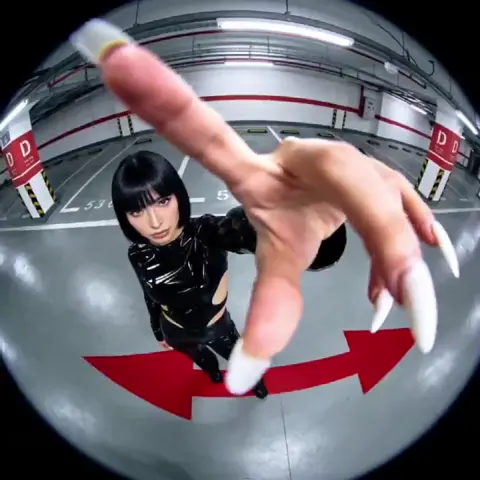


AI video tools compress weeks of production into a single afternoon, but the teams that consistently get results treat generation as one step in a pipeline rather than a magic button. A model can render a convincing product shot in seconds; it cannot decide which promise your audience needs to hear, in what order, or how to keep that promise intact across thirty localized variants. This guide covers a repeatable workflow for planning, generating, editing, reviewing, and distributing AI-assisted video for digital marketing, along with the decision criteria and failure modes that matter when the output has to ship on a deadline.
Why AI Video Belongs in a Pipeline, Not a One-Off Test
Most marketing teams start with a pilot: one hero clip, one campaign, one approving stakeholder. The pilot looks impressive and the experiment ends there, because nothing about it was repeatable. The script lived in a chat thread, the assets lived on someone's desktop, and nobody wrote down which prompt produced the shot that worked.
A pipeline fixes that. It defines inputs (brief, brand kit, message hierarchy), stages (script, shot list, generation, assembly, quality checks), and outputs (a master file plus a defined set of variants). When the pipeline exists, each new campaign is a configuration change rather than a rebuild.
Three signals tell you a pipeline is worth building:
- Volume. You publish more than four videos a month, or you need localized versions of the same video.
- Repetition. Your formats repeat: product explainers, feature announcements, testimonial cutdowns, paid social hooks.
- Review friction. Stakeholders argue about the same things (pacing, claims, logo placement) on every project.
If two of those three are true, the time you spend designing the workflow pays back within a quarter. If none are true, keep experimenting manually and revisit the question later.
What AI Does Well — and Where Humans Still Win
Generative video is strongest in the middle of the production funnel. It excels at producing b-roll that would otherwise require a shoot, resizing existing footage, turning a static design into motion, generating voiceover in several languages, and producing twenty hook variations from one script.
Humans remain better at the ends of the funnel. Strategy — deciding what the video is for, who it is for, and what changes if it works — is a judgment call. So is the final polish: the timing of a cut, the decision to drop a shot that tests well but feels off-brand, or the call that a claim needs a legal read.
| Task | Best handled by | Notes |
|---|---|---|
| Message and audience strategy | Human | AI can brainstorm options, not choose priorities |
| Script drafts and hook variants | AI plus human edit | Generate wide, edit narrow |
| B-roll and scene generation | AI | Strong for abstract, product, and lifestyle shots |
| Presenter-led delivery | Human or avatar | Avatars work best for internal, low-stakes content |
| Voiceover in multiple languages | AI | Always review pronunciation of brand terms |
| Assembly and pacing | Human | Editing is where adequate becomes good |
| Compliance and claims review | Human | Non-negotiable |
The practical takeaway: let AI widen the option space, and let people narrow it. Teams that flip this order — settling on one concept and asking a model to execute it perfectly — get mediocre results and blame the tool.
The Workflow, Stage by Stage
Brief before you generate
Before any prompt, write one sentence: after watching this, the viewer will do X. Then list three supporting points in priority order. Everything downstream, from script to shot list to edit, is judged against that sentence.
A useful artifact is a one-page brief with five fields: audience, single promise, proof, desired action, and constraints (duration, aspect ratios, languages, claims to avoid). Five fields fit on a page and force trade-offs into the open early.
Script for retention, not length
Write the script in beats rather than paragraphs:
- Hook, first two to three seconds: the tension, the surprising number, or the visual reveal.
- Context, three to eight seconds: why this matters now.
- Mechanism, eight to twenty seconds: how it works, one idea per sentence.
- Proof, twenty to thirty seconds: demo, result, or testimonial.
- Action, final three to five seconds: one instruction, not three.
Generate ten hooks rather than one. Hooks are cheap to produce, easy to test, and carry most of the performance variance in paid social. Keep the body of the script stable while you rotate hooks so the test teaches you something.
Plan shots, then generate
Convert the script into a shot list with four columns: beat, visual description, duration, and asset source (generate, existing footage, screen recording, graphic). This step prevents the most common AI video problem — beautiful clips that do not connect to the words.
Two rules keep shot lists honest. Every shot must earn its place by advancing a beat. And if a shot can be a screen recording or a simple graphic, do that instead of generating it; generated footage is most valuable where reality is hard to capture.
Refine in passes
Generate in three passes. The first is exploration: many short clips, loose prompts, lower resolution where the tool allows. The second is refinement: the same prompt family with tightened descriptions and consistent camera and lighting language. The third is delivery: only the selected shots, at full resolution, in your target aspect ratios.
Keep a prompt log. For every retained clip, record the prompt, the tool, the seed if available, and one line about what made it work. That log becomes institutional memory and the fastest way to onboard a new editor.
Assemble and sound-design
Export clips and finish in a real editing environment. This is where you control rhythm: cut on motion, trim the first and last frames of generated clips, and place sound before visuals.
Sound does more work than most teams expect. A consistent music bed, clean voiceover, and a few well-placed effects make generated footage feel intentional. Without them, even strong visuals read like a demo reel.
Engineer variants deliberately
Decide your variant axes before you start editing. Common axes are hook, aspect ratio, duration, language, and offer framing. Change one axis at a time if you want to learn; change several if you want maximum coverage.
Produce a master at your highest quality and aspect ratio, then derive everything else. Keep text and logos as separate layers so captions and calls to action can be re-rendered per platform without touching the footage.
Review and publish
Run a two-part review. First content: accuracy, claims, tone. Then technical: legibility on a phone screen, caption sync, audio levels, safe areas for platform interface, and file specifications.
Publishing is a workflow too. Maintain a distribution sheet with channel, format, caption style, publishing window, and owner. Small inconsistencies — a vertical video posted as square, captions in a language nobody in the audience speaks — cost more reach than a slightly imperfect edit.
Choosing Tools by Job, Not by Hype
Tool selection goes wrong when teams evaluate on demo quality alone. Evaluate on five criteria instead: control (can you set camera language, style references, and duration, and reproduce a result?), consistency (does a character or product stay recognizable across clips?), throughput (how long does a batch take, and can it run unattended?), integration (do outputs arrive in formats your editor and ad platforms accept?), and rights (do you hold commercial usage rights, with clarity on training data?).
Score each candidate from one to five on those criteria, weighted by what your pipeline needs. A team producing talking-head explainers weights consistency and voice quality; a team producing abstract b-roll weights control and throughput.
A practical stack usually includes four categories: a generative video tool for scenes, an editing suite, a voice and caption tool, and a lightweight asset library for brand elements. Resist consolidating everything into one platform if it means losing control over the edit.
Prompt Patterns That Survive the Edit
Prompts that produce usable footage share a structure: subject, action, environment, camera, light, and mood. A ceramic mug on a wooden desk, steam rising, slow push-in, soft morning window light, calm and warm outperforms coffee mug cinematic.
Patterns worth keeping:
- Lock the camera language. Reuse the same framing and movement vocabulary across a series so clips cut together.
- Describe light, not adjectives. Overcast daylight from the left beats beautiful lighting.
- Avoid text inside generated frames. Captions and interface elements are cleaner when added in the editor.
- Name the negative space. If you need room for a caption, say where the subject should sit.
- Keep prompts short enough to iterate. Long prompts are hard to debug; change one variable at a time.
When a shot keeps failing, change the shot rather than the prompt. Some ideas are simply easier to capture as a screen recording or a still with motion.
Common Mistakes That Undermine AI Video
Generating before briefing. The most expensive error. Without a defined promise, every clip is a candidate and none is right.
Chasing visual novelty. Audiences reward clarity more than spectacle. If the synthetic aesthetic distracts from the message, reduce it.
Ignoring the first frame. Thumbnails and opening frames decide whether the rest is watched. Design them explicitly.
Skipping sound. Weak audio damages good footage faster than imperfect visuals.
Treating variants as an afterthought. Reformatting after the fact usually means cropping away the composition. Plan aspect ratios at the shot list stage.
No version control. Naming files final, then final-actual, costs hours. Use a convention that encodes campaign, variant, aspect ratio, and language.
Measuring Performance and Feeding Results Back
Define success before publishing: view-through rate, hook retention at three seconds, click-through rate, cost per qualified action, or completion rate. Choose one primary metric per campaign and keep the rest as diagnostics.
The feedback loop is the part most teams skip. After each campaign, write a short retrospective answering three questions: which hook won and why, which shot was cut most often, and what the editor had to fix repeatedly. Then change the pipeline — add the winning hook pattern to your prompt library, retire the shot that never survives, automate the fix that keeps recurring.
A simple scoring sheet helps. Rate each published video on message clarity, production quality, and performance against the primary metric. Patterns emerge within three or four campaigns and become the creative brief for the next quarter.
Ethics, Disclosure, and Brand Safety
Transparency is a practical requirement, not a philosophical one. Disclose synthetic presenters and generated scenes where a reasonable viewer would feel misled if they found out later. Follow platform labeling rules and keep a record of the tool and version used for each published asset.
Three habits protect the brand. Keep a list of claims that must never be produced by a model. Review any generated depiction of real people, places, or products for accuracy. And review your tools' terms annually to confirm commercial rights still cover how you use the output.
FAQ
How long does an AI-assisted marketing video take to produce? A short social video with a prepared brief typically moves from script to export in a day or two for an experienced editor. Localized variants add hours, not days, once the master and layered text exist.
Can AI video replace a production shoot? For abstract, product, and lifestyle b-roll, often yes. For testimonials, founder-led content, and anything that depends on trusting a real face, shoots remain more effective.
Do I need a separate tool for every stage? No. Most small teams use one generative tool, one editing suite, and one caption or voice tool. Add tools when a specific stage becomes the bottleneck.
How many variants should I publish? Start with three to five per campaign: two hooks, two aspect ratios, one longer cut. Increase only when you can measure the difference.
What is the biggest quality risk? Audio and the first three seconds. Both are cheap to fix and expensive to ignore.
How do I keep AI scenes consistent across a series? Lock camera language, lighting, and style references in a reusable template, and store reference frames next to the prompt log.
Putting the Workflow to Work
The value of AI video is not that it removes production. It is that it removes the excuse to skip production. With a defined brief, a shot list, a prompt log, and a short quality checklist, a two-person marketing team can ship a coherent video program that once would have required an agency and a shoot calendar.
Start small and specific. Pick one recurring format, build the pipeline around it, measure hook retention and completion, and refine one stage at a time. Tools will change; the workflow is what compounds.

Alexander
More Blogs
Read MoreVidu Q4 Alternatives: 4K AI Video Models Compared (2026)
Vidu Q4 alternatives compared: Kling 4.0, Seedance 2.5, Wan 3.0, and Runway Gen-4 — 4K support, input modes, durations, audio, and what each costs in credits on Domer.
Top 4K AI Image Generators in 2026: 5 Models Compared on Real Costs
The top 4K AI image generators on Domer compared: Flux 3 Klein, Nano Banana 2.1, GPT Image 2.5, GPT Image 2, and Nano Banana Pro — 4K credit costs, reference limits, and speed.
Nano Banana 2.1 vs GPT Image 2.5: Which Image Model Should You Use? (2026)
Nano Banana 2.1 vs GPT Image 2.5 Flare compared: credit costs per resolution, aspect ratios, reference images, text rendering, and which tasks fit each model.