
Affiliazione
Inizia Gratis Ora
From Idea to Impact: AI Video Marketing Workflow Guide
Oct 15, 2026
Why video became the default channel for digital attention
Video stopped being a nice-to-have format somewhere in the last decade. It is now the format people expect on social feeds, in onboarding emails, on pricing pages, inside product documentation, and in sales follow-ups. The reason is not mysterious: moving images plus sound carry emotional context, demonstrate motion, and compress complicated explanations into a few seconds. A screen recording of a single interaction can do more than three paragraphs of description.
The problem has always been cost. Traditional production means a brief, a script, a location, a camera operator, talent, lighting, editing rounds, revisions, and delivery formats for every channel. That chain is slow enough that most teams produce a handful of videos per quarter and then reuse them until they feel stale. Marketing calendars bend around production schedules instead of around campaign needs.
Generative and assistive AI changes the shape of that constraint. It does not eliminate craft, taste, or strategy, but it collapses the mechanical parts of the pipeline: drafting scripts, generating storyboards, producing backgrounds and b-roll, cloning voice-over, cutting rough assemblies, generating captions, and localizing a finished video into several languages. When the mechanical cost falls, the bottleneck moves to the parts that actually differentiate you: the idea, the positioning, the hook, and the judgment about what belongs on screen.
This guide is a practical workflow for that new reality. It covers what AI can and cannot do in a video pipeline, how to run a repeatable idea-to-publish process, how to personalize without losing brand coherence, how to pick tools, and the mistakes that quietly ruin otherwise good AI-assisted campaigns.
What AI actually contributes to a video pipeline
It helps to separate AI capabilities by where they sit in the process, because mixing them up leads to bad tool choices.
Concept and scripting assistance. Language models can turn a positioning statement into five hook variations, expand a one-line idea into a shot-by-shot outline, rewrite a script for a shorter runtime, or produce a version written for a skeptical technical buyer instead of a casual scroller. The output is a draft you edit, not a final script.
Visual generation. Image and video generation models create backgrounds, product-in-context shots, abstract transitions, mascot scenes, and stylized sequences that would otherwise require stock licensing or a shoot. Style transfer and multi-reference conditioning let you keep a consistent look across a series.
Character and object continuity. The hard technical problem in AI video used to be consistency: the same person, mascot, or product appearing across scenes without morphing. Reference-based generation, character sheets, and seed locking have made this far more reliable, which is what makes narrative sequences possible rather than just isolated clips.
Audio and post-production. Voice synthesis, music generation, automatic captioning, silence removal, background noise cleanup, and language dubbing all live here. These are unglamorous but they are where teams save the most calendar time.
Assembly and versioning. Automated rough cuts, aspect-ratio reframing for vertical and square formats, and template-driven exports let one master video become eight channel-specific versions without eight separate edit sessions.
The strategic point is that AI compresses the distance between an idea and a watchable draft. It does not decide what the video should say, who it is for, or whether the claim on screen is defensible. Those remain human responsibilities, and they matter more, not less, when production is cheap.
A repeatable idea-to-publish workflow
Treat AI video like any other content operation: a defined pipeline with clear inputs, review gates, and outputs. The following stages work for a two-person marketing team and scale to a studio.
Stage 1: Brief and concept
Start with a single document that answers five questions: who is watching, what do they believe right now, what should they believe after watching, what is the one action you want, and where will this be distributed. Distribution matters early because it determines runtime, aspect ratio, and whether the first two seconds need to work without sound.
Write three to five concept directions, not one. Each concept should be expressible as a logline plus a visual reference. AI helps here in a specific way: ask for variations in tone (urgent, dry, warm, technical) rather than asking for a better idea. Tone variation is where models are genuinely useful.
Stage 2: Script and storyboard
Convert the chosen concept into a script with timestamps, then into a storyboard of 12 to 20 panels. For each panel, define four things: the visual, the on-screen text, the voice-over line, and the intended emotional beat.
This is the stage where AI drafts and humans cut. A model will happily produce a 90-second script when 30 seconds would perform better. Read the draft aloud, time it, and remove anything that does not advance the argument. Then compress again.
For storyboards, generate visual references for each panel using consistent style descriptors. Keep a shared style block (lighting, lens feel, color palette, level of realism, era) and paste it into every prompt. Consistency comes from repetition of the descriptor set, not from hoping the model remembers.
Stage 3: Shot production
Generate shots in small batches and review before committing to more. Two practical rules save a lot of time:
- Generate the hardest shot first. If the hero product shot or the character close-up does not work, the rest of the sequence may need a different approach.
- Keep a locked reference image per character or product and reuse it. Regenerating a character from text each time is the fastest way to lose continuity.
For talking-head content, decide early whether you are shooting a real person, using a synthetic presenter, or going voice-over with b-roll. Each path has different trust implications with different audiences, and mixing them within a single series is confusing.
Stage 4: Voice, music, and captions
Voice-over is usually the highest-leverage audio decision. Synthetic voices are now good enough for explainers, internal training, and localized versions, but an audience can often tell. If your brand is built on a human personality, record the primary language with a real voice and use synthesis only for translations.
Music should be chosen before final editing, not after. Cutting to a track with a defined beat structure makes pacing decisions obvious. Then add captions. Captions are not an accessibility checkbox on social platforms; a large share of viewers watch muted, so burned-in captions are frequently the difference between comprehension and a scroll.
Stage 5: Assembly and review
Assemble a rough cut, then run a structured review with three passes:
- Message pass. Does the video make one argument clearly? Could a viewer restate it after one watch?
- Craft pass. Pacing, audio levels, jump cuts, text legibility at small sizes, color consistency.
- Compliance and brand pass. Claims, disclaimers, logo usage, legal review where needed, tone alignment.
Never let one person do all three passes in a single sitting. The message pass and the craft pass compete for attention and both suffer.
Stage 6: Versioning and distribution
From the master timeline, export a vertical cut, a square cut, and a 15-second hook cut. Rewrite the first three seconds for each platform rather than simply trimming. Then schedule with platform-native captions and thumbnails, and keep the master project file organized so a future update does not require rebuilding from scratch.
Personalization at scale without breaking brand coherence
Personalization is where AI video gets genuinely interesting, and also where it gets dangerous. The idea is simple: instead of one video for everyone, produce variants that speak to segments, industries, regions, or stages in a buying journey. AI makes each variant cheap. Cheap variants mean it is easy to produce hundreds of versions that collectively contradict each other.
A workable approach is to define a personalization layer and a locked layer. The locked layer includes brand colors, typography, logo treatment, tone of voice, claims you can legally make, and the core narrative arc. The personalization layer includes opening line, examples shown, background environment, on-screen data points, currency or units, and the closing call to action.
Practical variants that usually outperform generic ones:
- Industry substitution. Same structure, different example and different pain point. A logistics company and a healthcare company care about very different failure modes.
- Role substitution. A manager and an individual contributor need different framing even when the product is identical.
- Stage substitution. Awareness audiences need the problem named; evaluation audiences need comparison and proof.
- Locale substitution. Language, units, cultural references, and payment or contact expectations.
Keep a variant matrix in a spreadsheet: segment, hook, example, CTA, and performance after two weeks. Without that record, personalization turns into guesswork at volume.
Speed versus quality: where to slow down deliberately
AI makes everything feel urgent because drafts arrive in minutes. That urgency is a trap. The teams that get the most from AI video deliberately slow down in three places.
The hook. The first two seconds decide whether anything else matters. Write ten hooks, not one, and test them as separate creative variants on the same body content.
Claims and proof. Fast production plus fast publishing is how inaccurate statements reach a large audience. If a video asserts a result, someone should be able to point to the source internally.
The final audio mix. Viewers forgive imperfect visuals far more readily than bad audio. Loudness consistency, clean voice, and no clipping matter more than a slightly soft background plate.
Everywhere else, speed is an advantage. Being first to publish a relevant, well-made explainer while a topic is current is worth more than a marginally more polished version two weeks later.
Style exploration: using AI for creative risk at low cost
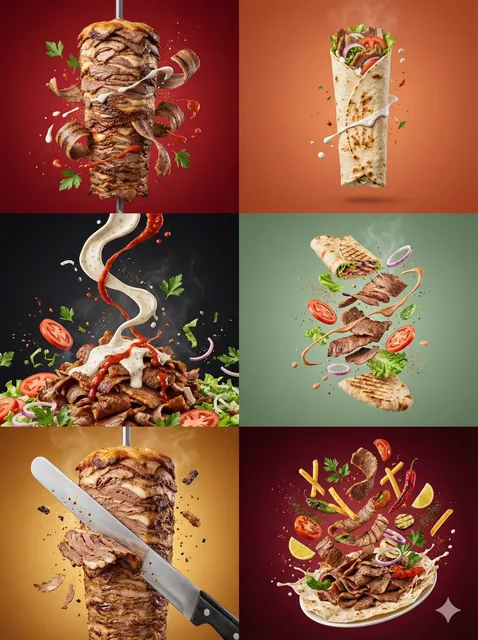
One underrated benefit of generative pipelines is cheap experimentation. Concepts that would previously be rejected in a kickoff meeting because they were too expensive can now be prototyped in an afternoon: an animated mascot series, a retro broadcast aesthetic, a documentary-style customer story, a fully illustrated explainer.
A useful exercise is to take one script and produce three wildly different visual treatments of the same 20 seconds. Show them side by side to stakeholders. Decisions become concrete when people can see options rather than imagine them. This also reveals which stylistic choices are actually on-brand, because a treatment that looks striking in isolation may clash badly when placed next to the rest of your site and ads.
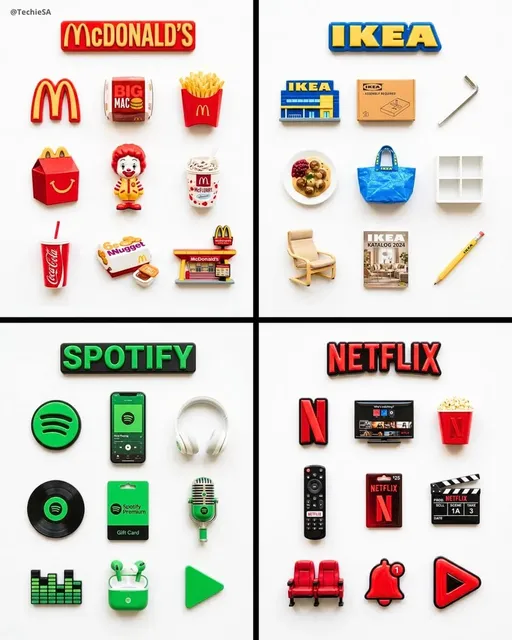
Style transfer and reference blending are the technical enablers here, but the discipline is editorial: choose no more than two governing references per series. Three or more references usually produce visual mush.
How to choose an AI video tool or stack
Most teams end up with a small stack rather than one platform. Evaluate candidates against these criteria:
- Continuity control. Can you lock characters, products, and styles across scenes using reference images or seeds? This is the single most important capability for narrative work.
- Output specification. Resolution, frame rate, aspect ratios, watermark policy, and commercial usage rights for generated assets.
- Script-to-scene handling. Does the tool accept a structured script or storyboard, or does it only generate isolated clips? Structured input saves substantial assembly time.
- Audio integration. Built-in voice, music, and caption support versus exporting to a separate editor.
- Editing and revision path. How painful is a change? If swapping one shot requires regenerating an entire sequence, revision costs will eat your time savings.
- Collaboration and review. Commenting, version history, and approval flows matter as soon as more than two people are involved.
- Data and governance. Where prompts and uploads are stored, whether your material is used for model improvement, and what your legal team needs to sign off on.
- Export and portability. Can you get clean files out, or are you locked into a proprietary timeline?
A reasonable starting stack for a small team: one generation tool for visuals, one editor, one captioning and localization utility, and a shared asset library with a naming convention. Resist adding a fourth generator until the first one is genuinely limiting you.
Mistakes that quietly ruin AI-assisted video campaigns
Generic visuals. Model default aesthetics are recognizable: soft lighting, empty streets, vaguely futuristic interiors. If every frame looks like a stock library, the video feels disposable regardless of the script quality.
Inconsistent characters. A mascot that changes shape between scenes destroys the illusion faster than low resolution ever would.
Overlong videos. Generation capacity tempts teams to make 3-minute videos. Most campaigns need 30 seconds, plus one long-form version for people who already care.
Ignoring the sound-off experience. If the message only exists in the audio, most social viewers never receive it.
Skipping human review of facts. Every number, comparison, and superlative on screen needs an owner who verified it.
No versioning discipline. Reusing a master project with overlapping changes leads to lost work. Use dated exports and a single source of truth.
Confusing novelty with strategy. A new visual technique is not a campaign idea. Ask what belief the video changes, then decide whether the technique helps.
What to measure after publishing
Track a small set of metrics tied to intent, not just volume. For awareness placements: three-second view rate, completion rate on short cuts, and sound-on percentage. For evaluation content: watch time on long-form versions, click-through to comparison or pricing pages, and assisted conversions. For personalization experiments: variant-level performance against a control, with enough volume to avoid reading noise as signal.
One habit makes all of this more useful: annotate every published video with the hook used, the primary visual style, the runtime, and the platform. After a quarter you will have a small internal dataset that tells you which structures work for your audience, which is far more valuable than another round of tool comparisons.
Frequently asked questions
Do I need a full-time editor to run an AI video workflow?
Not necessarily, but you need someone with editorial judgment. The mechanical work shrinks; the taste requirement does not. Many small teams pair one marketer who owns strategy with one editor or designer who owns assembly.
Can AI-generated presenters be used for customer-facing content?
It depends on the audience and the claim. For explainers and internal training, synthetic presenters are widely accepted. For trust-sensitive categories, testimonials, or regulated industries, disclosure and legal review matter, and real footage often converts better anyway.
How do I keep a consistent character across many scenes?
Build a reference sheet first: front, profile, and three-quarter views with locked clothing and color values. Feed those references into every generation and avoid rewriting the character description from scratch.
Is localization as simple as translating subtitles?
No. Runtime changes, idioms break, on-screen text lengths differ, and cultural references may not land. Use AI for a first-pass translation, then have a native speaker review the script and timing.
What is a sensible publishing cadence?
For most teams, two to four short videos per month plus one longer piece per quarter is sustainable and enough to learn what works. Volume without a testing structure just produces a larger archive.
How much should I budget for tooling?
Start with the minimum stack that lets you ship one complete video end to end. Upgrade when a specific stage becomes a bottleneck, not because a new model appeared.
Turning a faster pipeline into a durable advantage
The real opportunity in AI-assisted video is not that a single video becomes cheap to make. It is that the entire cycle from idea to published, measured, iterated content becomes short enough to run continuously. Teams that build a defined pipeline, standardize their style blocks, keep a variant matrix, and protect a few deliberate slow-down points will outperform teams that simply generate more clips.
Start with one video. Define the audience, write ten hooks, storyboard twelve panels, generate the hardest shot first, review in three passes, publish two versions, and record what happened. Then do it again next week with what you learned. That loop, repeated, is what turns an exciting new toolset into a reliable marketing function.

Alexander
More Blogs
Read MoreVidu Q4 Alternatives: 4K AI Video Models Compared (2026)
Vidu Q4 alternatives compared: Kling 4.0, Seedance 2.5, Wan 3.0, and Runway Gen-4 — 4K support, input modes, durations, audio, and what each costs in credits on Domer.
Top 4K AI Image Generators in 2026: 5 Models Compared on Real Costs
The top 4K AI image generators on Domer compared: Flux 3 Klein, Nano Banana 2.1, GPT Image 2.5, GPT Image 2, and Nano Banana Pro — 4K credit costs, reference limits, and speed.
Nano Banana 2.1 vs GPT Image 2.5: Which Image Model Should You Use? (2026)
Nano Banana 2.1 vs GPT Image 2.5 Flare compared: credit costs per resolution, aspect ratios, reference images, text rendering, and which tasks fit each model.