
Crea
Affiliazione
Inizia Gratis Ora
AI Video Spot-the-Difference: Build Comparison Challenges
Oct 15, 2026
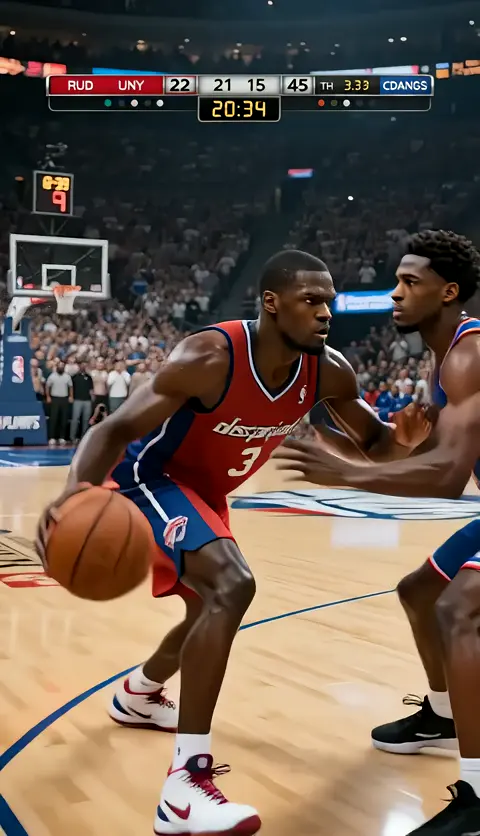


Why Motion Changes the Puzzle
Static spot-the-difference puzzles train one skill: patient, exhaustive scanning of a still image. A viewer can park their eyes on the left half of a frame, sweep right, then repeat. Motion destroys that strategy in a productive way. Once differences live inside a moving clip — a bird that lands, a lamp that dims, a logo that shifts hue between loops — the viewer has to track objects across time and space at the same time. That is a fundamentally different cognitive task, and it is why video comparisons feel fresher than image puzzles people have seen for decades.
Video also opens design space that stills cannot touch. A difference can be temporal (the drink is poured two seconds later), behavioral (a character blinks in one take and not the other), or cinematic (shadow direction flips). None of those read as differences in a static frame because they do not exist in a static frame. Add audio and you get another axis entirely: a doorbell that rings in one take and stays silent in the other.
For creators, this turns an old format into a new canvas. For brands, it means a puzzle people actually finish on a phone. For educators, it means an exercise that maps onto real observational work — radiology, quality inspection, translation review — far better than a cartoon of two nearly identical kitchens.
The catch is production cost. Shooting two near-identical live-action takes with a single controlled variation is expensive and fragile. This is where AI-assisted generation earns its place: you can produce a matched pair of clips where the only meaningful delta is the one you chose.
The Anatomy of a Fair Comparison Challenge
Before touching a single prompt, decide what makes your puzzle fair. Fairness is not the same as easiness. A fair puzzle has a discoverable solution, a consistent rule set, and no ambiguity about whether a difference counts.
Four properties matter most:
A locked control take. Both versions share the same camera move, the same lighting baseline, the same subject position at the same timestamp. If the camera drifts, every pixel becomes a candidate difference and the puzzle collapses into noise.
A bounded difference set. Most successful clips use three to seven differences. Fewer than three feels trivial; more than seven turns into a squint test where people give up rather than lose.
Difference types that vary. Mix a color change, an object addition, a motion-timing shift, and a position drift. Homogeneous differences — five color swaps in a row — make the puzzle feel like a color-vision test instead of an observation game.
A clear reveal. The answer sequence should isolate each difference with a marker, replay the exact moment it appears, and show both versions at that timestamp. Without a clean reveal, viewers assume the puzzle was rigged even when it was not.
Write these four decisions down as a one-paragraph brief. It takes five minutes and saves hours of regenerating clips that were never going to work.
A Production Workflow From Brief to Publishable Clip
The workflow below assumes you are generating footage rather than shooting it, but it applies either way. The key discipline is separating the control take from the variant take so differences stay intentional.
Step 1: Write the difference sheet first
Create a simple table with four columns: difference ID, type, timestamp window, and visibility tier (subtle, medium, obvious). Populate it before you generate anything. This sheet becomes your prompt input, your editing checklist, and your answer key.
A realistic sheet for a 20-second café scene might read:
- D1, color, 0:04 to 0:09, medium — the ceramic cup changes from white to pale blue.
- D2, object addition, 0:11 to 0:16, obvious — a newspaper appears on the second table.
- D3, motion timing, 0:06 to 0:10, subtle — the steam rises a beat later in version B.
- D4, position drift, 0:12 to 0:18, medium — the pendant lamp hangs two degrees further left.
- D5, background detail, 0:01 to 0:20, subtle — a chalkboard price changes in the far background.
Step 2: Lock the control take
Generate or shoot version A and treat it as immutable. Review it for continuity errors before you commit. If the control take has a wobbling table leg that appears and disappears, that artifact will be mistaken for a difference later, and you will spend twenty minutes in review trying to confirm it.
Export the control at your delivery resolution and keep the project file intact. Every later comparison is measured against this file.
Step 3: Generate the variant with isolated edits
This is the step most creators rush. Instead of re-prompting the whole scene and hoping the result matches, change one variable at a time. Most modern generation pipelines support reference conditioning, image-to-video seeding, or inpainting on specific regions, and those controls are what keep the variant honest.
A practical sequence:
- Seed the variant from the control take's first frame so composition matches by construction.
- Apply region masks for object-level changes such as the newspaper or the cup.
- Use short regional prompts rather than rewriting the global scene description.
- Generate segments in the same length as the control segments so timestamps stay aligned.
- Re-check the difference sheet after each pass, striking off what is done.
If your tool forces a full-scene regeneration, generate five candidates and pick the one closest to the control, then repair the residual drift with masking in post rather than regenerating again. Chasing a perfect generation is slower than a five-minute cleanup.
Step 4: Repair drift before you build the puzzle
Overlay version A and version B at 50 percent opacity and scrub the timeline. Anything that changes without appearing on your sheet is drift. Decide per case: repair it, or accept it and add it to the answer key.
Common drift sources include grain pattern changes, slight brightness shifts, and stabilizing crops that behave differently between takes. A quick deflicker pass and a matched grade solve most of it.
Step 5: Assemble the comparison layout
Three layouts dominate the format:
- Side by side. Two panes, synchronized playback, hard divider. Best for widescreen and for differences that involve motion timing.
- Stacked. One pane above the other, better for vertical social formats where horizontal space is scarce.
- Alternating loop. A single pane that cuts between A and B every two seconds. Compact and punchy, but harder for subtle differences because the viewer loses spatial anchoring.
Whichever you choose, add a shared on-screen timer and a subtle frame counter. Small anchors like these measurably reduce viewer frustration.
Step 6: Build the reveal sequence
After the countdown ends, cut to a synchronized replay. At each difference, freeze both panes, draw a circle or arrow on both, and hold for one and a half seconds. Then resume. End with a full annotated still showing all differences at once so people can screenshot it.
Choosing Tools Without Overbuilding
You do not need a research lab. Match the tool class to your skill level and output volume.
Image-to-video generators with reference control are the workhorse. Prioritize tools that accept a reference frame and support regional prompting or masking. Frame consistency matters more than raw fidelity for this format — a slightly softer clip with perfect continuity beats a razor-sharp clip where the background reinvents itself every two seconds.
Inpainting and object-removal editors handle the repairs. Anything that supports tracking a mask across time will save you from frame-by-frame rotoscoping.
Compositing software handles the dual-pane layout, timer, and reveal graphics. A basic non-linear editor works; a node-based compositor is nicer if you plan to template the format.
Game engines or web players matter only if you are making the puzzle interactive. If you are publishing a passive video, skip them entirely.
Accessibility checkers are the tool most creators forget. Color-only differences vanish for viewers with color vision deficiency. Pair every color difference with a shape, position, or motion difference so the puzzle stays solvable.
A sensible starting stack is one generator, one mask-capable editor, and one compositor. Adding more tools before you have shipped ten clips slows you down far more than it helps.
Difficulty Design and Scoring
Difficulty is a dial, not a switch. It comes from four levers, and you should move only one or two per clip.
Salience — how much the difference stands out. A cup switching from white to pale blue is subtle; switching to neon orange is obvious.
Duration on screen — a difference visible for six seconds is easier than one visible for one second.
Occlusion — a difference on a partially hidden object is harder than one on a fully visible object.
Count — more differences raise difficulty, but with sharply diminishing returns after about seven.
For scoring, resist the urge to over-engineer. A simple model works: each difference is worth a flat value, a completed run under the timer earns a bonus, and one free hint is available with a small penalty. Publish the scoring rules on screen for two seconds before the timer starts. Viewers who understand the rules stay longer.
If you are publishing a series, build a difficulty ladder across episodes. Episode one uses three obvious differences. Episode five uses five medium ones. Episode ten uses seven with two subtle entries and a shorter timer. Announce the ladder so your audience knows what they are climbing.
Making the Clip Interactive
A passive video is a fine product. An interactive version is often a better one. The gap between them is smaller than most creators assume.
Tap-to-mark. Overlay invisible hotspots on each difference. Viewers tap the region; a correct tap locks in a marker. This requires a lightweight web player or an interactive video platform, not a game engine.
Timed scoring. Add a visible countdown and a score readout. Even a simple score changes behavior — people replay to beat their own number.
Hint economy. Offer three hints. The first nudges toward a region, the second zooms into the approximate area, the third circles the difference for half a second. Hints keep struggling viewers engaged instead of bouncing.
Shareable result cards. After completion, generate an image summarizing score, time, and differences found. People post these, which is free distribution for the next episode.
Multiplayer or asynchronous duels. Two viewers watch the same clip and compare found counts. Asynchronous is easier to build and avoids matchmaking complexity.
If you build only one interactive feature, build tap-to-mark. It converts a lean-back video into a lean-forward activity, and it gives you data about which differences people miss — directly useful for tuning your next clip.
Education and Cognitive Training Applications
The format has genuine instructional value when you point it at real observational tasks instead of generic scenes.
Medical and radiology training. Generate paired studies where a single finding differs — a subtle opacity, a shifted landmark, a changed measurement line. Trainees hunt for the delta under time pressure. The difference sheet becomes the answer key, and the difficulty ladder maps to trainee seniority.
Quality inspection and manufacturing. Model a production line where one defect appears in version B: a hairline crack, a misaligned label, a missing fastener. This trains the exact skill inspectors use on a shop floor, and it scales to hundreds of variants without tooling costs.
Language learning. Pair a scene with a narration track that describes it slightly wrong in one version. Learners spot the mismatch between what they see and what they hear. This exercises listening comprehension and vocabulary simultaneously.
Driving and safety awareness. Show a hazard that appears two seconds earlier in one version. Learners identify the timing shift and articulate why earlier detection matters.
Accessibility and interface review. Compare two UI recordings where an affordance changes — a focus ring disappears, a contrast ratio drops. Designers spot the regression before it ships.
In every case, the pedagogical value comes from the debrief, not the hunt. Spend as much time explaining why the difference matters as you spent building the clip.
Marketing and Social Campaigns That Do Not Feel Like Ads
The format works for brands when the puzzle is the point and the product is the reward, not the other way around.
Before-and-after product design. Show an older product version and a new one with three or four functional differences: a port moves, a button gains a texture, a hinge changes angle. Viewers learn the improvements by discovering them, which sticks better than a feature list.
Launch teasers. Hide one difference that will only make sense after the announcement. People rewatch, comment theories, and carry the clip into launch day. Seed the reveal in a follow-up post.
User-generated challenge kits. Publish a template, a control clip, and the rules, then invite your audience to build their own variants. You get a stream of submissions and a natural reason to reshare the best ones.
Retail and spatial design. Paired walkthroughs of a store layout or a room setup let viewers spot what changed between seasons. This is a gentle way to highlight a redesign without an explainer voiceover.
Sponsor-friendly series. A recurring puzzle format with a consistent timer and visual identity becomes an easy placement for a sponsor: a branded countdown, a themed scene, or a prize for the fastest correct answer of the week.
One caution: keep the brand element inside the scene rather than plastered over it. Logos burned into the corner of both panes do not count as differences, and they make the puzzle feel like an interstitial.
Mistakes That Ruin Otherwise Good Puzzles
Unintentional differences. The single most common failure. Camera drift, grain shifts, and compression differences create a hundred fake answers. Always run the 50 percent opacity drift check.
Ambiguous answer keys. If a difference could be described two ways, viewers will argue about whether they found it. Label every difference with one concrete noun and one concrete verb.
Too many differences in a long clip. A 60-second clip with twelve differences is not hard, it is exhausting. Shorten the clip or cut the count.
Timer mismatch. The countdown must match the actual clip length. Off-by-four-seconds errors produce a flood of comments about the timer rather than the puzzle.
Reveal that skips frames. The reveal must show the exact moment a difference appears, not a generic freeze frame. If the difference is temporal, the reveal needs to replay the timing side by side.
No mobile check. Differences that live in the outer 10 percent of the frame get cropped on vertical playback. Test every clip on a phone in portrait before publishing.
Color-only differences. Accessibility issue and design weakness at once. Always pair color with shape or motion.
Ignoring the loop. If your clip loops, the seam between the last and first frame should not create a phantom difference. Trim to a clean loop point.
Frequently Asked Questions
How long should a video spot-the-difference clip be? Fifteen to thirty seconds for social formats, up to sixty for training content. Beyond a minute, retention drops faster than difficulty rises.
How many differences should I include? Three to five for a general audience, five to seven for enthusiasts, seven to nine for a dedicated training exercise with a longer timer.
Can I make these with a single generation tool? Yes, if it supports reference frames and regional edits. You will still want a mask-capable editor for drift repair.
Do I need a game engine? Only for multiplayer or complex state tracking. Tap-to-mark puzzles run fine in a lightweight web player.
How do I verify that both versions are actually aligned? Overlay at 50 percent opacity, scrub frame by frame, and compare a still from each second. If the background shifts more than a few pixels, fix it before publishing.
What is the best way to reveal answers? Synchronized replay with markers, one difference at a time, held for about a second and a half each, followed by a full annotated summary frame.
Can differences be audio-based? Yes, and they are memorable. Just provide a visual fallback and a subtitle cue so viewers watching muted still get a fair shot.
How often should I publish? Weekly works well because the format is cheap to iterate. Consistency matters more than polish; a slightly rough clip on schedule beats a perfect clip once a month.
Should I show the difference count up front? Yes. Telling viewers there are five differences turns an open-ended stare into a measurable goal, and completion rates rise noticeably.
Putting It Into Practice
Start small. Build one 20-second clip with a locked control take, three differences drawn from your sheet, and a clean reveal. Publish it, watch where people drop off, and adjust one lever — usually salience or count — for the next episode.
The format rewards iteration more than production value. A modest-looking clip with airtight continuity and a satisfying reveal will outperform a gorgeous clip with drift artifacts every time, because the puzzle is the product. Get the difference sheet right, keep the control take sacred, repair drift obsessively, and let the reveal do the teaching. Everything else — themes, difficulty ladders, interactive layers, campaign tie-ins — is an upgrade you can add once the core loop is reliably fun.

Alexander
More Blogs
Read MoreVidu Q4 Alternatives: 4K AI Video Models Compared (2026)
Vidu Q4 alternatives compared: Kling 4.0, Seedance 2.5, Wan 3.0, and Runway Gen-4 — 4K support, input modes, durations, audio, and what each costs in credits on Domer.
Top 4K AI Image Generators in 2026: 5 Models Compared on Real Costs
The top 4K AI image generators on Domer compared: Flux 3 Klein, Nano Banana 2.1, GPT Image 2.5, GPT Image 2, and Nano Banana Pro — 4K credit costs, reference limits, and speed.
Nano Banana 2.1 vs GPT Image 2.5: Which Image Model Should You Use? (2026)
Nano Banana 2.1 vs GPT Image 2.5 Flare compared: credit costs per resolution, aspect ratios, reference images, text rendering, and which tasks fit each model.