
Crea
Affiliazione
Inizia Gratis Ora
AI Video Tools: Build a High-Impact Visual Workflow
Oct 14, 2026
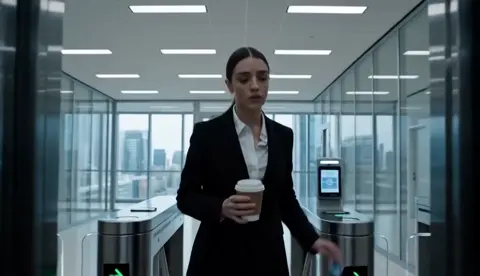
Why AI Video Workflows Changed Content Production
Video has always been the most demanding format in a content calendar. It concentrates cost in three places: the people in front of and behind the camera, the equipment and locations, and the hours of post-production that turn raw footage into something watchable. AI does not make those costs disappear, but it moves them. A three-person team can now produce work that used to require a small studio, and a solo creator can test ten creative directions in the time it once took to plan one.
The more important shift is not speed. It is iteration. When a shot takes two minutes to generate instead of two days to schedule, you stop defending your first idea and start comparing alternatives. That changes how creative decisions get made. Teams that adopt AI video tools well do not treat them as a magic render button; they treat them as a fast, slightly unpredictable collaborator that needs clear direction and careful review.
This guide is about building that system. It covers what capabilities genuinely matter, how to split work across specialized tools, a repeatable production workflow, prompting patterns that improve consistency, and the mistakes that quietly ruin AI video projects.
What Actually Matters in an AI Video Toolset
Feature lists are noisy. When you evaluate tools, ignore the number of presets and look at four capabilities instead.
Scene generation and shot continuity
A tool that produces beautiful isolated clips is only half useful. What matters is whether the output holds together when cut together. Look for reliable camera behavior across a shot, stable motion without warping, and the ability to generate several takes from the same prompt with predictable variation. If a model drifts wildly between takes, you will spend your savings in the edit.
Character and style consistency
Consistency is the hardest problem in generative video. A character who looks slightly different in every shot destroys the illusion, and audiences notice faces faster than anything else. Tools that support reference images, image-to-video conditioning, seed locking, or character training give you a fighting chance. Style consistency matters too: a consistent color palette, lens character, and lighting direction keeps a multi-scene piece from looking like a compilation of unrelated clips.
Control over timing and composition
Full automation is rarely the goal. You want knobs. Camera move direction, aspect ratio, clip duration, motion intensity, and the ability to seed a first frame from a still image are all more valuable than a dozen stylistic filters. The best workflows use still images to lock composition and let the model handle motion.
Post-production integration
The output file format matters more than it should. Clean exports in common codecs, alpha channel support, a sensible frame rate, and metadata that survives a round trip through an editor save hours. A tool that only lets you download a compressed vertical clip is a dead end for anything longer than a social spot.
Matching Tools to Each Stage of Production
No single application is best at everything. A practical setup uses two to four tools, each covering a distinct stage.
Concepting and script drafting
Language models are excellent at turning a brief into a shot list, alternate hooks, or a narration draft. Use them to expand options, not to finalize copy. The useful prompt here is not "write a video script" but "give me five different 30-second structures for a product launch, each with a distinct opening hook and the emotional beat it targets."
Storyboarding and shot planning
Image generators plus simple layout tools beat expensive storyboard software. Generate a still for every shot, drop them into a grid, and read the sequence as a comic strip. If the story does not work as stills, no amount of motion will fix it. This step also produces your conditioning images for the generation stage, which is where the real payoff is.
Generation and rendering
This is where dedicated video models earn their place. Systems such as Runway are strong for style transfer, motion realism, and clean-up work like background removal. Pika is well suited to fast text-to-video iteration where you want many short takes. General-purpose suites bundle multi-image fusion and keyframe consistency so a single account covers more of the pipeline. The right choice depends on whether you need breadth or one stage done exceptionally well.
Finishing, grading, and cleanup
AI footage still needs an editor. Resolve and Premiere both handle AI-generated clips without special treatment. Reserve time for stabilization, deflicker, upscaling, and grain matching, because generated footage often looks slightly too smooth next to real camera work. A subtle film grain layer and a shared color grade will do more for perceived quality than another generation pass.
Voice, avatar, and localization
When you need a presenter, avatar platforms such as Synthesia handle scripted corporate content efficiently. For narration, modern text-to-speech is good enough for most explainer work, and voice cloning can carry a series without re-recording. Localization is where AI genuinely pays for itself: subtitle generation, translation, and dubbed audio can turn one video into eight language versions in a day.
A Repeatable End-to-End AI Video Workflow
Most failed AI video projects fail in planning, not generation. Here is a sequence that scales from a one-minute social clip to a five-minute brand film.
Step 1: Define the output specification first
Before writing a single prompt, decide runtime, aspect ratio, frame rate, delivery platforms, and caption requirements. A vertical 30-second cut and a horizontal 3-minute cut are different projects even if they share footage. Write the spec down and keep it visible; it prevents the classic mistake of generating gorgeous horizontal clips for a vertical campaign.
Step 2: Write shot cards, not scripts
Break the piece into individual shots, and for each one record: duration, subject, action, camera move, lighting, and the emotional beat. This is your shot card. Twelve to twenty shot cards is a typical range for a 60-second piece. Shot cards make prompt writing mechanical instead of creative guesswork, and they make review objective because you can compare output against intent.
Step 3: Generate stills before motion
Produce a still for every shot card. Approve composition, framing, and wardrobe at the still stage where each iteration is cheap. Lock the approved stills as first frames or reference images. This single habit is the biggest quality lever in AI video production.
Step 4: Generate in batches and keep a take log
Generate three to five takes per shot, not one. Name files with the shot number and take letter. Keep a simple log with the prompt, seed, and a one-word verdict. Within a day you will notice which prompt structures work for your model, and the log becomes your institutional memory.
Step 5: Assemble early and cut ruthlessly
Drop the best takes into the timeline before you generate the final shots. Sequences reveal problems that individual clips hide: pacing, eyeline mismatches, repeated motion, and tonal whiplash. Expect to lose 30 to 40 percent of your generated footage in the edit. That is normal and healthy.
Step 6: Sound, captions, and quality control
Sound design carries more perceived production value than image quality. Add music, ambience, and spot effects before you obsess over another render. Then caption, check safe areas, verify brand colors, and watch the whole thing on a phone at small size. If it reads clearly on a phone with the sound off, it works.
Prompting Patterns and Consistency Techniques
Good prompting for video is closer to directing than to writing prose. You are describing a camera, a subject, and a moment.
A reliable structure for a shot prompt is: shot type, subject description, action, environment, lighting, camera movement, style reference, and technical constraints. For example: medium shot, a woman in a charcoal coat, walking toward a rain-slicked window, modern office at dusk, soft practical lighting, slow dolly in, muted cinematic palette, shallow depth of field.
Keep motion language simple. "Slow push in" behaves far better than "the camera swirls dramatically while time slows." Models handle one primary motion per shot well and multiple simultaneous motions poorly.
For consistency, lock three things: a reference image for each character, a fixed style phrase that appears in every prompt, and a seed or seed range for a scene. Change one variable at a time when troubleshooting. If a character's face drifts, hold the seed and the style phrase constant and adjust only the action.
Finally, generate transitions deliberately. Cuts, match cuts, and whip pans are easier to make in the edit than to generate. Do not ask a model to produce a transition; build it in your timeline.
Common Mistakes That Wreck AI Video Projects
The failure modes are predictable, which means they are avoidable.
- Generating before the story works. If the still sequence is dull, motion will not save it.
- Mixing too many tools mid-project. Every tool change costs time and risks a style break.
- Ignoring shot length. Generated clips usually need to be shorter than you think; three-second cuts hide more imperfection than eight-second holds.
- Skipping audio. Silent assembly always looks worse than it is, and finished audio always looks better than it is.
- Over-relying on one hero shot. Distribution favors many competent shots over one impressive clip nobody watches twice.
- Forgetting rights and consent. Every reference image, voice sample, and music track needs a clear basis for use.
Planning Time, Compute, and Turnaround
AI video compresses calendar time but not review time. A realistic small project schedule is one day for concept and shot cards, one day for stills and approvals, one to two days for generation and selection, and one day for edit, sound, and captions. Larger pieces scale linearly in generation but exponentially in review, so build approval gates instead of one final review.
Generation cost scales with resolution, duration, and the number of takes. The cheapest optimization is generating at the lowest resolution that still lets you judge motion, then re-rendering only selected winners at final quality. Batch long generation jobs overnight. Keep a local archive of approved stills and clips; projects get revised months later and regenerating lost footage is expensive in every sense.
Rights, Ethics, and Brand Safety
Generative video raises questions that do not come up with a camera crew. Get explicit permission before using a real person's likeness or voice, even for internal content. Avoid prompting directly for a recognizable living artist's style; describe the visual properties instead. Document your sources for every reference image so you can answer a rights question later.
On the ethical side, disclosure is becoming standard practice for synthetic presenters and realistic AI footage. A brief on-screen note or a line in the description costs nothing and protects trust. Internally, define what your team will never generate: political content, medical claims, testimonials from people who do not exist, and anything implying a real event occurred.
Industry Playbooks
Marketing and advertising benefit most from volume. Generate twenty hooks, test them cheaply, and scale the winner into a full campaign with consistent characters and a locked visual style.
Education and training use avatar presenters and localization. One recorded script can become a dozen language versions with subtitles and dubbed audio, which is often the difference between a global rollout happening or not.
Entertainment and gaming lean on previsualization. Concept artists can turn a mood board into an animated pitch in an afternoon, and short-form studios can produce episodic content with recurring characters using reference-image pipelines.
E-commerce and retail live in product footage. Studio-quality product motion used to require a physical shoot per variant; today a locked camera move and a consistent lighting setup can be applied across an entire catalog, with clean plates added in post.
FAQ
How long does it take to learn a workable AI video workflow?
Most people can produce a coherent 30-second piece within a week of focused practice. The bottleneck is usually editing fundamentals, not the AI tools.
Do I still need a video editor?
Yes, and it is the most valuable skill in the stack. AI generates raw material; the edit creates meaning, pacing, and polish.
How do I stop characters from changing between shots?
Lock reference images, keep a fixed style phrase in every prompt, restrict each shot to one action and one camera move, and shorten clips so drift has less time to appear.
Should I generate at final resolution?
No. Test at low resolution for motion and composition, then re-render selected takes at delivery quality. This saves significant processing time.
What about sound?
Treat audio as a first-class deliverable. Music, ambience, and captions are what separate an AI demo from a publishable video.
Can AI video replace live-action shoots?
For some formats, yes. For others, hybrid works better: real footage for people and products, generated footage for environments, transitions, and impossible shots.
Start with one short project, document what worked, and grow the pipeline from there. The teams that get the most from AI video are not the ones chasing the newest model; they are the ones with a repeatable workflow, a shot-card discipline, and a ruthless edit.

Alexander
More Blogs
Read MoreVidu Q4 Alternatives: 4K AI Video Models Compared (2026)
Vidu Q4 alternatives compared: Kling 4.0, Seedance 2.5, Wan 3.0, and Runway Gen-4 — 4K support, input modes, durations, audio, and what each costs in credits on Domer.
Top 4K AI Image Generators in 2026: 5 Models Compared on Real Costs
The top 4K AI image generators on Domer compared: Flux 3 Klein, Nano Banana 2.1, GPT Image 2.5, GPT Image 2, and Nano Banana Pro — 4K credit costs, reference limits, and speed.
Nano Banana 2.1 vs GPT Image 2.5: Which Image Model Should You Use? (2026)
Nano Banana 2.1 vs GPT Image 2.5 Flare compared: credit costs per resolution, aspect ratios, reference images, text rendering, and which tasks fit each model.