

Affiliazione
Inizia Gratis Ora
AI Video Tools: A Practical Workflow Guide for Better Visuals
Oct 14, 2026
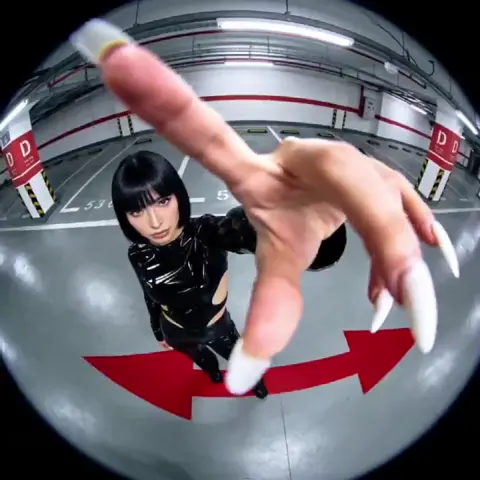

Why AI video production changed the way teams work
Not long ago, producing a polished video meant a camera, a crew, a lighting setup, a sound recordist, and days of editing. Today a two-person team can storyboard, generate, assemble, and publish a credible video in an afternoon. That shift is not marketing hype — it comes from a genuine change in how generative models handle motion, coherence, and style.
Diffusion-based image models taught the industry that visual generation could be controlled through language. Video models extended that idea across time, learning to keep a subject's face, clothing, and lighting reasonably stable from frame to frame. Transformer architectures made it practical to condition generation on long prompts, reference images, and even existing footage. The result is a toolbox that covers almost every stage of production, from the first concept sketch to the final colour touch-up.
The practical consequence is that video production has become iterative rather than linear. Instead of committing to an expensive shoot and hoping the edit works, you generate ten variations of a shot, keep the two that read best, and move on. That changes the economics of the whole process — and it changes what skills matter. Prompt clarity, reference curation, continuity management, and editorial judgement now matter as much as camera operation.
This guide walks through the capability landscape, the criteria that separate good tools from frustrating ones, and a repeatable workflow you can apply to almost any project.
A capability map: what these tools actually do
"AI video tool" is an umbrella term covering wildly different jobs. Before comparing products, map the specific capabilities you need. Most projects use three or four of the following.
Text to video
The most visible category. You describe a scene and the model returns a clip, usually between four and fifteen seconds. Quality varies enormously by subject: landscapes, abstract motion, and product shots are reliable, while complex human interaction and precise text rendering remain harder. Treat these clips as B-roll generators rather than finished scenes.
Image to video and keyframe animation
Instead of starting from language alone, you supply one or more still images and let the model animate between them. This is the single most useful technique for controlled work, because the composition is already decided. If you can draw a rough frame or compose a still, you can direct the shot.
Video to video and style transfer
Here you feed existing footage and ask the model to restyle, relight, or re-render it. This is excellent for matching stock footage to a specific look, converting day-for-night, or giving a live-action clip an illustrated aesthetic. It is also the safest category for brand work, because the underlying motion is real.
Multi-image fusion and scene blending
A more advanced capability: the tool ingests several images — a character reference, a location plate, a texture — and blends them into one coherent sequence. This is how creators build consistent characters across multiple shots without retraining a model each time. It is also how slideshow-style content becomes watchable, because the transitions are generated rather than dropped in from a preset library.
Avatars, lip sync, and synthetic voice
Talking-head generation has become genuinely usable for training and explainer content. The strongest use case is not replacing presenters but localising them: one recording, many languages, matched mouth shapes. Always check whether the tool preserves micro-expressions, because unnatural blinking is the fastest way to lose an audience.
Restoration, upscaling, and cleanup
Unglamorous but valuable. Denoising, frame interpolation, stabilisation, and upscaling to 4K can rescue footage that would otherwise be unusable. Many editors now include these as one-click operations rather than separate purchases.
How to choose the right tool for your project
Feature lists are not a useful comparison method because every vendor claims the same things. Use these five criteria instead.
Shot length and temporal consistency
Ask a simple question: how long can the model hold a scene before faces drift, hands melt, or backgrounds warp? Test with your own difficult content, not the vendor's showreel. A tool that produces eight reliable seconds is often more useful than one that produces twenty unreliable ones, because you can cut around short clips.
Control surface and editability
Some tools are slot machines: prompt in, clip out, no adjustments. Others let you lock a keyframe, mask a region, set a camera path, or specify which frame should anchor the motion. For client work, control beats raw quality. Look for features like start-and-end frame conditioning, motion strength sliders, region inpainting, and the ability to regenerate a single shot without losing the rest of the timeline.
Iteration speed
Your real constraint is rarely generation quality — it is how many attempts you can afford before the deadline. Measure the round-trip time from prompt to usable clip, including queue times during your working hours. A fast, slightly weaker model frequently outperforms a slow, superior one in real projects.
Licensing, commercial rights, and safety
Understand who owns the output, whether you may use it commercially, and what the provider does with your uploads. If you are producing content for regulated industries, check for content filters, watermark policies, and audit trails. Never generate a recognisable likeness or brand mark without documented permission.
Export formats and integration
Alpha channels, ProRes, image sequences, and audio stems matter more than they sound. If the tool only exports compressed MP4, your colourist and sound designer will have a harder time. Check whether the output drops cleanly into your editor of choice with correct frame rates and colour space.
Building a repeatable workflow from idea to delivery
Tools change monthly; process does not. This six-step workflow works whether you are producing a fifteen-second ad or a ten-minute training module.
Step 1: Brief, script, and shot list
Write the script first. Then break it into shots with a one-line description each: subject, action, camera move, duration. Resist the temptation to start prompting before the shot list exists — otherwise you generate attractive clips that do not cut together.
Step 2: Reference and asset preparation
Collect stills that define your look: colour palettes, lighting references, character images, location plates. Clean them up before feeding them in. Crop to the target aspect ratio, remove watermarks, and make sure the subject is legible. Sloppy references produce sloppy output, and no amount of prompt engineering fixes a blurry input.
Step 3: The generation pass
Work shot by shot, not timeline by timeline. For each shot, generate a small batch — four to six variations — using the same prompt with controlled changes. Log which seed and reference combination produced each result. This log becomes your most valuable asset when a client asks for a revision three weeks later.
Step 4: Assembly and continuity
Drop the approved clips into your editor and watch them in sequence before polishing anything. Continuity problems — a jacket changing colour, a shadow flipping direction — are obvious in context and invisible in isolation. Fix them by regenerating the offending shot with an anchored keyframe from the previous one.
Step 5: Sound design and captions
AI-generated video arrives silent, and silence makes even good visuals feel cheap. Add ambience, impacts, and music early rather than at the end; sound changes how you judge pacing and often reveals that a shot is too long. Generate captions, then read them aloud to catch errors — automatic transcription still struggles with names and jargon.
Step 6: Versioning and delivery
Export a review copy with a timecode burn-in, collect feedback in one place, and keep the master project untouched. When you deliver, provide the format the platform actually wants: vertical for social, 16:9 for web, and captions burned in for silent autoplay environments.
Prompting and reference strategy that actually works
Prompt writing for video is closer to writing a shot description for a cinematographer than to chatting with a chatbot. A reliable structure:
- Subject and action — who or what, doing precisely what.
- Camera — framing, lens feel, movement, and speed.
- Lighting — direction, quality, time of day, contrast.
- Style — film stock, palette, era, rendering approach.
- Continuity constraints — what must stay identical to the previous shot.
- Negative constraints — what must not appear.
Three habits separate people who get consistent results from people who get lucky:
- Change one variable at a time. If you rewrite the subject, camera, and style simultaneously, you learn nothing about which change improved the shot.
- Anchor with keyframes. Supplying the first frame removes most ambiguity about composition, and supplying the last frame fixes the transition into the next shot.
- Reuse seeds and references. Consistency across shots comes from repeating inputs, not from describing the same character in slightly different words.
Common mistakes and how to avoid them
Generating before planning. The most expensive mistake. Ten beautiful clips that cannot be edited together cost more than two mediocre ones that can.
Overloading a single prompt. Cramming five actions into one clip produces mush. Split the action across two shots and cut between them.
Trusting the first output. The first generation is a draft, not a decision. Budget for three or four attempts per shot in your schedule.
Ignoring aspect ratio and safe areas. Vertical crops destroy carefully composed wide shots. Decide the delivery format before you generate.
Skipping the audio pass. Weak sound undermines strong visuals far more than the reverse.
Forgetting provenance. Keep a record of prompts, references, and model versions for every shot. If a client asks how something was made — or asks you to change it — provenance is what saves you.
Quality control checklist before you publish
Run this list on every video before it leaves your machine:
- Faces and hands hold up when paused at any frame.
- No unintended text, logos, or watermarks appear anywhere in frame.
- Colour and exposure are consistent across cuts.
- Motion direction of subjects and camera is coherent from shot to shot.
- Audio peaks are controlled and dialogue sits above music.
- Captions are accurate, timed, and inside safe areas.
- The first three seconds establish the subject without context.
- The final frame gives the viewer a reason to act or continue.
- Export settings match the destination platform's specification.
Planning time and budget realistically
Generation is cheap per attempt but expensive in aggregate, because every attempt consumes compute and attention. A practical way to plan: estimate the number of shots, multiply by four for attempts, then add fifty percent for continuity fixes. A twenty-shot project therefore requires roughly a hundred and twenty generations before editing begins.
Hardware matters if you run models locally. A modern GPU with ample video memory handles short clips comfortably; long sequences and high resolutions push you toward cloud rendering. The trade-off is straightforward — local gives you privacy and unlimited retries, cloud gives you speed and access to the newest models without hardware investment. Most professionals use both: local for sensitive client material, cloud for exploratory work.
Where AI video pays off most
Marketing and advertising
Rapid variation is the killer feature. Instead of producing one ad, produce twelve with different hooks, openings, and calls to action, then let performance data decide the winner. Product demonstrations no longer require physical prototypes for every concept.
Education and training
Visualising abstract processes — how a network packet travels, how a molecule folds — used to require animation studios. Now a subject-matter expert can generate explanatory sequences and iterate on them with feedback from learners.
Social and entertainment
Short-form platforms reward volume and speed. AI tools let a single creator maintain a daily posting cadence with visual variety that would previously have required a stock subscription and heavy editing.
Internal communication and product demos
Recruiters, product managers, and support teams benefit from short explanatory clips that would never justify a production budget. A screen recording plus generated overlays and a synthetic voiceover is often enough.
FAQ
Do I still need an editor if I use these tools?
Yes. Generation replaces shooting and some effects work, not editorial judgement. Knowing which clips to keep, how long to hold a shot, and where to place the cut is still the difference between a video that works and one that does not.
How do I keep a character consistent across shots?
Use a fixed reference image, a fixed seed where the tool allows it, and the end frame of the previous shot as the start frame of the next. Describe the character identically in every prompt, including clothing and hair details.
Is generated video good enough for broadcast?
For inserts, backgrounds, and stylised sequences, often yes. For anything requiring precise human performance or legible on-screen text, expect to combine generation with real footage and motion graphics.
What about copyright and likeness?
Rules vary by jurisdiction and provider. Assume you need explicit permission for recognisable faces, trademarks, and music. Keep documentation of your inputs and check the terms of every tool in your pipeline.
How much does a typical project cost?
It depends more on iteration count than on shot count. A ten-shot social video might take an afternoon; a two-minute brand film with continuity requirements can take a week of focused work.
Final thoughts
The best AI video stack is not the one with the longest feature list — it is the one that fits your workflow, exports cleanly, and lets you iterate fast enough to meet real deadlines. Start by mapping the capabilities you actually need, test candidates on your own difficult content, and build a process around shot lists, references, and provenance logs.
Do that, and these tools stop being novelty generators and start being a genuine production advantage.

Alexander
More Blogs
Read MoreVidu Q4 Alternatives: 4K AI Video Models Compared (2026)
Vidu Q4 alternatives compared: Kling 4.0, Seedance 2.5, Wan 3.0, and Runway Gen-4 — 4K support, input modes, durations, audio, and what each costs in credits on Domer.
Top 4K AI Image Generators in 2026: 5 Models Compared on Real Costs
The top 4K AI image generators on Domer compared: Flux 3 Klein, Nano Banana 2.1, GPT Image 2.5, GPT Image 2, and Nano Banana Pro — 4K credit costs, reference limits, and speed.
Nano Banana 2.1 vs GPT Image 2.5: Which Image Model Should You Use? (2026)
Nano Banana 2.1 vs GPT Image 2.5 Flare compared: credit costs per resolution, aspect ratios, reference images, text rendering, and which tasks fit each model.