
Crea
Affiliazione
Inizia Gratis Ora
AI Video Workflow for Influencer Campaigns: A Practical Guide
Oct 13, 2026
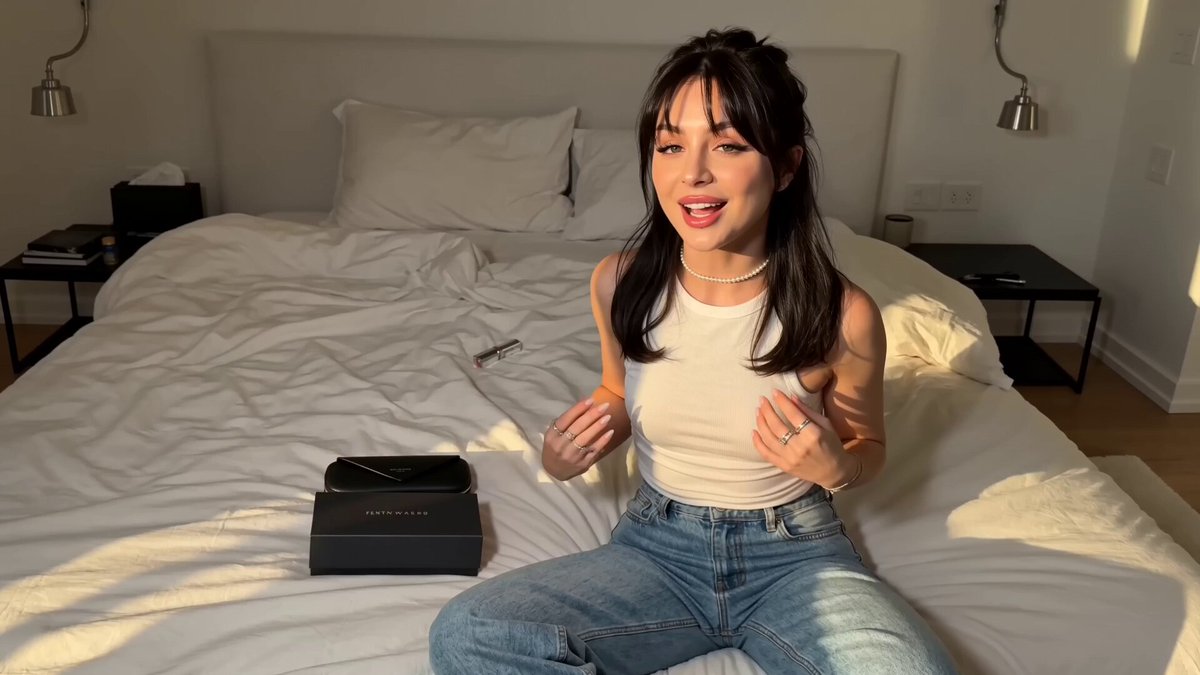
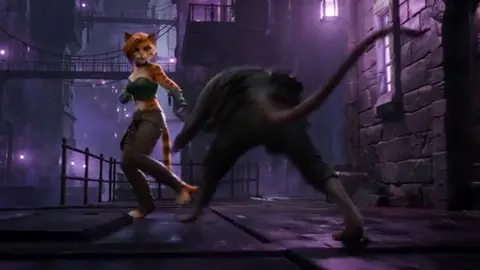
Generative video tools are no longer the hard part of an AI-assisted influencer campaign. The hard part is the pipeline around them: a brief that survives contact with a model, prompts you can rerun, clips that actually cut together, audio that fits the pacing, and an approval step that catches product mistakes before a paid placement goes live. This guide walks that pipeline end to end, from concept to measurement, and flags the decision points that separate work that looks intentional from work that looks obviously synthetic.
Why AI Video Changed the Influencer Pipeline
Three shifts matter, and each one moves the bottleneck somewhere new.
Iteration cost collapsed. A shot that once required a location, a crew, and a travel day can now be explored in a dozen variations before lunch. That changes creative strategy: instead of defending one concept, you can test ten hooks against the same body copy and let performance choose the winner.
Volume became cheap. Paid social rewards fresh creative because audiences fatigue on the same frames quickly. Teams that once shipped four assets a month can ship twenty, which moves the constraint from production to review capacity — and review is where quality is either protected or quietly lost.
Localization became practical. Subtitles, voice tracks, and on-screen context can be swapped per market without a reshoot, provided the underlying footage avoids region-specific props, signage, and gestures that read differently elsewhere.
What has not changed is everything that decides whether a campaign works: positioning, offer, audience research, hook writing, and distribution. A model cannot tell you which benefit matters to a skeptical buyer, and it cannot notice that the best moment in a clip is the one nobody planned.
Constraints worth respecting: hands and fine motor detail still break under close scrutiny; on-screen text is better composited in an editor than generated; product fidelity is approximate, so a generated bottle or shoe is a close-enough stand-in that needs a real photo insert when accuracy matters; and likeness, music, and voice all carry rights questions that no model resolves for you.
The End-to-End Workflow in Six Stages
Think of the pipeline as six stages, each producing one artifact that the next stage consumes. When something goes wrong later, you can trace it to the stage that produced the bad input instead of blaming the model.
- Brief and concept. Output: a one-page brief and a shot list naming every clip you intend to make.
- Generation. Output: a versioned folder of raw clips, organized by shot ID.
- Assembly. Output: a first cut with a music bed and rough pacing.
- Sound and captions. Output: a mixed audio track and a subtitle file.
- Review and compliance. Output: an approved master with a version tag and a completed checklist.
- Delivery and measurement. Output: platform-ready exports, cover frames, and a performance log.
Most failures happen at the handoffs rather than inside any single stage. A clip generated at the wrong aspect ratio, a voice track recorded before the script was final, or a product claim that changed after approval — these are process problems, and they are far cheaper to fix than a reshoot.
Two habits keep the pipeline honest. First, a strict naming convention, for example summer_glow_s04_v007_9x16.mp4, so anyone can tell the campaign, shot, version, and ratio at a glance. Second, one tracking sheet listing every shot, its status, its owner, and its current version. If a shot is not in the sheet, it does not exist.
Stage One: Brief, Concept, and Shot Planning
Planning is where AI video projects are won. Generation is fast; deciding what to generate is not.
- Lock the promise in one sentence. If the sentence needs a comma splice to work, the concept is not ready.
- Choose duration bands. A 6-second bumper, a 15-second primary cut, and a 30-second explainer cover most placements. Generate for the longest band and cut down.
- Build a shot list, not a mood board. Mood boards invite imitation; shot lists invite decisions. Eight to twelve entries is plenty for a 30-second cut.
- Inventory brand assets first. Logo files, color palette, typeface, product photography from at least three angles, and two or three past clips that performed well.
- Write the hook before generating anything. The first 1.5 seconds decide whether the rest is watched. A strong hook is usually a specific problem, a visual contradiction, or a promise of proof.
- Settle rights and disclosure early. Confirm you have rights to any face you reference, avoid identifiable public figures, and decide whether you will label synthetic media. Many platforms require it, and audiences generally respond better to transparency than to a comment section full of accusations.
A simple shot list keeps everyone aligned:
| Shot | Length | Description | Camera | Prompt seed | Status |
|---|---|---|---|---|---|
| S01 | 2s | Hand reaches for bottle on counter | Slow push in | hand, marble counter, morning light | Generated |
| S02 | 3s | Product rotation, macro | Static, shallow depth | bottle macro, softbox, water droplets | Draft |
| S03 | 4s | Creator speaks to camera | Medium, handheld | creator mid-shot, kitchen, window light | Pending |
Stage Two: Generation, Prompting, and Visual Consistency
This is the stage where most teams burn time, because generation rewards discipline and punishes enthusiasm.
Writing prompts that survive iteration
Use a stable structure: subject and wardrobe, action, environment, camera and movement, lighting, lens or look, style references, and a short list of negatives. The exact wording matters less than the consistency of the structure, because a fixed skeleton lets you change one variable at a time and understand what caused the difference.
The most useful trick is a locked style block — a reusable string describing light, palette, lens, and grade that you paste into every prompt in a series. Change the subject and action per shot; never change the style block mid-campaign. Store it in the tracking sheet so a new team member cannot accidentally break the look.
Keep a prompt log with four columns: prompt, seed, model used, and verdict. After a week you will have a private library of what works for your product, which is worth more than any generic prompt list you can download.
Keeping characters and products consistent
Consistency comes from references, not adjectives. Feed the model two to five reference images of the same person or product rather than describing them in text. Then reinforce with:
- First and last frame control to pin the start and end of a shot, so a cut lands where you planned.
- Locked seeds when you need small changes — wardrobe, background, lighting — without losing the face.
- A wardrobe sheet with two or three approved outfits, because clothing changes are the most common source of visual drift in a series.
- A product lock using three angles plus one lifestyle shot, so the model has enough information to keep proportions plausible.
- Editor-made branding. Generate the scene, then composite the real logo and label artwork on top. Generated logos wobble, and a wobbling logo undermines an otherwise convincing frame.
Choosing the right model for the shot
Not every shot needs the most expensive engine. Match the tool to the risk:
| Shot type | What matters most | Where it usually fails |
|---|---|---|
| Photoreal human close-up | Skin texture, eye detail, micro-expression | Teeth, hands, background faces |
| Product macro | Surface detail, reflections, label geometry | Distorted text, impossible reflections |
| Stylized animation | Motion coherence, art direction | Inconsistent line weight between clips |
| Environment or b-roll | Depth, parallax, natural movement | Repetitive motion, warped horizons |
| Talking-head segment | Lip sync, head movement, framing | Jaw drift, mismatched cadence |
Practical rules: preview at low resolution and generate four to six variants before committing to a final render; prefer shorter clips and assemble more of them rather than asking one long generation to do everything; and treat every model upgrade as a new variable — re-run your style block and compare before switching a whole campaign over.
Stage Three: Assembly, Pacing, and Continuity
Generated clips rarely cut together by accident. Two habits fix most of it: cut on motion, and match the action across the cut. If a hand is moving left in one clip, the next clip should continue that motion or deliberately interrupt it with a clear beat.
A 25-second structure that survives most placements:
| Time | Beat | Job |
|---|---|---|
| 0-2s | Hook | Stop the scroll with a problem or a contradiction |
| 2-6s | Setup | Name the audience and the stakes |
| 6-12s | Proof | Show the product working, ideally with a real photo insert |
| 12-18s | Payoff | Show the result, the feeling, or the before-and-after |
| 18-25s | Call to action | One instruction, one destination, one reason to act now |
Keep individual generated shots between 1.5 and 3 seconds. Longer holds give artifacts time to reveal themselves, and short cuts read as energy rather than choppiness when the music supports them. Vary shot scale every two or three cuts; alternating wide, medium, and macro keeps attention even when the location never changes.
Do all typography, captions, and end cards in the editor. Respect platform safe zones — keep critical text away from the bottom third of a vertical frame and away from the right edge where interface elements sit. Master in 9:16, then produce 1:1 and 16:9 crops from the same timeline rather than regenerating for each ratio.
Stage Four: Sound, Voice, and Accessibility
Audio decides perceived quality faster than image does. A slightly soft frame passes; hollow room tone does not.
- One voice per series. Whether human or synthetic, keep the same voice across every asset in a campaign. Direction notes beat extra takes: pace around 150 to 165 words per minute, short sentences, no upward inflection on statements.
- Licensed music only. Match tempo to cut rhythm and duck the bed roughly 14 to 18 decibels under the voice track. Add two or three sound design accents — a whoosh, a click, a soft impact — at transitions.
- Captions in two forms. Burned-in captions for sound-off viewing, plus a separate subtitle file for accessibility and platform features. Two lines maximum, roughly 32 to 38 characters per line, high contrast, and never covering a face.
- Check loudness consistency. Mix for the platform's normal range and verify on a phone speaker, not studio headphones, since most of your audience will hear it there.
Stage Five: Review, Brand Safety, and Delivery
Run three deliberate passes, in this order:
- Product accuracy. Claims, dosage, price, sizing, ingredients, and any on-screen text. Generated footage cannot know your legal copy.
- Brand and legal. Logo usage, color accuracy, disclosure of synthetic media, talent rights, music licensing, and regional restrictions.
- Technical and accessibility. Aspect ratio, safe zones, loudness, caption accuracy, and file specs.
Assign one decision-maker per asset. Committee approvals stall pipelines, and stalling usually costs more than a small disagreement about font weight. Log every version, keep the approved master read-only, and write exports to a dated folder with the metadata, cover frame, and destination link already filled in.
Common Mistakes That Kill AI Video Campaigns
- Generating too many shots per concept. Ten average shots lose to four strong ones. Cut the shot list before you cut the render time.
- Changing the style block mid-series. The result looks like a compilation rather than a campaign.
- Letting the model render text. Composite it. Always.
- Ignoring hands and eyes. If a close-up looks uncanny, reframe to medium instead of iterating endlessly.
- Skipping the human hook. Beautiful footage with a vague first second is an expensive wallpaper.
- Relying on a single model. Different shots have different strengths; a two-model workflow usually beats chasing one perfect prompt.
- Mismatched audio energy. Slow music under fast cuts reads as an editing error.
- Ignoring compression. Detail-heavy frames turn to mush on some platforms. Test a compressed export before scaling budget.
- No variant plan. One finished video is a lottery ticket. Three hooks against one body is a test.
- Approving by committee. It doubles the timeline and softens the idea.
Measuring Performance and Iterating
Judge creative against platform-appropriate metrics, not vanity totals:
| Metric | What it tells you |
|---|---|
| Hook rate (3-second views divided by impressions) | Whether the first two seconds work |
| Hold rate | Whether the middle earns its runtime |
| Completion rate | Whether length matches intent |
| Click-through rate | Whether the call to action is clear |
| Cost per action | Whether the concept is commercially viable |
| Frequency and fatigue signals | When to refresh creative |
Test one variable at a time — hook, first frame, voice, or call to action — and give each test enough delivery to reach a stable result before judging it. Refresh winning concepts every few weeks by changing the hook or the opening frame rather than rebuilding the whole asset.
Finally, feed results back into the pipeline. Winning hooks belong in the brief template. Winning style blocks belong in the prompt library. Clips that performed belong in the reference folder for the next generation run. That loop is what turns a stack of AI tools into a production system.
FAQ: Practical Questions About AI Video Workflows
How long does one AI-assisted video take?
With a locked style block and a shot list, a 30-second cut usually takes a day or two of generation plus half a day of editing. The first campaign in a new category takes longer because you are still discovering which prompts hold up.
Do I need more than one model?
Usually, yes — one for photoreal human footage and one for product or environmental shots. Two well-understood tools beat five half-learned ones.
How do I keep a character consistent across a series?
Reference images, a locked wardrobe sheet, consistent seeds where possible, and first and last frame control on every shot. Never rely on adjectives alone.
Can I publish AI video without labeling it?
Check the rules of each platform and the regulations in each market you target. When in doubt, disclose. A short label costs nothing next to a trust problem in the comments.
What should I export?
A 9:16 master for vertical placements, plus 1:1 and 16:9 crops from the same timeline. Export high bitrate files for the master, let platforms handle final compression, and verify with a test upload before scaling spend.
How many variants should I test?
Three hooks against one body is a good starting point. More than five at once usually means none of them gets enough delivery to be judged fairly.
When should I reshoot with a real camera?
When product accuracy is legally or commercially critical, when a human face must be unmistakably real, or when a hands-on demonstration carries the entire argument. Generated footage supports those moments; it rarely replaces them.
What is the single highest-leverage habit?
The prompt log. It converts luck into a repeatable process, and it is the difference between a team that occasionally produces a good AI video and a team that ships them on schedule.

Alexander
More Blogs
Read MoreVidu Q4 Alternatives: 4K AI Video Models Compared (2026)
Vidu Q4 alternatives compared: Kling 4.0, Seedance 2.5, Wan 3.0, and Runway Gen-4 — 4K support, input modes, durations, audio, and what each costs in credits on Domer.
Top 4K AI Image Generators in 2026: 5 Models Compared on Real Costs
The top 4K AI image generators on Domer compared: Flux 3 Klein, Nano Banana 2.1, GPT Image 2.5, GPT Image 2, and Nano Banana Pro — 4K credit costs, reference limits, and speed.
Nano Banana 2.1 vs GPT Image 2.5: Which Image Model Should You Use? (2026)
Nano Banana 2.1 vs GPT Image 2.5 Flare compared: credit costs per resolution, aspect ratios, reference images, text rendering, and which tasks fit each model.