
Crea
Affiliazione
Inizia Gratis Ora
AI Visual Storytelling: Make Marketing Videos Without a Crew
Oct 15, 2026
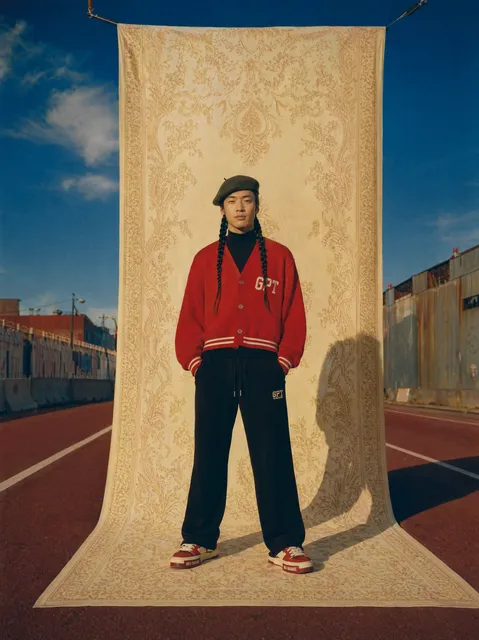


Why Visual Storytelling Is Now a Workflow Problem
For most of the last two decades, the hardest part of making a marketing video was not the idea. It was the logistics. You needed a camera operator, a location, a lighting setup, talent who could hit a mark, a sound recordist, an editor, and about three weeks of calendar time. The creative ambition of a small team was almost always capped by budget and scheduling, not by imagination.
Generative video tools changed the constraint. Today a two-person marketing team can produce a 45-second product story that looks deliberate and polished, without renting a studio or hiring a crew. But something important happened along the way: the bottleneck moved. It is no longer "can we afford to shoot this?" It is now "can we describe this clearly enough that the tools produce something coherent?"
That is a workflow problem, and workflow problems are solvable. The teams producing genuinely good AI-assisted video are not the ones with the fanciest model access. They are the ones with a repeatable pipeline: a beat sheet, a shot list, a reference library, a consistency method, a review loop, and a delivery checklist. This guide walks through that pipeline stage by stage, with decision criteria, examples, and the mistakes that separate work that looks intentional from work that looks generated.
The Six Stages of an AI Video Pipeline
Before choosing a single tool, separate the job into stages. Each stage has a different success criterion, and mixing them up is the fastest way to waste an afternoon regenerating clips.
Stage 1: Brief and beat sheet
Every video answers one question for one audience. Write that down in a sentence: "This video shows e-commerce managers how our returns dashboard cuts resolution time." Then break it into beats — the emotional or informational turns in the story. A 45-second video usually has five or six beats: hook, problem, turning point, demonstration, proof, call to action.
The beat sheet is where AI video projects are won or lost. If you cannot write six sentences describing the turns in your story, no model will invent them for you.
Stage 2: Shot list and look development
Each beat becomes one to three shots. For each shot, define four things: subject, action, setting, and camera feel. "Subject: warehouse supervisor in a navy polo. Action: scanning a package. Setting: loading dock at morning light. Camera: slow push-in, handheld, shallow depth of field."
This stage also fixes the look. Pick a palette, a lens character, and a lighting mood, then keep them stable across the project. Consistency in color and lighting matters more than any single beautiful shot.
Stage 3: Keyframe generation
Generate still frames first. Stills are cheap to iterate on and easy to review as a contact sheet. Many people skip straight to motion and then wonder why the result feels incoherent — they never saw the story as a sequence of frozen moments.
Generate two to four variants per shot, review them as a grid, and pick winners. Only then move forward.
Stage 4: Motion and multi-image fusion
Now bring the chosen frames to life. This is where multi-image fusion earns its keep: instead of generating every frame from scratch, you feed the model several related images — different angles of the same product, a character reference plus a scene plate — and ask it to build a coherent sequence. The result keeps identity stable and motion plausible.
Stage 5: Voice, music, and sound design
Audio does more for perceived production value than resolution does. A clean voice track, a restrained music bed, and a few well-placed effects (footsteps, a whoosh on a transition, a soft room tone) will make 1080p footage read as premium while 4K with bad audio reads as amateur.
Stage 6: Assembly and delivery
Cut in a standard editor. Keep total runtime tight, add captions, check safe margins for vertical crops, and export one master plus platform-specific versions.
Choosing Tools Without Locking Yourself In
You do not need one platform that does everything. In fact, single-tool pipelines are usually weaker, because each stage has different strengths. What you need is a pipeline where assets move between stages in plain formats — PNG, WAV, MP4 — so you can swap a tool when something better appears.
Here is a practical way to compare options at each stage.
| Stage | What to prioritize | Warning signs |
|---|---|---|
| Image generation | Reference-image support, style consistency, upscaling | Cannot accept a reference image; outputs vary wildly between runs |
| Image-to-video | Motion realism, prompt adherence, clip length | Motion is smooth but the subject morphs or drifts |
| Multi-image fusion | Identity retention across inputs, camera control | Only accepts one image per generation |
| Voice | Natural pacing, pronunciation control, emotion range | Robotic phrasing, no way to adjust speed or emphasis |
| Music | Licensing clarity, loopability, mood range | Unclear rights, tracks that fight the voiceover |
| Editing | Caption quality, vertical reframing, export presets | Forces a proprietary export that other tools cannot read |
A useful rule: spend your learning time on the two stages that appear most often in your formats. A SaaS team making feature explainers should master keyframes and voice. A product team making short vertical ads should master image-to-video motion and captions.
Character and Brand Consistency Across Scenes
This is the single hardest technical problem in AI visual storytelling, and the one most likely to make a video feel off. A character who changes face, hair, or jacket between shots breaks the illusion instantly, even if the viewer cannot articulate why.
Build a reference kit
Create a folder per recurring character or product. Include a front view, a three-quarter view, a profile, and one full-body shot in the correct wardrobe. For products, add macro detail shots and one image showing scale next to something familiar.
Lock the descriptive language
Write a short paragraph describing each character or product and reuse it verbatim in every prompt. Do not paraphrase. Small wording changes produce visible identity drift. Keep a project glossary with exact phrases: "silver anodized aluminum bottle with a matte black cap and a single embossed logo on the lower third."
Reuse seeds and settings where available
Many tools allow a seed value or a reference strength setting. Reusing them across shots is the closest thing to a consistent actor you will get. When a shot must change dramatically, change the camera and lighting first — keep the subject description identical.
Treat brand elements as a separate layer
Logos, lower thirds, typography, and end cards should be added in the edit, not generated. Generation is for imagery and motion. Composed overlays are for brand precision. This split keeps your visuals flexible and your brand assets pixel-perfect.
Check continuity on a timeline, not one clip at a time
Review all shots muted, played back to back at speed. Continuity errors that are invisible in isolation become obvious in sequence.
A Practical Walkthrough: From One-Page Brief to Published Video
Here is the sequence that works reliably for a 45 to 60 second marketing video.
Write the brief. One page: audience, single message, three supporting points, call to action, target platform, runtime.
Draft six beats. Hook, tension, shift, demonstration, proof, invitation. Keep each beat to one sentence.
Expand to a shot list. Twelve to eighteen shots for a 45-second piece. Note subject, action, setting, camera feel, and approximate duration in seconds.
Define the look. Two paragraphs: palette and light. For example: "Cool neutral daylight, soft shadows, desaturated teal and warm skin tones, 35mm lens feel, gentle handheld drift."
Generate keyframes. Two to four variants per shot, reviewed on a contact sheet. Kill anything that does not match the look paragraph, even if it is beautiful.
Animate the winners. Use image-to-video for single-shot motion, multi-image fusion where a sequence needs to stay coherent. Keep clips three to six seconds; longer clips usually drift.
Produce audio. Record or generate the voiceover from a tight script — conversational, contractions allowed. Lay a music bed at roughly minus eighteen decibels under the voice. Add four to eight effects maximum.
Assemble and caption. Cut to the beat sheet, not to the music's every downbeat. Burn in captions for social, use a subtitle file for web.
Review against the checklist below, then export masters and platform crops.
Multi-Image Fusion and Dynamic Frames in Practice
Fusion-based generation is where a lot of the recent quality jump comes from. Instead of asking a model to imagine a scene from text alone, you give it anchors: several images that define what must stay constant and what may change.
Practical patterns that work well:
- Product turntable. Supply four angles of the same object; request a slow orbit. Consistency is naturally high because every input is the same object.
- Storyboard to motion. Feed rough sketches or layout frames plus one style reference; request an animated sequence matching the board. Useful for turning internal concept decks into shareable teasers.
- Scene extension. Give the last frame of a clip as the first frame of the next generation to extend a shot without a visible cut.
- Character in new environment. Provide the character reference kit plus a background plate; ask for the character placed naturally in that space.
- Before-and-after transitions. Supply a pair of images and request a morphing transition — strong for feature comparisons and renovation or transformation stories.
Two rules keep fusion outputs stable. First, never mix references with conflicting lighting: a hard midday shot and a soft studio shot will produce a muddy average. Second, keep each generation focused on one change. A clip that must alter camera angle, wardrobe, and location simultaneously will compromise all three.
Which Marketing Formats Actually Benefit
AI video is not equally good at everything. Matching format to capability is the difference between a smooth workflow and a frustrating one.
Excellent fits. Product explainers with clean studio-style visuals. Abstract concept videos that visualize something invisible — data flows, security layers, financial processes. Short vertical hooks for paid social. Localization variants where you swap voiceover and captions while keeping the same visuals. Internal training and onboarding content that would never justify a shoot budget.
Good fits with care. Customer-story reenactments, where you should avoid implying that generated footage is documentary. Lifestyle scenes, which need strong reference kits to stay believable. Anything with visible hands doing fine manipulation — expect several retries.
Poor fits. Testimonials from real people, because authenticity is the entire point. Detailed technical demonstrations where a wrong detail costs credibility. Regulated claims that require legal substantiation of every frame.
If your format sits in the third bucket, use AI for the supporting visuals — backgrounds, transitions, b-roll — and keep the core footage real.
Mistakes That Make AI Video Look Cheap
Most weak AI videos fail for the same handful of reasons, and almost none of them are about model quality.
Too many shots. Beginners cut every two seconds to hide imperfections. It reads as frantic. Slower pacing with fewer, better shots feels more confident.
No shot consistency. Different color temperature, different lens feel, different lighting direction, shot to shot. Fix with a look paragraph and a consistency check.
Overlong clips. Generation beyond five or six seconds tends to introduce subtle warping. Prefer more short clips.
Literal prompts. "A happy businesswoman smiling at a laptop in a bright office" produces stock-footage blandness. Specific, sensory detail produces character: "an operations lead in her forties, sleeves rolled, frowning at a spreadsheet on a scratched desk, late afternoon light raking across the room."
Ignoring audio. The most common quality gap. Thin voice, no room tone, music that overpowers the narration.
Generated text on screen. Models still garble lettering. Add typography in the editor.
No human moment. A pause, a small gesture, a reaction shot — these are what make a story feel observed rather than assembled.
Quality Control Checklist Before You Publish
Run this every time, in order.
- Mute the video and watch it. Does the story make sense without sound?
- Watch it at normal speed on a phone screen. Any detail you cannot see does not exist.
- Check character and product continuity across every cut.
- Verify no warped hands, melting edges, or unreadable generated text survived the edit.
- Confirm captions are accurate, timed well, and inside safe margins.
- Listen on cheap earbuds and on a laptop speaker. Both must be intelligible.
- Confirm the call to action is visible for at least three seconds.
- Validate that no visual implies a real person said or did something they did not.
- Export a square or vertical crop and check that nothing important is cut off.
- Watch the final export once more after a ten-minute break.
Measuring Results and Iterating
Treat AI video like any other creative asset: version it, test it, and let performance decide what to make next.
Track three things per video: hook retention at three seconds, average view duration, and click-through to the next step. Retention tells you whether your opening shot earned attention. Duration tells you whether your middle section holds. Click-through tells you whether your call to action was clear.
Then iterate on one variable at a time. Change the hook shot, keep everything else identical. If retention improves, you learned something reusable. If you change the hook, the music, and the length simultaneously, you learn nothing.
Keep a small library of proven components: your three best hook shots, your two best transitions, your standard end card. Recombining proven parts is far faster than starting from a blank brief, and it gradually gives your videos a recognizable visual signature.
Frequently Asked Questions
Do I need design or editing experience?
You need taste more than technique. The ability to judge whether a shot fits a story, and the discipline to cut a shot that does not, matters more than knowing keyboard shortcuts.
How long does a 45-second video take?
First attempts typically take six to ten hours including learning time. Once your references, look paragraph, and templates exist, a comparable video takes two to three hours.
Can I keep one character across many videos?
Yes, if you maintain a reference kit and a fixed description. Keep the kit in version control or a shared drive so the whole team uses the same images.
What resolution should I export?
1080p is enough for nearly every social and web placement. Higher resolutions inflate render times and file sizes without a visible benefit on phone screens.
Is generated footage safe to use commercially?
Read the terms of every tool you use and keep records of your inputs. Avoid recognizable real people, trademarks you do not own, and distinctive protected characters.
How do I avoid the generic AI look?
Specificity plus restraint. Specific settings, specific wardrobe, one clear light direction, slower cuts, and unglamorous detail. Generic comes from vague prompts and over-polished framing.
What if a key shot will not work?
Change the approach, not just the prompt. Reframe tighter, change the time of day, or convert the shot to a detail insert. Some ideas are simply easier to convey with a close-up of a hand than with a wide scene.
Getting Started This Week
Pick one product or service, write a six-beat story, and build a single 30-second video end to end. Do not try to establish a full pipeline on your first attempt. Complete one loop: brief, shot list, keyframes, animation, audio, edit, review.
The second video will be dramatically faster because you will already have your look paragraph, your reference kit, your caption style, and your end card. The third will feel routine. That is the real transformation AI brought to marketing video — not that a model can generate a clip, but that a small team can now run a repeatable visual storytelling process that used to require a production schedule.
Start small, keep the pipeline visible, and let consistency do the heavy lifting.

Alexander
More Blogs
Read MoreVidu Q4 Alternatives: 4K AI Video Models Compared (2026)
Vidu Q4 alternatives compared: Kling 4.0, Seedance 2.5, Wan 3.0, and Runway Gen-4 — 4K support, input modes, durations, audio, and what each costs in credits on Domer.
Top 4K AI Image Generators in 2026: 5 Models Compared on Real Costs
The top 4K AI image generators on Domer compared: Flux 3 Klein, Nano Banana 2.1, GPT Image 2.5, GPT Image 2, and Nano Banana Pro — 4K credit costs, reference limits, and speed.
Nano Banana 2.1 vs GPT Image 2.5: Which Image Model Should You Use? (2026)
Nano Banana 2.1 vs GPT Image 2.5 Flare compared: credit costs per resolution, aspect ratios, reference images, text rendering, and which tasks fit each model.