

Affiliazione
Inizia Gratis Ora
Anime AI Art Generator Text to Image: Create Anime Art
Oct 15, 2026

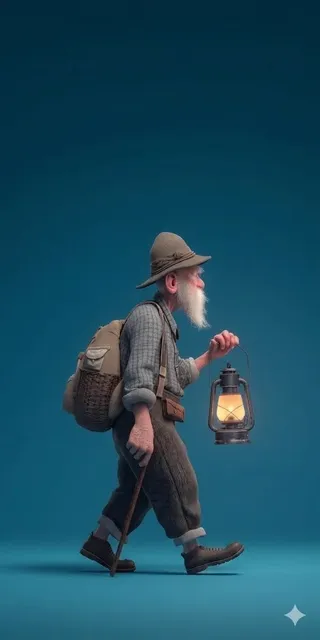
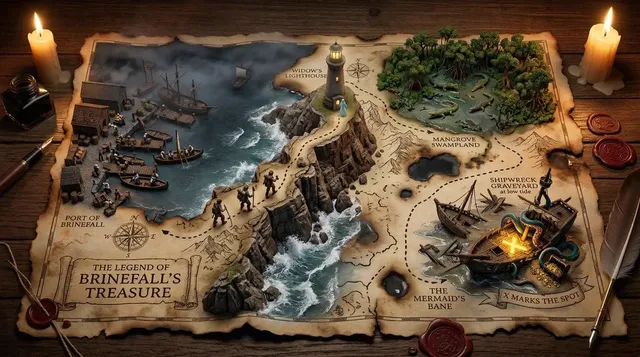
What anime text-to-image generators really do
Anime AI art generators turn written prompts into anime-style illustrations. You describe a character, scene, mood, and style, and the tool returns an image with line art, cel shading, expressive eyes, and a composed background. The appeal is speed: an idea that once required sketching, inking, coloring, and background painting can become a draft in minutes.
These tools are not magic. They are pattern engines. They learn relationships between words and pixels, then sample from that knowledge. A vague prompt produces a generic result. A precise prompt gives the model clear anchors. Anime is demanding because it depends on clean linework, consistent facial proportions, symbolic expressions, and genre-specific costumes. General image models often drift toward semi-realism or lose character details between generations. Anime-focused workflows use specialized training, style references, and control tools to keep the look coherent.
The practical value is previsualization. Writers can see a character before commissioning art. Game teams can explore costume variants. Video creators can build storyboards and keyframes. The tool does not replace taste, but it shortens the distance between an idea and a testable visual.
How the text-to-image pipeline works
Prompt understanding
The generator tokenizes your prompt and maps words to visual concepts. Some terms act as subjects, others as mood, camera, or style. A prompt like anime girl, silver hair, blue eyes, school uniform, cherry blossoms, cinematic lighting, cel shading gives many anchors. Anime girl alone gives almost none.
Style conditioning
Anime is not one style. It includes 90s cel animation, modern key visuals, chibi comedy, shoujo sparkle, and shounen action. Style words like cel shading, flat colors, bold outlines, soft bloom, screentone, and detailed line art steer the rendering. Keep three to five strong style terms instead of stacking dozens.
Character consistency
Consistency is the hardest part. A single striking image is easy; the same character across ten images is hard. Models change faces, hair, outfits, and apparent age. Use a locked seed, a detailed character block, a reference image, or a small character adapter. For serious projects, build a character sheet with front, side, and back views.
Settings and iteration
Guidance scale, steps, seed, and scheduler affect fidelity and variation. High guidance can follow the prompt closely but create harsh edges. Low guidance feels freer but less predictable. Lock the seed when refining. Change one variable at a time. This turns random generation into controlled iteration.
Choosing the right generator
Style fidelity
Test whether the tool understands anime as a visual language. Look at faces, hands, line quality, and backgrounds. If the face looks uncanny or the lines are muddy, the tool may not fit production work.
Consistency features
Reference images, character embeddings, pose control, and inpainting matter more than single-image polish. A tool that keeps your character stable is often more useful than one that produces one perfect image and then loses the design.
Control and resolution
Pose control matches a stance. Depth control helps perspective. Line art control turns sketches into finished images. Inpainting fixes hands, expressions, and backgrounds. Generate at a base resolution such as 1024 by 1024 or 832 by 1216, then upscale. Do not rely on upscaling to fix anatomy.
Cloud versus local
Cloud tools are convenient and need no powerful hardware. Local tools offer more control, privacy, and customization, but require a capable GPU and technical setup. Choose based on how often you generate, how sensitive your work is, and how much control you need.
Rights and policy
Read the terms before commercial use. Rules vary by platform and region. General style descriptors are safer than imitating a living artist. Keep records of prompts and references if a client cares about provenance.
Prompt design for anime art
The four-part formula
Use subject, action or expression, setting, and style. Example: a young mage with short black hair and amber eyes, casting a spell in a ruined library, anime key visual, cel shading, dramatic lighting, detailed background. This gives the model clear priorities.
Describing character details
Describe hair color, hair length, eye color, eye shape, skin tone, outfit, accessories, and body type. Add expression and pose. Repeat the same core character block across prompts. If the character has a signature item, include it every time.
Composition and camera
Control framing with close-up, medium shot, full body, wide shot, from above, from below, and depth of field. State whether you want a portrait, a poster with negative space, or a character sheet with multiple views. The model cannot guess your framing.
Lighting and mood
Lighting changes emotion. Golden hour feels warm. Blue hour feels melancholy. Neon feels energetic. Rim light separates the character from the background. Combine lighting with weather and time of day for a stronger scene.
Negative prompts
Negatives reduce common defects. Useful entries include low quality, blurry, bad anatomy, extra fingers, missing fingers, deformed hands, distorted face, asymmetric eyes, watermark, signature, text, and jpeg artifacts. Add targeted negatives instead of a long generic list.
Weighting
Many tools let you emphasize words with parentheses, brackets, or numerical weights. Emphasize only the most important subject and style terms. Small adjustments are easier to evaluate than large ones.
A practical workflow from idea to finished illustration
Write a visual brief
Before generating, write who the character is, what they are doing, where they are, the mood, the style, the aspect ratio, and the intended use. A brief prevents random output.
Build a base prompt
Turn the brief into a four-part prompt. Add aspect ratio and negative prompt. Keep the first version simple enough to see what works.
Generate a test batch
Create four to eight images with the same seed or small seed variations. Compare composition, face, hands, costume, and background. Look for structural problems first. A beautiful palette cannot save a broken pose.
Refine one variable at a time
Use img2img to keep the composition while changing details. Use inpainting to fix the face, hands, or clothing. Change the seed, pose, or style separately so you know what caused the improvement.
Fix anatomy and artifacts
Hands, eyes, ears, and clothing folds are common problem areas. Inpaint with a focused prompt. For hands, describe the gesture and finger count. For eyes, describe shape and color. If the generation is fundamentally weak, start a new seed instead of over-editing.
Upscale and finish
Upscale in moderation. Check for plastic skin, soft line art, and noisy textures. Sharpen lightly, adjust contrast, and export the correct size. Keep the seed, prompt, and settings for future shots.
Advanced techniques for consistent characters
Character sheets
A character sheet with front, side, and back views gives more information than text alone. Even a rough sketch helps. Keep the reference clean and well lit so background details do not leak into generations.
Embeddings and adapters
For recurring projects, train a small character embedding or adapter using your original design. This keeps hair, eyes, outfit, and proportions stable across images. It takes time, but it pays off for comics, games, and animation.
Pose and composition control
Pose tools let you specify a skeleton or depth map for action scenes and complex interactions. Composition tools help match a storyboard. Combined with a strong character block, they make output more predictable.
Seed and record discipline
Keep a record of seeds, prompts, settings, and references. A simple spreadsheet works. When you find a good result, note the exact seed. When you need a variation, change one element. This turns generation into iteration instead of gambling.
Multi-image fusion
Sometimes no single generation has everything. Combine a perfect face from one image, an outfit from another, and a background from a third using masking and inpainting. The final asset is what matters, not a single perfect prompt.
From stills to motion
Text-to-image is often the first step in a video workflow. Use it for concept art, storyboards, character sheets, background plates, and keyframes. Once the design is locked, generate key poses and use image-to-video tools to add motion.
Consistency matters even more in motion. A character who changes face shape between frames breaks the illusion. Start with simple movements: a head turn, hair sway, or camera pan. Complex fight scenes are difficult because anatomy and style must hold across many frames. Use editing, sound design, and pacing to support the visuals. AI video is not a replacement for animation principles, but it accelerates previsualization and experimental shorts.
Common mistakes and troubleshooting
Vague or crowded prompts
Vague prompts create generic images. Crowded prompts create contradictions. Aim for a balanced prompt with clear priorities. If a detail is ignored, move it earlier or increase its weight.
Style drift
Lock style words and use a reference image. Keep character description separate from background description. Create a style block and paste it into every prompt for a series.
Bad hands and faces
Use negative prompts, higher resolution, and inpainting. Describe eye shape, expression, and angle. For hands, avoid complex finger positions unless you have pose control.
Weak composition
Plan the frame before generating. Decide whether it is a portrait, full-body shot, or wide scene. Use framing words, negative space, and depth of field. A strong character on a weak background still looks unfinished.
Over-upscaling
Upscaling can amplify artifacts. Compare the upscaled version with the original. If skin becomes plastic or lines soften, fix the base image instead.
Ignoring rights
Check tool terms and local law before commercial use. Disclose AI assistance when required. Respect copyright and avoid imitating a living artist without permission.
Ethics, rights, and responsible creation
Anime style is broad, but specific artist styles can be sensitive. Using a general descriptor like 90s anime or cel shading is different from prompting a living artist name to copy their work. Study techniques and develop your own voice rather than using AI to clone someone else.
Training data is debated. Many generators learn from large image collections. You can make better choices by using tools with clear policies, avoiding harmful content, and being transparent about AI assistance. If you publish anime AI art, a short process note helps audiences understand what they are seeing.
Commercial use depends on the tool license and your jurisdiction. Some tools grant broad rights; others limit use. Copyright protection for AI-generated images may be unclear. Human authorship, editing, and arrangement can strengthen your position. Keep prompts, project files, and edit history. If a client asks about provenance, you will be ready to explain.
FAQ
Do I need a powerful GPU?
Not for cloud tools. They run remotely. Local tools need a capable GPU and technical setup. Start with cloud if you are exploring; go local if you need custom models, privacy, or batch processing.
How many generations does a good image take?
A simple portrait might take five to ten attempts. A complex scene with multiple characters and consistent details can take dozens. Iterate systematically and save your best results.
Can I use anime AI art commercially?
It depends on the tool license, the content, and local law. Read the terms. Some tools allow commercial use with restrictions. Avoid copyrighted characters and living artist imitations unless you have permission.
How do I keep the same character?
Use a character sheet, a detailed text block, and a reference image. Train a character adapter if the tool supports it. Lock the seed and style block, then change only pose, expression, or background.
What resolution should I start with?
Use a base resolution the model handles well, such as 1024 by 1024 or 832 by 1216. Match the aspect ratio to the final use. Fix anatomy before upscaling.
Can I turn anime AI art into video?
Yes, with image-to-video tools and careful keyframe planning. Start with simple motion, one character, and a short clip. Consistency and editing matter more than complex action.
What makes anime prompts different from realistic prompts?
Anime prompts need style anchors such as cel shading, line art, and expressive eyes. Realistic prompts often focus on camera, lens, skin texture, and lighting. Mixing the two vocabularies can confuse the model, so choose one visual language and commit to it.
Final checklist
Define the purpose of the image. Write a four-part prompt. Choose a tool that matches your need for style, consistency, and control. Use negative prompts. Generate a batch and compare structure. Refine one variable at a time. Fix anatomy at the base resolution. Upscale and finish with light adjustments. Document your settings. Check rights and policies. With a disciplined workflow, anime text-to-image generation becomes a reliable creative tool rather than a slot machine.

Alexander
More Blogs
Read MoreVidu Q4 Alternatives: 4K AI Video Models Compared (2026)
Vidu Q4 alternatives compared: Kling 4.0, Seedance 2.5, Wan 3.0, and Runway Gen-4 — 4K support, input modes, durations, audio, and what each costs in credits on Domer.
Top 4K AI Image Generators in 2026: 5 Models Compared on Real Costs
The top 4K AI image generators on Domer compared: Flux 3 Klein, Nano Banana 2.1, GPT Image 2.5, GPT Image 2, and Nano Banana Pro — 4K credit costs, reference limits, and speed.
Nano Banana 2.1 vs GPT Image 2.5: Which Image Model Should You Use? (2026)
Nano Banana 2.1 vs GPT Image 2.5 Flare compared: credit costs per resolution, aspect ratios, reference images, text rendering, and which tasks fit each model.