

Affiliazione
Inizia Gratis Ora
Anime AI Generator Workflow: Create Consistent Anime Art
Oct 15, 2026

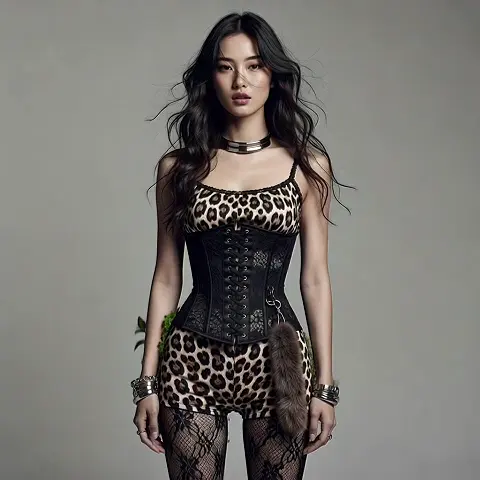
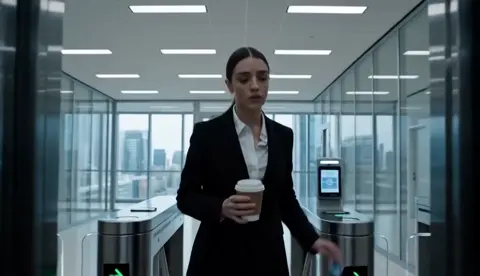
Anime is one of the most stylized visual languages in the world, which makes it both a gift and a trap for AI image generation. The line work is clean, the color logic is flat but expressive, and characters must stay recognizably themselves across dozens of frames. A generic generator can produce a striking one-off image in seconds, but a usable anime pipeline needs repeatability: the same face, the same costume accents, the same palette, shot after shot. This guide covers the practical side of anime AI generators, from how the models work and how to choose a model family, to writing prompts that hold together, locking a character's identity, and moving from stills into short animated sequences without losing coherence.
Why Anime AI Generators Became a Core Creative Tool
Anime and manga have a visual grammar that both people and models learn quickly. Clean outlines, deliberately limited palettes, symbolic backgrounds, and expressive eyes give the style strong internal rules. Those rules are exactly what a generative model needs to produce something that looks intentional rather than accidental. Anime output often looks better on the first attempt than photoreal output does, because the style forgives small anatomical inconsistencies that would be glaring in a photograph.
The second force is volume. Independent creators, small studios, fan artists, and marketing teams all need character visuals at a pace that hand-drawing alone cannot match. Concept boards, thumbnails, comic panels, stream overlays, and vertical short-form video consume artwork faster than any single illustrator can produce it. Generation does not replace illustration; it fills the gap between a rough idea and a finished asset, and it turns iteration from a cost into a habit.
The third force is control. Reference images, pose guides, depth maps, and character-specific model adapters turned generation from a slot machine into a process with levers. Once you can guide composition and identity separately, you can plan work instead of gambling on it.
How Anime Image Generation Actually Works
Understanding the machinery at a high level makes every later decision easier, because most "the tool is bad" complaints are actually mismatches between the model, the prompt, and the guidance layer.
Diffusion, Explained Without the Math
Most modern anime generators are diffusion models. During training, the model learns to reverse a process that adds noise to an image. At generation time, it starts from random noise and denoises step by step, guided by your text prompt and any reference conditions you provide. The number of denoising steps, the sampler, and the guidance strength all change the result. More steps generally mean cleaner detail up to a point, then diminishing returns and slower output. Higher guidance forces the model to obey the prompt more literally, which can sharpen style adherence but also produce crunchy, oversaturated edges if pushed too far.
Where Older Architectures Still Matter
Generative adversarial networks, the architecture family that dominated early anime generation, are less flexible than diffusion but still useful in specific jobs: fast stylization filters, lightweight upscalers, and face-restoration passes. In a modern workflow they usually act as supporting tools rather than the primary generator. Knowing this prevents the common mistake of blaming a diffusion model for a problem that a small restoration pass would fix in seconds.
Text Encoders: Why Word Choice Changes Everything
Your prompt is converted into embeddings by a text encoder, and the model matches image features to those embeddings. This is why word order, specificity, and even punctuation can shift an output. A prompt that says "anime girl, sword, night" leaves the model huge freedom. "Anime key visual, teenage swordswoman in a red haori, low-angle shot, moonlit bamboo grove, cel-shaded, crisp line art" narrows the search space dramatically. The encoder does not understand intent; it understands proximity. The closer your words sit to a consistent visual cluster, the more stable your results become.
Choosing the Right Generator for Your Project
The right tool depends on how much control you need, how private the work must be, and how much setup time you are willing to invest once.
Hosted Generators: Fastest Path to a Finished Image
Browser-based tools win on speed and convenience. They usually bundle a curated set of models, prompt helpers, upscaling, and a gallery, and they update without you maintaining anything. They are ideal for mood boards, social content, and testing whether a concept reads well. The trade-off is less control over sampling parameters and less transparency about which checkpoint version produced a given look.
Local Stacks: Control, Privacy, and Setup Cost
Running models on your own hardware gives you full access to samplers, schedulers, adapters, and version pinning. That matters when a client needs the exact same rendering next month. It also keeps unpublished character designs off third-party servers. The cost is real: driver configuration, model downloads, VRAM management, and a learning curve. If you generate daily, the setup pays for itself. If you generate once a month, it usually does not.
Model Families and Style Checkpoints
Most anime output comes from one of three broad families: general-purpose base models with strong anime capability, anime-specialized checkpoints trained on curated illustration sets, and lightweight distilled models optimized for speed. Specialized checkpoints typically nail cel shading, eyes, and hair faster, while general models handle unusual compositions and mixed realism better. Keep two or three checkpoints installed and test the same prompt across all of them. The differences will tell you more about your project than any review will.
Prompt Crafting for Anime Aesthetics
Prompt writing in anime generation is less about poetry and more about building a consistent specification.
The Core Prompt Skeleton
A reliable anime prompt has five slots: subject, action or pose, framing, environment, and rendering style. For example: subject ("young mechanic with goggles and a braided side ponytail"), action ("leaning over an open engine panel"), framing ("medium shot, three-quarter view"), environment ("cluttered workshop at dusk, warm rim light"), rendering ("anime TV series still, crisp line art, soft cel shading, muted teal and amber palette"). Writing in that order keeps you from forgetting the framing or lighting, which are the two slots people skip most often and then blame the model for.
Negative Prompts and Artifact Control
Negative prompts are your quality filter. Typical entries for anime work include extra fingers, deformed hands, merged limbs, watermark, text, signature, blurry, low contrast, and jpeg artifacts. Add style-specific negatives too: if a checkpoint keeps producing glossy 3D-looking skin, add "3D render, plastic shading" to the negatives. Build a saved baseline negative string, then branch per project instead of retyping from scratch and introducing inconsistencies.
Style Tags, Line Weight, and Color Direction
Anime styles differ mostly in line weight, shading model, and palette discipline. Tags like cel shading, flat color, watercolor wash, thick outlines, 90s OVA, or theatrical key visual each pull the model toward a distinct lineage. Pair a shading tag with a palette instruction ("duotone indigo and cream") rather than naming twenty colors. Two or three deliberate colors produce more coherent frames than a rainbow, and they make separate shots feel like they belong to the same production.
Character Consistency: The Hardest Problem in Anime Generation
Nobody cares that your single hero image looks great. They care that the hero looks the same in the next eleven shots.
Reference Images and Identity Locking
Reference-based conditioning lets you feed one or more images of a character and let the model preserve facial features, hair shape, and costume details. The trick is choosing the reference well: a clean, front-facing, well-lit portrait works far better than a dramatic action pose. Use two or three references at most and give them consistent art style, because conflicting references produce a blended face that looks like nobody. Weight your references so the strongest one dominates the identity while the others contribute details like the coat or the eye color.
Adapters and Light Fine-Tuning
When references are not enough, small trained adapters are the next step. These are lightweight files trained on a handful of images of a single character, style, or prop, and they attach to a base model without retraining the whole thing. Twenty to thirty varied images, including different angles, expressions, and lighting conditions, are enough to produce a surprisingly stable identity. Over-training is the usual failure: too many steps and the adapter will paste the character into every prompt regardless of context, including scenes where the character should be small, distant, or in shadow.
Build a Character Sheet Before You Build a Scene
Before generating story images, generate a reference sheet: front, three-quarter, profile, plus two or three expressions and a full-body pose. Lock the approved sheet and treat it as the project's source of truth. Every later scene gets checked against it. This one habit eliminates most continuity complaints, and it gives you a fast way to fix drift when a character's face starts morphing across a series of shots.
From Stills to Motion: Animating Anime Output
Static images are usually the first deliverable, but shorts, promos, and social clips need movement.
Image-to-Video Basics
Image-to-video models take an approved still and add motion while trying to preserve the original composition. Anime works well here because flat shading gives the model fewer gradients to misinterpret. Start with one approved keyframe per shot, keep clips short (three to eight seconds), and generate several variations before committing. Longer clips accumulate drift, so it is better to chain short clips than to push one long generation.
Camera Moves, Frame Rate, and Temporal Coherence
Small, motivated camera moves read as intentional: a slow push-in, a gentle lateral pan, a slight tilt. Large spins and whip pans expose the model's weakness at maintaining consistent geometry. Anime traditionally animates on twos or threes, meaning the image changes every second or third frame. Mimicking that cadence with a stepped or reduced frame rate often looks more authentically animated than smooth interpolation. When faces flicker, reduce motion magnitude first, then shorten the clip, then re-check the source still for ambiguous facial details.
Audio, Subtitles, and Vertical Delivery
If your output is headed to vertical platforms, plan the frame from the start. A tall composition with the subject centered leaves room for captions without cropping the art. Add ambient sound or a short music bed, keep subtitles to one or two lines per screen, and check that text never covers a character's face. Silent clips feel unfinished even when the animation is strong.
A Repeatable Production Workflow
A workflow that produces the same quality twice is worth more than a workflow that produces one brilliant image.
- Define the brief. Write one paragraph describing the character, the world, and the emotional tone. This paragraph becomes your prompt foundation and your QC reference.
- Lock the model. Choose one checkpoint and one adapter set per project. Note the exact names and versions in a project file.
- Build the character sheet. Generate, review, and approve a small set of canonical poses and expressions.
- Create a prompt template. Fill in subject, pose, framing, environment, and rendering style as reusable slots.
- Generate in batches. Produce three to six variations per shot instead of one. Batch generation reveals which details are unstable.
- Select ruthlessly. Keep only images that match the character sheet and the brief. Archive the rest rather than deleting them; failed generations often contain useful details.
- Clean up. Fix hands and eyes with inpainting, then upscale. Do not upscale before fixing, because artifacts get magnified along with the good detail.
- Animate approved stills. One keyframe per shot, short clips, small camera moves.
- Assemble and audit. Edit sequences together, add audio and captions, then run a final continuity pass against the character sheet.
Naming and versioning deserve a minute of thought. A simple convention like project_character_shot_variant prevents the chaotic folder that appears around the third revision. Store prompts alongside images so you can reproduce a look months later without guessing.
Quality Control: What to Check Before Publishing
Run every final image through the same checklist: hands and finger count, eye symmetry and pupil direction, ear and hairline placement, costume details that must stay consistent, background perspective, and text artifacts in signage. Then check the shot at thumbnail size. Anime relies on silhouette and value contrast, and a frame that reads clearly at 200 pixels will read clearly everywhere.
For sequences, review the whole set at once rather than image by image. Drift is invisible when you look at one frame and obvious when you look at twelve. Finally, verify technical delivery: resolution, color profile, aspect ratio, and file naming. Most rejected deliverables fail on these boring details rather than on artistry.
Common Mistakes That Wreck Anime Output
Overloading the prompt. Twenty style tags fight each other. Pick two or three and let the model fill in the rest.
Ignoring the negative prompt. Most ugly output comes from what you failed to exclude, not what you failed to include.
Changing models mid-project. A different checkpoint is a different art style. Switch once, before production, or accept that the series will look inconsistent.
Chasing one perfect image. A single flawless frame is not a style. Test consistency across five images before you commit to a direction.
Skipping references for characters. Relying on text alone to describe a face is the fastest route to a character who changes appearance between shots.
Animating unapproved stills. Motion hides small errors until they become very obvious errors. Approve the keyframe first.
Upscaling too early. Fix structure, then resolution. Never the other way around.
FAQ
Do I need a powerful GPU to make anime art with AI? No. Hosted tools handle generation for you. Local hardware becomes worthwhile when you need exact reproducibility, large batches, or confidentiality for unpublished designs.
How many reference images does a character need? Two or three clean references are enough for basic identity locking. For a trained character adapter, aim for twenty to thirty images covering multiple angles, expressions, and lighting setups.
Why do hands keep coming out wrong? Hands are small, high-detail, and rarely consistent in training data. Fix them with inpainting at the same resolution as the original, or reframe the shot so hands are less prominent. Prevention beats repair.
Can I use generated anime art commercially? That depends on the model license and the laws where you operate. Check the license terms of each checkpoint and adapter you use, and keep documentation of the models in your pipeline.
How do I keep a consistent art style across many images? Fix one checkpoint, one adapter set, one prompt template, and one palette. Style drift almost always traces back to changing one of those four variables between sessions.
What is the best way to turn anime images into video? Generate one strong keyframe per shot, animate it in short clips with minimal camera movement, and assemble the shots in an editor. Chaining short clips preserves quality better than generating one long sequence.
How long should a generated anime clip be? Three to eight seconds per shot is the sweet spot. Beyond that, faces and costume details start to drift, and the cost of a failed generation rises sharply.
Do I still need to learn drawing fundamentals? Yes, and it accelerates everything. Composition, gesture, and color theory let you judge output critically, write better prompts, and fix weak frames instead of accepting whatever the model produces.

Alexander
More Blogs
Read MoreVidu Q4 Alternatives: 4K AI Video Models Compared (2026)
Vidu Q4 alternatives compared: Kling 4.0, Seedance 2.5, Wan 3.0, and Runway Gen-4 — 4K support, input modes, durations, audio, and what each costs in credits on Domer.
Top 4K AI Image Generators in 2026: 5 Models Compared on Real Costs
The top 4K AI image generators on Domer compared: Flux 3 Klein, Nano Banana 2.1, GPT Image 2.5, GPT Image 2, and Nano Banana Pro — 4K credit costs, reference limits, and speed.
Nano Banana 2.1 vs GPT Image 2.5: Which Image Model Should You Use? (2026)
Nano Banana 2.1 vs GPT Image 2.5 Flare compared: credit costs per resolution, aspect ratios, reference images, text rendering, and which tasks fit each model.