

Affiliazione
Inizia Gratis Ora
Anime Video Generator AI: Build Stunning Anime Scenes
Oct 15, 2026


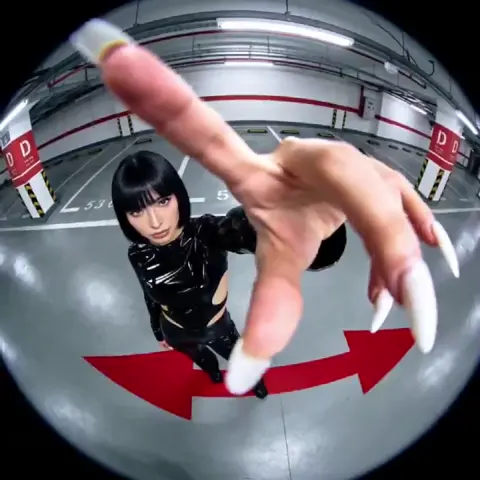
Anime is one of the most recognizable visual languages in motion, and until recently it was also one of the most labor-intensive to produce. A single minute of polished 2D animation can consume weeks of drawing, in-betweening, compositing, and retakes. Generative video tools have not replaced that craft, but they have changed where the effort goes: instead of drawing every frame, you direct, curate, and repair. A solo creator or a two-person team can now produce motion tests, animatics, and finished short scenes that would previously have required a studio pipeline.
This guide is a practical workflow for anime-style AI video. It covers tool selection, prompt construction, shot planning, consistency problems, post-production, common failure modes, and the questions creators ask most often. Nothing here depends on one specific product — the techniques transfer across whichever generator you prefer.
Why Anime-Style AI Video Works Now
Three technical shifts made this practical rather than theoretical.
Temporal coherence. Early image models produced gorgeous stills that dissolved into mush the moment you requested movement. Current video models condition each frame on its predecessors, using latent continuity, optical flow guidance, or explicit motion priors, so a character's face, hair shape, and costume survive across a shot instead of mutating every half second.
Controllable conditioning. Depth maps, pose skeletons, edge maps, and segmentation masks let you specify what the camera sees and how the subject moves instead of hoping the model guesses correctly. Pose conditioning matters enormously for anime, because exaggerated, readable silhouettes are central to the style. When you can hand the model a skeleton, you stop fighting it over anatomy.
Style adapters. Small fine-tuned weight sets trained on a specific look — a cel-shaded palette, a particular line weight, a recurring eye design — attach to a base model so every generation lands in the same visual universe. Consistency becomes a configuration decision instead of a lucky accident.
The practical consequence is that anime video generation behaves like a pipeline, not a magic prompt box. Plan shots, generate stills, animate, repair, assemble. The sections below follow that sequence.
Choosing the Right Generator for the Shot
Different tools win at different jobs. Sort them into three families and match the family to the shot.
Text-to-video excels at exploration and at shots with no recurring character: weather, landscapes, crowds, energy effects, establishing views. Prompt “rain-slicked alley at night, neon reflections rippling in puddles, slow dolly forward” and you will get something usable within a few attempts. Asking the same tool to keep a specific protagonist on-model across twelve shots is where it struggles.
Image-to-video starts from a still you drew, painted, or generated, then adds motion. This is the sweet spot for character work: the still locks the design, and the model supplies the movement. You control the face, costume, and lighting before a single frame is animated, which removes the most common source of disappointment.
Keyframe interpolation and pose-driven animation takes two or more poses and fills the in-betweens. It is the closest digital equivalent of traditional animation logic — slower to set up, and by far the most controllable option for action sequences, dance, and fight choreography.
| Shot type | Best approach | Why it works |
|---|---|---|
| Establishing / scenery | Text-to-video | No continuity burden, fast iteration |
| Character dialogue | Image-to-video | Still locks design, model adds subtle motion |
| Action / fight | Pose-driven or keyframe | Explicit control of timing and silhouettes |
| Effects (energy, smoke) | Text-to-video + compositing | Cheaper to layer than to animate fully |
Write your decision criteria down before committing to a subscription. How many shots do you need per week? Is character consistency mandatory or optional? Can you draw, or must you generate source stills? Do you need frame-sequence or alpha-channel export for compositing? How much iteration can you afford per shot? A tool that produces 90% usable output in three minutes often beats one that produces 98% usable output in twelve minutes, because iteration speed compounds across an entire project.
Anatomy of a Strong Anime Prompt
The five-part prompt frame
Build every prompt from five slots: subject, action, setting, camera, style. A weak prompt says “anime girl running.” A working prompt says “teenage swordswoman in a red haori, sprinting across tiled rooftops, dusk cityscape below, low tracking shot following her from behind, cel-shaded 2D animation with bold line work and warm rim light.”
The five slots force you to decide what actually matters in the frame. When a generation fails, you can then change one slot at a time instead of rewriting everything and losing the thread of what worked.
Style tokens that carry weight
Terms that reliably steer anime output include: cel shading, bold outlines, two-tone lighting, hand-painted background, limited animation, film grain, chromatic aberration, widescreen composition, and period-specific looks such as 1980s television anime or modern theatrical feature. Stacking too many of these dilutes all of them. Pick two or three and let the reference image carry the rest.
Negative prompts are a tool, not a superstition
Keep a reusable negative list: extra fingers, fused limbs, morphing face, double outlines, watermark, text overlay, photorealistic skin texture, flicker, jitter, oversaturated colors. Add project-specific entries as you spot repeated defects. If a negative token never changes your output, delete it — long negative lists slow generation and can suppress useful detail.
Lock the style before you animate
Choose a seed, a style reference image, or a style adapter, then keep it fixed for an entire scene. Vary only the action and camera tokens between shots. Most “my characters look different in every shot” complaints trace back to changing the style inputs mid-scene rather than to the model's limits.
A Step-by-Step Production Workflow
Step 1: Shot list and beats, on paper
Before opening any tool, write the scene as a list of shots with one sentence each: what the audience must understand, where the camera is, and how long the shot lasts. Six to twelve seconds per shot is a comfortable working range for generative video. Anything longer usually needs to be broken into cuts anyway, and shorter shots hide imperfections better.
Step 2: Generate reference stills and a character sheet
Produce a front, three-quarter, and profile still of each main character, plus a neutral expression sheet. Save them. These are your anchors. Every later generation references them, and if a shot drifts, you can regenerate from the sheet rather than trying to patch the drift.
Step 3: Animate one idea per shot
Give each shot a single motion instruction: the character turns their head, the camera pushes in, the cape billows. Models handle one dominant motion far better than three simultaneous ones. If a shot needs more than one beat, split it into two shots and cut between them. Editing will hide the seams.
Step 4: Control the camera deliberately
Camera language is what separates amateur AI video from work that feels directed. Specify slow push-in, locked-off wide, handheld follow, whip pan, or slow tilt. Static shots with strong composition often read better than constant motion, especially in dialogue scenes. Reserve aggressive camera moves for moments of emphasis.
Step 5: Generate variants and keep only one
Produce three to five candidates per shot and select the strongest. Resist the urge to keep a mediocre take because it took a while to render. A weak shot drags down everything around it, and re-generation is usually faster than repair.
Solving the Hard Problems
Character consistency across shots
Use the same still as the first frame of every shot featuring that character, keep the style seed fixed, and avoid prompts that describe clothing differently between shots. If a character must appear from a new angle, generate the still at that angle first and animate from it. Consistency is a preparation problem, not a rendering problem.
Hands, faces, and fast motion
Hands and faces remain the weak points of every video model, and fast motion amplifies both. Practical fixes: frame the shot so hands are partially occluded or out of frame; slow the action down and speed it up in editing; generate the difficult moment as a still and use a short animation of two to three seconds; or composite a hand drawn over the generated footage. Professional animation has used cut-ins and clever framing forever — borrow those solutions.
Lip sync and dialogue
Generate dialogue shots with minimal head movement and a locked camera, then drive mouth shapes with a dedicated lip-sync pass or hand-draw the mouth layer and composite it. For anime specifically, limited mouth animation is stylistically acceptable; audiences accept a simple open-close cycle and a held face far more readily than they accept a warping jaw.
Backgrounds and parallax
Generate background plates separately, then add camera parallax in a compositor by separating foreground, midground, and background layers. This produces the sense of depth that anime backgrounds are famous for, and it costs far less generation time than trying to animate the entire frame at once.
Post-Production That Makes AI Footage Feel Directed
Raw generated clips rarely feel finished on their own. Four passes close most of the gap.
Editing rhythm. Cut on motion and on beat. AI clips often have a slightly soft beginning and end, so trim the first and last few frames of each take. Faster cutting also disguises continuity gaps.
Sound design first. Lay in ambience, footsteps, whooshes, and music before chasing visual perfection. Sound carries more of the perceived quality than most creators expect, and a strong audio bed can make a merely decent shot land.
Color and grain. Apply a unified grade across all shots and a light grain pass to bind footage from different generations into one visual texture. Match black levels, and choose one color temperature direction for the scene.
Frame rate and motion blur. Generated clips frequently arrive at 24 or 30 frames per second with unrealistic shutter behavior. Retiming to a consistent frame rate and adding subtle motion blur makes pans and fast action read as intentional rather than stuttering.
Finish with a compositing pass for overpaint: fix a broken hand, redraw an eye, extend a background. A few hours of manual touch-up often improves perceived quality more than another day of generation.
Common Mistakes and How to Avoid Them
- Chasing a perfect one-prompt result. Anime video is a pipeline. Accept a repair stage and you will ship faster.
- Changing everything between attempts. Vary one variable at a time, otherwise you learn nothing from a failure.
- Ignoring the first frame. A great opening still does a disproportionate amount of the work in image-to-video.
- Long shots with no cuts. Break action into short, purposeful shots instead of one continuous take.
- Mixing styles mid-scene. Different line weights or palettes across shots read as mistakes, not as style.
- Skipping the character sheet. Without reference stills, drift is guaranteed.
- Over-prompting. Ten style tokens fight each other; three well-chosen ones cooperate.
- Neglecting audio. Silent, unmixed cuts feel like tests, not scenes.
Ethics, Rights, and Working With Anime Style
Anime's visual grammar is a shared language, but individual artists have signatures. Building a project around a recognizable living artist's style is both ethically questionable and legally risky, and it can sour an audience before they watch a single frame. Aim for a genre-level look — cel shading, specific lighting conventions, a period aesthetic — and develop your own character designs, palettes, and line treatment on top of it.
Also think through practical rights questions: who owns generated footage under your tool's terms, whether you can license the output commercially, and whether you need to disclose AI involvement to a client or platform. If you are producing work for a brand or a festival, ask about their AI policy before production, not after delivery.
A Two-Week Practice Plan
Week one is about control. Days 1–2: generate twenty stills using the five-part prompt frame and note which tokens reliably change the output. Days 3–4: animate five of those stills with one motion instruction each. Days 5–7: build a three-shot sequence from a character sheet and cut it together with sound.
Week two is about polish. Days 8–9: practice parallax backgrounds in a compositor. Days 10–11: run a dialogue shot with lip sync. Days 12–14: produce a twenty-second scene end to end — shot list, stills, animation, edit, sound, grade — and publish it. Shipping one complete short teaches more than months of isolated tests.
FAQ
Do I need to draw to make anime-style AI video?
No, but drawing gives you a large advantage in consistency. If you cannot draw, invest heavily in reference stills and a character sheet before animating anything.
How long should each AI-generated shot be?
Six to twelve seconds is a practical range. Longer shots invite drift; shorter ones are harder to grade and cut smoothly.
Why do my characters change between shots?
Usually because the style reference, seed, or first frame changed. Fix the style inputs, start every shot from the same still, and change only action and camera tokens.
Can AI handle fight scenes?
Partially. Pose-driven animation and keyframe interpolation handle choreography far better than prompt-only generation. Many creators combine both: pose-driven for the contact moments and text-to-video for impact frames and effects.
What resolution and frame rate should I target?
Aim for at least 1080p and a consistent frame rate across all shots, typically 24 frames per second for a cinematic feel. Generated clips often need retiming in post.
Is AI anime video good enough for a client project?
For short-form social content, motion tests, and stylized inserts, yes. For long-form narrative, expect a hybrid workflow where AI handles background plates, rough motion, and effects while key character moments get manual attention.
How do I keep costs and render time manageable?
Iterate at low resolution and short duration, then upscale only the takes you keep. Batch similar shots so you can compare candidates side by side in one session.
Should I disclose that a video was made with AI?
Disclose when a platform, client, or audience expects it, and always when the work could be mistaken for hand-drawn animation in a context where that distinction matters. Clear disclosure rarely damages a project; discovering it later often does.
The tools will keep changing, but the workflow stays stable: plan the shot, lock the style, control the motion, repair the failures, and finish with sound and color. Master that loop and the specific generator you use becomes a detail rather than a limitation.

Alexander
More Blogs
Read MoreVidu Q4 Alternatives: 4K AI Video Models Compared (2026)
Vidu Q4 alternatives compared: Kling 4.0, Seedance 2.5, Wan 3.0, and Runway Gen-4 — 4K support, input modes, durations, audio, and what each costs in credits on Domer.
Top 4K AI Image Generators in 2026: 5 Models Compared on Real Costs
The top 4K AI image generators on Domer compared: Flux 3 Klein, Nano Banana 2.1, GPT Image 2.5, GPT Image 2, and Nano Banana Pro — 4K credit costs, reference limits, and speed.
Nano Banana 2.1 vs GPT Image 2.5: Which Image Model Should You Use? (2026)
Nano Banana 2.1 vs GPT Image 2.5 Flare compared: credit costs per resolution, aspect ratios, reference images, text rendering, and which tasks fit each model.